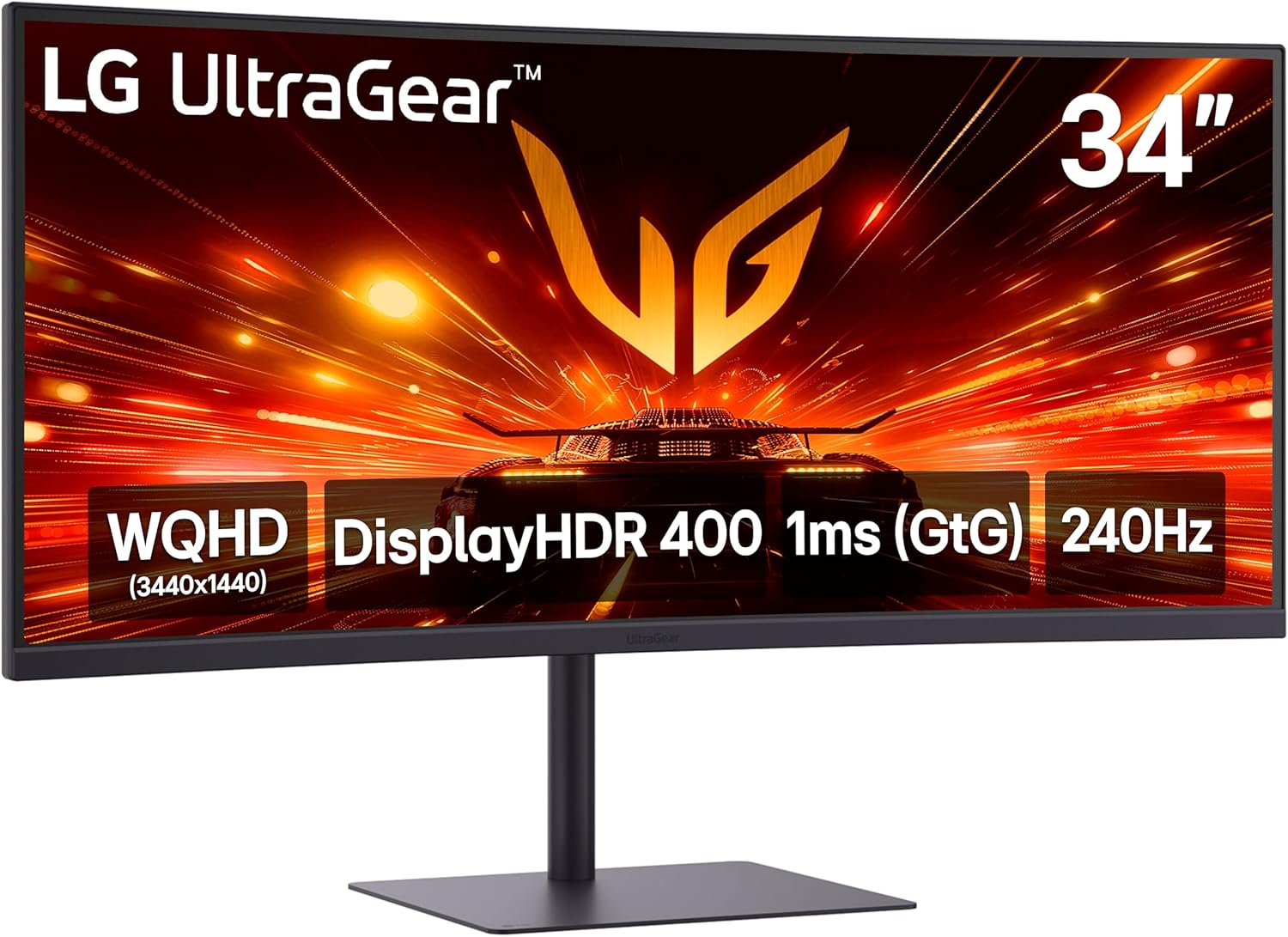
LG 34G630A-B 34-Inch Ultragear WQHD (3440 x 1440) Curved Gaming Monitor, 240Hz, 1ms, FreeSync Premium, DisplayHDR 400, Built-in Speaker, HDMI, DisplayPort, USB Type-C, Tilt/Height/Swivel Stand, Black
Want the best price and purchase timing?
Our AI advisor analyzes real-time pricing across all channels to find you the best deal.
AI Verdict
This 34-inch 1500R curved WQHD VA panel with 240Hz and 1ms GtG is for competitive gamers with powerful PCs who want ultrawide immersion.
This monitor is a strong fit for serious gamers looking for an ultrawide, high-refresh-rate experience. Its 34-inch 1440p 240Hz VA panel with 1ms GtG and FreeSync Premium is specifically designed for fluid, immersive gaming.
If you need better color accuracy for professional work, look for a monitor with higher sRGB coverage or an sRGB emulation mode.
Regret Score™
Low RiskLower is better — measures purchase-regret risk from real buyer complaints, review credibility, and product maturity
Issues discovered after purchase
Critically weak dimension
Amazon rating vs actual quality
Chance this product isn't for you
Pros
- The 21:9 WQHD (3440x1440) resolution provides extra horizontal screen real estate for multitasking and immersive gaming.
- A 240Hz refresh rate delivers fluid motion and sharp clarity for fast-paced competitive gaming.
- The 1ms (GtG) response time minimizes ghosting, keeping visuals sharp and clear.
- AMD FreeSync Premium ensures tear-free visuals across PC and next-gen console gaming.
- The monitor features 95% DCI-P3 color gamut coverage and VESA DisplayHDR 400 for vivid visuals.
- Connectivity includes two HDMI 2.1 ports, one DisplayPort 1.4, one USB Type-C with 15W PD, two USB Type-A, and a 3.5mm jack.
Cons
- The VA panel's response times average 5-8ms, which can lead to some ghosting, especially for competitive play.
- Built-in speakers are only serviceable and may contribute to the price without offering premium audio.
- The monitor does not cover the sRGB color gamut or offer an sRGB mode, which might affect color accuracy for specific tasks.
- Some users have reported pixel distortion or the screen going white/black with colored rectangles, indicating potential monitor issues.
- There is no integrated cable management on the stand.
Dimension Scores
The 95% DCI-P3 color gamut and VESA DisplayHDR 400 offer vivid colors and bold HDR, but the lack of sRGB mode can be a drawback for some.
A 240Hz refresh rate and 1ms (GtG) response time are top-tier for competitive gaming, despite potential VA panel ghosting.
With two HDMI 2.1, DisplayPort 1.4, USB-C with 15W PD, and USB-A ports, it offers comprehensive connectivity for various devices.
The stand provides tilt, height, and swivel adjustments, offering flexibility for viewing positions.
Best For
- Immersive ultrawide gaming with a powerful PC capable of 1440p at 240Hz.
- Competitive gamers who prioritize high refresh rates and low response times for a tactical advantage.
- Users who need ample screen space for game overlays, chat, and guides without alt-tabbing.
Not Recommended For
- Color-critical work requiring precise sRGB accuracy.
- Budget-conscious gamers without a high-end graphics card to drive 3440x1440 at 240Hz.
- Users expecting premium audio from built-in speakers.
Watch Out For
- The VA panel can exhibit ghosting, with response times around 5-8ms, which might be noticeable in fast-moving scenes.
- Some units have shown pixel distortion, or the screen turning white/black with colored rectangles, requiring troubleshooting or return.
- The monitor lacks an sRGB mode, and its 95% DCI-P3 coverage translates to about 86.9% of sRGB, making it less ideal for sRGB-dependent tasks.
- You'll need a powerful PC to consistently hit 240Hz at 3440x1440 resolution; otherwise, you're not maximizing the monitor's potential.
Full Specifications
| ASIN | B0FMYWN9KZ |
| Brand | LG |
| Color | Black |
| Series | 34G630A-B.AUSQ |
| Resolution | QHD Ultra Wide 1440p |
| Item Weight | 16.1 pounds |
| Screen Size | 34 Inches |
| Aspect Ratio | 21:9 |
| Manufacturer | LG Electronics Inc. |
| Item model number | 34G630A-B.AUSQ |
| Screen Resolution | 3440x1440 |
| Product Dimensions | 9.2 x 31.8 x 20.2 inches |
| Max Screen Resolution | 3440 x 1440 Pixels |
| Item Dimensions LxWxH | 9.2 x 31.8 x 20.2 inches |
| Number of USB 3.0 Ports | 2 |
| Screen Surface Description | Matte |
| Standing screen display size | 34 Inches |
What Buyers Say
Users are mostly stoked about the raw speed and immersive feel of this ultrawide, especially for gaming. The 240Hz refresh rate and 1ms response time really stand out, making gameplay feel incredibly fluid. However, some folks have run into weird display glitches like pixel distortion or the screen just going wonky, which is a real buzzkill. The built-in speakers are just 'there,' and if you're into color-accurate work, the lack of a proper sRGB mode might be a dealbreaker.
“Dude, this monitor is FAST, like, seriously fast for gaming, but my screen freaked out with weird colors a couple times and the speakers are trash, so definitely use headphones.”
Common Praise
- The 240Hz refresh rate makes fast-paced games feel incredibly smooth and responsive.
- The 21:9 ultrawide aspect ratio and 1500R curve create a deeply immersive gaming experience.
- The 1ms GtG response time keeps visuals sharp and minimizes motion blur in intense action.
- The monitor offers a wide range of connectivity options, including HDMI 2.1 and USB-C.
- The stand allows for height, tilt, and swivel adjustments, making it easy to find a comfortable viewing angle.
Common Complaints
- Some users experienced pixel distortion or the screen intermittently going white/black with colored rectangles.
- The VA panel can show noticeable ghosting in certain scenarios due to its 5-8ms average response time.
- The built-in speakers are not particularly powerful or clear, making external audio solutions almost a necessity.
- There's no dedicated sRGB mode, and the DCI-P3 coverage doesn't perfectly align with sRGB, which can be an issue for creative tasks.
- The stand lacks any form of cable management, leading to a less tidy setup.
Ownership Tips
- You'll need to tweak settings out of the box to get the best picture, as presets might not be optimized for your specific games.
- The monitor's full potential, especially the 240Hz at WQHD, demands a high-end graphics card; don't expect to hit those frames with an older rig.
- While the curve is immersive, it might take a little getting used to if you're coming from a flat panel.
- The lack of cable management means you'll probably want to invest in some zip ties or an aftermarket solution to keep your desk clean.
Frequently Asked Questions
What kind of panel does this monitor use?
This monitor uses a VA (Vertical Alignment) panel.
Does this monitor have built-in speakers?
Yes, it has built-in speakers, though user feedback suggests they are only serviceable.
Is this monitor compatible with G-Sync?
While it features AMD FreeSync Premium, it also states NVIDIA G-SYNC compatibility.
What is the curvature of the screen?
The screen has a 1500R curvature, designed to immerse you in your field of view.
Does it have USB-C connectivity?
Yes, it includes a USB Type-C port with 15W Power Delivery.
Buying Guide
When you're looking at a gaming monitor like this, you need to think about what you're actually going to *do* with it. The 240Hz refresh rate and 1ms response time are huge for competitive games where every millisecond counts, but your PC needs to be powerful enough to push those frames. The ultrawide aspect ratio is awesome for immersion, making games feel bigger, but not all games support it perfectly, so you might see black bars. Also, don't expect studio-grade color accuracy from this one; it's built for speed and pop, not precise editing.
Refresh Rate (240Hz)
Think of refresh rate like frames per second for your screen. A 240Hz monitor can display 240 new images every second, making motion look incredibly smooth, especially in fast-paced games. It's like watching a high-frame-rate movie versus a choppy old film.
Response Time (1ms GtG)
This is how quickly a pixel can change color. A 1ms Gray-to-Gray (GtG) response time means pixels change almost instantly, which reduces 'ghosting' or blur behind moving objects. It's crucial for keeping things sharp when you're spinning around in a game.
WQHD (3440x1440) Resolution
This is the number of pixels on the screen. WQHD ultrawide gives you a lot more horizontal space than a standard 1080p or 1440p monitor. It's like having two smaller monitors side-by-side without the bezel in the middle, giving you a wider field of view in games or more room for applications.
VA Panel
VA (Vertical Alignment) panels are known for their high contrast ratios, meaning deeper blacks and brighter whites, which makes images 'pop' more. However, they can sometimes have slower response times compared to IPS panels, potentially leading to a bit of motion blur or 'ghosting' in very fast scenes.
Alternatives
If you need better color accuracy for creative work, look for monitors with higher sRGB coverage and calibration options. If your PC can't handle 240Hz at 1440p, consider a 144Hz or 165Hz monitor to save some cash.
You Might Also Like

KTC H27S5C 27" Curved Gaming Monitor, 1440P QHD 144Hz 120Hz Monitor, 1500R HVA Panel, HDR400, Adaptive Sync, 400nits, HDMI 2.0 x2, DP 1.4, VESA 100x100 PC Monitor
$150-$299This is a 27-inch 1440p 144Hz curved HVA panel with 400 nits brightness and HDR400, designed for gamers and creative users needing color accuracy.

ASUS ROG Strix 32” 4K OLED Gaming Monitor (XG32UCWMG) - TrueBlack Glossy, Dual Mode(4K@240Hz, FHD@480Hz), 0.03ms, G-SYNC Compatible, Neo Proximity Sensor, USB-C, HDMI 2.1, 3 yr Warranty
$600+This 32-inch 4K 240Hz WOLED monitor with 0.03ms response and dual-mode FHD 480Hz is for serious gamers and content creators prioritizing visual fidelity and speed.

CRUA 32" White Curved Monitor, 4K UHD(3840*2160P) 1500R VA Screen, 75Hz Computer Monitor Supports AMD Freesync, 120% sRGB, Built-in speakers, Blue Light Filter,Wall Mountable Installs(HDMI 2.0/DP 1.4)
$150-$299This is a 32-inch 4K (3840x2160) 1500R VA curved monitor with a 75Hz refresh rate and 260 cd/m² brightness, best for casual media consumption and productivity.

CRUA 34 Inch Curved Gaming Monitor, 21:9 WQHD 3440x1440 165Hz/144Hz 1500R Ultrawide Computer Monitor Support Freesync, PIP/PBP, 120% sRGB, HDMI 2.0 & DP 1.4, Wall Mountable/Tilt Adjustable-Black
$150-$299A 34-inch 1500R curved 3440x1440 VA panel with 165Hz refresh, 300 cd/m² brightness, and a tilt-only stand.