
CRUA 34 Inch Curved Gaming Monitor, 21:9 WQHD 3440x1440 165Hz/144Hz 1500R Ultrawide Computer Monitor Support Freesync, PIP/PBP, 120% sRGB, HDMI 2.0 & DP 1.4, Wall Mountable/Tilt Adjustable-Black
Want the best price and purchase timing?
Our AI advisor analyzes real-time pricing across all channels to find you the best deal.
AI Verdict
A 34-inch 1500R curved 3440x1440 VA panel with 165Hz refresh, 300 cd/m² brightness, and a tilt-only stand.
This monitor is a situational fit for gamers and multitaskers who prioritize a large, curved, high-refresh-rate ultrawide display at a mid-range price. Its 165Hz refresh and WQHD resolution are strong points, but the 300 cd/m² brightness and tilt-only stand limit its appeal for some users.
If you need better ergonomics, look for monitors with height, swivel, and pivot adjustments, or plan to use a 75mmx75mm VESA mount.
Regret Score™
High RiskLower is better — measures purchase-regret risk from real buyer complaints, review credibility, and product maturity
Issues discovered after purchase
Critically weak dimension
Amazon rating vs actual quality
Chance this product isn't for you
Pros
- The 21:9 aspect ratio and 1500R curvature expand your field of view for multitasking and immersion.
- WQHD (3440x1440P) resolution provides sharp clarity and detail across the 34-inch screen.
- A 165Hz refresh rate with FreeSync technology delivers smooth visuals in fast-paced content.
- The VA panel offers a 120% sRGB color gamut and a 4000:1 contrast ratio for vivid colors and deep blacks.
- PIP and PBP modes allow simultaneous display from two devices, enhancing productivity.
- Equipped with 2 HDMI 2.0 ports and 2 DisplayPort 1.4 ports for versatile device connections.
Cons
- The 300 cd/m² brightness is average and might not be sufficient for brightly lit rooms or meaningful HDR.
- The stand only supports -5°~20° tilt adjustment, lacking height, swivel, or pivot ergonomics.
- HDMI 2.0 ports limit the refresh rate to 120Hz at 3440x1440, requiring DisplayPort for 165Hz.
- No built-in speakers are mentioned in the specifications, only a 3.5mm audio output.
- No USB hub functionality is listed, meaning external peripherals will need separate connections.
Dimension Scores
WQHD resolution and 120% sRGB are good, but 300 cd/m² brightness is average, and VA panels can have color shift at extreme angles.
The 165Hz refresh rate with FreeSync is above average for gaming, providing smooth motion.
Two HDMI 2.0 and two DisplayPort 1.4 ports offer good connectivity for multiple devices, including consoles and PCs.
The stand only supports -5°~20° tilt adjustment, lacking height, swivel, or pivot, which is below category average.
Best For
- Gamers seeking an ultrawide, high-refresh-rate experience without a premium price tag.
- Users needing ample screen space for multitasking, leveraging PIP/PBP features.
- Content consumers who appreciate an immersive 1500R curved display for movies and media.
- Individuals planning to use a VESA-compatible monitor arm for ergonomic adjustments.
Not Recommended For
- Professional graphic designers requiring precise color calibration beyond sRGB coverage.
- Users who need extensive ergonomic adjustments (height, swivel, pivot) from the included stand.
- Anyone expecting built-in speakers or integrated USB hub functionality.
Watch Out For
- The 300 cd/m² brightness might feel dim in brightly lit environments, impacting visibility.
- The stand only offers -5°~20° tilt, meaning you'll likely need to purchase a separate VESA mount for proper ergonomic positioning.
- Achieving the full 165Hz refresh rate requires using DisplayPort 1.4; HDMI 2.0 connections are capped at 120Hz at 3440x1440.
- No user feedback is available yet, so potential long-term issues or specific panel characteristics (like VA ghosting) are unknown.
Full Specifications
| ASIN | B0DMSZLDHM |
| Brand | CRUA |
| Resolution | 3440 x 1440 Pixels |
| Item Weight | 15.82 pounds |
| Screen Size | 34 |
| Aspect Ratio | 21:9 |
| Manufacturer | CRUA |
| Image brightness | 300 Candela |
| Item model number | CR340HDU |
| Product Dimensions | 0.39 x 23 x 17 inches |
| Screen Surface Description | Matte |
| Standing screen display size | 34 |
What Buyers Say
As of March 2026, there are no user reviews available for the CRUA 34-inch curved gaming monitor (ASIN B0DMSZLDHM) on Amazon, Reddit, or other searched platforms. The product was first available in November 2024 and has not yet accumulated public feedback, making it impossible to assess common user experiences or complaints.
“Can't give a verdict quote, no one's reviewed it yet!”
Common Praise
- No user feedback available yet.
Common Complaints
- No user feedback available yet.
Ownership Tips
- No user feedback available yet to determine long-term ownership notes.
Frequently Asked Questions
Does this monitor support HDR?
While it has a 4000:1 contrast ratio, the 300 cd/m² brightness is generally considered too low for a meaningful HDR experience.
Can I connect my PS5 to this monitor?
Yes, it has 2 HDMI 2.0 ports. The PS5 will output at 3440x1440 (if supported by the console) at a maximum of 120Hz due to HDMI 2.0 limitations.
Is the stand adjustable for height?
No, the included stand only supports -5°~20° front and rear angle adjustment. It does not offer height, swivel, or pivot adjustments.
What cables are included with the monitor?
The product specifications mention HDMI 2.0 and DP 1.4 ports, but do not specify which cables are included. You will need a DisplayPort cable to achieve the full 165Hz refresh rate.
Does this monitor have built-in speakers?
The product specifications do not mention built-in speakers, only a 3.5mm audio output for connecting external audio devices.
Can I mount this monitor on a wall or monitor arm?
Yes, it is wall-mount compatible with a 75mmx75mm VESA pattern, allowing for flexible mounting options.
Buying Guide
When looking at an ultrawide gaming monitor like this CRUA, you're primarily buying into immersion and multitasking space. The 1500R curve pulls you into the action, and the 21:9 aspect ratio gives you more horizontal screen real estate for games or multiple application windows. Pay close attention to the refresh rate for smooth motion and the panel type for color and contrast.
Resolution (3440x1440)
This is WQHD, meaning it's sharper than standard 1080p and gives you more pixels to work with, making text clearer and games more detailed without being as demanding as 4K.
Refresh Rate (165Hz)
Think of this as how many times per second the screen updates. Higher numbers like 165Hz mean incredibly smooth motion, which is crucial for fast-paced games where every millisecond counts.
Curvature (1500R)
The 'R' stands for radius, and 1500R means the curve is pretty aggressive. It's designed to match the natural curve of your eye, making the edges of the ultrawide screen feel closer and more comfortable to view.
Panel Type (VA)
VA panels typically offer much deeper blacks and higher contrast ratios (like this one's 4000:1) compared to IPS panels, making movies and dark game scenes pop. The trade-off can sometimes be slightly slower response times.
Alternatives
If you need wider viewing angles and potentially faster response times for competitive gaming, search for ultrawide monitors with IPS panels. If you need better color accuracy for professional work, look for monitors with higher Adobe RGB or DCI-P3 coverage.
You Might Also Like

KTC H27S5C 27" Curved Gaming Monitor, 1440P QHD 144Hz 120Hz Monitor, 1500R HVA Panel, HDR400, Adaptive Sync, 400nits, HDMI 2.0 x2, DP 1.4, VESA 100x100 PC Monitor
$150-$299This is a 27-inch 1440p 144Hz curved HVA panel with 400 nits brightness and HDR400, designed for gamers and creative users needing color accuracy.

ASUS ROG Strix 32” 4K OLED Gaming Monitor (XG32UCWMG) - TrueBlack Glossy, Dual Mode(4K@240Hz, FHD@480Hz), 0.03ms, G-SYNC Compatible, Neo Proximity Sensor, USB-C, HDMI 2.1, 3 yr Warranty
$600+This 32-inch 4K 240Hz WOLED monitor with 0.03ms response and dual-mode FHD 480Hz is for serious gamers and content creators prioritizing visual fidelity and speed.

CRUA 32" White Curved Monitor, 4K UHD(3840*2160P) 1500R VA Screen, 75Hz Computer Monitor Supports AMD Freesync, 120% sRGB, Built-in speakers, Blue Light Filter,Wall Mountable Installs(HDMI 2.0/DP 1.4)
$150-$299This is a 32-inch 4K (3840x2160) 1500R VA curved monitor with a 75Hz refresh rate and 260 cd/m² brightness, best for casual media consumption and productivity.
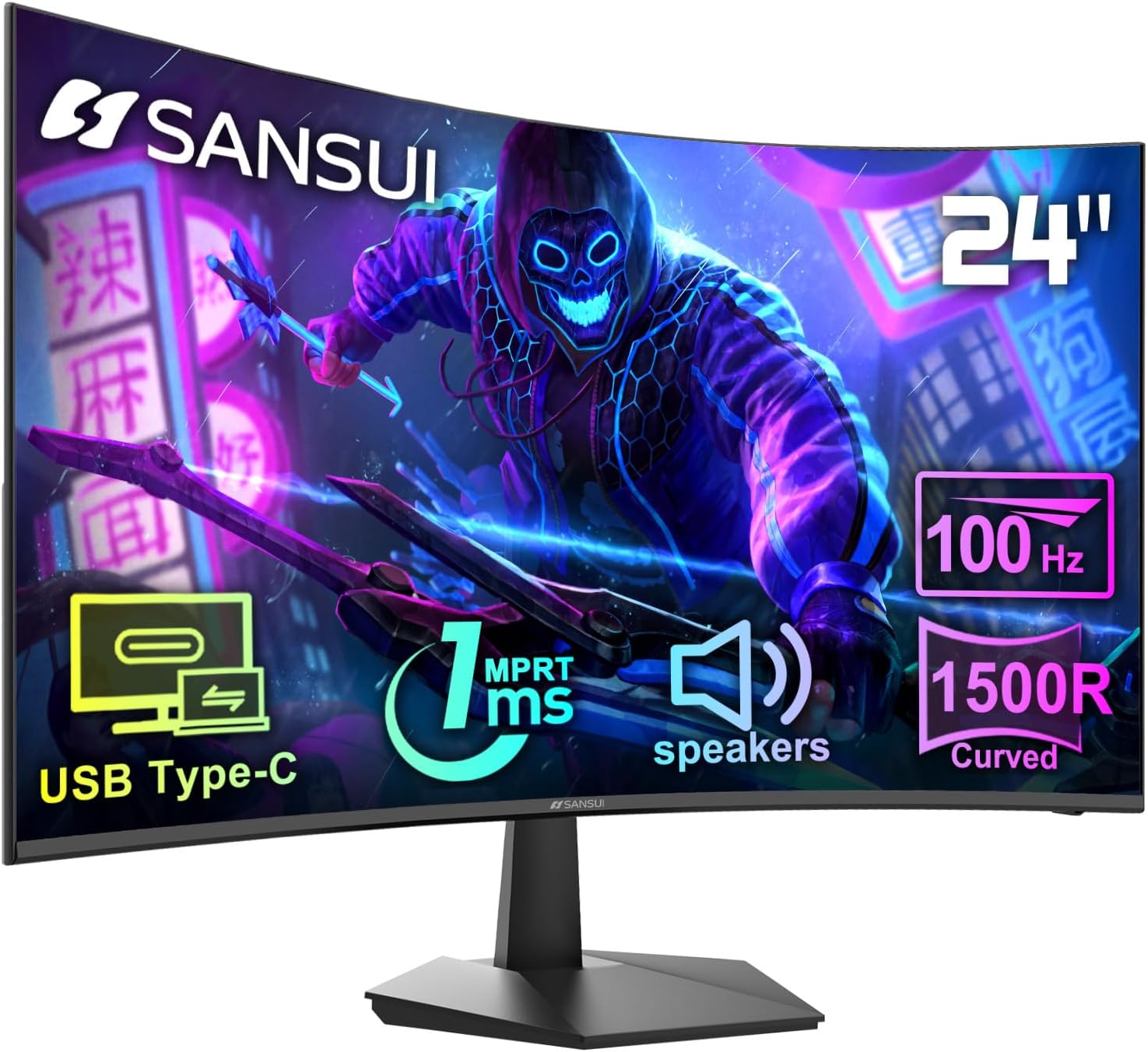
SANSUI Curved Monitor 24 inch 100Hz USB Type-C Computer Monitor with Built-in Speakers- MPRT 1ms,Adaptive Sync,HDR,1500R,VESA 75x75mm Compatible, for Home and Office(ES-24C1)
$50-$99A 24-inch, 250-nit, 100Hz VA panel with 1ms MPRT and USB-C, best for budget-conscious users needing a basic curved display.