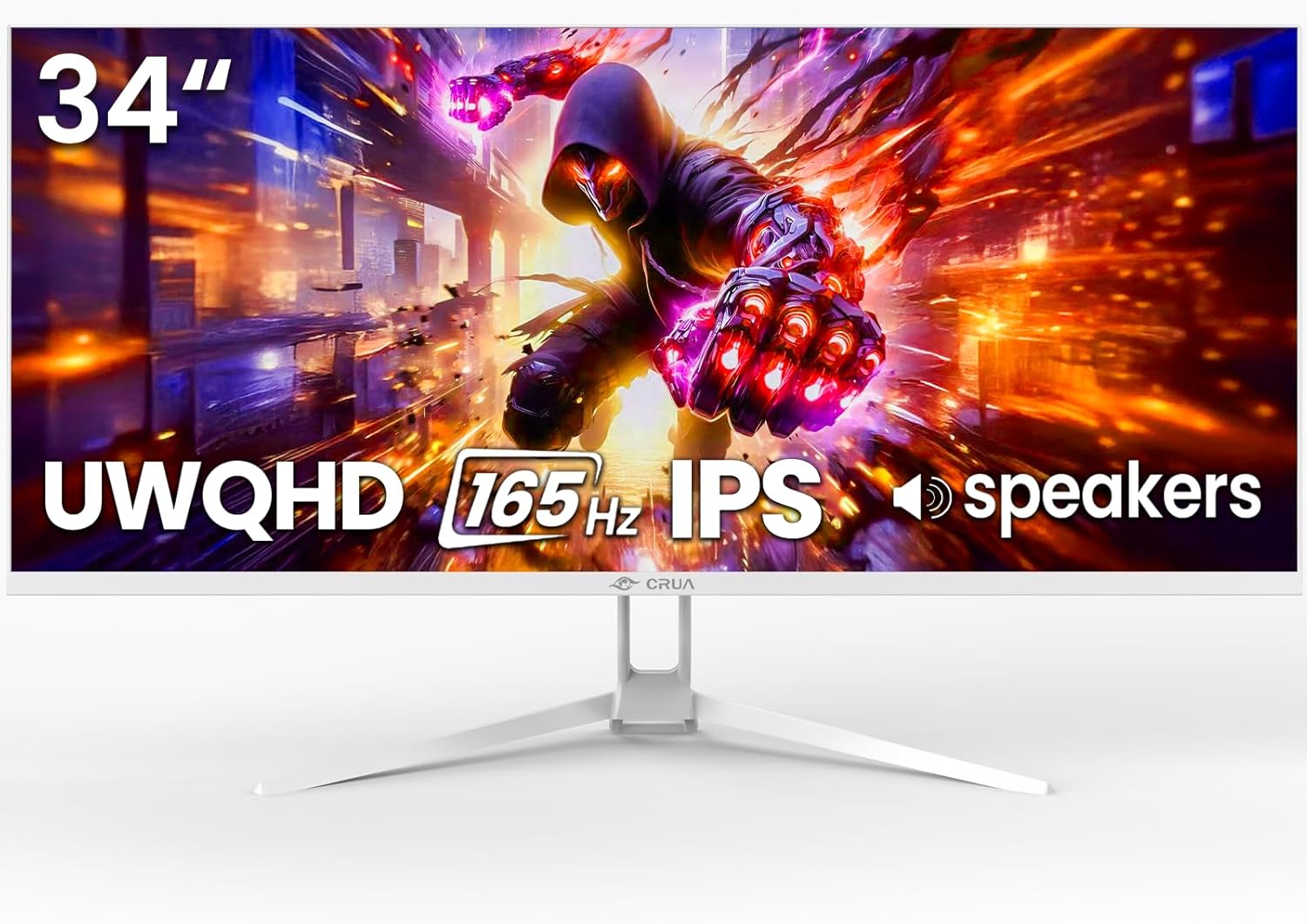
CRUA 34'' White Gaming Monitor, 165HZ/144HZ, WQHD(3440x1440P) IPS UltraWide Screen Computer Monitors with Built-in Speakers, Supports FreeSync, 120% sRGB, HDMI 2.0 & DP 1.4, Wall Mountable Installs
Want the best price and purchase timing?
Our AI advisor analyzes real-time pricing across all channels to find you the best deal.
AI Verdict
This is a 34-inch WQHD IPS ultrawide with 165Hz (DP) and 120% sRGB, but its tilt-only stand limits ergonomics.
This monitor is a situational fit for its price, offering a 3440x1440 IPS panel with 165Hz (DP) and 120% sRGB, which are strong specs for gaming and productivity. However, the restrictive tilt-only stand and conflicting information in reviews about features like speakers mean it's not a universal recommendation.
If you need more ergonomic flexibility, look for monitors with a stand offering height, swivel, and pivot adjustments, or plan to use a VESA-compatible monitor arm.
Regret Score™
High RiskLower is better — measures purchase-regret risk from real buyer complaints, review credibility, and product maturity
Issues discovered after purchase
Critically weak dimension
Amazon rating vs actual quality
Chance this product isn't for you
Pros
- The 3440x1440 resolution on a 34-inch ultrawide screen provides significantly more horizontal workspace for multitasking and immersive gaming.
- Achieves a 165Hz refresh rate via DisplayPort 1.4, delivering fluid motion for gaming.
- The IPS panel offers wide 178° viewing angles and 120% sRGB color coverage for consistent, accurate visuals.
- Supports Picture-in-Picture (PIP) and Picture-by-Picture (PBP) modes for viewing multiple input sources simultaneously.
- Includes two HDMI 2.0 and one DisplayPort 1.4 for connecting various devices.
- VESA mount compatible (75x75mm) for alternative mounting options.
Cons
- HDMI 2.0 ports limit refresh rate to 100Hz, not the full 165Hz.
- The stand only allows for tilt adjustment (5° ±2° forward, 15° ±5° backward), lacking height, swivel, or pivot options.
- The 1000:1 contrast ratio is standard for IPS panels, but some competing monitors offer higher contrast.
- Built-in speakers are present, but user reviews suggest they are for casual use and not high-fidelity audio.
- The 380 cd/m² brightness might struggle in brightly lit rooms compared to monitors with higher peak brightness.
Dimension Scores
The 3440x1440 WQHD resolution, IPS panel, 120% sRGB coverage, and 380 cd/m² brightness deliver sharp details and vibrant colors.
A 165Hz refresh rate via DisplayPort 1.4 with FreeSync support provides fluid gameplay, though HDMI is limited to 100Hz.
With two HDMI 2.0 and one DisplayPort 1.4, it offers standard connectivity for most modern devices, plus a 3.5mm audio port.
The stand only offers tilt adjustment (5° ±2° forward, 15° ±5° backward), lacking height, swivel, or pivot, which is below average for a gaming monitor.
Best For
- Gamers prioritizing a 3440x1440 ultrawide experience at 165Hz via DisplayPort.
- Multitaskers needing expansive horizontal screen space for multiple windows or timelines.
- Content creators and casual photo/video editors who benefit from 120% sRGB color coverage.
- Users with a VESA mount or who don't require extensive stand adjustments.
Not Recommended For
- Competitive gamers who need precise ergonomic adjustments like height and swivel.
- Users relying solely on HDMI for high refresh rate gaming.
- Anyone expecting premium audio from built-in monitor speakers.
- Buyers who are wary of products with potentially misleading Amazon review histories.
Watch Out For
- The Amazon rating of 4.2/5 stars may be misleading due to potential ASIN hijacking, where reviews for different products are aggregated, making it hard to trust the overall score.
- Some user reports indicate the monitor might not have built-in speakers despite product claims, or that their quality is very low.
- The 165Hz refresh rate is only achievable via DisplayPort 1.4; HDMI 2.0 connections are limited to 100Hz.
- The stand's limited tilt-only adjustment means you'll need a VESA mount for any height, swivel, or pivot flexibility.
Full Specifications
| ASIN | B0FMXXDK67 |
| Brand | CRUA |
| Resolution | 3440 x 1440 Pixels |
| Item Weight | 14.37 pounds |
| Screen Size | 34 Inches |
| Aspect Ratio | 21:9 |
| Manufacturer | CRUA |
| Image brightness | 380 Candela |
| Item model number | CR340D |
| Product Dimensions | 9 x 32 x 17 inches |
| Screen Surface Description | Matte |
| Standing screen display size | 34 Inches |
What Buyers Say
The Amazon rating for this CRUA monitor might be misleading because of potential ASIN hijacking, where reviews for other products are grouped together, making it tough to gauge actual user satisfaction for this specific model. Reviewers who seem to have the correct product often praise the expansive 3440x1440 ultrawide display and the smooth 165Hz refresh rate for gaming via DisplayPort. However, the stand's limited tilt-only adjustment is a recurring point of frustration, pushing many towards VESA mounting. There's also conflicting feedback on the built-in speakers, with some finding them absent or inadequate.
“Dude, this monitor is sick for the price if you can get past the stand and maybe use your own speakers, but seriously, check the reviews carefully because Amazon's review system is a mess sometimes!”
Common Praise
- The 3440x1440 ultrawide resolution makes multitasking with multiple windows easy.
- Gaming feels fluid and tear-free at 165Hz using DisplayPort with FreeSync.
- Colors appear vibrant and accurate due to the IPS panel and 120% sRGB coverage.
- The white aesthetic is appealing and fits well with modern setups.
- The 1500R curvature provides an immersive viewing experience.
Common Complaints
- The stand only tilts, making ergonomic adjustments difficult without a VESA mount.
- HDMI connections are limited to 100Hz, preventing full 165Hz performance.
- Some users report the built-in speakers are missing or have very poor sound quality.
- The overall Amazon rating might be inflated by reviews for unrelated products due to ASIN hijacking.
Ownership Tips
- You'll definitely need a DisplayPort cable to hit the advertised 165Hz refresh rate; HDMI won't cut it.
- Plan on buying a separate monitor arm if you need to adjust height or swivel, because the included stand is super basic.
- Don't count on the built-in speakers for anything beyond system sounds; they're either weak or not there for some people.
- The ultrawide aspect ratio is a game-changer for productivity, letting you ditch a second monitor for spreadsheets and coding.
Frequently Asked Questions
What refresh rate can I expect with this monitor?
You'll get the full 165Hz refresh rate when connected via DisplayPort 1.4. If you use an HDMI 2.0 cable, the refresh rate will be limited to 100Hz.
Does this monitor have built-in speakers?
Yes, the monitor is listed as having built-in speakers. However, some user reviews suggest they are not present or are of very low quality, so external speakers or headphones are recommended for better audio.
Can I mount this monitor on a wall or monitor arm?
Yes, it supports VESA mounting with a 75x75mm pattern, allowing you to use a wall mount or a monitor arm for more ergonomic flexibility.
What kind of panel does this monitor use?
This monitor features an IPS (In-Plane Switching) panel, known for its wide 178° viewing angles and accurate color reproduction with 120% sRGB coverage.
Is this monitor curved?
Yes, reviewers frequently mention a 1500R curvature, which enhances the immersive experience for ultrawide content.
What is the brightness and contrast ratio?
The monitor has a brightness of 380 cd/m² and a 1000:1 contrast ratio, providing clear visuals and a decent range between dark and light areas.
Buying Guide
When you're looking at ultrawide monitors like this CRUA, you're buying into more screen real estate, which is awesome for multitasking and immersive gaming. You need to understand how refresh rates work with different cables – DisplayPort is usually your best bet for the highest speeds. Also, always check the stand's adjustments; a tilt-only stand can be a pain if you spend hours at your desk.
WQHD (3440x1440P) Resolution
This means you get a lot more pixels than a standard 1080p or even 1440p monitor, giving you sharper images and significantly more space to open multiple windows side-by-side, like having two regular monitors without the bezel in the middle.
165Hz Refresh Rate
This is how many times the screen updates per second. A 165Hz refresh rate makes motion look much smoother than a typical 60Hz monitor, which is a huge advantage in fast-paced games where every millisecond counts.
IPS Panel
IPS panels offer wider viewing angles and more accurate colors compared to other panel types. This means the image won't look washed out or distorted if you're not sitting directly in front of the screen, and colors will be truer for tasks like photo editing.
120% sRGB
This refers to the range of colors the monitor can display. 120% sRGB means it can show more colors than the standard sRGB gamut, resulting in richer, more vibrant, and lifelike visuals, especially important for creative work and enjoying media.
Alternatives
If this monitor doesn't fit, look for a 34-inch ultrawide with a VA panel for higher contrast, or an IPS panel with a fully adjustable stand for better ergonomics. For competitive gaming, prioritize a monitor with a faster response time and potentially a higher refresh rate.
You Might Also Like

KTC H27S5C 27" Curved Gaming Monitor, 1440P QHD 144Hz 120Hz Monitor, 1500R HVA Panel, HDR400, Adaptive Sync, 400nits, HDMI 2.0 x2, DP 1.4, VESA 100x100 PC Monitor
$150-$299This is a 27-inch 1440p 144Hz curved HVA panel with 400 nits brightness and HDR400, designed for gamers and creative users needing color accuracy.

ASUS ROG Strix 32” 4K OLED Gaming Monitor (XG32UCWMG) - TrueBlack Glossy, Dual Mode(4K@240Hz, FHD@480Hz), 0.03ms, G-SYNC Compatible, Neo Proximity Sensor, USB-C, HDMI 2.1, 3 yr Warranty
$600+This 32-inch 4K 240Hz WOLED monitor with 0.03ms response and dual-mode FHD 480Hz is for serious gamers and content creators prioritizing visual fidelity and speed.

CRUA 32" White Curved Monitor, 4K UHD(3840*2160P) 1500R VA Screen, 75Hz Computer Monitor Supports AMD Freesync, 120% sRGB, Built-in speakers, Blue Light Filter,Wall Mountable Installs(HDMI 2.0/DP 1.4)
$150-$299This is a 32-inch 4K (3840x2160) 1500R VA curved monitor with a 75Hz refresh rate and 260 cd/m² brightness, best for casual media consumption and productivity.

CRUA 34 Inch Curved Gaming Monitor, 21:9 WQHD 3440x1440 165Hz/144Hz 1500R Ultrawide Computer Monitor Support Freesync, PIP/PBP, 120% sRGB, HDMI 2.0 & DP 1.4, Wall Mountable/Tilt Adjustable-Black
$150-$299A 34-inch 1500R curved 3440x1440 VA panel with 165Hz refresh, 300 cd/m² brightness, and a tilt-only stand.