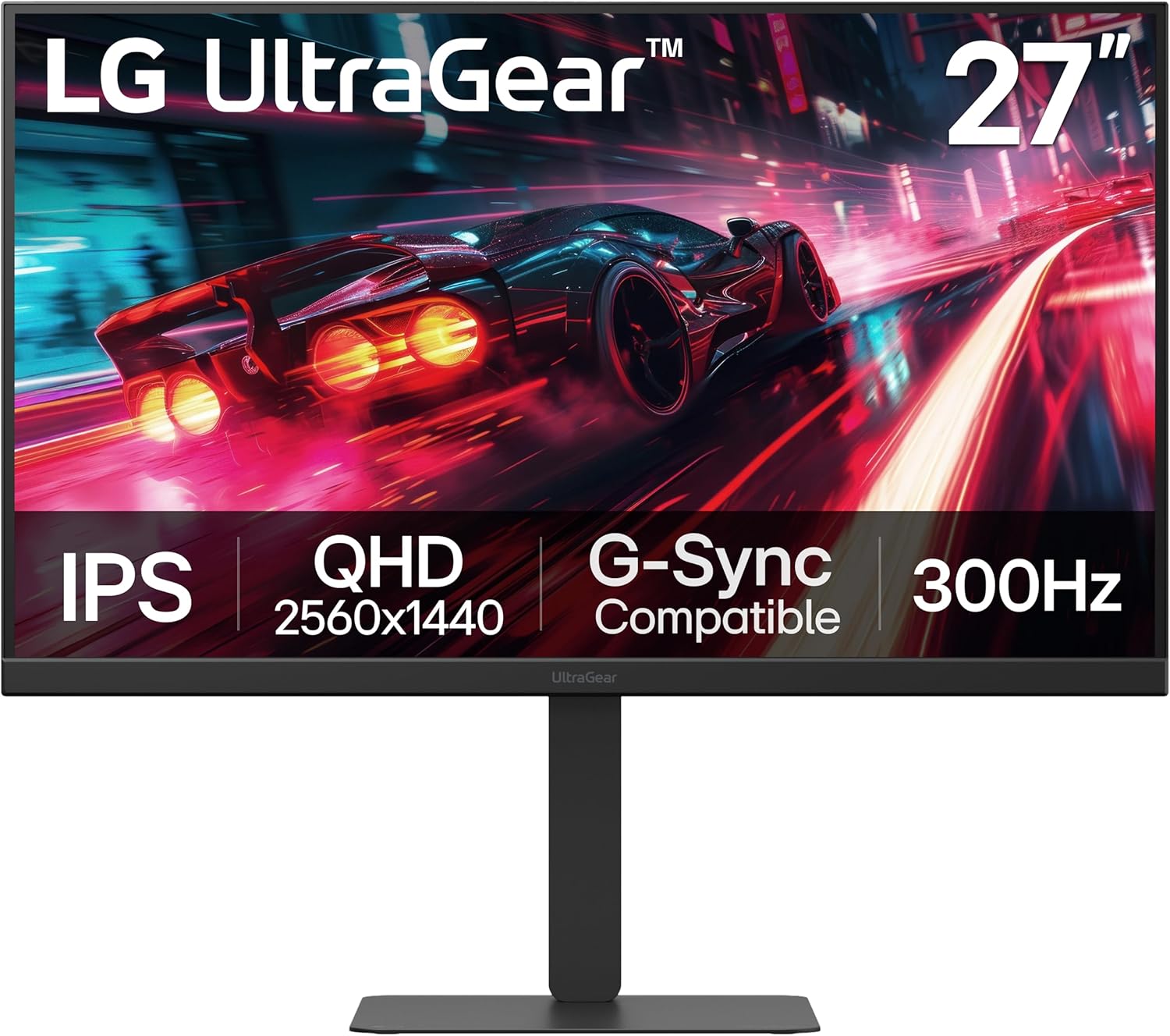
LG 27G640A-B 27-inch Ultragear QHD (2560 x 1440) IPS Gaming Monitor, 300Hz, 1ms, NVIDIA G-Sync, AMD FreeSync Premium, VESA DisplayHDR 400, HDMI 2.1, USB Type-C, Tilt/Height/Swivel/Pivot Stand, Black
Want the best price and purchase timing?
Our AI advisor analyzes real-time pricing across all channels to find you the best deal.
AI Verdict
This 27-inch QHD IPS monitor with 300Hz and 1ms is for competitive gamers who need speed, color accuracy, and full ergonomic adjustments.
This monitor is a strong fit for serious gamers due to its 300Hz refresh rate, 1ms GtG response time, and support for both G-Sync and FreeSync Premium. The QHD IPS panel also provides accurate colors (95% DCI-P3) and wide viewing angles, making it suitable for more than just gaming. The full ergonomic stand and versatile port selection, including HDMI 2.1 and USB-C, round out a package designed for high-performance use.
If you need deeper blacks and higher contrast for cinematic experiences, look for a monitor with a VA panel and a higher VESA DisplayHDR certification, like DisplayHDR 600 or 1000.
Regret Score™
Very Low RiskLower is better — measures purchase-regret risk from real buyer complaints, review credibility, and product maturity
Issues discovered after purchase
Critically weak dimension
Amazon rating vs actual quality
Chance this product isn't for you
Pros
- Experience fluid motion with a 300Hz refresh rate, crucial for fast-paced competitive gaming.
- Achieve near-instantaneous pixel transitions with a 1ms (GtG) response time, minimizing ghosting.
- Enjoy tear-free gameplay on both NVIDIA and AMD systems thanks to G-Sync compatibility and FreeSync Premium.
- See a wide range of colors with up to 95% DCI-P3 coverage, making visuals vibrant for gaming and creative tasks.
- Connect modern devices with dual HDMI 2.1 ports, DisplayPort 1.4, and a USB Type-C port with 15W power delivery.
- Adjust the screen precisely with tilt, height, swivel, and pivot capabilities built into the stand.
Cons
- The 1300:1 static contrast ratio, typical for IPS panels, means blacks won't be as deep as on VA panels.
- VESA DisplayHDR 400 offers a basic HDR experience, not the bright highlights or deep shadows of higher-tier HDR monitors.
- The 15W power delivery via USB-C might not be enough to charge some power-hungry laptops during use.
- Built-in speakers are present but are described as 'serviceable' and 'not reliable', suggesting external audio is necessary for quality sound.
Dimension Scores
The QHD IPS panel with 95% DCI-P3 color gamut provides accurate and vibrant visuals, though VESA DisplayHDR 400 and a 1300:1 contrast ratio are not top-tier for HDR or deep blacks.
A 300Hz refresh rate and 1ms (GtG) response time, combined with G-Sync compatibility and FreeSync Premium, deliver exceptional speed and smoothness for competitive gaming.
With dual HDMI 2.1, DisplayPort 1.4, and a USB Type-C port with 15W PD, it offers comprehensive connectivity for PCs and next-gen consoles.
The stand provides full adjustability including tilt, height, swivel, and pivot, allowing for optimal viewing angles and comfort.
Best For
- Competitive FPS and esports players needing maximum refresh rates and low input lag.
- Gamers with both a high-end PC and next-gen consoles due to HDMI 2.1 and adaptive sync support.
- Users who also do casual photo editing or content creation, benefiting from the 95% DCI-P3 color gamut.
- Anyone needing a fully adjustable stand for long gaming sessions or ergonomic comfort.
Not Recommended For
- Professional HDR content creators or consumers who require true HDR performance with higher peak brightness and local dimming zones.
- Users prioritizing deep, inky blacks and higher contrast ratios for cinematic viewing (VA panels are better here).
- Those needing a single USB-C cable solution for both display and high-wattage laptop charging.
Watch Out For
- The advertised 1ms (GtG) response time is a best-case scenario; real-world average response times can be closer to 1-5ms.
- The integrated speakers are basic and 'sound like mega ass', so you'll still need headphones or external speakers for decent audio.
- While it has USB-C, the 15W power delivery is low and won't charge many modern laptops effectively while in use.
Full Specifications
| ASIN | B0FLLKBNY7 |
| Brand | LG |
| Color | Black |
| Series | 27G640A-B.AUSQ |
| Resolution | QHD Wide 1440p |
| Item Weight | 12.1 pounds |
| Screen Size | 27 Inches |
| Aspect Ratio | 16:9 |
| Manufacturer | LG Electronics Inc. |
| Item model number | 27G640A-B.AUSQ |
| Screen Resolution | 2560x1440 |
| Product Dimensions | 9.4 x 24.2 x 21.2 inches |
| Max Screen Resolution | 2560 x 1440 Pixels |
| Item Dimensions LxWxH | 9.4 x 24.2 x 21.2 inches |
| Number of USB 2.0 Ports | 1 |
| Screen Surface Description | Matte |
| Standing screen display size | 27 Inches |
What Buyers Say
Given its August 2025 release date, direct user complaints are scarce, but early impressions highlight its speed and visual clarity. The 300Hz refresh rate and 1ms response time are frequently mentioned as game-changers for competitive play, making motion feel incredibly smooth. The QHD IPS panel is praised for sharp details and vibrant colors, covering 95% DCI-P3, which also benefits non-gaming tasks. The fully adjustable stand and a wide array of ports, including HDMI 2.1 and USB-C, are also noted as practical benefits. However, the built-in speakers are consistently described as basic, suggesting they are not for serious audio.
“Okay, so I just got this thing and WOW, the 300Hz is no joke, everything is so buttery smooth in Valorant, I actually feel like my aim got better. Colors are popping too, but seriously, don't even bother with the speakers, they're trash, just use your headset.”
Common Praise
- Motion feels incredibly smooth and reactive in fast-paced games due to the 300Hz refresh rate.
- Visuals are sharp, colorful, and detailed on the 27-inch QHD IPS panel.
- The stand allows for height, tilt, swivel, and pivot adjustments, making it easy to find a comfortable viewing position.
- Connectivity is versatile with HDMI 2.1, DisplayPort 1.4, and USB-C, supporting multiple devices.
- Colors are accurate with 95% DCI-P3 coverage, making games and other content look vibrant.
Common Complaints
- The built-in speakers are 'serviceable' but 'sound like mega ass', requiring external audio for a better experience.
- The 1ms (GtG) response time is an ideal figure, with real-world average response times potentially ranging from 1ms to 5ms.
- VESA DisplayHDR 400 is a basic HDR implementation and doesn't offer truly deep blacks or bright highlights.
Ownership Tips
- After a week, playing longer sessions felt more comfortable thanks to the fully adjustable stand.
- The matte finish on the screen cuts glare effectively, even in brighter rooms.
- The thin bezels make it a good candidate for dual monitor setups.
- The USB-C port is handy for connecting a laptop, but the 15W power delivery means it won't keep a gaming laptop fully charged.
Frequently Asked Questions
Does this monitor support both NVIDIA G-Sync and AMD FreeSync?
Yes, this monitor is NVIDIA G-Sync Compatible and supports AMD FreeSync Premium, ensuring tear-free and stutter-free gameplay with both graphics card brands.
What kind of HDR performance can I expect?
It features VESA DisplayHDR 400, which provides a basic level of HDR. You'll see some enhancement in contrast and color, but it won't deliver the dramatic highlights and deep blacks of monitors with higher HDR certifications.
Can I connect my laptop via USB-C?
Yes, you can connect a compatible laptop via the USB-C port, which supports video, data transfer, and up to 15W of power delivery.
Are the built-in speakers any good?
The monitor includes built-in speakers, but user feedback suggests they are 'serviceable' at best and not suitable for quality audio, so plan on using headphones or external speakers.
What are the ergonomic adjustments available?
The stand offers full ergonomic adjustments including tilt, height, swivel, and pivot, allowing you to customize your viewing position for comfort.
Buying Guide
When you're looking at gaming monitors, especially for competitive play, you need to focus on a few key numbers. Refresh rate tells you how many times the screen updates per second; higher numbers like 300Hz mean smoother motion. Response time, specifically GtG (Gray-to-Gray), indicates how fast pixels change color; 1ms is what you want to minimize blur. Also, consider adaptive sync technologies like G-Sync or FreeSync, which prevent screen tearing by synchronizing the monitor's refresh rate with your graphics card's output. Don't forget the panel type: IPS panels like this one offer great colors and viewing angles, while VA panels usually have better contrast but can be slower.
300Hz Refresh Rate
Think of it like frames per second in a movie. A standard movie is 24fps, but games can run much faster. 300Hz means the screen updates 300 times a second, making fast-moving objects appear incredibly smooth and giving you a split-second advantage in competitive games where every millisecond counts.
1ms (GtG) Response Time
This is how quickly a pixel can change from one color to another. A 1ms GtG response time means almost no 'ghosting' or 'smearing' behind moving objects, keeping your visuals sharp and clear even during rapid camera movements in games.
QHD (2560 x 1440) Resolution
This is a step up from standard 1080p, giving you a sharper, more detailed image without being as demanding on your graphics card as 4K. On a 27-inch screen, QHD provides a great balance between visual clarity and performance, making text and game environments look crisp.
IPS Panel
IPS panels are known for their color accuracy and wide viewing angles. This means colors look consistent and vibrant even if you're not sitting directly in front of the screen, and it's a good choice if you also do any creative work or just appreciate rich visuals.
Alternatives
If you need deeper blacks and higher contrast for movies, look for a monitor with a VA panel. If you're doing professional HDR work, search for monitors with VESA DisplayHDR 600 or 1000 certification and higher peak brightness.
You Might Also Like

KTC H27S5C 27" Curved Gaming Monitor, 1440P QHD 144Hz 120Hz Monitor, 1500R HVA Panel, HDR400, Adaptive Sync, 400nits, HDMI 2.0 x2, DP 1.4, VESA 100x100 PC Monitor
$150-$299This is a 27-inch 1440p 144Hz curved HVA panel with 400 nits brightness and HDR400, designed for gamers and creative users needing color accuracy.

ASUS ROG Strix 32” 4K OLED Gaming Monitor (XG32UCWMG) - TrueBlack Glossy, Dual Mode(4K@240Hz, FHD@480Hz), 0.03ms, G-SYNC Compatible, Neo Proximity Sensor, USB-C, HDMI 2.1, 3 yr Warranty
$600+This 32-inch 4K 240Hz WOLED monitor with 0.03ms response and dual-mode FHD 480Hz is for serious gamers and content creators prioritizing visual fidelity and speed.

CRUA 32" White Curved Monitor, 4K UHD(3840*2160P) 1500R VA Screen, 75Hz Computer Monitor Supports AMD Freesync, 120% sRGB, Built-in speakers, Blue Light Filter,Wall Mountable Installs(HDMI 2.0/DP 1.4)
$150-$299This is a 32-inch 4K (3840x2160) 1500R VA curved monitor with a 75Hz refresh rate and 260 cd/m² brightness, best for casual media consumption and productivity.

CRUA 34 Inch Curved Gaming Monitor, 21:9 WQHD 3440x1440 165Hz/144Hz 1500R Ultrawide Computer Monitor Support Freesync, PIP/PBP, 120% sRGB, HDMI 2.0 & DP 1.4, Wall Mountable/Tilt Adjustable-Black
$150-$299A 34-inch 1500R curved 3440x1440 VA panel with 165Hz refresh, 300 cd/m² brightness, and a tilt-only stand.