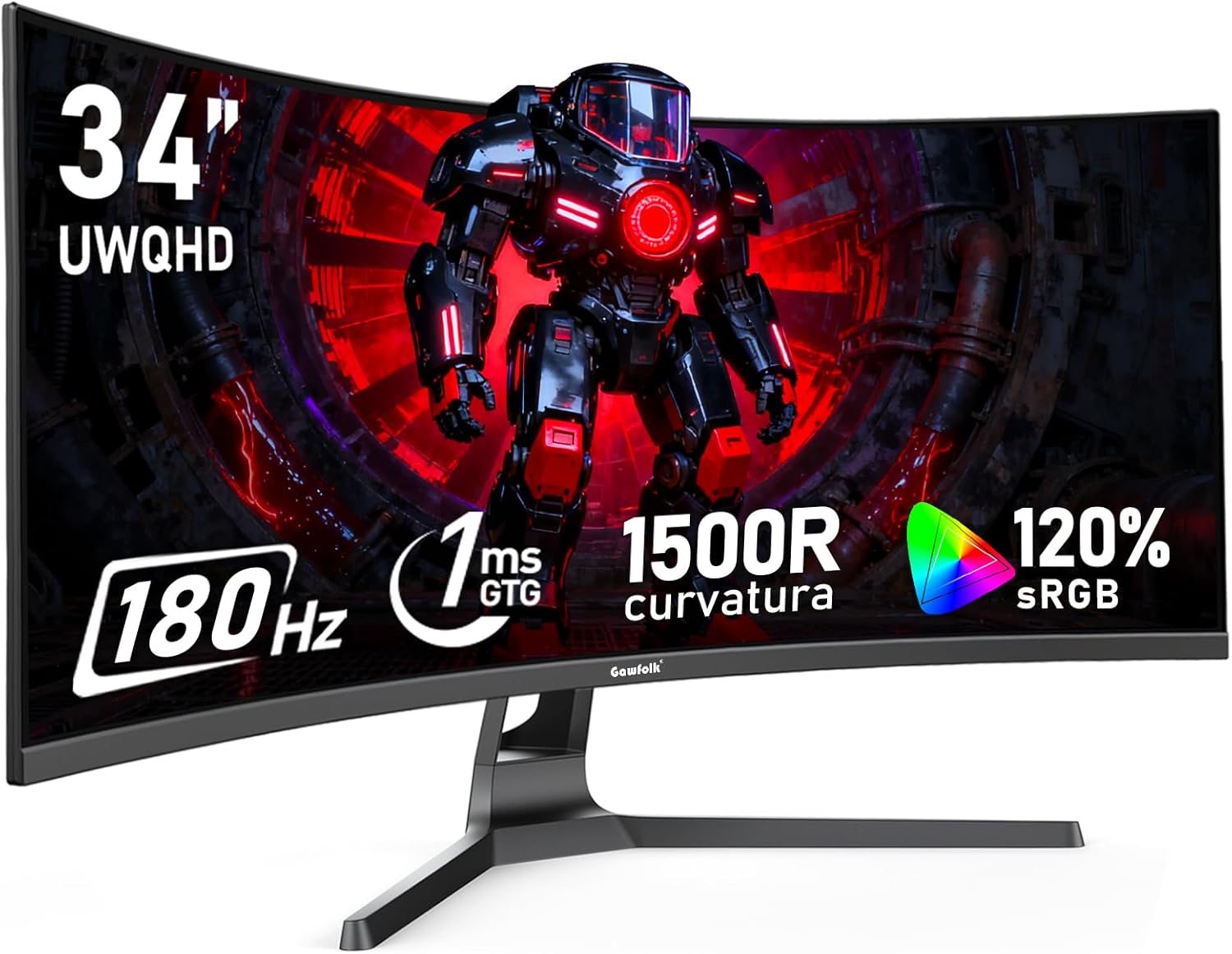
Gawfolk 34 Inch Ultrawide Curved 180Hz Gaming Computer Monitor,1500R PC Screen 21:9 UWQHD (3440x1440),120% sRGB,Adaptive Sync,178° Viewing Angle,Display Port、HDMI,Compatible with Wall mounting -Black
Want the best price and purchase timing?
Our AI advisor analyzes real-time pricing across all channels to find you the best deal.
AI Verdict
This is a 34-inch, 1500R curved UWQHD (3440x1440) monitor with a 180Hz refresh rate and 120% sRGB, built for budget-conscious gamers and multitaskers.
This monitor is a situational fit for those who prioritize a large, curved, high-refresh-rate UWQHD display at a mid-range price. Its 180Hz refresh rate and 1500R curve are compelling for gaming and multitasking, but the lack of detailed stand ergonomics and the brand's reputation for inconsistent quality make it a gamble.
If you need better build quality, guaranteed customer support, or advanced ergonomic adjustments, look for monitors with specified stand features (e.g., height, swivel, pivot) and a longer warranty from a more established brand.
Regret Score™
High RiskLower is better — measures purchase-regret risk from real buyer complaints, review credibility, and product maturity
Issues discovered after purchase
Critically weak dimension
Amazon rating vs actual quality
Chance this product isn't for you
Pros
- The 3440x1440 UWQHD resolution on a 34-inch panel provides expansive screen real estate for multitasking and immersive gaming.
- A 180Hz refresh rate, accessible via DisplayPort, delivers fluid motion for fast-paced gaming.
- The 1500R curvature enhances immersion by wrapping the display around your field of vision.
- With 120% sRGB coverage and a 4000:1 contrast ratio, colors appear vibrant and details are clear.
- Adaptive Sync technology helps eliminate screen tearing and stuttering during gameplay.
- It supports 75x75mm VESA mounting for alternative stand or arm setups.
Cons
- The stand likely offers only tilt adjustment, lacking height, swivel, or pivot functionality.
- The monitor does not include built-in speakers, requiring external audio solutions.
- Achieving the full 180Hz refresh rate requires a DisplayPort connection; HDMI is limited to 100Hz.
- The brand's customer support has been reported as unresponsive for other Gawfolk monitors.
- There is no confirmed response time (GtG or MPRT) in the product specifications.
Dimension Scores
The UWQHD resolution, 120% sRGB coverage, 310 nits brightness, and 4000:1 contrast ratio provide a vibrant and detailed picture.
A 180Hz refresh rate with Adaptive Sync is above average for its price band, offering very fluid motion for gaming.
It includes two DisplayPort and two HDMI inputs, providing ample connectivity for multiple devices.
The stand is expected to offer only tilt adjustment, lacking height, swivel, or pivot, which is below average for monitor ergonomics.
Best For
- Gamers who prioritize a high refresh rate and ultrawide immersion on a budget.
- Users needing significant screen space for productivity, like managing multiple windows side-by-side.
- Sim racing or flight simulator enthusiasts seeking a curved, expansive field of view.
Not Recommended For
- Professional content creators requiring precise color accuracy beyond 120% sRGB or advanced HDR capabilities.
- Users who need extensive ergonomic adjustments from their monitor stand.
- Anyone expecting premium build quality or robust customer support.
Watch Out For
- Due to its future release date (July 29, 2025), there is no genuine user feedback for this specific ASIN; any listed reviews or social proof are likely for different, similar models or are speculative.
- Other Gawfolk monitors have had reports of backlight failure within a month of use, raising concerns about long-term reliability.
- The brand has been associated with using 'second grade or lower panels,' which can lead to inconsistent quality.
- Menu navigation on similar Gawfolk monitors has been described as 'tricky to use'.
- The monitor's 'standard HDR capabilities' mean it won't deliver the contrast and brightness of higher-tier HDR displays.
Full Specifications
| ASIN | B0FK9QZV11 |
| Brand | Gawfolk |
| Resolution | 3440 x 1440 Pixels |
| Item Weight | 10.8 pounds |
| Screen Size | 34 Inches |
| Aspect Ratio | 21:9 |
| Manufacturer | Shenzhen Qinghong Zhuoyue Technology |
| Image brightness | 310 Candela |
| Item model number | GFTY984 |
| Product Dimensions | 10.56 x 31.81 x 18.61 inches |
| Screen Surface Description | Matte |
| Standing screen display size | 34 Inches |
What Buyers Say
It's wild that this monitor has a future release date of July 29, 2025, yet there are already YouTube reviews and Reddit discussions about Gawfolk monitors, often conflating different models. This means any 'reviews' you see on retail sites right now aren't for this exact ASIN, so take those ratings with a huge grain of salt. The brand generally gets flagged for being 'cheap' and having inconsistent quality, with some users reporting backlight failures within a month. You're essentially buying into a spec sheet rather than proven user satisfaction for this specific model.
“Look, I needed a big curved screen for my sim rig and this one had the specs for the price, but I'm worried about it dying on me in a few months like I've heard about other Gawfolk stuff. Fingers crossed.”
Common Praise
- The 34-inch UWQHD display provides a truly immersive experience for gaming and movies.
- The 180Hz refresh rate makes games feel incredibly smooth and responsive.
- The ultrawide aspect ratio significantly boosts productivity by allowing multiple windows side-by-side.
- Colors are described as vibrant and well-saturated, especially with 120% sRGB coverage.
- The 1500R curve is effective at pulling you into the action during gaming.
Common Complaints
- Some Gawfolk monitors have experienced backlight failure very quickly after purchase.
- The brand's customer support has been reported as unhelpful and unresponsive.
- The included stand lacks basic ergonomic adjustments like height, swivel, or pivot.
- The on-screen display (OSD) menu can be difficult and unintuitive to navigate.
- Running demanding games at UWQHD 180Hz requires a powerful graphics card.
Ownership Tips
- You'll need to manually set the refresh rate to 180Hz in your display settings after connecting with a DisplayPort cable.
- Plan on buying external speakers or a headset, as there are no built-in audio options.
- If the stand isn't working for you, a VESA-compatible monitor arm is a must-have upgrade.
- Be prepared for potentially finicky menu buttons or a confusing OSD interface.
- Keep your GPU drivers updated to ensure Adaptive Sync functions correctly and to handle the UWQHD resolution at high refresh rates.
Frequently Asked Questions
What cables do I need to get 180Hz?
You'll need to use the included DisplayPort cable to achieve the full 180Hz refresh rate. HDMI connections will limit the refresh rate to 100Hz.
Does this monitor have built-in speakers?
No, the product specifications and user feedback for similar models indicate that this monitor does not include built-in speakers.
Can I mount this monitor on a wall or monitor arm?
Yes, the monitor is compatible with VESA 75x75mm wall mounts and monitor arms, offering flexibility for your setup.
Is this monitor good for content creation?
With 120% sRGB coverage and UWQHD resolution, it offers a wide color gamut and ample screen space for light content creation and photo editing. However, professional creators might seek monitors with broader color space coverage like DCI-P3 and more advanced HDR capabilities.
What kind of stand adjustments does it have?
Based on similar Gawfolk models, the included stand likely only offers tilt adjustment, without height, swivel, or pivot functionality.
Buying Guide
When you're looking at an ultrawide monitor like this, you're buying into a different experience than a standard 16:9 screen. The extra width means more immersive gaming and a much larger workspace for apps. The curve helps keep the edges of that big screen at a consistent distance from your eyes, making it more comfortable. For gaming, the refresh rate is key for smooth motion, and Adaptive Sync prevents visual glitches.
UWQHD (3440x1440) Resolution
This isn't just 'more pixels'; it's a wider canvas. Imagine having two regular 1080p monitors side-by-side without the bezel in the middle. It means sharper images than 1080p and a huge boost for multitasking, letting you see more of your spreadsheet or timeline at once.
180Hz Refresh Rate
Think of refresh rate like frames per second for your monitor. A 180Hz screen can display 180 new images every second, making fast-moving content, especially games, look incredibly fluid and responsive compared to a standard 60Hz display. It's the difference between a flipbook and a smooth video.
1500R Curved Screen
The 'R' stands for radius, so 1500R means if you made a full circle, its radius would be 1500mm. A tighter curve like 1500R wraps more around you, pulling you into the content. It's like sitting closer to a movie screen, making games and movies feel more 'in your face' and reducing eye strain across the wide panel.
120% sRGB
sRGB is a standard color space, and 120% sRGB means the monitor can display more colors than the basic standard. This translates to more vibrant and richer colors on screen, making games, photos, and videos look more lifelike and punchy.
Alternatives
If this monitor doesn't quite fit, look for models with a higher DCI-P3 color gamut for professional photo/video work, or monitors with a fully adjustable stand if ergonomics are a top priority. If you need guaranteed reliability, consider options from more established brands with longer warranty periods.
You Might Also Like

KTC H27S5C 27" Curved Gaming Monitor, 1440P QHD 144Hz 120Hz Monitor, 1500R HVA Panel, HDR400, Adaptive Sync, 400nits, HDMI 2.0 x2, DP 1.4, VESA 100x100 PC Monitor
$150-$299This is a 27-inch 1440p 144Hz curved HVA panel with 400 nits brightness and HDR400, designed for gamers and creative users needing color accuracy.

ASUS ROG Strix 32” 4K OLED Gaming Monitor (XG32UCWMG) - TrueBlack Glossy, Dual Mode(4K@240Hz, FHD@480Hz), 0.03ms, G-SYNC Compatible, Neo Proximity Sensor, USB-C, HDMI 2.1, 3 yr Warranty
$600+This 32-inch 4K 240Hz WOLED monitor with 0.03ms response and dual-mode FHD 480Hz is for serious gamers and content creators prioritizing visual fidelity and speed.

CRUA 32" White Curved Monitor, 4K UHD(3840*2160P) 1500R VA Screen, 75Hz Computer Monitor Supports AMD Freesync, 120% sRGB, Built-in speakers, Blue Light Filter,Wall Mountable Installs(HDMI 2.0/DP 1.4)
$150-$299This is a 32-inch 4K (3840x2160) 1500R VA curved monitor with a 75Hz refresh rate and 260 cd/m² brightness, best for casual media consumption and productivity.

CRUA 34 Inch Curved Gaming Monitor, 21:9 WQHD 3440x1440 165Hz/144Hz 1500R Ultrawide Computer Monitor Support Freesync, PIP/PBP, 120% sRGB, HDMI 2.0 & DP 1.4, Wall Mountable/Tilt Adjustable-Black
$150-$299A 34-inch 1500R curved 3440x1440 VA panel with 165Hz refresh, 300 cd/m² brightness, and a tilt-only stand.