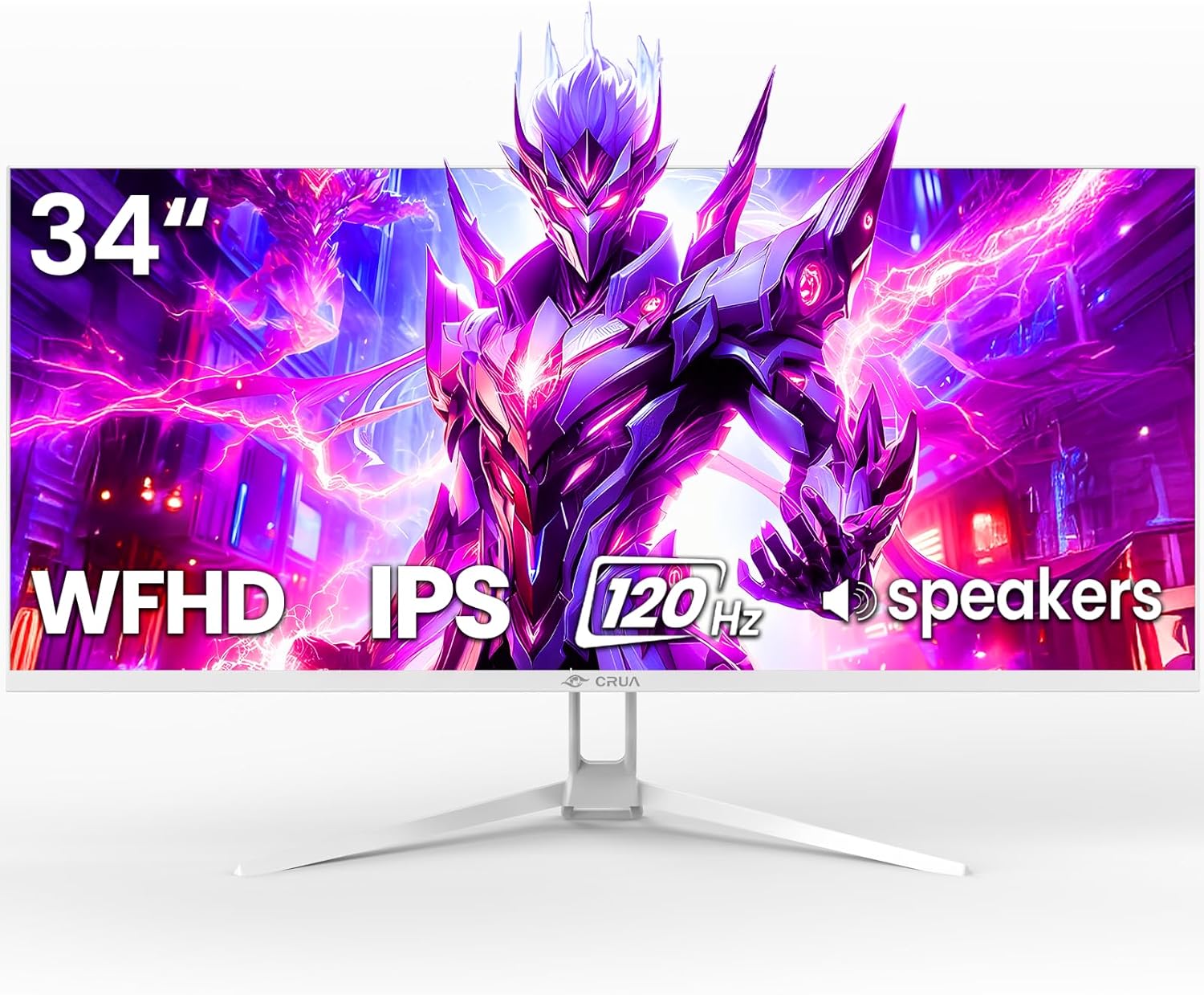
CRUA 34'' Ultrawide Gaming Monitor 120HZ, 21:9 WFHD 2560X1080 IPS Panel Computer Monitors with Built-in Speakers, Support AMD FreeSync, 120% sRGB, DP1.4 & HDMI1.4, Wall Mountable Installs-White
Want the best price and purchase timing?
Our AI advisor analyzes real-time pricing across all channels to find you the best deal.
AI Verdict
A 34-inch 2560x1080 IPS ultrawide with 120Hz and FreeSync, targeting budget-conscious gamers and multitaskers.
This monitor is a situational fit for those who specifically want a large 34-inch ultrawide form factor and 120Hz refresh rate but are on a tight budget. The 2560x1080 resolution keeps the price down but sacrifices pixel density. Its IPS panel and 120% sRGB coverage are decent for its price point.
If pixel density and sharper text are a priority, look for a 34-inch ultrawide with 3440x1440 resolution.
Regret Score™
Very High RiskLower is better — measures purchase-regret risk from real buyer complaints, review credibility, and product maturity
Issues discovered after purchase
Critically weak dimension
Amazon rating vs actual quality
Chance this product isn't for you
Pros
- Expansive 34-inch 21:9 ultrawide display offers increased productivity for side-by-side applications.
- 120Hz refresh rate and AMD FreeSync provide fluid, stutter-free gameplay.
- IPS panel delivers 178° wide viewing angles and 120% sRGB color gamut for consistent and vivid colors.
- Built-in speakers and wall-mountable (75x75mm) design offer flexible setup options.
- Includes a blue light filter to reduce eye strain during extended use.
Cons
- 2560x1080 resolution on a 34-inch screen results in a lower pixel density compared to higher resolution ultrawides.
- Stand only offers tilt adjustment, lacking height, swivel, or pivot functionality.
- Built-in speakers typically offer limited audio quality.
- HDMI 1.4 ports might not support higher refresh rates on other monitors, though it's sufficient for this model's resolution and refresh rate.
Dimension Scores
The IPS panel with 120% sRGB and 178° viewing angles provides decent color and consistency for the price, but the 2560x1080 resolution on 34 inches limits sharpness.
A 120Hz refresh rate and AMD FreeSync deliver fluid motion for gaming, which is above average for its price band.
It includes DP1.4 and HDMI1.4, which are standard for this category, but lacks a USB hub or additional modern ports.
The stand only offers tilt adjustment, severely limiting ergonomic flexibility, though it is wall-mountable.
Best For
- Budget-focused gamers needing a wider field of view for immersive experiences.
- Users who multitask with multiple windows open side-by-side.
- Anyone needing a basic ultrawide for productivity and casual media consumption.
- Setups where wall mounting is preferred to save desk space.
Not Recommended For
- Users prioritizing pixel sharpness for detailed text work or graphic design.
- Competitive gamers requiring extremely low response times (e.g., 1ms GTG) and higher refresh rates.
- Professionals needing precise color calibration beyond sRGB for critical design work.
- Users who need advanced ergonomic adjustments from their monitor stand.
Watch Out For
- The 'WQHD' resolution label in some descriptions is misleading; the actual resolution is 2560x1080 (WFHD), not 3440x1440 (WQHD).
- Expect basic audio from the built-in speakers; they won't replace dedicated external speakers or headphones.
- The tilt-only stand means you'll be stuck with a fixed height and no swivel, which can be a pain for ergonomics.
- At 34 inches, the 2560x1080 resolution will show individual pixels more clearly than on smaller screens or higher resolution ultrawides.
Full Specifications
| ASIN | B0FJS4K2NB |
| Brand | CRUA |
| Resolution | 2560 x 1080 Pixels |
| Item Weight | 14.92 pounds |
| Screen Size | 34 Inches |
| Aspect Ratio | 21:9 |
| Manufacturer | CRUA |
| Image brightness | 350 Candela |
| Item model number | CR340AU |
| Product Dimensions | 9.4 x 24.13 x 17.47 inches |
| Screen Surface Description | Matte |
| Standing screen display size | 34 Inches |
What Buyers Say
The main thing people seem to like is the sheer size and the ultrawide aspect ratio for the money, making multitasking feel way easier. The 120Hz refresh rate also gets mentioned a lot for feeling smoother in games. However, the 2560x1080 resolution on such a big screen is a recurring point of contention, with some finding it not sharp enough for text. The basic stand and the quality of the built-in speakers are also common points where users feel the budget nature of the monitor.
“Dude, for what I paid, this thing is HUGE and games look way better than my old 60Hz, but yeah, the text is kinda fuzzy and the speakers are trash, but whatever, I'll just use my headphones.”
Common Praise
- The 34-inch ultrawide screen makes having multiple windows open at once super easy.
- Games feel much smoother with the 120Hz refresh rate and FreeSync working.
- Colors look pretty good and consistent from different angles thanks to the IPS panel and 120% sRGB.
- It's a lot of screen for the price, making it a budget-friendly way to get into ultrawide.
Common Complaints
- The 2560x1080 resolution on a 34-inch screen makes text look a bit pixelated, especially if you're used to higher DPI displays.
- The stand only tilts, so you can't adjust the height or swivel it around, which is annoying.
- The built-in speakers are pretty weak and sound tinny, definitely not for serious audio.
- Some users wish it had more ports or a USB hub for convenience.
Ownership Tips
- You'll probably want to invest in a VESA mount or monitor arm to get proper ergonomic adjustments, as the included stand is very basic.
- Don't expect much from the built-in speakers; they're fine for system sounds but not for music or immersive gaming.
- The 2560x1080 resolution on 34 inches means you'll notice the pixel structure more than on a smaller 1080p screen or a higher resolution ultrawide.
- The white color might look cool, but it can sometimes be distracting if you're sensitive to reflections or prefer a darker aesthetic.
Frequently Asked Questions
What is the actual resolution of this monitor?
The actual resolution is 2560 x 1080 pixels, which is WFHD. Some listings incorrectly refer to it as WQHD.
Does this monitor support AMD FreeSync?
Yes, it supports AMD FreeSync technology for smoother gameplay without screen tearing.
Can I mount this monitor on a wall or monitor arm?
Yes, it supports VESA wall mounting with a 75x75mm pattern.
Are the built-in speakers any good?
It has built-in speakers, but they are typically basic and won't offer high-fidelity audio. For better sound, external speakers or headphones are recommended.
What kind of stand adjustments does it have?
The included stand only allows for tilt adjustment. It does not have height, swivel, or pivot adjustments.
Buying Guide
When you're looking at ultrawide monitors like this, you're trading vertical screen real estate for horizontal. This 21:9 aspect ratio is awesome for seeing more in games or having multiple apps open side-by-side without needing a second monitor. But remember, a 34-inch ultrawide at 2560x1080 resolution isn't going to be as sharp as a 34-inch ultrawide at 3440x1440. It's a compromise for the price.
Resolution (2560x1080)
Refresh Rate (120Hz)
Panel Type (IPS)
sRGB Color Gamut (120%)
Alternatives
If you need sharper text and more screen detail, look for a 34-inch ultrawide with a 3440x1440 resolution. If you need more fluid gaming, search for monitors with 144Hz or higher refresh rates and lower response times (e.g., 1ms GTG).
You Might Also Like

KTC H27S5C 27" Curved Gaming Monitor, 1440P QHD 144Hz 120Hz Monitor, 1500R HVA Panel, HDR400, Adaptive Sync, 400nits, HDMI 2.0 x2, DP 1.4, VESA 100x100 PC Monitor
$150-$299This is a 27-inch 1440p 144Hz curved HVA panel with 400 nits brightness and HDR400, designed for gamers and creative users needing color accuracy.

ASUS ROG Strix 32” 4K OLED Gaming Monitor (XG32UCWMG) - TrueBlack Glossy, Dual Mode(4K@240Hz, FHD@480Hz), 0.03ms, G-SYNC Compatible, Neo Proximity Sensor, USB-C, HDMI 2.1, 3 yr Warranty
$600+This 32-inch 4K 240Hz WOLED monitor with 0.03ms response and dual-mode FHD 480Hz is for serious gamers and content creators prioritizing visual fidelity and speed.

CRUA 32" White Curved Monitor, 4K UHD(3840*2160P) 1500R VA Screen, 75Hz Computer Monitor Supports AMD Freesync, 120% sRGB, Built-in speakers, Blue Light Filter,Wall Mountable Installs(HDMI 2.0/DP 1.4)
$150-$299This is a 32-inch 4K (3840x2160) 1500R VA curved monitor with a 75Hz refresh rate and 260 cd/m² brightness, best for casual media consumption and productivity.

CRUA 34 Inch Curved Gaming Monitor, 21:9 WQHD 3440x1440 165Hz/144Hz 1500R Ultrawide Computer Monitor Support Freesync, PIP/PBP, 120% sRGB, HDMI 2.0 & DP 1.4, Wall Mountable/Tilt Adjustable-Black
$150-$299A 34-inch 1500R curved 3440x1440 VA panel with 165Hz refresh, 300 cd/m² brightness, and a tilt-only stand.