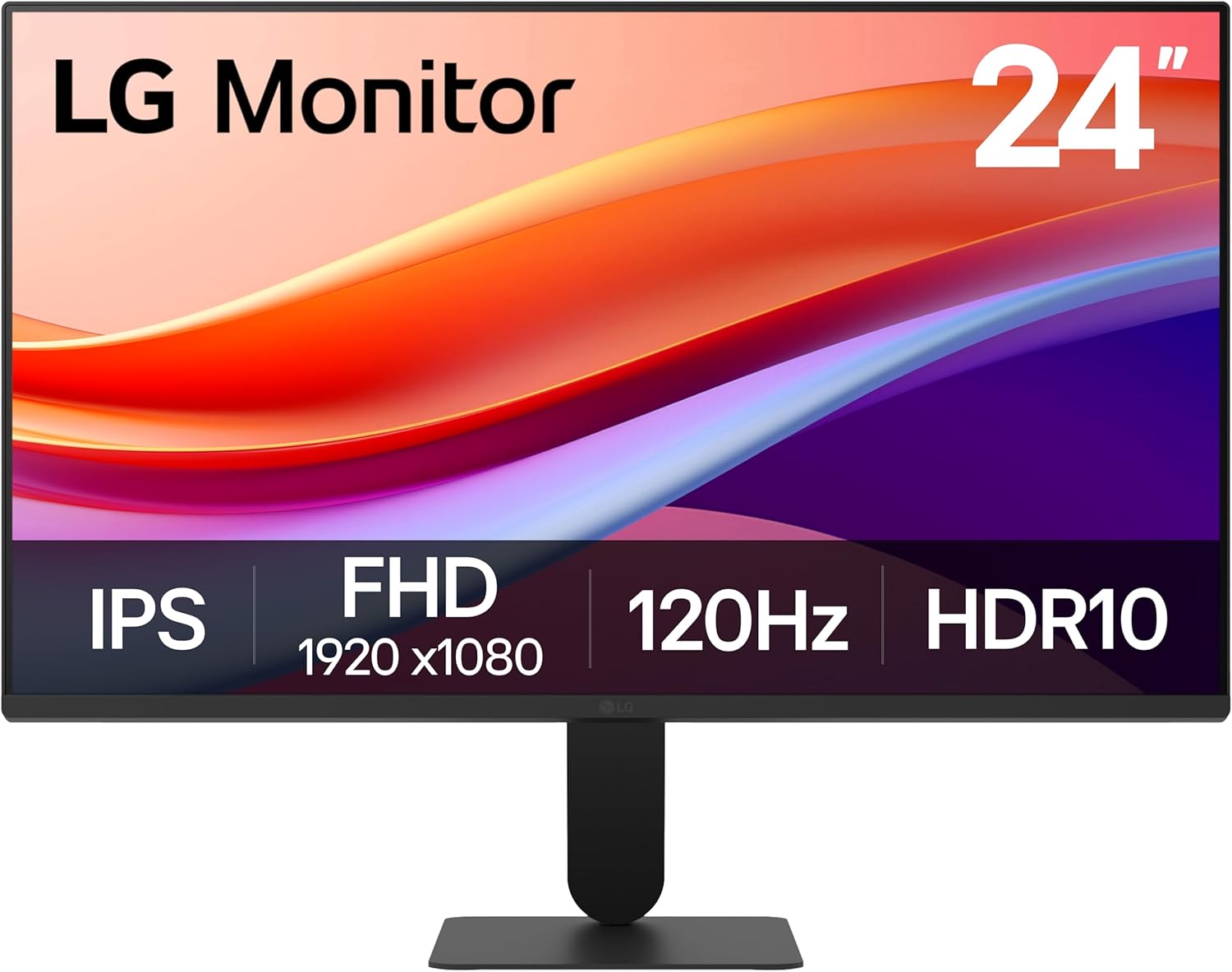
LG 24U411A-B 24-inch Full HD (1920 x 1080) IPS Computer Monitor, 120Hz, HDR10, Reader Mode, Flicker Safe, HDMI, Slim Stand Base, Black
Want the best price and purchase timing?
Our AI advisor analyzes real-time pricing across all channels to find you the best deal.
AI Verdict
This 23.8-inch 1080p IPS monitor offers a 120Hz refresh rate and HDR10, making it a budget-friendly option for casual gaming and productivity.
This monitor is a situational fit because its 1080p IPS panel with 120Hz refresh rate and HDR10 offers a compelling feature set for its price band. However, the limited stand ergonomics and basic port selection mean it won't suit everyone's needs without additional investment in accessories. It's a strong contender if those specific limitations don't impact your workflow.
If you need more ergonomic flexibility or broader connectivity, look for monitors with a fully adjustable stand (height, swivel, pivot) and at least one DisplayPort or USB-C input.
Regret Score™
High RiskLower is better — measures purchase-regret risk from real buyer complaints, review credibility, and product maturity
Issues discovered after purchase
Critically weak dimension
Amazon rating vs actual quality
Chance this product isn't for you
Pros
- The 120Hz refresh rate provides smoother frame transitions for both work and gaming.
- IPS panel technology delivers consistent colors and sharp details from viewing angles up to 178°.
- HDR10 support and up to 99% sRGB color gamut coverage ensure vivid and accurate colors.
- The 1ms Motion Blur Reduction (MBR) feature helps minimize blur and ghosting during fast-paced gameplay.
- The 3-side virtually borderless design creates a clean, modern aesthetic, suitable for dual monitor setups.
- Includes a 'Reader Mode' to lower blue light levels and 'Flicker Safe' technology to reduce eye strain during extended use.
Cons
- The stand only allows for tilt adjustment (-5° to +20°), lacking height, swivel, or pivot capabilities.
- Connectivity is limited to one HDMI 2.0 port and one VGA port, with no DisplayPort or USB ports.
- The typical brightness of 250 cd/m² might feel dim in brightly lit rooms.
- The 5ms GTG response time is slower than some gaming-focused monitors, despite the 1ms MBR feature.
- The contrast ratio is 3000:1 (Typ.), which is acceptable for an IPS panel but not as deep as some VA panels.
Dimension Scores
The IPS panel, Full HD (1920 x 1080) resolution, HDR10 support, and 99% sRGB coverage provide sharp visuals and accurate colors for its price point.
A 120Hz refresh rate is above the standard 60Hz for entry-level monitors, and the 1ms MBR helps reduce motion blur, though the native 5ms GTG is average.
With only one HDMI 2.0 and one VGA port, and no DisplayPort or USB connections, the monitor offers very limited modern connectivity options.
The stand only allows for tilt adjustment from -5° to +20°, completely lacking height, swivel, or pivot functionality.
Best For
- Budget-conscious users needing a 120Hz display for light gaming and daily tasks.
- Home office setups where a VESA mount is planned for ergonomic adjustments.
- Dual-monitor configurations due to its 3-side virtually borderless design.
- Students or professionals who spend hours reading text, benefiting from Reader Mode and Flicker Safe.
Not Recommended For
- Competitive gamers who require sub-1ms GTG response times and higher refresh rates.
- Users needing extensive port options like DisplayPort, USB-C, or multiple HDMI inputs.
- Professionals requiring precise color calibration for graphic design or video editing, due to limited brightness and basic HDR10 implementation.
Watch Out For
- The stand only offers tilt adjustment from -5° to +20°, meaning you'll need to buy a separate VESA mount for height or swivel adjustments.
- Connectivity is restricted to a single HDMI 2.0 and a VGA input, which can be inconvenient if your devices require DisplayPort or more modern USB-C connections.
- With a typical brightness of 250 cd/m², the screen might struggle with visibility or HDR impact in rooms with significant ambient light.
- While it boasts 1ms MBR, the native 5ms GTG response time means motion blur reduction is achieved through backlight strobing, which can reduce brightness and introduce flicker.
Full Specifications
| ASIN | B0FHKDC59F |
| Brand | LG |
| Color | Black |
| Series | 24U411A-B.AUSQ |
| Resolution | FHD 1080p |
| Item Weight | 7.1 pounds |
| Screen Size | 23.8 Inches |
| Aspect Ratio | 16:9 |
| Manufacturer | LG Electronics Inc. |
| Item model number | 24U411A-B.AUSQ |
| Screen Resolution | 1920x1080 |
| Product Dimensions | 8.7 x 21.2 x 16.4 inches |
| Max Screen Resolution | 1920 x 1080 Pixels |
| Item Dimensions LxWxH | 8.7 x 21.2 x 16.4 inches |
| Screen Surface Description | Matte |
| Standing screen display size | 23.8 Inches |
What Buyers Say
People seem to be picking this up for its 120Hz refresh rate at a really accessible price, especially when it goes on sale. The IPS panel gets a nod for consistent colors and decent viewing angles, which is always a plus for a budget screen. The slim bezels are a hit, making it look more premium than its cost and working well for multi-monitor setups. However, the stand is a real bummer, only tilting and forcing you to get a VESA mount if you need any real adjustment. The lack of DisplayPort is also a recurring point of frustration for some, limiting connectivity options for certain graphics cards.
“Okay, so it's cheap and 120Hz, which is cool, but seriously, the stand is a joke and why no DisplayPort? My old GPU doesn't even have two HDMI ports, so now I'm stuck. It looks pretty though, I guess.”
Common Praise
- The 120Hz refresh rate makes scrolling and general use feel noticeably smoother.
- Colors appear consistent and details remain sharp even when viewed from wide angles due to the IPS panel.
- The ultra-slim bezels on three sides create a modern, immersive look that's great for side-by-side monitors.
- The inclusion of 'Reader Mode' and 'Flicker Safe' technology genuinely helps reduce eye strain during long sessions.
- The 1ms Motion Blur Reduction (MBR) feature effectively keeps fast-moving game visuals crisp.
Common Complaints
- The stand only tilts, forcing users to purchase a separate VESA arm for height or swivel adjustments.
- The absence of a DisplayPort connection is a significant drawback for users with GPUs that prefer or require it.
- The 250 cd/m² typical brightness can make the screen appear dim, especially in well-lit environments.
- The 5ms GTG response time, while having 1ms MBR, isn't as snappy as dedicated gaming monitors with lower native GTG times.
- Some users might find the single HDMI 2.0 port restrictive for connecting multiple modern devices.
Ownership Tips
- After a few weeks, the 120Hz refresh rate really does make a difference for everyday browsing and light gaming, it's hard to go back to 60Hz.
- The 'Reader Mode' is surprisingly useful for late-night work, making text much easier on the eyes without a weird color shift.
- You'll definitely want to invest in a VESA mount if you spend hours at your desk; the fixed height of the included stand is a pain.
- The 'virtually borderless' design is legit, and it looks way cleaner than my old monitor, especially when I put two side-by-side.
- HDR10 is there, but don't expect mind-blowing HDR performance with only 250 nits of brightness; it's more of a subtle enhancement.
Frequently Asked Questions
Does this monitor have built-in speakers?
No, the product specifications do not mention built-in speakers, so you will need external speakers or headphones for audio output. It does have a headphone out port.
Can I mount this monitor on a wall or monitor arm?
Yes, this monitor is VESA compatible with a 100x100mm mounting pattern, allowing you to use it with a wall mount or monitor arm.
What kind of cables come with the monitor?
The monitor typically includes an HDMI cable in the box, so you can connect it to your device right away.
Is this monitor suitable for gaming?
Yes, with a 120Hz refresh rate, 1ms Motion Blur Reduction, and features like Dynamic Action Sync and Black Stabilizer, it's designed to provide a smoother and more responsive gaming experience for casual to moderate gamers.
Does this monitor support AMD FreeSync?
Yes, the LG 24U411A-B supports AMD FreeSync synchronization technology, which helps to eliminate screen tearing and stuttering during gameplay.
What is the typical brightness of this monitor?
The typical brightness of this monitor is 250 cd/m².
Buying Guide
When you're looking at monitors like this LG, you need to think about what you actually do on your computer. If you're just browsing, watching videos, or doing schoolwork, a 1080p screen at 24 inches is perfectly fine. But if you're into gaming, that 120Hz refresh rate is a big deal because it makes everything feel smoother, like watching a higher frame rate movie. Just remember, a monitor's stand and ports can make or break your setup, so don't overlook them.
120Hz Refresh Rate
Think of refresh rate like frames per second in a video. A 120Hz screen updates the image 120 times a second, making motion look much smoother than a standard 60Hz monitor, which is especially noticeable in fast-paced games or even just scrolling web pages.
IPS Panel
This refers to the type of screen technology. IPS panels are known for their wide viewing angles and accurate color reproduction, meaning the colors won't look washed out or distorted if you're not sitting directly in front of the screen, unlike some older panel types.
HDR10
HDR (High Dynamic Range) means the monitor can display a wider range of colors and contrast between the brightest whites and darkest blacks. HDR10 is a basic standard, and while it improves the visual experience, don't expect the same 'pop' as high-end HDR monitors with much higher brightness levels.
5ms GTG Response Time
This measures how quickly pixels can change color. A lower number is better for gaming to reduce 'ghosting' or blur behind moving objects. 5ms GTG is okay for casual gaming, but competitive players often look for 1ms GTG or faster for the quickest pixel transitions.
Alternatives
If this monitor doesn't quite hit the mark, consider looking for a 144Hz or higher refresh rate monitor with a 1ms GTG response time for more serious gaming, or one with a fully adjustable stand and DisplayPort connectivity for better ergonomics and broader device compatibility.
You Might Also Like

KTC H27S5C 27" Curved Gaming Monitor, 1440P QHD 144Hz 120Hz Monitor, 1500R HVA Panel, HDR400, Adaptive Sync, 400nits, HDMI 2.0 x2, DP 1.4, VESA 100x100 PC Monitor
$150-$299This is a 27-inch 1440p 144Hz curved HVA panel with 400 nits brightness and HDR400, designed for gamers and creative users needing color accuracy.

ASUS ROG Strix 32” 4K OLED Gaming Monitor (XG32UCWMG) - TrueBlack Glossy, Dual Mode(4K@240Hz, FHD@480Hz), 0.03ms, G-SYNC Compatible, Neo Proximity Sensor, USB-C, HDMI 2.1, 3 yr Warranty
$600+This 32-inch 4K 240Hz WOLED monitor with 0.03ms response and dual-mode FHD 480Hz is for serious gamers and content creators prioritizing visual fidelity and speed.

CRUA 32" White Curved Monitor, 4K UHD(3840*2160P) 1500R VA Screen, 75Hz Computer Monitor Supports AMD Freesync, 120% sRGB, Built-in speakers, Blue Light Filter,Wall Mountable Installs(HDMI 2.0/DP 1.4)
$150-$299This is a 32-inch 4K (3840x2160) 1500R VA curved monitor with a 75Hz refresh rate and 260 cd/m² brightness, best for casual media consumption and productivity.

CRUA 34 Inch Curved Gaming Monitor, 21:9 WQHD 3440x1440 165Hz/144Hz 1500R Ultrawide Computer Monitor Support Freesync, PIP/PBP, 120% sRGB, HDMI 2.0 & DP 1.4, Wall Mountable/Tilt Adjustable-Black
$150-$299A 34-inch 1500R curved 3440x1440 VA panel with 165Hz refresh, 300 cd/m² brightness, and a tilt-only stand.