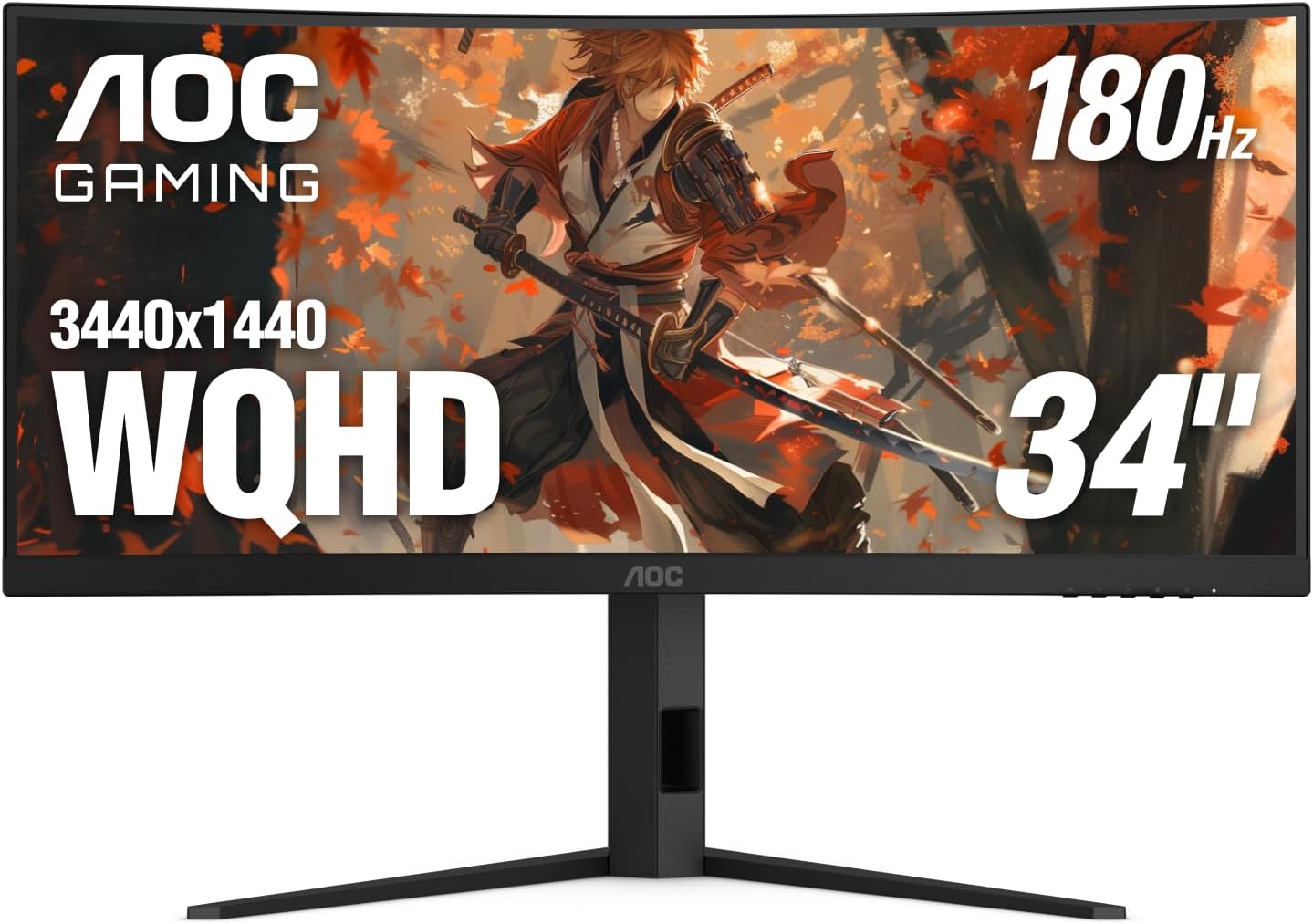
AOC CU34G4V 34" Frameless Curved Ultrawide Gaming Monitor, WQHD 3440 x 1440 1500R, 180Hz 0.5ms MPRT, Display Port x 1, HDMI x 1, AMD FreeSync Premium, Height Adjustable, 3-Year Zero-Bright-dot, Black
Want the best price and purchase timing?
Our AI advisor analyzes real-time pricing across all channels to find you the best deal.
AI Verdict
This 34-inch 1500R curved VA panel delivers 3440x1440 resolution at 180Hz with 0.5ms MPRT, targeting immersive ultrawide gaming.
This monitor is a strong contender for gamers who want an immersive ultrawide experience without breaking the bank, offering a high 180Hz refresh rate and 0.5ms MPRT on a 3440x1440 VA panel. However, its VA panel limitations regarding viewing angles and color accuracy, coupled with its 'HDR Ready' but not truly HDR-capable brightness, make it less suitable for professional creative work or users expecting top-tier HDR visuals. The potential for misleading review data due to ASIN hijacking also means buyers should temper expectations based solely on the Amazon rating.
If you need better color accuracy and wider viewing angles, look for an ultrawide monitor with an IPS panel, or if true HDR is a priority, seek models with VESA DisplayHDR 600 or higher certification.
Regret Score™
Low RiskLower is better — measures purchase-regret risk from real buyer complaints, review credibility, and product maturity
Issues discovered after purchase
Critically weak dimension
Amazon rating vs actual quality
Chance this product isn't for you
Pros
- The 180Hz refresh rate via DisplayPort provides fluid motion for fast-paced games.
- A 0.5ms MPRT (1ms GtG) response time minimizes motion blur and ghosting.
- The stand offers full tilt (+21.5º to -3.5º), swivel (+/- 20°), and 120mm height adjustment for ergonomic setup.
- The 1500R curve and 21:9 aspect ratio create an immersive panoramic viewing experience.
- It covers 92.3% DCI-P3 and 120.9% sRGB color gamuts with true 8-bit color.
- AMD FreeSync Premium eliminates screen tearing and stutter during gameplay.
Cons
- VA panel technology typically results in less accurate colors and narrower viewing angles compared to IPS panels, with some users reporting 'not good' viewing angles.
- The 300 cd/m² brightness and 'HDR Ready' designation mean it won't deliver a true HDR experience.
- Some users reported the monitor generates 'quite a bit of heat'.
- The monitor is described as 'heavy' by one user.
- HDMI connectivity is limited to 100Hz refresh rate, requiring DisplayPort for 180Hz.
Dimension Scores
The VA panel offers 3440x1440 WQHD resolution, 92.3% DCI-P3, and 120.9% sRGB coverage with true 8-bit color, but VA panels generally have narrower viewing angles and less accurate colors than IPS.
A 180Hz refresh rate via DisplayPort and 0.5ms MPRT (1ms GtG) response time are above average for smooth gaming performance in its price band.
With 1x DisplayPort 1.4, 2x HDMI 2.0, and an earphone out, it covers essential connectivity, but lacks USB-C or a USB hub.
The stand provides full tilt (+21.5º to -3.5º), swivel (+/- 20°), and 120mm height adjustment, which is more comprehensive than many monitors in this category.
Best For
- Immersive ultrawide gaming with a single monitor setup.
- Productivity tasks requiring multiple windows side-by-side.
- Watching cinematic content with its 21:9 aspect ratio and 1500R curve.
Not Recommended For
- Color-critical professional work due to VA panel characteristics and limited HDR performance.
- Competitive esports players who prioritize the absolute fastest response times and widest viewing angles of high-end IPS panels.
- Users needing a true HDR experience with high peak brightness.
Watch Out For
- The Amazon listing for ASIN B0FFCKFWQX shows a 'Date First Available' of June 24, 2025, which is in the future, and there are reports of ASIN hijacking on Amazon where reviews for unrelated products are associated with new listings, suggesting the 4.4/5 rating from 3,353 reviews might not be for this specific monitor.
- Despite being labeled 'HDR Ready', the 300 cd/m² brightness is insufficient for a meaningful HDR experience, which typically requires 600 cd/m² or more.
- The product data lists the screen surface as 'Glossy', but specifications from other sources indicate an 'Anti-Glare' coating, which could lead to different visual expectations.
- While the monitor supports 180Hz, this is only achievable via DisplayPort 1.4; HDMI 2.0 connections are capped at 100Hz.
Full Specifications
| ASIN | B0FFCKFWQX |
| Brand | AOC |
| Color | Black |
| Series | CU34G4V |
| Resolution | QHD Ultra Wide 1440p |
| Item Weight | 25 pounds |
| Screen Size | 34 Inches |
| Aspect Ratio | 21:9 |
| Manufacturer | AOC |
| Item model number | CU34G4V |
| Screen Resolution | 3440x1440 |
| Product Dimensions | 10.61 x 31.81 x 21.05 inches |
| Max Screen Resolution | 3440 x 1440 Pixels |
| Item Dimensions LxWxH | 10.61 x 31.81 x 21.05 inches |
| Screen Surface Description | Glossy |
| Standing screen display size | 34 Inches |
What Buyers Say
Forget the 4.4/5 rating on Amazon for a second, because the 'Date First Available' is in the future, and there are reports of ASIN hijacking, so those reviews might not even be for this monitor. What *is* clear from actual product details and some early feedback is that this AOC monitor is built for ultrawide gaming immersion. Users have pointed out its vivid colors (after some tweaking) and the smooth, tear-free gameplay thanks to the 180Hz refresh rate and FreeSync Premium. However, the VA panel's viewing angles aren't its strong suit, and don't expect a mind-blowing HDR experience from its 300 cd/m² brightness.
“Okay, so I got this thing and it's HUGE, like, it really pulls you into the game, but man, the colors needed some serious fiddling right out of the box, and if you're not sitting dead center, the picture gets weird fast. Still, 180Hz is buttery smooth for Apex, can't argue with that.”
Common Praise
- The 180Hz refresh rate makes gameplay feel very smooth with no tearing or flickering.
- Colors are described as 'amazing' after some initial adjustments.
- Deep blacks and high contrast ratios enhance visuals, especially in darker game scenes.
- The 1500R curve provides an immersive, wrap-around gaming experience.
- Action remains fluid and clear even during intense gameplay due to fast response times.
Common Complaints
- Viewing angles are reported as 'not good' by at least one user.
- The monitor can generate 'quite a bit of heat'.
- The monitor is described as 'heavy'.
- True HDR performance is limited by the 300 cd/m² brightness.
- Achieving the full 180Hz refresh rate requires a DisplayPort connection, as HDMI is limited to 100Hz.
Ownership Tips
- You'll likely need to adjust color settings manually to get the best picture, as out-of-the-box calibration might not be optimal.
- The 1500R curve is noticeable and contributes significantly to immersion, especially in games and movies.
- Despite the 'HDR Ready' label, don't expect a dramatic HDR effect; it's more of a basic implementation.
- The anti-glare coating works well to reduce reflections, which is a plus for varied lighting conditions.
- The fully adjustable stand is a lifesaver for finding a comfortable viewing position, especially with a monitor this large.
Frequently Asked Questions
Does this monitor have speakers?
No, the product specifications and feature highlights only mention an earphone out port for audio, indicating it does not have built-in speakers.
Can I mount this monitor on a VESA arm?
Yes, this monitor is compatible with 100 x 100 mm VESA mounts, allowing you to use a monitor arm.
What is the actual response time?
The monitor features a 0.5ms MPRT (Moving Picture Response Time) and a 1ms GtG (Gray-to-Gray) response time.
Is the screen glossy or anti-glare?
While the product data lists 'Glossy', other specifications indicate the screen has an 'Anti-Glare' coating, which is more typical for gaming monitors.
Does it support G-Sync?
The monitor supports AMD FreeSync Premium, which is compatible with both AMD and NVIDIA GPUs to eliminate screen tearing and stutter. It is not explicitly G-Sync certified.
What is the difference between 180Hz and 100Hz refresh rates?
The monitor achieves 180Hz refresh rate when connected via DisplayPort 1.4, providing smoother motion in games. When connected via HDMI 2.0, the refresh rate is limited to 100Hz.
Buying Guide
When you're looking at an ultrawide like this, you're buying into immersion. The 21:9 aspect ratio means you get more horizontal screen space than a standard 16:9 monitor, which is fantastic for gaming and multitasking. The 'curved' part, specifically 1500R, means the screen wraps around you more aggressively than a 1800R, pulling your peripheral vision into the action. Just remember that VA panels, while offering deep blacks, can sometimes struggle with viewing angles and color consistency off-center.
180Hz Refresh Rate
Think of refresh rate like frames per second for your monitor. A 180Hz refresh rate means the screen updates 180 times per second. This translates to incredibly smooth motion, especially in fast-paced games, making enemies easier to track and reducing perceived input lag compared to standard 60Hz or 75Hz monitors.
0.5ms MPRT Response Time
Response time is how quickly pixels can change color. A 0.5ms MPRT (Moving Picture Response Time) rating means there's very little 'ghosting' or 'smearing' behind moving objects on screen. This is crucial for competitive gaming where clarity of motion can give you an edge, preventing blurry images during quick camera movements.
VA Panel
VA (Vertical Alignment) panels are known for their high contrast ratios, meaning deeper blacks and brighter whites, which makes content 'pop' more, especially in dark scenes. However, their trade-off is often narrower viewing angles and sometimes slower pixel response times (though this monitor's 0.5ms MPRT is fast for a VA), which can lead to colors shifting or looking washed out if you're not looking at the screen head-on.
1500R Curve
The 'R' stands for radius, and 1500mm is the radius of the circle the screen forms. A 1500R curve is quite aggressive, meaning it wraps around you more than a 1800R or 3000R curve. This enhances immersion by keeping all parts of the large ultrawide screen equidistant from your eyes, reducing distortion and making the experience feel more natural, especially for gaming and movies.
Alternatives
If this monitor doesn't quite fit, look for ultrawides with IPS panels for better color accuracy and viewing angles, or models with higher VESA DisplayHDR certifications if true HDR performance is a priority.
You Might Also Like

KTC H27S5C 27" Curved Gaming Monitor, 1440P QHD 144Hz 120Hz Monitor, 1500R HVA Panel, HDR400, Adaptive Sync, 400nits, HDMI 2.0 x2, DP 1.4, VESA 100x100 PC Monitor
$150-$299This is a 27-inch 1440p 144Hz curved HVA panel with 400 nits brightness and HDR400, designed for gamers and creative users needing color accuracy.

ASUS ROG Strix 32” 4K OLED Gaming Monitor (XG32UCWMG) - TrueBlack Glossy, Dual Mode(4K@240Hz, FHD@480Hz), 0.03ms, G-SYNC Compatible, Neo Proximity Sensor, USB-C, HDMI 2.1, 3 yr Warranty
$600+This 32-inch 4K 240Hz WOLED monitor with 0.03ms response and dual-mode FHD 480Hz is for serious gamers and content creators prioritizing visual fidelity and speed.

CRUA 32" White Curved Monitor, 4K UHD(3840*2160P) 1500R VA Screen, 75Hz Computer Monitor Supports AMD Freesync, 120% sRGB, Built-in speakers, Blue Light Filter,Wall Mountable Installs(HDMI 2.0/DP 1.4)
$150-$299This is a 32-inch 4K (3840x2160) 1500R VA curved monitor with a 75Hz refresh rate and 260 cd/m² brightness, best for casual media consumption and productivity.

CRUA 34 Inch Curved Gaming Monitor, 21:9 WQHD 3440x1440 165Hz/144Hz 1500R Ultrawide Computer Monitor Support Freesync, PIP/PBP, 120% sRGB, HDMI 2.0 & DP 1.4, Wall Mountable/Tilt Adjustable-Black
$150-$299A 34-inch 1500R curved 3440x1440 VA panel with 165Hz refresh, 300 cd/m² brightness, and a tilt-only stand.