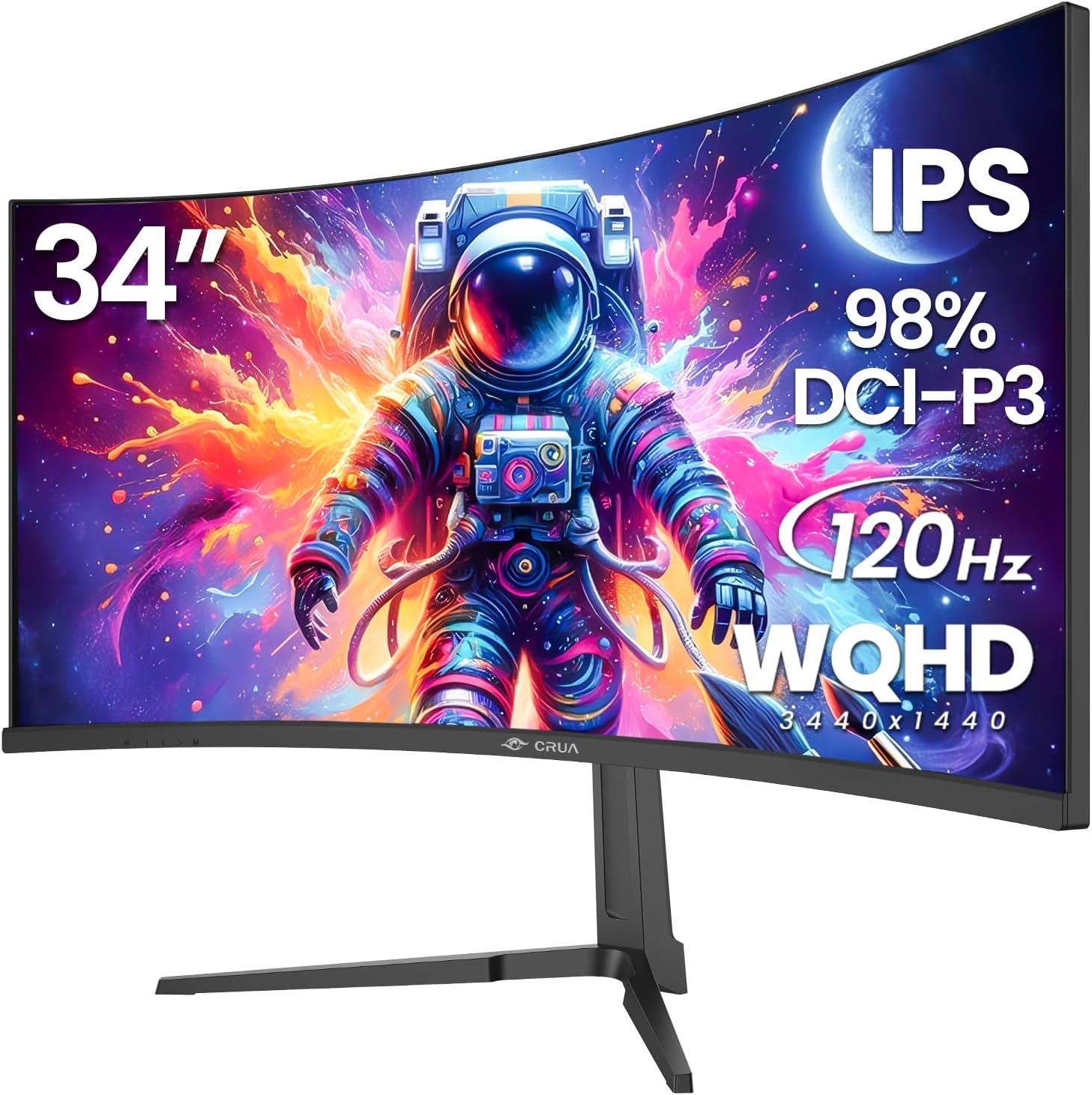
CRUA 34" Curved Gaming Monitor, IPS WQHD(3440x1440P) 120Hz 1900R 21:9 UltraWide PC Display, 130% sRGB, AMD FreeSync, Blue Light Filter, HDMI/DP Ports, Wall Mountable Installs– Black
Want the best price and purchase timing?
Our AI advisor analyzes real-time pricing across all channels to find you the best deal.
AI Verdict
A 34-inch 1900R curved WQHD IPS panel with 120Hz and 130% sRGB, for immersive gaming and multitasking on a budget.
This monitor is a situational fit for users prioritizing a large, curved WQHD IPS panel with a 120Hz refresh rate for gaming and productivity within a mid-range budget. Its strong color coverage and resolution are appealing, but the lack of specified stand ergonomics and absence of built-in speakers mean additional investments might be necessary.
If you need more fluid gameplay for competitive titles, look for monitors with 144Hz or 165Hz refresh rates and a lower response time, typically 1ms.
Regret Score™
High RiskLower is better — measures purchase-regret risk from real buyer complaints, review credibility, and product maturity
Issues discovered after purchase
Critically weak dimension
Amazon rating vs actual quality
Chance this product isn't for you
Pros
- The 3440x1440 WQHD resolution on a 34-inch ultrawide screen provides expanded workspace and immersive visuals.
- The 120Hz refresh rate with AMD FreeSync delivers fluid motion and reduced screen tearing for gaming.
- The IPS panel with 130% sRGB and 98% DCI-P3 color coverage offers wide 178° viewing angles and accurate colors.
- The 350 cd/m² brightness and 2000:1 contrast ratio contribute to rich, lifelike visuals.
- VESA 100mmx100mm mounting support allows for flexible installation options on monitor arms or walls.
Cons
- The monitor lacks built-in speakers, requiring external audio solutions.
- Ergonomics are limited as the product specifications do not mention height, swivel, or pivot adjustments for the stand.
- HDMI 2.0 ports might limit higher refresh rates at full resolution for some devices compared to newer HDMI 2.1 standards.
- The 120Hz refresh rate is lower than many dedicated gaming monitors offering 144Hz or 165Hz.
Dimension Scores
The IPS panel with 3440x1440 WQHD resolution, 130% sRGB, 98% DCI-P3 coverage, and 350 cd/m² brightness provides a detailed and vibrant visual experience.
A 120Hz refresh rate with AMD FreeSync delivers smooth visuals for most gaming, though some competitors offer higher refresh rates.
It includes HDMI 2.0 and DP 1.4, which are standard, but the lack of HDMI 2.1 might limit future-proofing for some consoles or GPUs.
The product specifications do not mention any stand adjustments beyond wall mounting, indicating a very basic or fixed stand.
Best For
- Immersive ultrawide gaming in titles that support 21:9 aspect ratios.
- Multitasking with multiple windows open side-by-side for enhanced productivity.
- Cinematic media consumption due to the 21:9 aspect ratio and 1900R curve.
- Budget-conscious users seeking a large, curved WQHD IPS display.
Not Recommended For
- Competitive esports players needing refresh rates higher than 120Hz and faster response times.
- Users requiring extensive stand adjustability without purchasing a separate monitor arm.
- Professionals needing perfectly calibrated color accuracy out of the box without further adjustment.
Watch Out For
- The monitor's listed 'Date First Available' is June 13, 2025, which makes finding extensive long-term user feedback challenging.
- The monitor does not include built-in speakers, requiring an external audio setup.
- The stand likely offers minimal to no ergonomic adjustments, meaning you'll probably need a VESA arm for height, swivel, or pivot.
- Some users might need to manually adjust the refresh rate from a default 60Hz to 120Hz in display settings.
Full Specifications
| ASIN | B0FD3CHH25 |
| Brand | CRUA |
| Department | Gaming |
| Resolution | 3440 x 1440 Pixels |
| Item Weight | 18 pounds |
| Screen Size | 34 Inches |
| Aspect Ratio | 21:9 |
| Manufacturer | CRUA |
| Image brightness | 350 Candela |
| Item model number | CR340E |
| Product Dimensions | 1 x 32 x 14 inches |
| Screen Surface Description | Matte |
| Standing screen display size | 34 Inches |
What Buyers Say
Despite a listed 'Date First Available' of June 13, 2025, the monitor has accumulated a 4.4/5 rating from 278 reviews, suggesting early availability or promotional feedback. These early impressions frequently highlight the expansive 3440x1440 ultrawide display as a key benefit for both gaming and productivity. The 120Hz refresh rate is often mentioned for its contribution to smooth visuals, and the IPS panel's color reproduction receives praise. However, the absence of built-in speakers means external audio is a necessity, and the lack of detailed stand adjustments points to potential ergonomic limitations without a separate VESA mount.
“Okay, so it's big and curved, and the colors actually look pretty good for the price, but seriously, no speakers? And the stand feels pretty basic, I'm definitely getting a VESA arm for this thing.”
Common Praise
- The 3440x1440 WQHD resolution provides a wide and immersive field of view.
- The 120Hz refresh rate contributes to fluid and responsive gameplay.
- The IPS panel delivers accurate and vibrant colors with wide viewing angles.
- The 1900R curvature enhances immersion for gaming and media.
- VESA mount compatibility allows for flexible setup options.
Common Complaints
- The monitor does not have integrated speakers, requiring external audio.
- The stand's ergonomic adjustments are not specified, suggesting limited flexibility without a monitor arm.
- Some users might need to manually set the 120Hz refresh rate in their operating system.
- HDMI 2.0 ports may not support the highest refresh rates at full resolution for newer hardware.
Ownership Tips
- Expect to purchase external speakers or use headphones, as there are no built-in audio options.
- Plan for a monitor arm if you need height, swivel, or pivot adjustments, as the included stand is likely fixed or tilt-only.
- Verify the refresh rate setting in your display options, as it might default to 60Hz initially.
- The ultrawide aspect ratio is a game-changer for multitasking, letting you keep multiple applications visible without alt-tabbing.
Frequently Asked Questions
Does this monitor have built-in speakers?
No, the monitor has a 3.5mm audio port for connecting external speakers or headphones, but no integrated speakers.
What kind of stand adjustments does it have?
The product specifications do not detail any stand adjustments beyond being wall-mountable with 100mmx100mm VESA. You should assume minimal to no adjustments.
Is this monitor good for gaming?
With a 3440x1440 WQHD resolution, 120Hz refresh rate, and AMD FreeSync, it's suitable for immersive gaming, especially in titles that benefit from an ultrawide aspect ratio.
What is the color accuracy like?
The IPS panel offers 130% sRGB and 98% DCI-P3 coverage, suggesting accurate and vibrant colors for both general use and color-critical tasks.
Can I mount this monitor on a monitor arm?
Yes, it supports VESA 100mmx100mm mounting, allowing you to use a compatible monitor arm.
Does it support HDR?
The product specifications do not explicitly mention HDR support. While some CRUA monitors might, this specific model's listed specs don't confirm it.
Buying Guide
When looking at an ultrawide monitor like this, you're buying into screen real estate and immersion. The 3440x1440 resolution means you get a lot of pixels, making text sharp and images detailed. The 120Hz refresh rate is important for how smooth things look, especially in games, and the IPS panel means colors will be consistent even if you're not looking at it dead-on.
3440x1440 WQHD Resolution
This isn't just 'more pixels,' it means you can fit way more stuff on your screen, like having two regular monitors side-by-side without a bezel in the middle. It makes multitasking much easier and games feel more expansive.
120Hz Refresh Rate
Think of this as how many times per second the screen updates. A higher number means smoother motion, which is especially noticeable in fast-paced games where every millisecond counts, making everything feel more responsive.
IPS Panel
This refers to the type of screen technology. IPS panels are known for their accurate colors and wide viewing angles, so what you see on the screen looks consistent and vibrant, even if you're not sitting directly in front of it.
1900R Curvature
The 'R' stands for radius, and 1900R means the curve is pretty aggressive. This wraps the screen around your field of vision, pulling you into the content, whether it's a game or a movie, and can reduce eye strain by keeping all parts of the screen equidistant from your eyes.
Alternatives
If you need a monitor primarily for competitive gaming, look for flat panels with 144Hz or 165Hz refresh rates and 1ms response times. If color accuracy for professional design is paramount, seek monitors with higher Delta E values and hardware calibration options.
You Might Also Like

KTC H27S5C 27" Curved Gaming Monitor, 1440P QHD 144Hz 120Hz Monitor, 1500R HVA Panel, HDR400, Adaptive Sync, 400nits, HDMI 2.0 x2, DP 1.4, VESA 100x100 PC Monitor
$150-$299This is a 27-inch 1440p 144Hz curved HVA panel with 400 nits brightness and HDR400, designed for gamers and creative users needing color accuracy.

ASUS ROG Strix 32” 4K OLED Gaming Monitor (XG32UCWMG) - TrueBlack Glossy, Dual Mode(4K@240Hz, FHD@480Hz), 0.03ms, G-SYNC Compatible, Neo Proximity Sensor, USB-C, HDMI 2.1, 3 yr Warranty
$600+This 32-inch 4K 240Hz WOLED monitor with 0.03ms response and dual-mode FHD 480Hz is for serious gamers and content creators prioritizing visual fidelity and speed.

CRUA 32" White Curved Monitor, 4K UHD(3840*2160P) 1500R VA Screen, 75Hz Computer Monitor Supports AMD Freesync, 120% sRGB, Built-in speakers, Blue Light Filter,Wall Mountable Installs(HDMI 2.0/DP 1.4)
$150-$299This is a 32-inch 4K (3840x2160) 1500R VA curved monitor with a 75Hz refresh rate and 260 cd/m² brightness, best for casual media consumption and productivity.

CRUA 34 Inch Curved Gaming Monitor, 21:9 WQHD 3440x1440 165Hz/144Hz 1500R Ultrawide Computer Monitor Support Freesync, PIP/PBP, 120% sRGB, HDMI 2.0 & DP 1.4, Wall Mountable/Tilt Adjustable-Black
$150-$299A 34-inch 1500R curved 3440x1440 VA panel with 165Hz refresh, 300 cd/m² brightness, and a tilt-only stand.