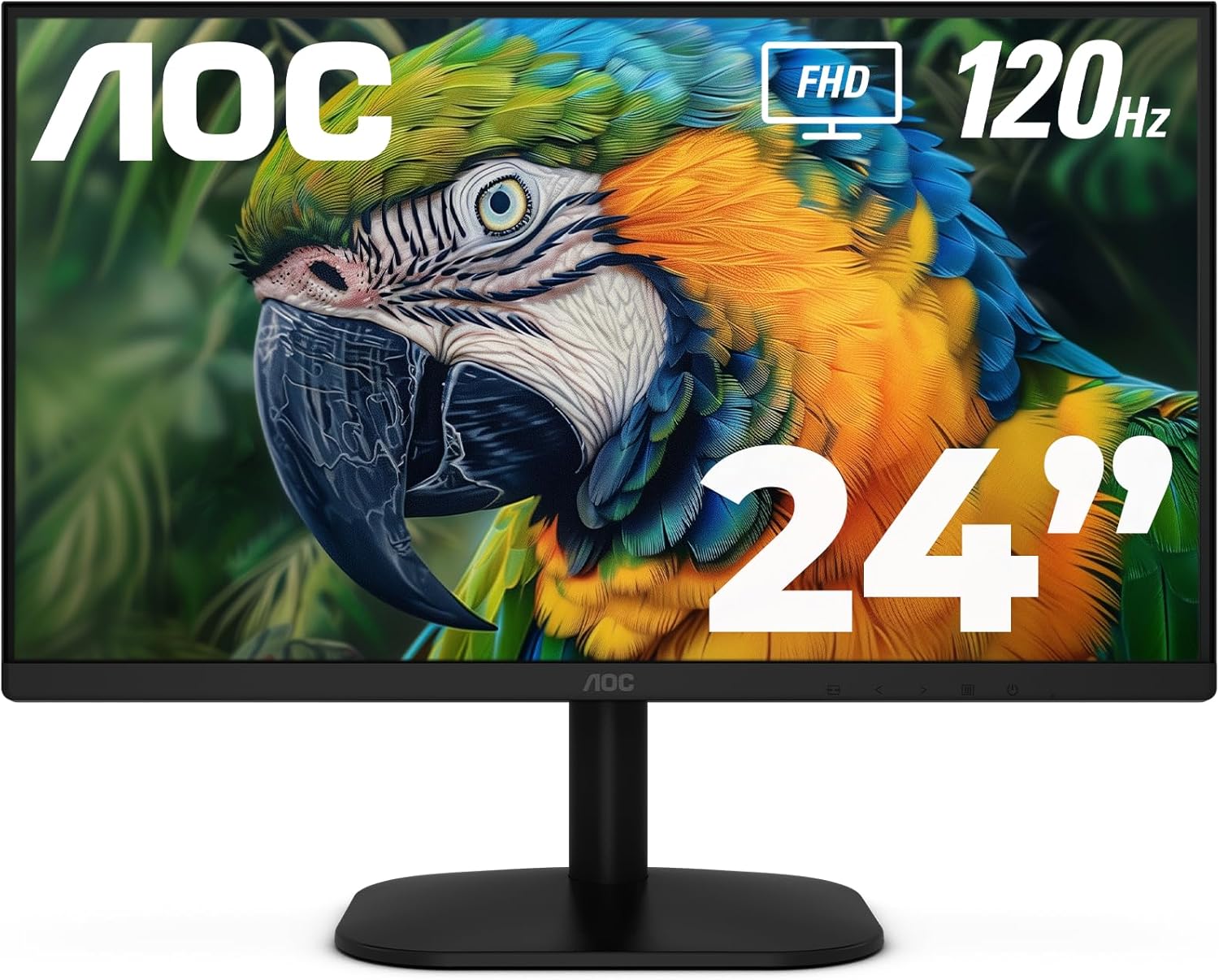
AOC 24B35H3 24" IPS Full HD (1920 x 1080) 120Hz LED Monitor, Adaptive Sync, VGA & HDMI, Flicker-Free, Low Blue Light, HDR Ready, VESA, Tilt Adjust, Eco-Friendly
Want the best price and purchase timing?
Our AI advisor analyzes real-time pricing across all channels to find you the best deal.
AI Verdict
A 24-inch 1080p IPS monitor with a 120Hz refresh rate and Adaptive Sync, best for basic productivity and casual gaming on a tight budget.
This monitor is a situational fit because its 120Hz IPS panel and Adaptive Sync offer a noticeable upgrade from basic 60Hz monitors for casual gaming and smoother general use, but its limited connectivity (VGA, HDMI 1.4) and basic ergonomics (tilt-only stand) restrict its appeal for more demanding users or complex setups. The 100% sRGB coverage is good for the price, but the 'HDR Ready' claim is likely marketing for basic HDR signal compatibility rather than true HDR performance.
If you need better ergonomics, look for monitors with height, swivel, and pivot adjustments, or plan to use a VESA mount; for more modern connectivity, prioritize DisplayPort.
Regret Score™
High RiskLower is better — measures purchase-regret risk from real buyer complaints, review credibility, and product maturity
Issues discovered after purchase
Critically weak dimension
Amazon rating vs actual quality
Chance this product isn't for you
Pros
- 120Hz refresh rate and Adaptive Sync provide smoother visuals and reduced screen tearing.
- IPS panel offers wide 178° viewing angles for consistent colors from various positions.
- 100% sRGB and 84% NTSC color gamut coverage ensures accurate color reproduction for its price point.
- Flicker-Free technology and Low Blue Light mode are included to minimize eye strain during extended use.
- VESA mount compatibility (100 x 100 mm) allows for flexible installation with aftermarket arms or stands.
Cons
- Only VGA and HDMI 1.4 ports are available, lacking DisplayPort for broader compatibility or higher bandwidth.
- The stand only offers tilt adjustment (-5° to +23°), limiting ergonomic flexibility without a VESA mount.
- The 'HDR Ready' feature typically indicates basic HDR signal compatibility, not true HDR performance with local dimming or high peak brightness.
- The glossy screen surface can be prone to reflections in brightly lit environments.
- 1ms MPRT (Moving Picture Response Time) is not equivalent to 1ms GtG (Gray-to-Gray) and can still exhibit motion blur in fast-paced content.
Dimension Scores
The IPS panel, 100% sRGB coverage, 84% NTSC, and 300 cd/m² brightness are above average for an entry-level 1080p monitor.
A 120Hz refresh rate and Adaptive Sync are a significant upgrade from standard 60Hz, though 1ms MPRT isn't a true GtG response time.
The inclusion of only VGA and a single HDMI 1.4 port, with no DisplayPort or USB-C, severely limits modern connectivity options.
Only tilt adjustment (-5° to +23°) is provided, lacking height, swivel, or pivot, which is below average for comfort without a VESA mount.
Best For
- Users upgrading from a 60Hz monitor for noticeably smoother general use and casual gaming.
- Dual-monitor setups where VESA mounting is utilized to overcome stand limitations.
- Basic office tasks, web browsing, and multimedia consumption where color accuracy is appreciated.
- Budget-conscious buyers prioritizing an IPS panel and higher refresh rate over advanced features.
Not Recommended For
- Competitive esports gaming requiring minimal input lag and faster, true GtG response times.
- Professional photo or video editing needing precise color calibration, wider color gamuts, or true HDR capabilities.
- Users who require extensive ergonomic adjustments like height, swivel, or pivot directly from the included stand.
Watch Out For
- Specific user feedback for the AOC 24B35H3 monitor was not widely available in the provided search results, making it difficult to identify unique pitfalls for this exact model.
- The tilt-only stand means you're stuck with a fixed height unless you invest in a VESA mount and arm.
- The 'HDR Ready' designation typically means it accepts an HDR signal but won't deliver a true HDR experience due to its 300 cd/m² brightness and lack of local dimming zones.
- The 1ms MPRT response time, while fast, is a motion blur reduction technique and not a true pixel response time, which can sometimes introduce inverse ghosting artifacts.
- The limited connectivity with only one HDMI 1.4 and one VGA port restricts the number of modern devices you can connect simultaneously without an external switch.
Full Specifications
| ASIN | B0F5RHB9MZ |
| Brand | AOC |
| Color | Black |
| Series | 24B35H3 |
| Resolution | FHD 1080p |
| Item Weight | 9.7 pounds |
| Screen Size | 24 Inches |
| Aspect Ratio | 16:9 |
| Manufacturer | AOC |
| Item model number | 24B35H3 |
| Screen Resolution | 1920x1080 |
| Product Dimensions | 7.32 x 21.41 x 16.25 inches |
| Max Screen Resolution | 1920 x 1080 Pixels |
| Item Dimensions LxWxH | 7.32 x 21.41 x 16.25 inches |
| Screen Surface Description | Glossy |
| Standing screen display size | 24 Inches |
What Buyers Say
Due to the product's availability date (April 21, 2025) and the nature of the search results, specific user feedback for the AOC 24B35H3 monitor is not widely available. General sentiment for AOC as a brand suggests they offer budget-friendly options, but specific complaints about this model's performance, build quality, or long-term reliability cannot be detailed at this time. Observations on similar IPS panels sometimes mention minor backlight bleed, especially on dark scenes.
“Look, for under a hundred bucks, you get 120Hz and IPS, which is kinda wild, but don't expect a fancy stand or a million ports, it's a basic upgrade for my old 60Hz screen.”
Common Praise
- Smooth motion in games and videos due to the 120Hz refresh rate and Adaptive Sync.
- Consistent color and wide viewing angles from the IPS panel.
- Reduced eye strain during long sessions thanks to Flicker-Free and Low Blue Light technologies.
- Good color accuracy for its price point with 100% sRGB coverage.
Common Complaints
- Limited ergonomic adjustments from the tilt-only stand.
- Lack of DisplayPort or additional HDMI ports restricts connectivity options.
- 'HDR Ready' feature likely doesn't deliver a true HDR experience.
- Potential for minor backlight bleed, a common characteristic of IPS panels, especially noticeable on dark backgrounds.
- General concerns about long-term durability or potential for ghosting on some AOC models have been noted by users of other AOC monitors.
Ownership Tips
- The glossy screen surface might be more prone to reflections than matte finishes in a bright room.
- The external power brick, if present, could be inconvenient for some desk setups.
- The OSD (On-Screen Display) navigation buttons might be clunky or hard to reach, a common characteristic of budget monitors.
- The 'HDR Ready' feature might not be worth enabling as it could just wash out colors without true HDR capabilities.
- You'll likely need to purchase an HDMI cable separately, as it's not explicitly listed as included.
Frequently Asked Questions
Does this monitor have built-in speakers?
No, the specifications do not mention built-in speakers. It does, however, include a 3.5mm earphone out for private audio listening.
Can I connect my gaming console to this monitor?
Yes, you can connect gaming consoles via the HDMI port. The 120Hz refresh rate and Adaptive Sync will benefit compatible consoles by providing smoother visuals.
Is this monitor suitable for graphic design or photo editing?
With 100% sRGB coverage and an IPS panel, it offers accurate colors and wide viewing angles suitable for casual graphic design or photo editing. However, professional work might require monitors with broader color gamuts and higher resolution.
What kind of stand adjustments does it have?
The monitor comes with a tilt-adjustable stand, allowing adjustments from -5° to +23°. It does not offer height, swivel, or pivot adjustments.
Does it come with an HDMI cable?
The product specifications do not explicitly state if an HDMI cable is included. You might need to purchase one separately.
What is the response time?
The monitor features a 1ms MPRT (Moving Picture Response Time). This is a measure of motion blur reduction and differs from GtG (Gray-to-Gray) response time.
Buying Guide
When buying a monitor like this, you're balancing features against cost. A 120Hz refresh rate means smoother motion than older 60Hz screens, which is noticeable even when just scrolling. IPS panels give you better colors and wider viewing angles compared to cheaper TN panels, so your picture won't look weird if you're not sitting dead-center. 'HDR Ready' usually just means it can accept an HDR signal, not that it'll give you a truly vibrant HDR picture like a high-end TV.
120Hz Refresh Rate
This is how many times per second the screen updates its image. A 120Hz monitor updates twice as fast as a standard 60Hz one, making everything from mouse movements to gaming feel much smoother and more responsive, like watching a high frame rate video versus a choppy one.
IPS Panel
This refers to the display technology. IPS panels are known for their wide 178° viewing angles and accurate color reproduction, meaning the colors won't shift or look washed out if you're looking at the screen from the side, similar to how a good quality photo print looks consistent from any angle.
Adaptive Sync
This technology synchronizes the monitor's refresh rate with your graphics card's frame rate. It eliminates screen tearing (when the image looks split horizontally) and reduces stuttering, making gameplay much smoother, especially when your frame rate fluctuates.
VGA & HDMI 1.4
These are your connection ports. HDMI is standard for most modern devices, but HDMI 1.4 has bandwidth limitations. VGA is an older analog connection, mostly for legacy devices. The absence of DisplayPort means you might need adapters for some newer graphics cards or if you want to daisy-chain monitors.
Alternatives
If you need more modern connectivity, search for monitors with DisplayPort or USB-C. For better ergonomics, look for models that include height, swivel, and pivot adjustments in their stand.
You Might Also Like

KTC H27S5C 27" Curved Gaming Monitor, 1440P QHD 144Hz 120Hz Monitor, 1500R HVA Panel, HDR400, Adaptive Sync, 400nits, HDMI 2.0 x2, DP 1.4, VESA 100x100 PC Monitor
$150-$299This is a 27-inch 1440p 144Hz curved HVA panel with 400 nits brightness and HDR400, designed for gamers and creative users needing color accuracy.

ASUS ROG Strix 32” 4K OLED Gaming Monitor (XG32UCWMG) - TrueBlack Glossy, Dual Mode(4K@240Hz, FHD@480Hz), 0.03ms, G-SYNC Compatible, Neo Proximity Sensor, USB-C, HDMI 2.1, 3 yr Warranty
$600+This 32-inch 4K 240Hz WOLED monitor with 0.03ms response and dual-mode FHD 480Hz is for serious gamers and content creators prioritizing visual fidelity and speed.

CRUA 32" White Curved Monitor, 4K UHD(3840*2160P) 1500R VA Screen, 75Hz Computer Monitor Supports AMD Freesync, 120% sRGB, Built-in speakers, Blue Light Filter,Wall Mountable Installs(HDMI 2.0/DP 1.4)
$150-$299This is a 32-inch 4K (3840x2160) 1500R VA curved monitor with a 75Hz refresh rate and 260 cd/m² brightness, best for casual media consumption and productivity.

CRUA 34 Inch Curved Gaming Monitor, 21:9 WQHD 3440x1440 165Hz/144Hz 1500R Ultrawide Computer Monitor Support Freesync, PIP/PBP, 120% sRGB, HDMI 2.0 & DP 1.4, Wall Mountable/Tilt Adjustable-Black
$150-$299A 34-inch 1500R curved 3440x1440 VA panel with 165Hz refresh, 300 cd/m² brightness, and a tilt-only stand.