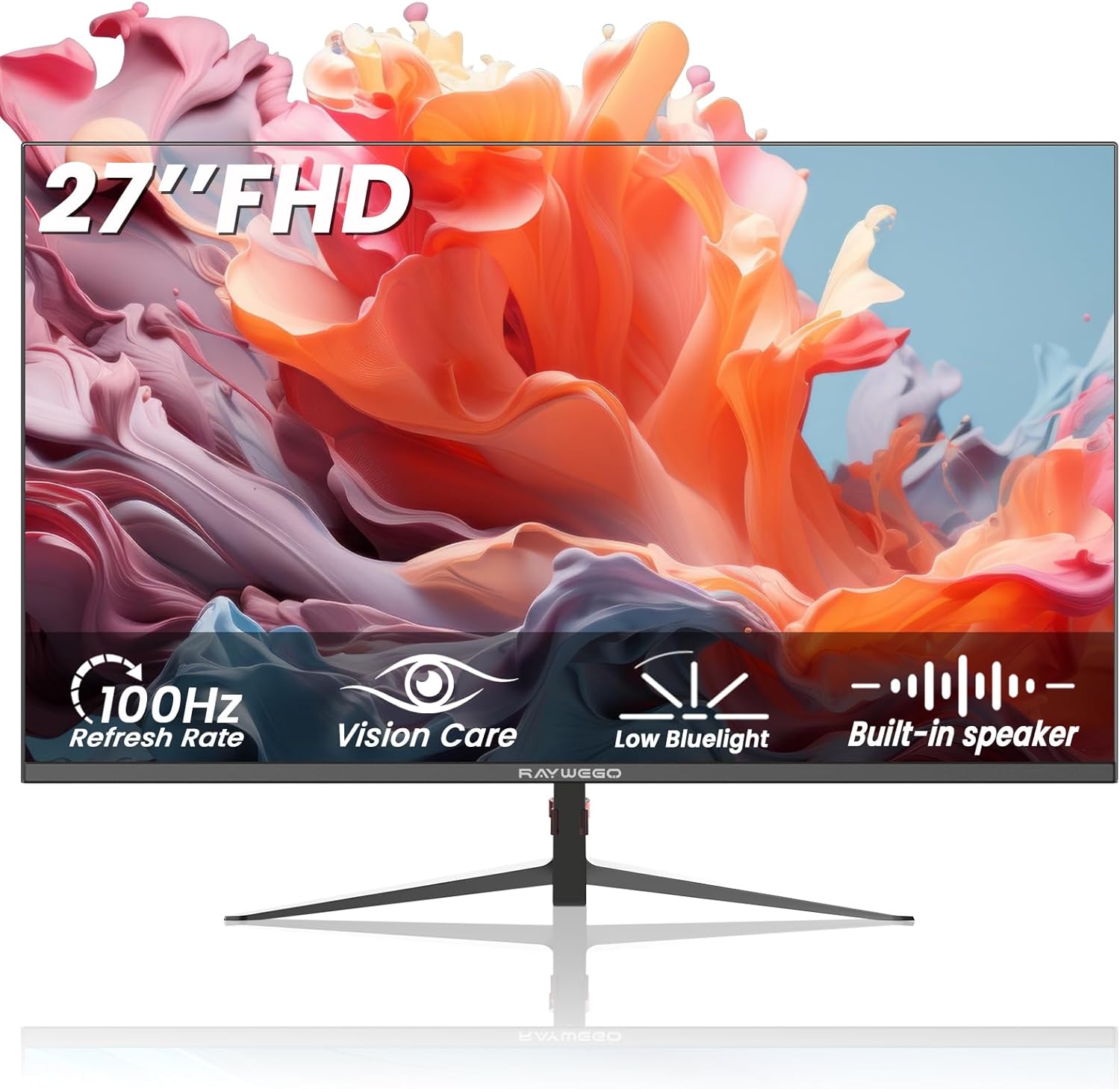
27 inch Gaming Monitor 100Hz Computer Monitor Built-in Speakers Full HD 1920 x 1080P with HDMI DP Interface Eye Care Frameless with 3-Side Virtually Borderless Design VESA(100 x 100mm)
Want the best price and purchase timing?
Our AI advisor analyzes real-time pricing across all channels to find you the best deal.
AI Verdict
A 27-inch 1080p VA panel with a 100Hz refresh rate and tilt-only stand, suitable for basic productivity and casual gaming on a tight budget.
This monitor is a situational fit because its 27-inch 1080p resolution and 100Hz refresh rate are a specific combination. While the 100Hz is a step up from 60Hz for smoother motion, the 1080p resolution on a 27-inch panel can lead to noticeable pixelation for some users, especially for text-heavy work.
If 1080p on 27 inches is too pixelated for you, look for a 24-inch 1080p monitor for better pixel density, or a 27-inch 1440p monitor for sharper visuals.
Regret Score™
Medium RiskLower is better — measures purchase-regret risk from real buyer complaints, review credibility, and product maturity
Issues discovered after purchase
Critically weak dimension
Amazon rating vs actual quality
Chance this product isn't for you
Pros
- The 100Hz refresh rate provides smoother motion than standard 60Hz monitors for both work and casual gaming.
- The VA panel offers a 4000:1 contrast ratio, delivering deeper blacks and more detailed shadows compared to IPS panels in this price range.
- Built-in speakers are included, keeping your desk tidy without needing external audio devices.
- VESA 100x100mm mounting support allows for alternative mounting solutions beyond the included stand.
- HDR10 support is present, which can enhance visual depth in compatible content.
Cons
- The 1920 x 1080P resolution on a 27-inch screen results in a lower pixel density (around 81 PPI), which can make text and images appear less sharp.
- Ergonomics are limited to a -5° to 20° tilt adjustment, lacking height, swivel, or pivot options.
- Connectivity is basic, offering only HDMI and VGA ports, without more modern options like USB-C or DisplayPort (though DP is mentioned in title, it's not in the 'Seamless Connectivity' feature highlight).
- The built-in speakers, while convenient, typically offer limited audio quality for immersive experiences.
Dimension Scores
The VA panel with a 4000:1 contrast ratio and HDR10 offers deeper blacks, but the 1080p resolution on a 27-inch screen limits overall sharpness.
A 100Hz refresh rate is above the 60Hz average for budget monitors, providing smoother motion for casual gaming and general use.
Connectivity is limited to HDMI and VGA, lacking more modern and versatile options like DisplayPort (despite being in the title) or USB-C.
The stand only offers tilt adjustment (-5° to 20°), which is a basic level of ergonomic flexibility.
Best For
- Budget-conscious users needing a larger screen for general office tasks and web browsing.
- Casual gamers who prioritize a 100Hz refresh rate over higher resolutions or advanced gaming features.
- Secondary monitor setups where screen real estate is more important than pixel density.
- Users requiring VESA mounting for multi-monitor arms or wall mounts.
Not Recommended For
- Competitive gamers needing high refresh rates (144Hz+) and low response times.
- Graphic designers or content creators who require high color accuracy and resolution.
- Users who need extensive ergonomic adjustments for long work sessions.
Watch Out For
- No specific user complaints were found for this ASIN (B0F13437DV) in the conducted searches.
Full Specifications
| ASIN | B0F13437DV |
| Brand | Raywego |
| Voltage | 12 Volts |
| Resolution | 1920 x 1080 Pixels |
| Item Weight | 8 pounds |
| Screen Size | 27 Inches |
| Aspect Ratio | 1.70:1 |
| Manufacturer | Shenzhen Yundacheng Technology Co., Ltd |
| Item model number | Z270B13 |
| Product Dimensions | 1.7 x 24.2 x 17.1 inches |
| Screen Surface Description | Matte |
| Standing screen display size | 27 Inches |
What Buyers Say
Specific user reviews for the Raywego 27 inch Gaming Monitor (ASIN B0F13437DV) were not found in the conducted searches. Therefore, detailed user-reported experiences regarding its performance, build quality, or common issues cannot be provided.
“Couldn't find anyone talking about this specific monitor, so I'm just going off the specs, hope it's actually like they say.”
Common Praise
- No specific user praise was found for this ASIN in the conducted searches.
Common Complaints
- No specific user complaints were found for this ASIN in the conducted searches.
Ownership Tips
- No specific ownership notes were found for this ASIN in the conducted searches.
Frequently Asked Questions
Does this monitor have built-in speakers?
Yes, the Raywego 27-inch monitor includes built-in speakers for audio output, which can help keep your desk clear of extra peripherals.
What kind of stand adjustments does it have?
The monitor stand allows for a tilt adjustment ranging from -5° to 20°. It does not offer height, swivel, or pivot adjustments.
Can I mount this monitor on a VESA arm?
Yes, it supports VESA 100x100mm mounting, so you can easily attach it to a compatible monitor arm or wall mount.
What is the refresh rate of this monitor?
This monitor features a 100Hz refresh rate, providing a smoother visual experience compared to standard 60Hz monitors, especially in fast-moving content.
Does it come with an HDMI cable?
Yes, an HDMI cable is included with the monitor, allowing for immediate connection to compatible devices.
Buying Guide
When you're looking at a monitor like this, especially in the entry-level price band, you need to manage your expectations. A 27-inch screen with 1080p resolution means the pixels are spread out more, so things won't look as sharp as on a smaller screen or a higher resolution monitor. The 100Hz refresh rate is a definite step up from older 60Hz displays, making scrolling and casual games feel a bit smoother, but it's not going to be a competitive gaming powerhouse.
Resolution (1920 x 1080P)
This is how many pixels are on the screen. For a 27-inch monitor, 1080p means the individual pixels are more visible, like looking at a photo that's been enlarged too much. It's fine for basic tasks, but text might not be as crisp as you'd like.
Refresh Rate (100Hz)
This is how many times per second the screen updates the image. Think of it like frames per second in a video. 100Hz means 100 updates per second, which is noticeably smoother than 60Hz, especially when moving your mouse around or playing games that hit 100 frames per second.
Panel Type (VA)
VA panels are known for their high contrast ratios (like this one's 4000:1), which means deeper blacks and more vibrant colors compared to some other panel types. The trade-off can sometimes be slower response times or narrower viewing angles than IPS panels, though this monitor claims 178° viewing angles.
Alternatives
If you need sharper text and images, look for a 24-inch monitor with 1080p resolution or a 27-inch monitor with 1440p resolution. For more fluid gaming, consider monitors with 144Hz or higher refresh rates and faster response times.
You Might Also Like

KTC H27S5C 27" Curved Gaming Monitor, 1440P QHD 144Hz 120Hz Monitor, 1500R HVA Panel, HDR400, Adaptive Sync, 400nits, HDMI 2.0 x2, DP 1.4, VESA 100x100 PC Monitor
$150-$299This is a 27-inch 1440p 144Hz curved HVA panel with 400 nits brightness and HDR400, designed for gamers and creative users needing color accuracy.

ASUS ROG Strix 32” 4K OLED Gaming Monitor (XG32UCWMG) - TrueBlack Glossy, Dual Mode(4K@240Hz, FHD@480Hz), 0.03ms, G-SYNC Compatible, Neo Proximity Sensor, USB-C, HDMI 2.1, 3 yr Warranty
$600+This 32-inch 4K 240Hz WOLED monitor with 0.03ms response and dual-mode FHD 480Hz is for serious gamers and content creators prioritizing visual fidelity and speed.

CRUA 32" White Curved Monitor, 4K UHD(3840*2160P) 1500R VA Screen, 75Hz Computer Monitor Supports AMD Freesync, 120% sRGB, Built-in speakers, Blue Light Filter,Wall Mountable Installs(HDMI 2.0/DP 1.4)
$150-$299This is a 32-inch 4K (3840x2160) 1500R VA curved monitor with a 75Hz refresh rate and 260 cd/m² brightness, best for casual media consumption and productivity.

CRUA 34 Inch Curved Gaming Monitor, 21:9 WQHD 3440x1440 165Hz/144Hz 1500R Ultrawide Computer Monitor Support Freesync, PIP/PBP, 120% sRGB, HDMI 2.0 & DP 1.4, Wall Mountable/Tilt Adjustable-Black
$150-$299A 34-inch 1500R curved 3440x1440 VA panel with 165Hz refresh, 300 cd/m² brightness, and a tilt-only stand.