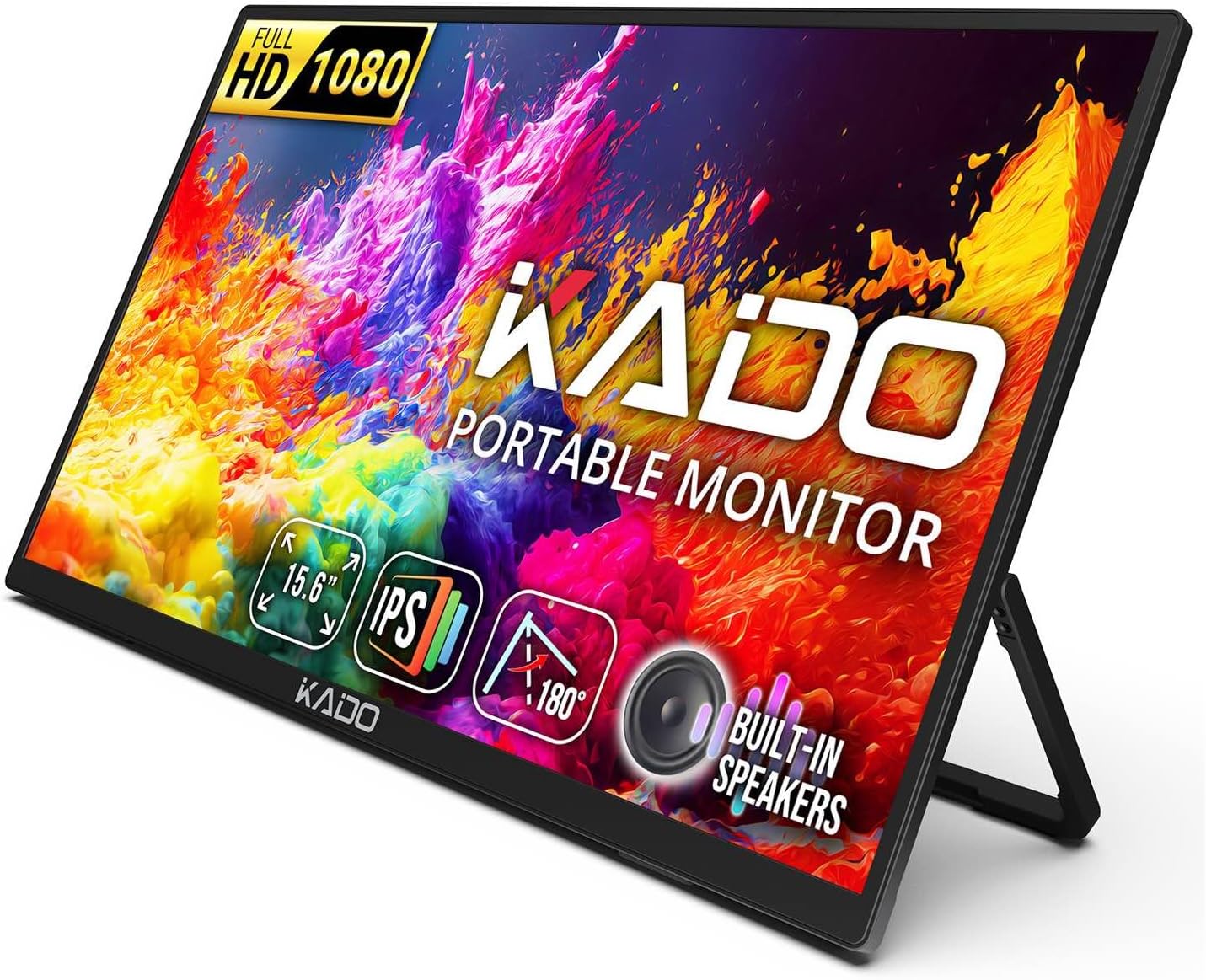
Kado Portable Monitor 15.6-inch FHD 1080p, 45W Reverse Charging Ultra-Slim Laptop Monitor 1920x1080 with Built-in Speakers, IPS Display 180° Kickstand for PC, Mac, Phone, Xbox, PS5, USB-C & Mini HDMI
Want the best price and purchase timing?
Our AI advisor analyzes real-time pricing across all channels to find you the best deal.
AI Verdict
A 15.6-inch 1080p IPS monitor with 45W reverse charging and VESA mounting, designed for expanding screen space on the go.
This 15.6-inch 1080p IPS monitor is a situational fit for users needing an affordable, portable second screen with 45W reverse charging. Its VESA mounting and 180° kickstand offer setup flexibility, but its basic audio and 60Hz refresh rate limit its appeal for high-fidelity media or gaming.
If you need better color accuracy or higher refresh rates, look for monitors specifying sRGB/DCI-P3 coverage and 120Hz+ panels.
Regret Score™
Medium RiskLower is better — measures purchase-regret risk from real buyer complaints, review credibility, and product maturity
Issues discovered after purchase
Critically weak dimension
Amazon rating vs actual quality
Chance this product isn't for you
Pros
- The IPS panel provides 178° viewing angles and accurate color reproduction for clear visuals.
- 45W USB-C reverse charging powers your connected laptop or device while in use, reducing cable clutter.
- Weighing around 1.9 lbs and being 0.5 to 0.8 inches thick, it's easy to transport in a bag.
- Includes USB-C (DP Alt Mode) and mini-HDMI ports, ensuring compatibility with various devices like laptops, consoles, and phones.
- The 100x100mm VESA mounting pattern allows for integration into a desktop setup with monitor arms.
- The 180° adjustable kickstand offers full-range tilt flexibility for landscape or portrait viewing.
Cons
- The built-in speakers are not high quality and are primarily for basic audio, not immersive sound.
- The mini-HDMI port is less convenient than a full-size HDMI port, requiring an adapter.
- The kickstand is a separate component to carry and some users find it less sturdy than integrated designs.
- The display's brightness might not be sufficient for brightly lit environments compared to more expensive portable monitors.
- The 60 Hz refresh rate is standard but not suitable for competitive high-refresh-rate gaming.
Dimension Scores
The 1080p IPS panel offers 178° wide viewing angles and 16.7 million colors, but some users report needing to adjust settings for vibrancy.
The standard 60 Hz refresh rate is adequate for general use and console gaming, but not for high-performance PC gaming.
With USB-C (DP Alt Mode), mini-HDMI, and a 3.5mm headphone jack, it offers broad compatibility, though mini-HDMI is less convenient than full-size.
The 180° adjustable kickstand provides tilt flexibility and VESA mounting is included, but the stand is a separate piece and not as robust as some integrated designs.
Best For
- Adding a second 1080p display for productivity while traveling or working remotely.
- Console gamers (PS5, Xbox, Switch) needing a portable 15.6-inch screen.
- Presentations or sharing content from a phone or laptop in small group settings.
- Users who need to power their laptop via the monitor's 45W USB-C reverse charging.
Not Recommended For
- Professional graphic designers or video editors requiring precise color calibration and higher brightness.
- Competitive gamers who need refresh rates above 60 Hz and faster response times.
- Users who prefer a fully integrated, highly rigid stand that also acts as a protective cover.
Watch Out For
- The built-in speakers are often described as 'not great' and might not be loud enough or clear enough for anything beyond basic audio.
- The kickstand is a separate piece, meaning it could be misplaced, and some users wish it was more robustly integrated into the monitor.
- The mini-HDMI port requires an adapter, which can be an inconvenience if you only have standard HDMI cables.
- Some users report needing to adjust the panel settings to achieve more vibrant visuals, suggesting out-of-the-box color might be subdued.
- While it comes with a basic case, it doesn't offer the same level of screen protection as a folio-style cover.
Full Specifications
| ASIN | B0DLW7JXK4 |
| Brand | Kado |
| Resolution | 1920 x 1080 Pixels |
| Item Weight | 2.68 pounds |
| Screen Size | 15.6 Inches |
| Aspect Ratio | 16:9 |
| Manufacturer | Kado |
| Total Usb Ports | 2 |
| Item model number | K165W-FPNT |
| Product Dimensions | 0.36 x 13.94 x 8.23 inches |
| Screen Surface Description | Matte |
| Standing screen display size | 15.6 Inches |
What Buyers Say
Many users highlight the 45W USB-C reverse charging as a standout feature, appreciating that it keeps their laptop powered while adding a second screen. The monitor's portability, weighing around 1.9 lbs, makes it a practical choice for travel or remote work. However, the built-in speakers are consistently mentioned as being low quality, suitable only for basic audio. The kickstand, while adjustable, is a separate component that some find less sturdy or convenient than a built-in cover. The 1080p IPS display is generally considered clear, though some suggest it benefits from color adjustments.
“Dude, this thing is actually pretty sweet for my PS5 when I'm at my buddy's place, but seriously, the speakers sound like a tin can, just use headphones.”
Common Praise
- The 45W USB-C reverse charging keeps laptops and devices powered, reducing cable clutter.
- The 15.6-inch 1080p IPS display offers wide 178° viewing angles and clear visuals.
- It's ultra-slim and lightweight, making it easy to carry for travel or remote work.
- Plug & Play functionality means it works instantly with most devices without needing drivers.
- The inclusion of both USB-C and mini-HDMI ports provides broad device compatibility.
- The VESA mounting pattern allows for flexible desktop setups with monitor arms.
Common Complaints
- The built-in speakers are low quality and not suitable for anything beyond basic audio.
- The kickstand is a separate piece that some users find less secure or wish was integrated better.
- The mini-HDMI port requires an adapter, which can be an inconvenience.
- Brightness levels might not be sufficient for use in very bright environments.
- The display's colors might need manual adjustment to appear more vibrant out of the box.
Ownership Tips
- The 45W reverse charging is a game-changer for keeping a laptop alive during long work sessions away from an outlet.
- You'll probably want to invest in a better quality mini-HDMI to HDMI cable if you plan on using that port frequently, as the included one might be basic.
- The monitor's menu buttons can be a bit fiddly to navigate, especially if you're trying to tweak color settings.
- While the kickstand is functional, it's not as stable as a full-fledged monitor stand, so be careful on uneven surfaces.
- The included carrying sleeve is basic; consider a more padded option if you're rough with your gear.
Frequently Asked Questions
What is the refresh rate of this monitor?
The Kado Portable Monitor typically operates at a 60 Hz refresh rate, which is suitable for everyday use, video playback, and console gaming.
Does this monitor have built-in speakers?
Yes, it has built-in speakers that provide clear audio for video calls, casual media, and gaming, eliminating the need for external speakers.
Can I mount this monitor?
Yes, the monitor is VESA mountable with a 100x100mm pattern, allowing you to attach it to monitor arms or stands.
Is a carrying case included?
Yes, a basic carrying sleeve or case is included for added protection and portability.
Can it charge my laptop?
Yes, it features 45W USB-C reverse charging, meaning it can supply power back to your connected laptop or device while in use.
Buying Guide
When you're looking at portable monitors like this Kado, you need to think about how you'll actually use it. Are you just extending your laptop screen for emails, or are you trying to game on it? The key is balancing portability with performance. Don't expect a desktop monitor experience; these are about convenience and adding screen real estate when you're not at your main setup. Pay attention to the power delivery and connectivity options, as those dictate how easily it integrates with your existing devices.
IPS Panel
This means you get consistent colors and brightness even when looking at the screen from an angle, like if you're sharing it with someone next to you. Think of it like looking at a photo on your phone – it looks the same no matter how you tilt it.
45W USB-C Reverse Charging
This is a big deal because it means the monitor can power your laptop or phone while it's connected, using just one USB-C cable for both video and power. It's like having a portable power bank built into your screen, saving you from carrying extra chargers.
1920x1080 (FHD) Resolution
This is standard 'Full HD' resolution, meaning text and images will look clear and sharp on a 15.6-inch screen. It's the same resolution as many laptops, so your content won't look stretched or pixelated.
60 Hz Refresh Rate
This refers to how many times per second the screen updates its image. 60 Hz is perfectly fine for everyday tasks, watching videos, and even casual gaming. It's like watching a standard TV show; it's smooth enough, but not ultra-fluid like a high-end gaming monitor.
Alternatives
If this monitor doesn't quite fit, look for models with higher refresh rates (120Hz+) if you're a serious gamer, or those with wider color gamut coverage (e.g., 99% DCI-P3) if color accuracy is critical for your work.
You Might Also Like

KTC H27S5C 27" Curved Gaming Monitor, 1440P QHD 144Hz 120Hz Monitor, 1500R HVA Panel, HDR400, Adaptive Sync, 400nits, HDMI 2.0 x2, DP 1.4, VESA 100x100 PC Monitor
$150-$299This is a 27-inch 1440p 144Hz curved HVA panel with 400 nits brightness and HDR400, designed for gamers and creative users needing color accuracy.

ASUS ROG Strix 32” 4K OLED Gaming Monitor (XG32UCWMG) - TrueBlack Glossy, Dual Mode(4K@240Hz, FHD@480Hz), 0.03ms, G-SYNC Compatible, Neo Proximity Sensor, USB-C, HDMI 2.1, 3 yr Warranty
$600+This 32-inch 4K 240Hz WOLED monitor with 0.03ms response and dual-mode FHD 480Hz is for serious gamers and content creators prioritizing visual fidelity and speed.

CRUA 32" White Curved Monitor, 4K UHD(3840*2160P) 1500R VA Screen, 75Hz Computer Monitor Supports AMD Freesync, 120% sRGB, Built-in speakers, Blue Light Filter,Wall Mountable Installs(HDMI 2.0/DP 1.4)
$150-$299This is a 32-inch 4K (3840x2160) 1500R VA curved monitor with a 75Hz refresh rate and 260 cd/m² brightness, best for casual media consumption and productivity.

CRUA 34 Inch Curved Gaming Monitor, 21:9 WQHD 3440x1440 165Hz/144Hz 1500R Ultrawide Computer Monitor Support Freesync, PIP/PBP, 120% sRGB, HDMI 2.0 & DP 1.4, Wall Mountable/Tilt Adjustable-Black
$150-$299A 34-inch 1500R curved 3440x1440 VA panel with 165Hz refresh, 300 cd/m² brightness, and a tilt-only stand.