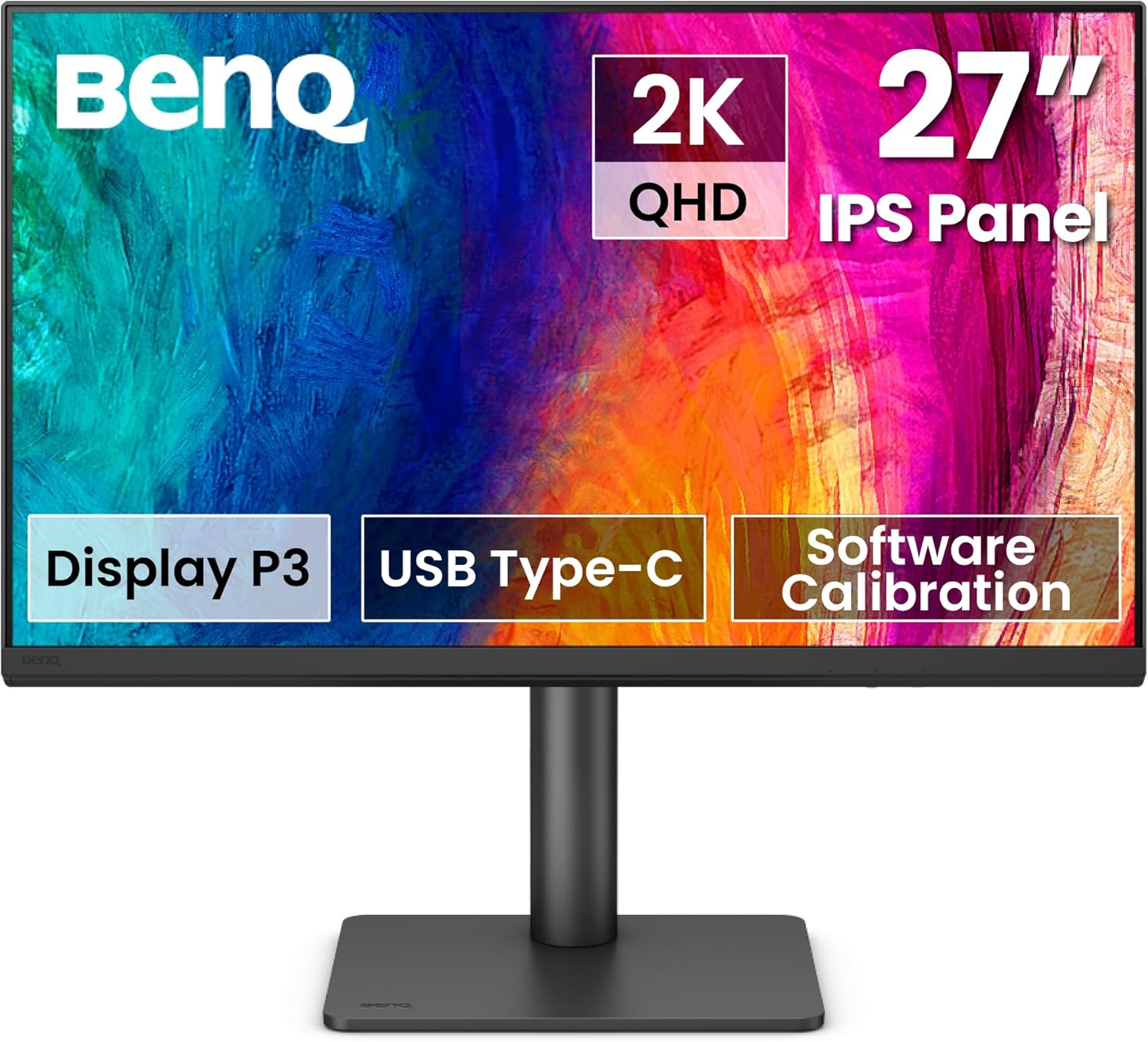
BenQ PD2706QN 27” 2K QHD (2560x1440) Mac-Ready Monitors, IPS, 95% P3, 100% sRGB/Rec.709, Uniformity, 90W USB-C, 100Hz, Factory-Calibrated, Daisy Chain(MST), Anti-Glare Nano Matte, Height Adjustable
Want the best price and purchase timing?
Our AI advisor analyzes real-time pricing across all channels to find you the best deal.
AI Verdict
This 27-inch QHD IPS monitor offers 95% P3 color, 90W USB-C, and 100Hz for Mac users and designers.
This BenQ monitor is a strong fit for creative professionals and Mac users due to its 95% P3 color coverage, factory calibration with Delta E ≤ 2, and 90W USB-C connectivity. The Nano Matte panel and full ergonomic adjustments further enhance its suitability for design work.
If you need a more immersive HDR experience or faster response times for competitive gaming, look for monitors with VESA DisplayHDR 600+ certification and 1ms GtG response times.
Regret Score™
Very Low RiskLower is better — measures purchase-regret risk from real buyer complaints, review credibility, and product maturity
Issues discovered after purchase
Critically weak dimension
Amazon rating vs actual quality
Chance this product isn't for you
Pros
- Achieves 95% DCI-P3 and 100% sRGB/Rec. 709 color gamut coverage, factory-calibrated to an average Delta E ≤ 2 for color accuracy.
- Features a 90W USB-C port for single-cable video, data, and power delivery to compatible devices.
- Includes a KVM switch, allowing control of two USB-C devices with one keyboard and mouse.
- The Nano Matte Panel diffuses ambient light, reducing glare for comfortable viewing during long sessions.
- Offers full ergonomic adjustments including tilt (-5° to 20°), swivel (-15° to 15°), pivot (90°), and 115mm height adjustment.
- The 100Hz refresh rate provides smoother motion than standard 60Hz displays.
Cons
- The 1000:1 contrast ratio is typical for IPS panels but won't deliver the deep blacks found on VA panels.
- HDR10 support is present, but without local dimming, it's a basic implementation that won't offer a true HDR experience.
- The 350 cd/m2 brightness is adequate for most indoor environments but may struggle in very bright rooms or with demanding HDR content.
- While 100Hz is an upgrade from 60Hz, the 5ms response time is not optimized for competitive fast-paced gaming.
Dimension Scores
Offers 95% P3, 100% sRGB/Rec.709 coverage, factory-calibrated Delta E ≤ 2, and 350 cd/m2 brightness, which is strong for creative work.
The 100Hz refresh rate is a step up from 60Hz, but the 5ms response time is average and not suited for competitive gaming.
Features 90W USB-C, HDMI 2.0, DisplayPort 1.4, a USB hub, KVM switch, and daisy chain support, providing extensive connectivity.
Provides full tilt (-5° to 20°), swivel (-15° to 15°), pivot (90°), and 115mm height adjustments for optimal positioning.
Best For
- Mac users needing a color-accurate display with single-cable connectivity and charging.
- Graphic designers and photo editors requiring precise color reproduction (95% P3, Delta E ≤ 2).
- Users who multitask across multiple devices and benefit from a built-in KVM switch.
- Anyone seeking a QHD monitor with smoother motion than 60Hz for everyday use and light creative work.
Not Recommended For
- Professional competitive gamers who need sub-1ms response times and higher refresh rates (144Hz+).
- Users who prioritize deep, inky blacks and high contrast ratios for cinematic viewing.
- Anyone needing a true, high-end HDR experience with local dimming.
Watch Out For
- The 1000:1 static contrast ratio means blacks won't be as deep as on VA panel monitors.
- HDR10 is supported, but the 350 cd/m2 peak brightness and lack of local dimming mean it's not a true HDR display.
- While the 100Hz refresh rate is an upgrade, the 5ms response time might introduce noticeable ghosting in fast-paced games.
Full Specifications
| ASIN | B0DJWTLYGP |
| Brand | BenQ |
| Color | Black |
| Series | PD2706QN |
| Resolution | QHD Wide 1440p |
| Item Weight | 9.1 pounds |
| Screen Size | 27 Inches |
| Aspect Ratio | 16:9 |
| Manufacturer | BenQ |
| Item model number | PD2706QN |
| Screen Resolution | 2560x1440 |
| Product Dimensions | 17 x 9.02 x 24 inches |
| Max Screen Resolution | 2560 x 1440 Pixels |
| Item Dimensions LxWxH | 17 x 9.02 x 24 inches |
| Number of USB 3.0 Ports | 1 |
| Screen Surface Description | Matte |
| Standing screen display size | 27 Inches |
What Buyers Say
The BenQ PD2706QN is consistently praised for its color accuracy and Mac compatibility, with users highlighting the convenience of the 90W USB-C connection. Many appreciate the factory calibration and the wide color gamut, making it a go-to for creative tasks. The Nano Matte panel also gets mentions for reducing glare effectively. While specific complaints are not widely reported, some users might find the 1000:1 contrast ratio and basic HDR10 implementation less than ideal for media consumption.
“Dude, this BenQ monitor is legit for my design work, the colors are spot on and that single USB-C cable for my MacBook is a lifesaver, no more cable spaghetti! But don't expect crazy deep blacks for movies, it's an IPS after all.”
Common Praise
- Colors are accurate right out of the box due to factory calibration and Delta E ≤ 2.
- The 90W USB-C port simplifies desk setup by handling video, data, and charging with one cable.
- The Nano Matte Panel effectively reduces glare, making it comfortable for long work sessions.
- The KVM switch is a game-changer for switching between multiple computers with one set of peripherals.
- The full range of ergonomic adjustments makes it easy to find a comfortable viewing position.
Common Complaints
- The 1000:1 contrast ratio doesn't deliver deep blacks, which can be noticeable in dark scenes.
- HDR10 support is basic and doesn't offer the visual impact of monitors with local dimming.
- The 5ms response time isn't competitive for serious gaming, leading to some motion blur.
- Brightness at 350 cd/m2 is sufficient but not bright enough for very sunny rooms or true HDR content.
Ownership Tips
- The ICCsync feature actually works, keeping colors consistent between my Mac and the monitor when I switch modes.
- The Nano Matte screen is a huge win, I can work near a window without fighting reflections all day.
- The KVM switch is surprisingly useful, saving me from constantly swapping keyboard and mouse cables between my work laptop and personal desktop.
- The stand feels sturdy and the adjustments are smooth, making it easy to pivot for coding or graphic design.
Frequently Asked Questions
Does this monitor work well with MacBooks?
Yes, it's designed with Mac users in mind, offering 90W USB-C for single-cable connectivity and charging, plus ICCsync for automatic ICC profile matching with your Mac.
Is this monitor suitable for gaming?
It has a 100Hz refresh rate, which is smoother than 60Hz, but the 5ms response time isn't ideal for competitive, fast-paced gaming. It's fine for casual gaming.
What kind of color accuracy can I expect?
It's factory-calibrated to an average Delta E ≤ 2, covering 95% DCI-P3 and 100% sRGB/Rec. 709, ensuring accurate and consistent colors out of the box.
Does it have built-in speakers?
Yes, it includes two 3W built-in speakers.
Can I mount this monitor on an arm?
Absolutely, it's VESA compatible with a 100 x 100mm mounting pattern.
Buying Guide
When you're looking at a monitor like this, you're really buying into color accuracy and connectivity. Don't get hung up on refresh rates if you're not a hardcore gamer; for creative work, color fidelity (like Delta E values and P3 coverage) is way more important. Think about how you connect your devices – a single USB-C cable for power, video, and data is a huge convenience. Ergonomics also matter for long hours at the desk, so make sure it can adjust to you, not the other way around.
95% P3 Color Gamut
This means the monitor can display a wider range of colors, especially vibrant reds and greens, compared to sRGB. It's like having a bigger box of crayons for your digital artwork, crucial for professional photo and video editing.
Delta E ≤ 2
This is a measurement of color difference. A Delta E of 2 or less means that the colors displayed are extremely close to the true color, so close that most human eyes can't tell the difference. It's like having a perfectly tuned instrument for your visual work.
90W USB-C
This single cable does a lot: it sends video to the monitor, transfers data (like from a USB drive plugged into the monitor), and charges your laptop all at once. It's like a power strip, data hub, and video cable all rolled into one, decluttering your desk.
100Hz Refresh Rate
This refers to how many times per second the screen updates its image. 100Hz means it updates 100 times per second, making motion appear smoother than a standard 60Hz monitor. It's like watching a high frame rate video compared to a standard one – everything just feels a bit more fluid.
Alternatives
If you need higher resolution, search for 4K UHD monitors. For competitive gaming, look for monitors with 144Hz+ refresh rates and 1ms GtG response times. If deep blacks are a priority, consider monitors with VA panels or FALD (Full Array Local Dimming).
You Might Also Like

KTC H27S5C 27" Curved Gaming Monitor, 1440P QHD 144Hz 120Hz Monitor, 1500R HVA Panel, HDR400, Adaptive Sync, 400nits, HDMI 2.0 x2, DP 1.4, VESA 100x100 PC Monitor
$150-$299This is a 27-inch 1440p 144Hz curved HVA panel with 400 nits brightness and HDR400, designed for gamers and creative users needing color accuracy.

ASUS ROG Strix 32” 4K OLED Gaming Monitor (XG32UCWMG) - TrueBlack Glossy, Dual Mode(4K@240Hz, FHD@480Hz), 0.03ms, G-SYNC Compatible, Neo Proximity Sensor, USB-C, HDMI 2.1, 3 yr Warranty
$600+This 32-inch 4K 240Hz WOLED monitor with 0.03ms response and dual-mode FHD 480Hz is for serious gamers and content creators prioritizing visual fidelity and speed.

CRUA 32" White Curved Monitor, 4K UHD(3840*2160P) 1500R VA Screen, 75Hz Computer Monitor Supports AMD Freesync, 120% sRGB, Built-in speakers, Blue Light Filter,Wall Mountable Installs(HDMI 2.0/DP 1.4)
$150-$299This is a 32-inch 4K (3840x2160) 1500R VA curved monitor with a 75Hz refresh rate and 260 cd/m² brightness, best for casual media consumption and productivity.

CRUA 34 Inch Curved Gaming Monitor, 21:9 WQHD 3440x1440 165Hz/144Hz 1500R Ultrawide Computer Monitor Support Freesync, PIP/PBP, 120% sRGB, HDMI 2.0 & DP 1.4, Wall Mountable/Tilt Adjustable-Black
$150-$299A 34-inch 1500R curved 3440x1440 VA panel with 165Hz refresh, 300 cd/m² brightness, and a tilt-only stand.