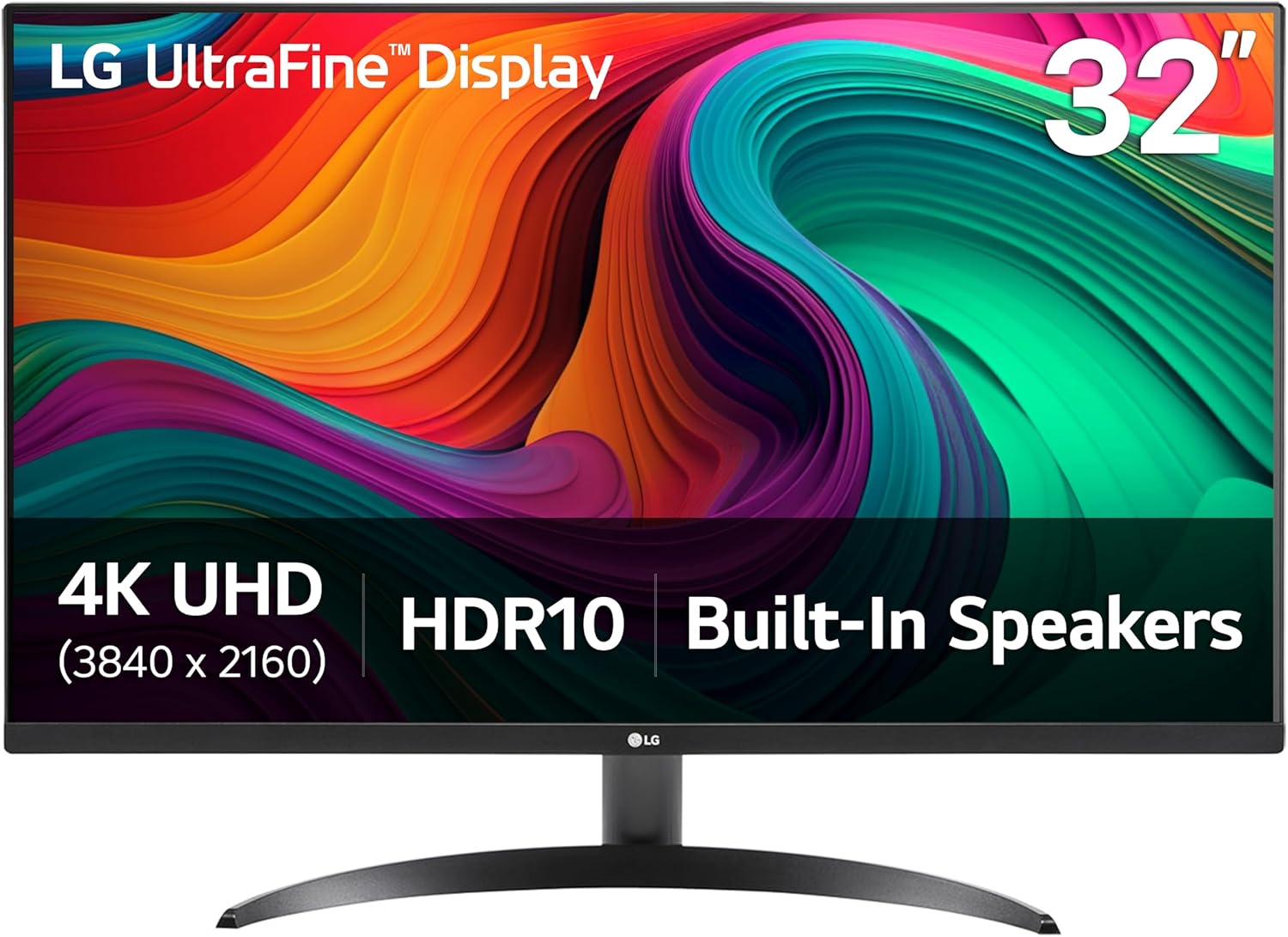
LG 32UR500K-B Ultrafine 32-inch 4K UHD (3840x2160) Computer Monitor HDR10 Built-in Speaker x2 OnScreen Control Reader Mode Flicker Safe Borderless Design HDMIx2 DisplayPort Black
Want the best price and purchase timing?
Our AI advisor analyzes real-time pricing across all channels to find you the best deal.
AI Verdict
This 31.5-inch 4K UHD VA panel with 90% DCI-P3 and 60Hz is for casual users needing screen space and basic HDR, not serious gamers or color professionals.
This monitor is a situational fit if you prioritize a large 31.5-inch 4K UHD display and 90% DCI-P3 color for general use and media, especially given its mid-range price. However, its 60Hz refresh rate and tilt-only stand limit its appeal for gaming or ergonomic flexibility.
If this doesn't cut it, look for a monitor with a 120Hz+ refresh rate and a stand with height, tilt, and swivel adjustments.
Regret Score™
Medium RiskLower is better — measures purchase-regret risk from real buyer complaints, review credibility, and product maturity
Issues discovered after purchase
Critically weak dimension
Amazon rating vs actual quality
Chance this product isn't for you
Pros
- The 31.5-inch 4K UHD (3840x2160) display provides sharp image clarity and detail.
- Covers up to 90% DCI-P3 color gamut, offering a broader color spectrum for content viewing.
- Built-in stereo speakers with MaxxAudio enhance audio for casual media consumption.
- Dynamic Action Sync and Black Stabilizer features reduce input lag and brighten dark scenes for a slightly improved gaming experience.
- OnScreen Control software allows for easy adjustment of display settings and workspace splitting.
- The 3-side virtually borderless design offers a more expansive viewing area.
Cons
- The stand only offers tilt adjustment, lacking height, swivel, or pivot capabilities.
- HDR10 implementation can be underwhelming, especially in darker content, compared to higher-end HDR displays.
- The 60Hz refresh rate and 4ms GtG response time are not ideal for competitive gaming.
- Built-in speakers, while present, lack the depth and richness of dedicated external audio systems.
- Typical brightness of 250 cd/m² is on the lower side for a truly impactful HDR experience.
Dimension Scores
The 4K UHD (3840x2160) resolution on a 31.5-inch VA panel with 90% DCI-P3 color gamut provides sharp images and a wide color range.
A 60Hz refresh rate and 4ms GtG response time are below average for modern monitors, especially for any gaming beyond casual use.
With two HDMI ports and one DisplayPort, it offers standard connectivity for most devices, but lacks USB-C or a USB hub.
The stand only provides tilt adjustment, severely limiting ergonomic flexibility compared to monitors with height, swivel, and pivot.
Best For
- General productivity with multiple windows open due to the 31.5-inch 4K screen.
- Casual media consumption like watching movies or streaming video.
- Users needing a large display for basic photo viewing or light content creation, leveraging 90% DCI-P3.
Not Recommended For
- Competitive or fast-paced gaming due to the 60Hz refresh rate and 4ms response time.
- Professional color-critical work requiring precise HDR or broader color accuracy than 90% DCI-P3.
- Users who require extensive ergonomic adjustments from their monitor stand.
Watch Out For
- The stand only tilts, so you're stuck with a fixed height and no swivel, which can be a pain for desk setup.
- Don't expect mind-blowing HDR; the HDR10 effect is often subtle in dark scenes and the 250 cd/m² brightness won't deliver true HDR impact.
- The built-in speakers are just okay for system sounds, but they won't replace even a cheap set of desktop speakers for music or movies.
- If you're used to faster refresh rates, the 60Hz on this 31.5-inch panel will feel sluggish for anything beyond casual use.
Full Specifications
| ASIN | B0D3WGM8X8 |
| Brand | LG |
| Color | Black |
| Series | 32UR500K-B.AUS |
| Resolution | 4K UHD 2160p |
| Item Weight | 13.7 pounds |
| Screen Size | 31.5 Inches |
| Aspect Ratio | 16:9 |
| Manufacturer | LG Electronics Inc. |
| Item model number | 32UR500K-B.AUS |
| Screen Resolution | 3840x2160 |
| Product Dimensions | 8.8 x 28.1 x 20.2 inches |
| Max Screen Resolution | 3840 x 2160 Pixels |
| Item Dimensions LxWxH | 8.8 x 28.1 x 20.2 inches |
| Screen Surface Description | Matte |
| Standing screen display size | 31.5 Inches |
What Buyers Say
Many users are drawn to this monitor for its large 31.5-inch 4K screen, which makes multitasking and media consumption a lot more comfortable. The 90% DCI-P3 color coverage is a recurring positive, making colors pop for general viewing, though some noted the HDR10 effect wasn't as dramatic as expected in darker scenes. The built-in MaxxAudio speakers are convenient for basic audio, but don't expect them to replace dedicated speakers. The biggest recurring gripe is the stand, which only tilts, forcing users to get creative with their desk setup if they need more adjustment.
“Look, it's a big 4K screen for the money, and the colors are pretty good, but seriously, that stand is a joke, and don't even bother with the HDR, it's just not there.”
Common Praise
- The 31.5-inch 4K UHD display makes text and images incredibly sharp.
- Colors appear vibrant and accurate, especially for content that leverages the 90% DCI-P3 gamut.
- OnScreen Control software simplifies adjusting settings without fumbling with physical buttons.
- Dynamic Action Sync helps reduce input lag, making casual gaming feel a bit more responsive.
- The 3-side virtually borderless design looks clean and modern on a desk.
Common Complaints
- The stand only tilts, making it impossible to adjust height or swivel the screen.
- HDR10 performance is underwhelming, especially in dark content, due to the 250 cd/m² brightness.
- Built-in speakers are functional but lack bass and overall audio richness.
- The 60Hz refresh rate feels dated for anything other than basic desktop use or casual media.
- No USB-C connectivity, which is a miss for modern laptops.
Ownership Tips
- You'll probably end up buying a monitor arm because the tilt-only stand is just too limiting for daily use.
- The OnScreen Control software is actually pretty useful for managing windows and settings, way better than fiddling with buttons.
- The 4K resolution on 31.5 inches means you can comfortably run without scaling, giving you tons of screen real estate.
- The built-in speakers are fine for YouTube videos or system alerts, but you'll want headphones or external speakers for anything serious.
- The anti-glare coating works well, cutting down on reflections even in a bright room.
Frequently Asked Questions
What kind of panel does this monitor use?
This monitor uses a VA (Vertical Alignment) panel, which typically offers higher contrast ratios than IPS panels, but can have slightly narrower viewing angles.
Does the stand allow for height adjustment?
No, the included ergonomic stand only allows for tilt adjustment. It does not support height, swivel, or pivot adjustments.
Is this monitor suitable for gaming?
For casual gaming, it's okay, especially with features like Dynamic Action Sync and Black Stabilizer. However, its 60Hz refresh rate and 4ms GtG response time are not ideal for competitive or fast-paced gaming.
How many HDMI ports does it have?
The monitor comes equipped with two HDMI ports and one DisplayPort for connectivity.
What is the typical brightness of this display?
The typical brightness of the LG 32UR500K-B is 250 cd/m².
Buying Guide
When you're looking at a monitor like this, you need to think about what you'll actually use it for. A 31.5-inch 4K screen gives you a huge canvas, meaning you can have multiple applications open side-by-side without feeling cramped. But don't get caught up in the 'HDR10' label if the brightness is low; true HDR needs way more than 250 nits. Also, if you spend hours at your desk, a stand that only tilts will annoy you quickly.
4K UHD (3840x2160) Resolution
This is like having four 1080p screens in one. It means incredibly sharp text and detailed images, making everything look crisp, similar to how a high-resolution photo looks much clearer than a blurry one.
VA Panel
VA panels usually offer deeper blacks and higher contrast ratios (like 3000:1 here) compared to IPS panels, making movies and dark scenes look more impactful. Think of it like the difference between a really dark night sky and one that's a bit washed out.
60Hz Refresh Rate
This is how many times the screen updates per second. 60Hz is standard for most tasks, but if you're gaming or just like super smooth motion when scrolling, it can feel a bit choppy compared to higher refresh rate monitors, like watching a video at 30 frames per second versus 60.
DCI-P3 90% Color Gamut
This refers to the range of colors the monitor can display. 90% DCI-P3 means it can show a lot more vibrant and accurate colors than a standard sRGB monitor, which is great for enjoying movies or photos, making them look more true-to-life.
Alternatives
If this monitor doesn't fit, search for models with a higher refresh rate (120Hz+), a stand with full ergonomic adjustments (height, tilt, swivel, pivot), and potentially a brighter display for a more impactful HDR experience.
You Might Also Like

KTC H27S5C 27" Curved Gaming Monitor, 1440P QHD 144Hz 120Hz Monitor, 1500R HVA Panel, HDR400, Adaptive Sync, 400nits, HDMI 2.0 x2, DP 1.4, VESA 100x100 PC Monitor
$150-$299This is a 27-inch 1440p 144Hz curved HVA panel with 400 nits brightness and HDR400, designed for gamers and creative users needing color accuracy.

ASUS ROG Strix 32” 4K OLED Gaming Monitor (XG32UCWMG) - TrueBlack Glossy, Dual Mode(4K@240Hz, FHD@480Hz), 0.03ms, G-SYNC Compatible, Neo Proximity Sensor, USB-C, HDMI 2.1, 3 yr Warranty
$600+This 32-inch 4K 240Hz WOLED monitor with 0.03ms response and dual-mode FHD 480Hz is for serious gamers and content creators prioritizing visual fidelity and speed.

CRUA 32" White Curved Monitor, 4K UHD(3840*2160P) 1500R VA Screen, 75Hz Computer Monitor Supports AMD Freesync, 120% sRGB, Built-in speakers, Blue Light Filter,Wall Mountable Installs(HDMI 2.0/DP 1.4)
$150-$299This is a 32-inch 4K (3840x2160) 1500R VA curved monitor with a 75Hz refresh rate and 260 cd/m² brightness, best for casual media consumption and productivity.

CRUA 34 Inch Curved Gaming Monitor, 21:9 WQHD 3440x1440 165Hz/144Hz 1500R Ultrawide Computer Monitor Support Freesync, PIP/PBP, 120% sRGB, HDMI 2.0 & DP 1.4, Wall Mountable/Tilt Adjustable-Black
$150-$299A 34-inch 1500R curved 3440x1440 VA panel with 165Hz refresh, 300 cd/m² brightness, and a tilt-only stand.