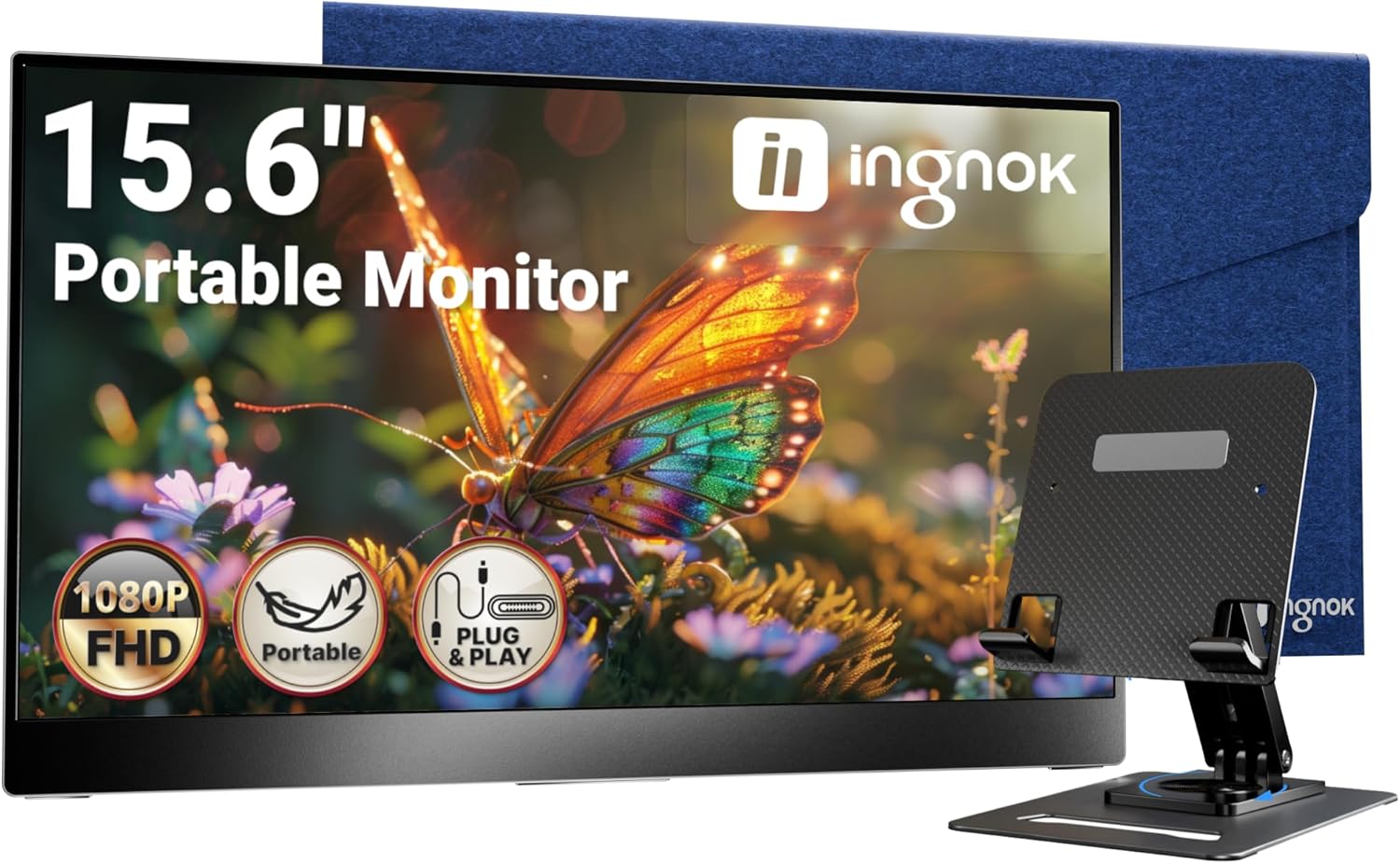
Ingnok Portable Monitor, Ultra Slim 15.6 Inch FHD IPS Laptop Screen Extender with Adjustable Stand, USB C Compatible, Ideal for Travel and Office
Want the best price and purchase timing?
Our AI advisor analyzes real-time pricing across all channels to find you the best deal.
AI Verdict
This 15.6-inch 1080p IPS monitor with 350 nits brightness and 100% sRGB is a highly portable, single-cable solution for expanding screen real estate.
This monitor is a strong fit for anyone prioritizing extreme portability and straightforward screen extension. Its 1.44LB weight, 0.5 times iPhone thickness, and single USB-C cable connectivity make it incredibly convenient for travel and flexible work setups. The 1080p IPS panel with 350 nits and 100% sRGB provides a clear and color-accurate image for productivity tasks.
If you need more advanced ergonomics, look for a portable monitor with a stand offering height, swivel, and pivot, or ensure it has VESA mounting for an external arm.
Regret Score™
Low RiskLower is better — measures purchase-regret risk from real buyer complaints, review credibility, and product maturity
Issues discovered after purchase
Critically weak dimension
Amazon rating vs actual quality
Chance this product isn't for you
Pros
- Weighs just 1.44LB and is 0.5 times the thickness of an iPhone, making it exceptionally easy to carry.
- Features dual USB-C ports for single-cable video and power delivery, plus a Mini HDMI port for broad device compatibility.
- Delivers 1920x1080 resolution with 350 cd/m² brightness and 100% sRGB color coverage on an IPS panel for clear visuals.
- Includes a matte, anti-glare screen surface, reducing reflections for comfortable viewing in varied lighting.
- Comes with a foldable stand that allows 0-178° tilt adjustments and 75x75mm VESA mounting holes for flexible setup.
- Bundled with USB-C to USB-C, Mini HDMI to HDMI, and USB-A to USB-C cables, providing out-of-the-box connectivity.
Cons
- The 60Hz refresh rate is standard for productivity but limits smooth motion for fast-paced gaming.
- Built-in stereo speakers provide adequate audio for casual use but lack the depth of dedicated external speakers.
- While the stand offers tilt, it doesn't provide height adjustment, which some users might expect from an 'adjustable stand'.
- Brightness of 350 cd/m² is suitable for most indoor conditions but may struggle in direct sunlight.
Dimension Scores
The 15.6-inch FHD IPS panel offers 1920x1080 resolution, 350 cd/m² brightness, 1200:1 contrast, and 100% sRGB coverage, providing clear and vibrant visuals for its price band.
With a 60Hz refresh rate, it's standard for productivity and general use, but not optimized for high-refresh-rate gaming.
It features dual USB-C ports for video and power, a Mini HDMI port, and a headphone jack, offering excellent connectivity options for a portable monitor.
The integrated stand provides a wide 0-178° tilt range, and the inclusion of 75x75mm VESA mounting holes significantly enhances ergonomic flexibility.
Best For
- Students or professionals needing a secondary display for multitasking on the go.
- Travelers and digital nomads requiring an ultra-portable screen for work or entertainment in various locations.
- Users of gaming handhelds like the Nintendo Switch or Steam Deck wanting a larger, portable display.
- Anyone seeking a simple, plug-and-play monitor extension with minimal cable clutter.
Not Recommended For
- Competitive gamers who require high refresh rates (120Hz+) and extremely low response times.
- Graphic designers or video editors needing professional-grade color accuracy beyond 100% sRGB (e.g., DCI-P3, Adobe RGB).
- Users who need extensive ergonomic adjustments like height, swivel, or pivot directly from the integrated stand.
Watch Out For
- The 'adjustable stand' primarily offers tilt from 0-178°, so don't expect height or swivel adjustments without a VESA mount.
- While it includes built-in speakers, their audio quality is described as 'decent' or 'good enough for casual listening,' not a replacement for dedicated audio setups.
- The 60Hz refresh rate is standard for productivity, but if you're planning on serious gaming, you'll notice the difference compared to higher refresh rate monitors.
- Despite 350 cd/m² brightness, using it outdoors in direct sunlight will likely result in a washed-out image.
Full Specifications
| ASIN | B0CP7XRW9S |
| Brand | Ingnok |
| Voltage | 5 Volts (DC) |
| Resolution | 1920 x 1080 Pixels |
| Item Weight | 1.46 pounds |
| Screen Size | 15.6 Inches |
| Aspect Ratio | 16:9 |
| Manufacturer | Ingnok |
| Total Usb Ports | 1 |
| Image brightness | 300 Candela |
| Item model number | YN02D |
| Product Dimensions | 13.78 x 8.66 x 0.31 inches |
| Screen Surface Description | Matte |
| Standing screen display size | 15.6 Inches |
| Is Discontinued By Manufacturer | No |
What Buyers Say
People are really stoked about how easy this monitor is to just pick up and go. The single USB-C cable for power and video is a huge hit, cutting down on desk clutter and making setup a breeze. Users consistently praise its lightweight design and the clear, bright 1080p IPS display, saying it makes multitasking on the road or at home genuinely better. The fact that it comes with all the necessary cables right in the box also gets a lot of love, meaning you don't have to hunt for extra accessories.
“Dude, this thing is a lifesaver for travel, I just toss it in my backpack and I've got a second screen for my laptop, setup takes like 10 seconds, seriously.”
Common Praise
- It's super light at 1.44LB and thin, so it actually fits in my laptop bag without feeling like a brick.
- Connecting it is a snap; one USB-C cable handles everything, which is amazing for a clean setup.
- The 1080p picture is sharp and colors look really good on the IPS screen, way better than I expected for the price.
- Having both USB-C and Mini HDMI means I can plug in my laptop, phone, or even my Switch without any fuss.
- The stand lets me tilt it exactly how I need it, and I can even VESA mount it if I want.
- They actually include all the cables you need, so it's truly plug-and-play right out of the box.
Common Complaints
- The built-in speakers are okay for YouTube videos, but don't expect anything close to real headphones or external speakers.
- The stand only tilts; I wish it had height adjustment so it could line up perfectly with my laptop screen without extra props.
- It's 60Hz, which is fine for work, but I definitely wouldn't use it for serious gaming where every frame counts.
- Even with 350 nits, trying to use this outside on a sunny day is a struggle; the screen gets washed out.
Ownership Tips
- The included magnetic cover doubles as a stand and feels pretty durable for tossing in a bag.
- The matte screen really helps cut down on glare, even under office lights, which is a huge plus for long work sessions.
- It draws power efficiently via USB-C, so it doesn't drain my laptop battery as fast as I thought it would.
- The buttons for the OSD are a little fiddly to navigate at first, but you get used to them.
Frequently Asked Questions
Does this monitor require a separate power adapter?
No, if your device supports USB-C Power Delivery, a single USB-C cable can provide both video and power. Otherwise, you can use the included USB-A to USB-C cable for power.
What kind of devices can I connect to this monitor?
It's compatible with a wide range of devices including laptops (Windows, Mac), PCs, smartphones, and gaming consoles like the Nintendo Switch, PS4, PS5, and Xbox, using either USB-C or Mini HDMI.
Are cables included with the monitor?
Yes, it comes with a USB-C to USB-C cable, a Mini HDMI to HDMI cable, and a USB-A to USB-C cable for power.
Does the stand allow for different viewing angles?
The integrated stand allows for tilt adjustments from 0-178 degrees, letting you find a comfortable viewing angle.
Can I mount this monitor to an arm?
Yes, it features 75x75mm VESA mounting holes, so you can attach it to a compatible monitor arm or wall mount.
Buying Guide
When you're looking at portable monitors, you're basically buying convenience and extra screen space on the go. You need to think about how light it is, how easily it connects to your devices, and if the screen itself is actually comfortable to look at for extended periods. Don't get hung up on gaming specs unless that's your primary use; for work and travel, portability and clear text are king.
Brightness (Candela/nits)
This tells you how bright the screen gets. Higher numbers mean it's easier to see in well-lit rooms or even outdoors. Think of it like the brightness setting on your phone; you want enough to be comfortable without squinting.
Panel Type (IPS)
IPS panels are like the 'wide-angle lens' of monitors. They give you consistent colors and brightness even when you're looking at the screen from the side, which is super important if you're sharing your screen or not sitting perfectly centered.
Connectivity (USB-C, HDMI)
This is how you plug it into your devices. USB-C is awesome because one cable can often handle both video and power, making setup super clean. HDMI is more universal for older laptops or gaming consoles. More options mean it'll work with more of your gear.
sRGB Coverage
This is about color accuracy. 100% sRGB means the monitor can display all the colors in the standard internet color space accurately. It's important if you care about your photos or videos looking true to life, not dull or oversaturated.
Alternatives
If this monitor doesn't quite fit, look for models with higher refresh rates (120Hz+) for gaming, or those with wider color gamuts (like DCI-P3) for professional creative work. For more ergonomic flexibility, seek out stands with height, swivel, and pivot adjustments.
You Might Also Like

KTC H27S5C 27" Curved Gaming Monitor, 1440P QHD 144Hz 120Hz Monitor, 1500R HVA Panel, HDR400, Adaptive Sync, 400nits, HDMI 2.0 x2, DP 1.4, VESA 100x100 PC Monitor
$150-$299This is a 27-inch 1440p 144Hz curved HVA panel with 400 nits brightness and HDR400, designed for gamers and creative users needing color accuracy.

ASUS ROG Strix 32” 4K OLED Gaming Monitor (XG32UCWMG) - TrueBlack Glossy, Dual Mode(4K@240Hz, FHD@480Hz), 0.03ms, G-SYNC Compatible, Neo Proximity Sensor, USB-C, HDMI 2.1, 3 yr Warranty
$600+This 32-inch 4K 240Hz WOLED monitor with 0.03ms response and dual-mode FHD 480Hz is for serious gamers and content creators prioritizing visual fidelity and speed.

CRUA 32" White Curved Monitor, 4K UHD(3840*2160P) 1500R VA Screen, 75Hz Computer Monitor Supports AMD Freesync, 120% sRGB, Built-in speakers, Blue Light Filter,Wall Mountable Installs(HDMI 2.0/DP 1.4)
$150-$299This is a 32-inch 4K (3840x2160) 1500R VA curved monitor with a 75Hz refresh rate and 260 cd/m² brightness, best for casual media consumption and productivity.

CRUA 34 Inch Curved Gaming Monitor, 21:9 WQHD 3440x1440 165Hz/144Hz 1500R Ultrawide Computer Monitor Support Freesync, PIP/PBP, 120% sRGB, HDMI 2.0 & DP 1.4, Wall Mountable/Tilt Adjustable-Black
$150-$299A 34-inch 1500R curved 3440x1440 VA panel with 165Hz refresh, 300 cd/m² brightness, and a tilt-only stand.