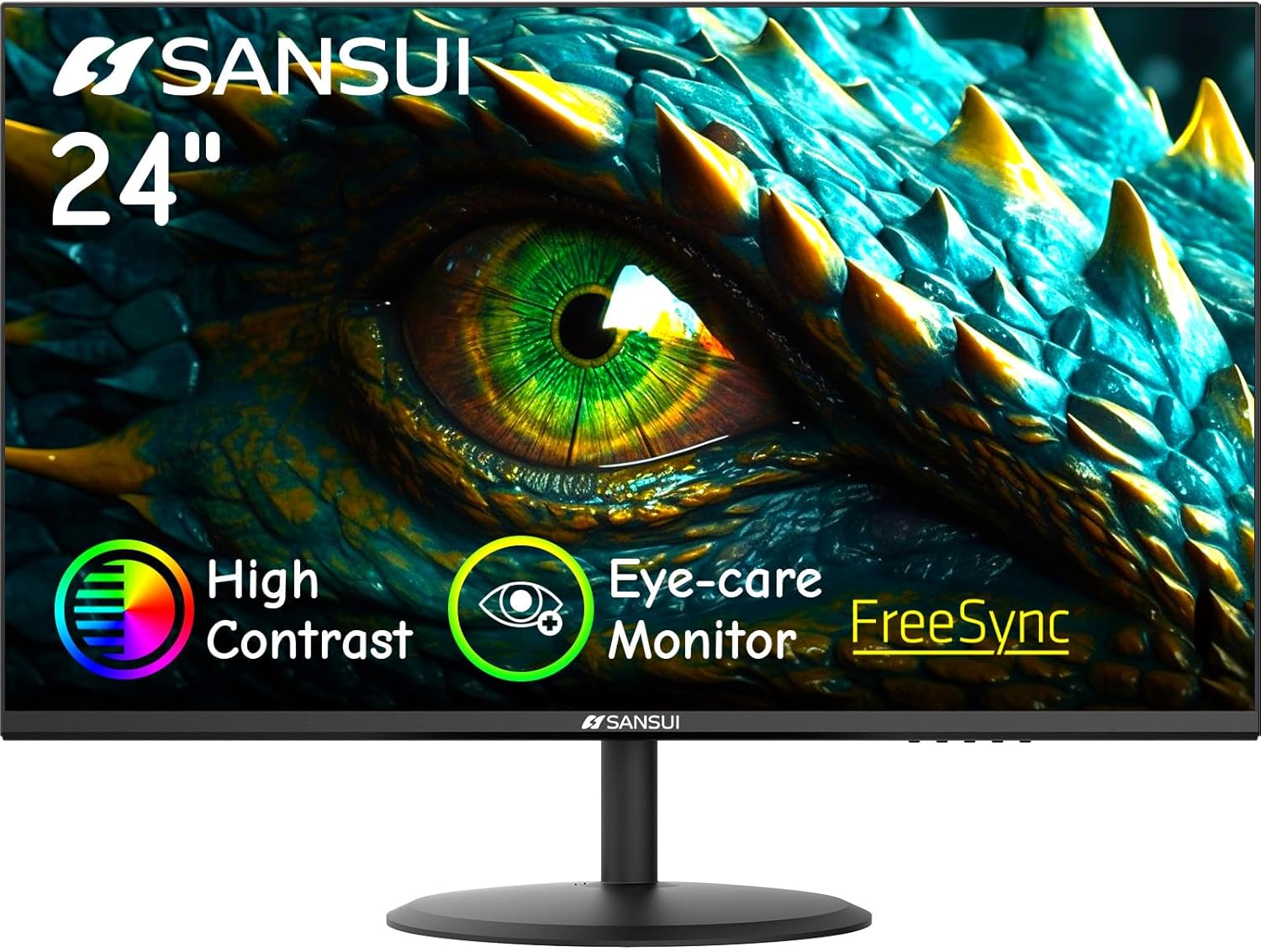
SANSUI Computer Monitor 24 inch 100Hz Eye Care FHD 1080P Display HDMI,VGA Ports with 178° Viewing Angle/Frame-Less/Tilt/VESA Compatible for Office and Home
Want the best price and purchase timing?
Our AI advisor analyzes real-time pricing across all channels to find you the best deal.
AI Verdict
This 250-nit, 100Hz 1080p monitor with HDMI and VGA ports and a tilt-only stand is for basic office tasks or light gaming on a tight budget.
This monitor is a situational fit because its 100Hz refresh rate and FreeSync are appealing for budget gaming, but the 250 nits brightness and basic tilt-only stand are significant compromises. It works if your budget is tight and you prioritize refresh rate over brightness and ergonomics.
If 250 nits is too dim or you need better ergonomics, look for monitors with 300+ nits brightness and stands offering height, swivel, and pivot adjustments.
Regret Score™
Medium RiskLower is better — measures purchase-regret risk from real buyer complaints, review credibility, and product maturity
Issues discovered after purchase
Critically weak dimension
Amazon rating vs actual quality
Chance this product isn't for you
Pros
- The 100Hz refresh rate provides smoother motion than standard 60Hz monitors.
- It features a 178° viewing angle, maintaining consistent image quality from various positions.
- VESA compatibility (75x75mm) allows for mounting on monitor arms or walls.
- The monitor includes FreeSync Technology for tear-free gaming experiences.
- It comes with an HDMI cable, so you don't need to buy one separately.
- The design is frameless on three sides, which can be appealing for multi-monitor setups.
Cons
- The brightness is limited to 250 nits, which can feel dim in brightly lit rooms.
- The stand only offers a -5° to 22° tilt adjustment, lacking height, swivel, or pivot.
- There are no built-in speakers or a headphone jack, requiring external audio solutions.
- Connectivity is limited to HDMI 1.4 and VGA, missing more modern DisplayPort or USB-C options.
- The 1080p resolution on a 23.8-inch screen may show individual pixels at close viewing distances.
Dimension Scores
The 250 nits brightness is below average for modern monitors, and while some users report 'nice vibrant colors,' the lack of specific color gamut coverage suggests it's not designed for color-critical work.
The 100Hz refresh rate is above the standard 60Hz, offering smoother motion, but the response time is not specified, which is a common omission for budget monitors.
With only HDMI 1.4 and VGA ports, it lacks modern connectivity like DisplayPort or USB-C, limiting its compatibility with newer devices and multi-monitor setups.
The stand only provides a basic tilt adjustment (-5° to 22°), with no options for height, swivel, or pivot, making it less adaptable to individual user preferences.
Best For
- Basic office work like document editing and web browsing.
- As a secondary display for a laptop, especially if VESA mounted.
- Light gaming where 100Hz is a noticeable upgrade from 60Hz without a high budget.
- Users who plan to use a monitor arm and don't need the included stand's ergonomics.
Not Recommended For
- Professional photo or video editing due to the 250 nits brightness and likely limited color accuracy.
- Competitive esports gaming, where higher refresh rates (144Hz+) and faster response times are standard.
- Users requiring extensive ergonomic adjustments from the included stand.
Watch Out For
- Despite some reviews mentioning built-in speakers, the product specifications explicitly state there are no speakers or headphone jack, so don't expect audio output directly from the monitor.
- The 'frameless' design has a small black space where active pixels don't extend to the very edge of the screen, creating a visible border.
- The included stand only allows for tilting, meaning you can't adjust the monitor's height, swivel it side-to-side, or pivot it for portrait mode.
- Some users reported that the 'darks are rather dark' in games, potentially making it harder to see enemies in shadowed areas.
Full Specifications
| ASIN | B0CD253J1Q |
| Brand | SANSUI |
| Voltage | 240 Volts |
| Resolution | 1920 x 1080 Pixels |
| Item Weight | 8.03 pounds |
| Screen Size | 23.8 Inches |
| Aspect Ratio | 16:9 |
| Manufacturer | SANSUI |
| Image brightness | 250 nits |
| Item model number | ES-24X5AL |
| Product Dimensions | 6.7 x 21.3 x 15.8 inches |
| Screen Surface Description | Matte |
| Standing screen display size | 23.8 Inches |
What Buyers Say
Many users are drawn to this monitor for its low price point, often highlighting the 100Hz refresh rate as a significant upgrade for the cost. However, the lack of built-in speakers, despite some confusion in reviews, is a consistent point to remember. While the 'frameless' design is visually appealing, the actual display area doesn't extend to the very edge, leaving a small border. The basic tilt-only stand is a trade-off for the price, often leading users to consider VESA mounting for better positioning.
“Look, for the price, I guess it's fine, but seriously, no speakers? And that stand is basically useless if you want to actually adjust anything beyond tilting it a tiny bit. I had to buy a monitor arm right away.”
Common Praise
- The 100Hz refresh rate provides a noticeably smoother experience for gaming and general use compared to 60Hz monitors.
- The monitor is described as 'super thin' and 'sleek,' taking up minimal desk space.
- Users find the 178° viewing angles effective, maintaining image quality even when viewed from the side.
- The inclusion of FreeSync technology helps eliminate screen tearing during gaming.
- The monitor is VESA compatible, allowing for easy mounting on arms or walls.
Common Complaints
- The monitor explicitly lacks built-in speakers and a headphone jack, requiring external audio.
- The stand only allows for tilting, without height, swivel, or pivot adjustments.
- Some users noted that the 'frameless' design still has a small inactive black border around the display area.
- The 250 nits brightness can feel insufficient in well-lit environments.
- The limited port selection (HDMI and VGA) is a drawback for connecting to newer devices or multiple peripherals.
Ownership Tips
- The monitor's control buttons are often located on the bottom or side, which can be awkward to access, especially if mounted.
- The 'eye care' features like low blue light mode are present and can be adjusted through the OSD.
- The monitor's light weight makes it easy to move around or mount.
- The power cord and HDMI cable are included in the box, which is convenient for immediate setup.
Frequently Asked Questions
Does this monitor have built-in speakers?
No, the product specifications clearly state that this monitor does not have built-in speakers or a headphone jack.
Can I mount this monitor on a wall or monitor arm?
Yes, it is VESA compatible with a 75x75mm mounting pattern, so you can easily attach it to a compatible wall mount or monitor arm.
What kind of cables are included with the monitor?
The monitor comes with an HDMI cable for connectivity.
Is this monitor good for gaming?
For light gaming, the 100Hz refresh rate and FreeSync technology provide a smoother experience than 60Hz monitors. However, competitive gamers might find the 1080p resolution and unknown response time limiting.
What are the available video input ports?
This monitor features HDMI 1.4 and VGA ports for video input.
Buying Guide
When you're looking at a monitor like this, you need to understand that you're making trade-offs for the low price. The 100Hz refresh rate is a win for smoother visuals, but don't expect top-tier brightness or a stand that moves in every direction. Think about how you'll use it: if it's for basic tasks or light gaming and you're okay with external speakers and a fixed height, it might work. But if you need a bright screen, precise color, or a fully adjustable stand, you'll need to spend more.
Refresh Rate (100Hz)
This is how many times per second the screen updates its image. 100Hz means 100 updates per second, which is smoother than the common 60Hz, making motion look less choppy, especially in games or when scrolling. Think of it like frames per second in a video – more frames means a smoother experience.
Brightness (250 nits)
Nits measure how bright the screen can get. 250 nits is on the lower end, meaning in a very bright room or near a window, the screen might look dim and colors could appear washed out. For comparison, many phones are 500+ nits, and premium monitors are often 350+ nits.
Ports (HDMI, VGA)
These are the connections for sending video from your computer to the monitor. HDMI is standard, but VGA is an older analog connection. The absence of DisplayPort or USB-C means you might not be able to connect to some newer laptops or achieve higher refresh rates/resolutions on other monitors in a multi-monitor setup.
Alternatives
If this monitor doesn't quite fit, look for models with 300+ nits brightness for a brighter picture, or a stand with height adjustment for better ergonomics.
You Might Also Like

KTC H27S5C 27" Curved Gaming Monitor, 1440P QHD 144Hz 120Hz Monitor, 1500R HVA Panel, HDR400, Adaptive Sync, 400nits, HDMI 2.0 x2, DP 1.4, VESA 100x100 PC Monitor
$150-$299This is a 27-inch 1440p 144Hz curved HVA panel with 400 nits brightness and HDR400, designed for gamers and creative users needing color accuracy.

ASUS ROG Strix 32” 4K OLED Gaming Monitor (XG32UCWMG) - TrueBlack Glossy, Dual Mode(4K@240Hz, FHD@480Hz), 0.03ms, G-SYNC Compatible, Neo Proximity Sensor, USB-C, HDMI 2.1, 3 yr Warranty
$600+This 32-inch 4K 240Hz WOLED monitor with 0.03ms response and dual-mode FHD 480Hz is for serious gamers and content creators prioritizing visual fidelity and speed.

CRUA 32" White Curved Monitor, 4K UHD(3840*2160P) 1500R VA Screen, 75Hz Computer Monitor Supports AMD Freesync, 120% sRGB, Built-in speakers, Blue Light Filter,Wall Mountable Installs(HDMI 2.0/DP 1.4)
$150-$299This is a 32-inch 4K (3840x2160) 1500R VA curved monitor with a 75Hz refresh rate and 260 cd/m² brightness, best for casual media consumption and productivity.

CRUA 34 Inch Curved Gaming Monitor, 21:9 WQHD 3440x1440 165Hz/144Hz 1500R Ultrawide Computer Monitor Support Freesync, PIP/PBP, 120% sRGB, HDMI 2.0 & DP 1.4, Wall Mountable/Tilt Adjustable-Black
$150-$299A 34-inch 1500R curved 3440x1440 VA panel with 165Hz refresh, 300 cd/m² brightness, and a tilt-only stand.