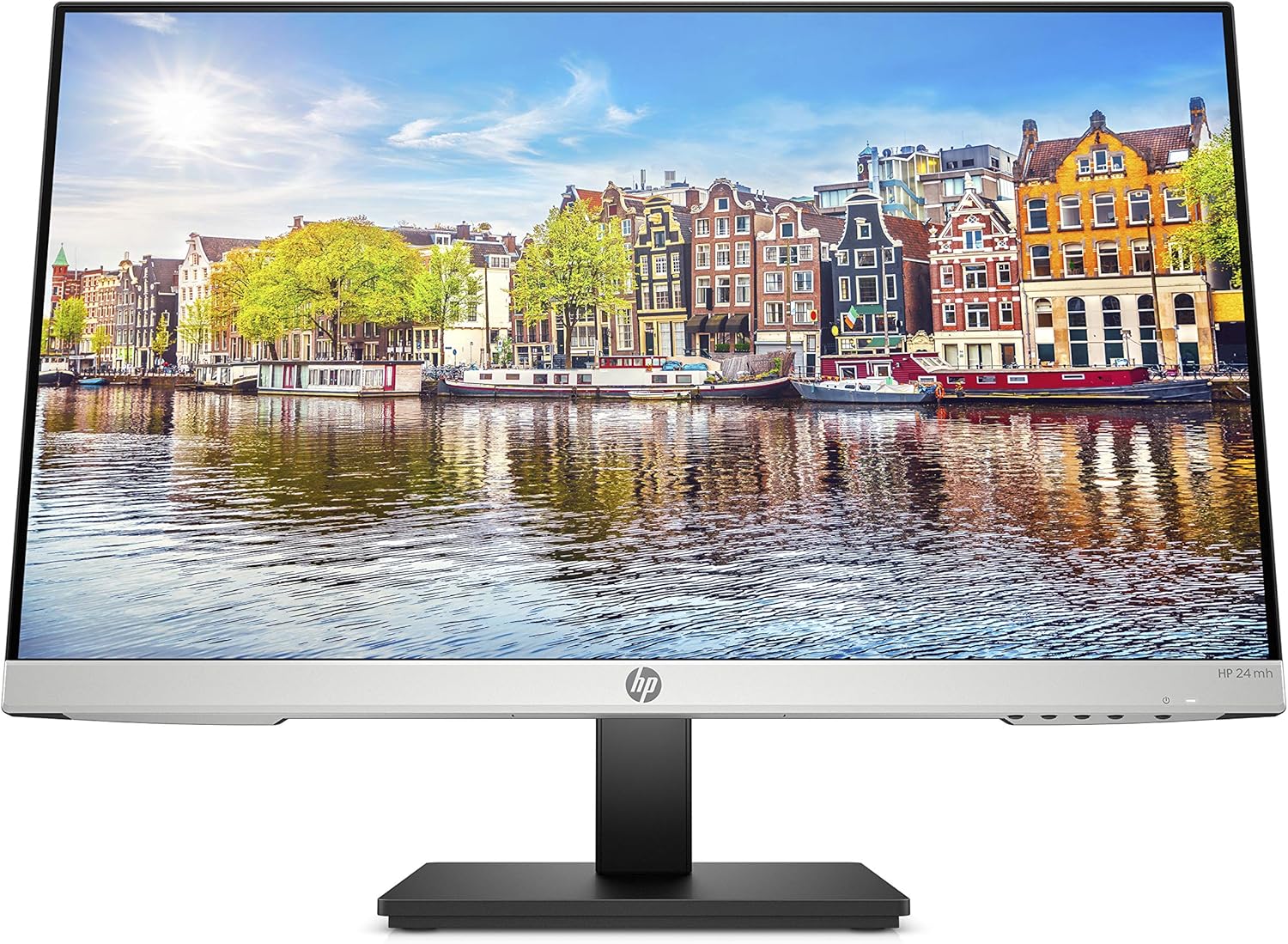
HP 24mh FHD Monitor - Computer Monitor with 23.8-Inch IPS Display (1080p) - Built-in Speakers and VESA Mounting - Height/Tilt Adjustment for Ergonomic Viewing - HDMI and DisplayPort - (1D0J9AA#ABA)
Want the best price and purchase timing?
Our AI advisor analyzes real-time pricing across all channels to find you the best deal.
AI Verdict
This 23.8-inch 1080p IPS monitor with 75Hz refresh and 100mm height adjustment is for users needing an affordable, ergonomic display for general productivity.
This monitor is a situational fit because its 1080p IPS panel with 75Hz refresh rate and comprehensive ergonomic adjustments (height, tilt, pivot) offer a solid foundation for general use and productivity. However, its 250-nit brightness and basic 2W speakers mean it won't excel in bright environments or for demanding multimedia tasks.
If you need sharper text, more screen real estate, or better gaming performance, look for a 1440p resolution monitor with a higher refresh rate (144Hz+) and adaptive sync.
Regret Score™
Low RiskLower is better — measures purchase-regret risk from real buyer complaints, review credibility, and product maturity
Issues discovered after purchase
Critically weak dimension
Amazon rating vs actual quality
Chance this product isn't for you
Pros
- The IPS panel provides 178° horizontal and vertical viewing angles, maintaining consistent color and image clarity from various positions.
- The stand offers 100mm height adjustment, -5° to 23° tilt, and 90° pivot for comfortable viewing positions.
- Connectivity includes HDMI, DisplayPort, and VGA ports, allowing easy connection to various devices without extra adapters.
- The micro-edge design with virtually no bezel on three sides creates a more immersive viewing experience and supports seamless multi-monitor setups.
- It features a 75Hz refresh rate, which provides a slightly smoother visual experience than standard 60Hz monitors.
- VESA mounting compatibility allows for alternative mounting solutions.
Cons
- The built-in 2W speakers are generally described as adequate for casual listening but not suitable for immersive audio like gaming or video editing.
- At 23.8 inches with 1080p resolution, the pixel density is 93 PPI, which is lower than ideal for pixel-precise photo editing or very sharp text.
- The monitor lacks advanced gaming features like AMD FreeSync, which is often found in similarly priced alternatives.
- Some users report the monitor's brightness at 250 nits can feel insufficient in brightly lit rooms.
- There are no USB ports for connecting peripherals directly to the monitor.
Dimension Scores
The IPS panel provides 178° wide viewing angles and consistent color reproduction, with reported stellar sRGB coverage for its price point.
A 75Hz refresh rate is an upgrade from 60Hz, offering smoother visuals for general use, and the 5ms gray-to-gray response time is standard for an IPS panel in this category.
The inclusion of HDMI, DisplayPort, and VGA provides comprehensive video input options, and VESA mounting adds flexibility.
The stand features 100mm height adjustment, -5° to 23° tilt, and 90° pivot, which is above average for monitors in this price range.
Best For
- Home office setups requiring ergonomic flexibility and multiple input options.
- Dual-monitor configurations due to its micro-edge bezels.
- Casual web browsing, document editing, and video consumption.
- Users needing a monitor with built-in speakers for basic audio needs.
Not Recommended For
- Professional graphic designers or photographers requiring high pixel density and color accuracy beyond sRGB.
- Competitive gamers who need higher refresh rates and adaptive sync technologies.
- Users who rely on integrated USB hubs for peripheral connectivity.
Watch Out For
- The 2W built-in speakers are often described as 'tiny' and 'not super strong,' requiring external speakers or a soundbar for better audio quality.
- While it has height adjustment, the tilt range is limited to -5° to 23°, which might not be enough for some specific viewing angles.
- The 1080p resolution on a 23.8-inch screen results in a pixel density of 93 PPI, which some users might find less sharp for detailed text or image work compared to higher PPI displays.
- Despite having multiple video inputs, the monitor lacks any USB ports, meaning you'll need to connect all peripherals directly to your computer.
Full Specifications
| ASIN | B08BF4CZSV |
| Brand | HP |
| Color | Jet Black |
| Series | 24mh |
| Voltage | 240 Volts (AC) |
| Hard Drive | 2 |
| Resolution | FHD 1080p |
| Item Weight | 9.94 pounds |
| Screen Size | 23.8 Inches |
| Aspect Ratio | 16:9 |
| Manufacturer | hp |
| Item model number | 1D0J9AA#ABA |
| Screen Resolution | 1920x1080 |
| Product Dimensions | 8.33 x 23.54 x 18.28 inches |
| Number of Processors | 1 |
| Max Screen Resolution | 1920 x 1080 |
| Item Dimensions LxWxH | 8.33 x 23.54 x 18.28 inches |
| Screen Surface Description | Flat |
| Standing screen display size | 23.8 Inches |
What Buyers Say
Many users highlight the monitor's ergonomic stand as a standout feature, praising its height, tilt, and pivot adjustments, which are often missing on budget displays. The IPS panel's wide viewing angles and color consistency are frequently mentioned as positive aspects for everyday tasks and multi-monitor setups. However, the integrated 2W speakers are consistently noted as being weak and only suitable for basic audio. The 1080p resolution on a 23.8-inch screen is generally accepted for its price, though some users note it's not ideal for highly detailed work.
“Okay, so I needed a monitor for my home office that wouldn't break the bank, and this one is actually pretty good! The picture is clear enough for my spreadsheets and emails, and I can actually move it up and down which is a huge win. The speakers are kinda useless though, definitely need my headphones for music. But for the price? Can't really complain.”
Common Praise
- The stand allows for height, tilt, and pivot adjustments, making it comfortable for long sessions.
- Colors appear vibrant and consistent across the 178° viewing angles due to the IPS panel.
- The micro-edge bezels on three sides create a sleek look and work well for side-by-side monitor arrangements.
- Setup is straightforward, often described as 'plug and play' with no complicated calibration needed.
- Multiple input options (HDMI, DisplayPort, VGA) make it easy to connect various devices.
Common Complaints
- The built-in 2W speakers produce weak sound, prompting many to use external speakers or headphones.
- Some users wish for higher pixel density for sharper text, especially when coming from higher-resolution displays.
- The 250-nit brightness can feel low in well-lit rooms, requiring users to adjust their environment.
- Lack of USB ports means peripherals need to connect directly to the computer.
Ownership Tips
- After several weeks, the low blue light mode makes a noticeable difference in eye comfort during long work hours.
- The monitor holds its adjusted position on the stand without wobbling or drifting down.
- The anti-glare coating effectively reduces reflections, even in rooms with windows.
- The slim profile and micro-edge design genuinely save desk space, which is a plus for smaller setups.
Frequently Asked Questions
Does this monitor have VESA mounting capability?
Yes, the HP 24mh monitor supports 100x100mm VESA mounting, allowing you to use it with compatible monitor arms or wall mounts.
What is the refresh rate of this monitor?
The HP 24mh has a refresh rate of 75Hz, providing a slightly smoother visual experience than standard 60Hz monitors.
Are the built-in speakers any good?
The monitor includes two 2W built-in speakers, which are suitable for basic audio like video calls or casual listening, but they are not designed for high-fidelity sound for gaming or immersive media.
Can I adjust the height and tilt of the screen?
Yes, the stand offers 100mm of height adjustment and can tilt from -5° forward to 23° backward. It also supports 90° pivot for portrait mode.
What types of ports does this monitor have?
It comes with HDMI, DisplayPort, and VGA inputs, providing broad compatibility with various devices.
Buying Guide
When you're looking at a monitor like this, you need to think about what you'll actually be doing with it. The 23.8-inch screen with 1080p resolution is standard for everyday tasks, like browsing the web or working on documents. The IPS panel means you'll get consistent colors and clear images even if you're not sitting directly in front of it, which is handy if you ever show things to someone else. The 75Hz refresh rate is a small bump up from basic monitors, making scrolling and general movement feel a bit smoother, but it's not a game-changer for fast-paced gaming.
IPS Panel
Think of an IPS panel like looking at a photo from any angle – the colors and brightness stay true. Cheaper panels often shift colors if you move your head even a little, but IPS keeps everything looking the same from a wide 178° view.
75Hz Refresh Rate
This is how many times per second the screen updates its image. A 75Hz monitor updates 75 times a second, making motion appear a little less choppy than a standard 60Hz screen, like watching a slightly smoother video.
Ergonomic Stand (Height, Tilt, Pivot)
This isn't just about comfort; it's about preventing neck strain. Being able to adjust the screen's height, tilt it up or down, and even rotate it to portrait mode means you can set it up perfectly for your eye level and specific tasks, like reading long documents.
Alternatives
If this monitor doesn't quite fit, consider looking for a 1440p monitor for sharper images and more screen real estate, or a monitor with a 144Hz+ refresh rate and adaptive sync for smoother gaming.
You Might Also Like

KTC H27S5C 27" Curved Gaming Monitor, 1440P QHD 144Hz 120Hz Monitor, 1500R HVA Panel, HDR400, Adaptive Sync, 400nits, HDMI 2.0 x2, DP 1.4, VESA 100x100 PC Monitor
$150-$299This is a 27-inch 1440p 144Hz curved HVA panel with 400 nits brightness and HDR400, designed for gamers and creative users needing color accuracy.

ASUS ROG Strix 32” 4K OLED Gaming Monitor (XG32UCWMG) - TrueBlack Glossy, Dual Mode(4K@240Hz, FHD@480Hz), 0.03ms, G-SYNC Compatible, Neo Proximity Sensor, USB-C, HDMI 2.1, 3 yr Warranty
$600+This 32-inch 4K 240Hz WOLED monitor with 0.03ms response and dual-mode FHD 480Hz is for serious gamers and content creators prioritizing visual fidelity and speed.

CRUA 32" White Curved Monitor, 4K UHD(3840*2160P) 1500R VA Screen, 75Hz Computer Monitor Supports AMD Freesync, 120% sRGB, Built-in speakers, Blue Light Filter,Wall Mountable Installs(HDMI 2.0/DP 1.4)
$150-$299This is a 32-inch 4K (3840x2160) 1500R VA curved monitor with a 75Hz refresh rate and 260 cd/m² brightness, best for casual media consumption and productivity.

CRUA 34 Inch Curved Gaming Monitor, 21:9 WQHD 3440x1440 165Hz/144Hz 1500R Ultrawide Computer Monitor Support Freesync, PIP/PBP, 120% sRGB, HDMI 2.0 & DP 1.4, Wall Mountable/Tilt Adjustable-Black
$150-$299A 34-inch 1500R curved 3440x1440 VA panel with 165Hz refresh, 300 cd/m² brightness, and a tilt-only stand.