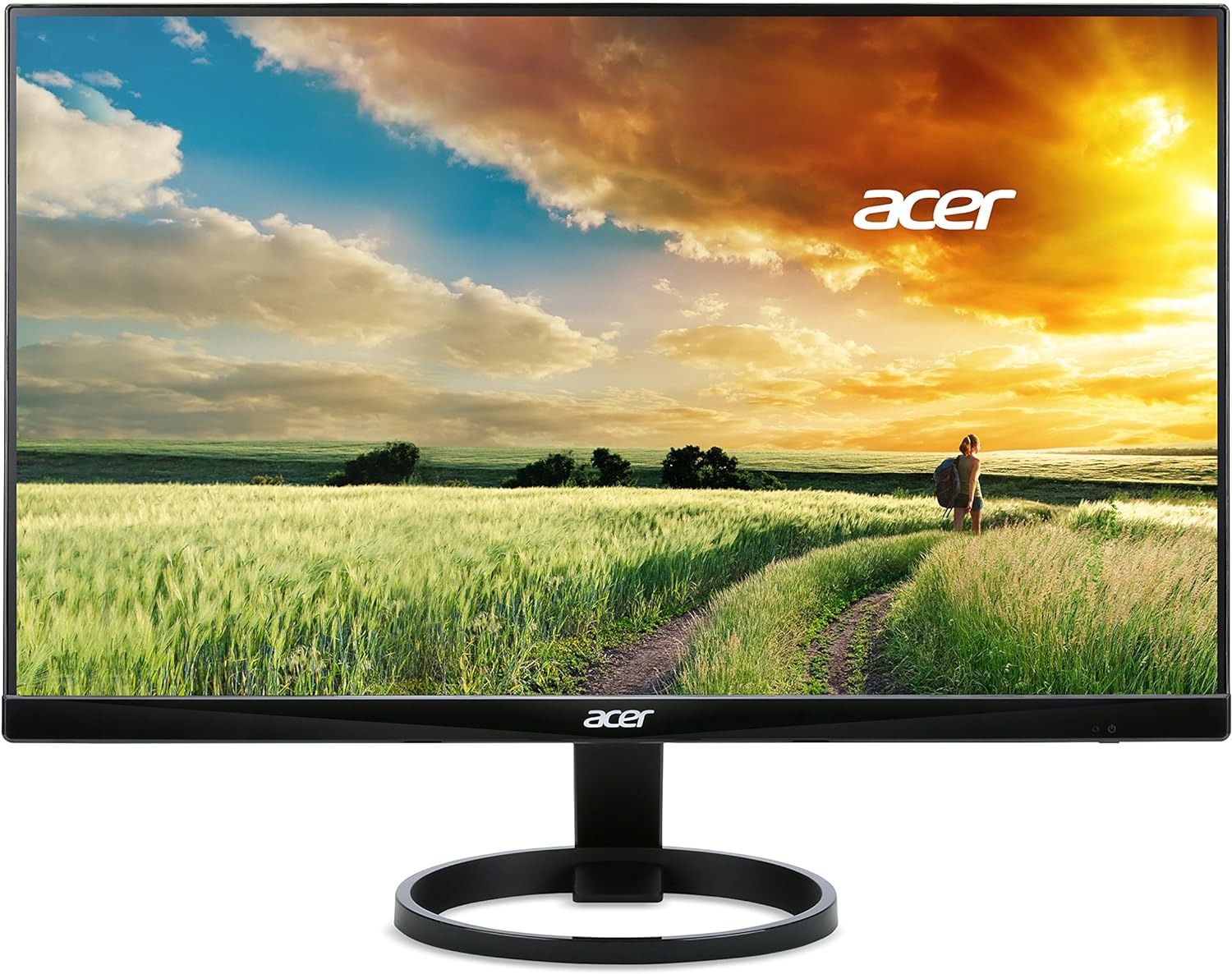
acer 23.8” Full HD 1920 x 1080 IPS Zero Frame Home Office Computer Monitor - 178° Wide View Angle - 16.7M - NTSC 72% Color Gamut - Low Blue Light - Tilt Compatible - VGA HDMI DVI R240HY bidx
Want the best price and purchase timing?
Our AI advisor analyzes real-time pricing across all channels to find you the best deal.
AI Verdict
This is a basic 1080p IPS monitor for a budget home office or dual-screen setup, but only if you can live with its wobbly, non-adjustable stand.
Its 1080p IPS panel and thin bezels are strong points for a budget office monitor. However, its severe lack of ergonomic adjustment and native VESA support makes it a poor choice for anyone who values flexibility or a stable, mounted setup.
If you plan to use a monitor arm, search for a monitor that explicitly lists '100x100mm VESA Mount' in its specifications to avoid needing an adapter.
Regret Score™
High RiskLower is better — measures purchase-regret risk from real buyer complaints, review credibility, and product maturity
Issues discovered after purchase
Critically weak dimension
Amazon rating vs actual quality
Chance this product isn't for you
Pros
- The 'Zero Frame' design has very thin bezels, making it great for side-by-side dual monitor setups.
- IPS panel provides great viewing angles, so colors don't shift when you look at it from the side.
- Includes HDMI, DVI, and VGA ports, offering wide compatibility with both new and old computers.
- The matte screen finish effectively reduces glare from lights and windows.
- At 1080p, text and images appear crisp and clear for general web browsing and document work.
Cons
- The stand only tilts and offers no height, swivel, or pivot adjustments.
- There are no built-in VESA mounting holes, requiring a separate adapter to use a monitor arm.
- The included stand is frequently reported by users as being flimsy and wobbly.
- It has no built-in speakers, only a 3.5mm audio-out jack for headphones or external speakers.
- The On-Screen Display (OSD) menu buttons are awkwardly placed and not user-friendly.
Dimension Scores
The IPS panel provides good viewing angles and decent color for the price, but the 72% NTSC color gamut is average for this category.
Its 60Hz refresh rate and 4ms response time are baseline specs, suitable for office work but below average for modern gaming or even smooth scrolling.
Having HDMI, DVI, and VGA inputs is surprisingly versatile for a budget monitor, ensuring compatibility with a wide range of devices.
The stand is tilt-only with no height adjust, and the complete lack of native VESA mounting is a major drawback.
Best For
- A budget-friendly dual-monitor home office using the included stands.
- General productivity tasks like web browsing, email, and editing documents.
- Use as a secondary monitor for a laptop.
- Casual, non-competitive gaming where high refresh rates aren't critical.
Not Recommended For
- Mounting on a VESA arm without buying a specific, third-party adapter.
- Fast-paced, competitive gaming due to the 60Hz refresh rate.
- Color-critical work like professional photo or video editing due to its standard 72% NTSC gamut.
Watch Out For
- No VESA holes means you're stuck with the wobbly stand unless you buy a special adapter bracket.
- The stand is notoriously wobbly; even typing can cause the monitor to shake on some desks.
- The control buttons are on the bottom/back edge, making it difficult to change settings, especially in a multi-monitor setup.
- It has an external power brick, which can add clutter to your desk setup.
- There are no built-in speakers, a fact that surprises some buyers who expect audio over HDMI.
Full Specifications
| ASIN | B0148NNKTC |
| Brand | acer |
| Color | Black |
| Series | R240HY bidx |
| Resolution | FHD 1080p |
| Item Weight | 6.38 pounds |
| Screen Size | 23.8 Inches |
| Aspect Ratio | 16:9 |
| Manufacturer | Acer |
| Item model number | R240HY bidx |
| Screen Resolution | 1920x1080 |
| Product Dimensions | 21.3 x 7.3 x 16 inches |
| Max Screen Resolution | 1920 x 1080 Pixels |
| Item Dimensions LxWxH | 21.3 x 7.3 x 16 inches |
| Screen Surface Description | Matte |
| Standing screen display size | 23.8 Inches |
| Is Discontinued By Manufacturer | No |
What Buyers Say
The most surprising thing about the R240HY is how good the screen looks for the money, especially if you're coming from an older TN panel. The colors are solid and the viewing angles are wide thanks to the IPS panel. Its super-thin bezels were ahead of their time and make it a popular choice for dual-monitor setups. But the good feelings stop at the stand, which is infamously wobbly and non-adjustable. The biggest headache is the lack of VESA mounts, forcing you to buy a special adapter if you want to use any kind of monitor arm. It's a great display panel attached to a terrible physical platform.
“the screen itself is shockingly good for what i paid but the stand is a wobbly piece of junk and the fact you cant mount it without a special bracket is just ridiculous.”
Common Praise
- The 'Zero-Frame' design is perfect for putting two monitors side-by-side with a minimal gap.
- Colors stay consistent and don't wash out, even when viewing from extreme angles.
- Text is sharp and clear for a 1080p monitor of this size, making it good for reading and office work.
- The IPS panel is a huge upgrade in color quality compared to older TN monitors in the same price range.
- It's very power efficient, consuming only around 19W during normal use.
Common Complaints
- The stand is extremely wobbly and shakes with minor desk movements.
- You have to buy a separate, often expensive, adapter to make it VESA compatible.
- The menu and power buttons are in an awkward position on the bottom-right edge, making them hard to use.
- The stand only allows for tilt, with no height or swivel adjustment.
- Some users report backlight bleed or 'IPS glow', especially in the corners on dark screens.
Ownership Tips
- After a few months, you really notice how much the wobbly stand shakes when you're typing vigorously.
- The external power brick is a bit clunky and another thing you have to manage on or under your desk.
- The blue light filter setting is genuinely helpful for reducing eye strain during late-night work sessions.
- Having to explain to a friend that they need to buy a $20 adapter to mount their 'budget' monitor is always an awkward conversation.
Frequently Asked Questions
Can I mount this monitor on a wall or monitor arm?
No, not out of the box. The R240HY bidx does not have standard VESA mounting holes, but you can buy a third-party VESA mount adapter specifically designed for it.
Does this monitor have built-in speakers?
No, it does not have speakers. It has a 3.5mm headphone jack on the back to pass through audio from an HDMI source to your own headphones or speakers.
What is the refresh rate?
The official refresh rate is 60Hz. Some users have reported success in overclocking it to 75Hz, but this is not guaranteed.
Is this a good monitor for gaming?
It's okay for casual, single-player games. However, the 60Hz refresh rate and 4ms response time are not ideal for fast-paced or competitive online gaming.
Does it come with an HDMI cable?
No, user reviews indicate it typically comes with a VGA cable and the power adapter, but not an HDMI cable.
Can I rotate this monitor to a vertical (portrait) position?
Not with the included stand. You would need to purchase a VESA adapter and a rotating monitor mount to use it in portrait mode.
How do you remove the stand?
The entire stand assembly pulls straight out from the monitor body. Some users report there may be a release button where the stand connects to the monitor.
Buying Guide
For a budget monitor like this, you're paying for the screen panel itself and almost nothing else. The 1080p resolution is the standard for this size and price, and getting an IPS panel is a big win for color and viewing angles. Before you buy, you absolutely must decide if you can live with the included stand. If you think you might ever want to use a monitor arm for better ergonomics or to save desk space, the hidden cost of a VESA adapter is a serious consideration.
IPS Panel
Think of it like looking at your phone screen. You can see it clearly from almost any angle, right? That's what an IPS panel does for this monitor, unlike older, cheaper 'TN' panels that look washed out from the side.
FHD 1080p Resolution
This is the standard high-definition resolution, the same as a Blu-ray movie. On a 24-inch screen, it makes text and images look sharp and clear for everyday tasks without needing a powerful graphics card.
Zero Frame
This just means the plastic border around the screen is very thin. If you place two of these monitors next to each other, you get an almost seamless, continuous image, which is great for productivity.
Alternatives
If this monitor's stand and lack of mounting are dealbreakers, search for a 24-inch 1080p IPS monitor that specifies 'VESA 100x100mm' and 'height-adjustable stand'. For smoother motion in games and general use, look for a model with at least a 75Hz or 100Hz refresh rate.
You Might Also Like

KTC H27S5C 27" Curved Gaming Monitor, 1440P QHD 144Hz 120Hz Monitor, 1500R HVA Panel, HDR400, Adaptive Sync, 400nits, HDMI 2.0 x2, DP 1.4, VESA 100x100 PC Monitor
$150-$299This is a 27-inch 1440p 144Hz curved HVA panel with 400 nits brightness and HDR400, designed for gamers and creative users needing color accuracy.

ASUS ROG Strix 32” 4K OLED Gaming Monitor (XG32UCWMG) - TrueBlack Glossy, Dual Mode(4K@240Hz, FHD@480Hz), 0.03ms, G-SYNC Compatible, Neo Proximity Sensor, USB-C, HDMI 2.1, 3 yr Warranty
$600+This 32-inch 4K 240Hz WOLED monitor with 0.03ms response and dual-mode FHD 480Hz is for serious gamers and content creators prioritizing visual fidelity and speed.

CRUA 32" White Curved Monitor, 4K UHD(3840*2160P) 1500R VA Screen, 75Hz Computer Monitor Supports AMD Freesync, 120% sRGB, Built-in speakers, Blue Light Filter,Wall Mountable Installs(HDMI 2.0/DP 1.4)
$150-$299This is a 32-inch 4K (3840x2160) 1500R VA curved monitor with a 75Hz refresh rate and 260 cd/m² brightness, best for casual media consumption and productivity.

CRUA 34 Inch Curved Gaming Monitor, 21:9 WQHD 3440x1440 165Hz/144Hz 1500R Ultrawide Computer Monitor Support Freesync, PIP/PBP, 120% sRGB, HDMI 2.0 & DP 1.4, Wall Mountable/Tilt Adjustable-Black
$150-$299A 34-inch 1500R curved 3440x1440 VA panel with 165Hz refresh, 300 cd/m² brightness, and a tilt-only stand.