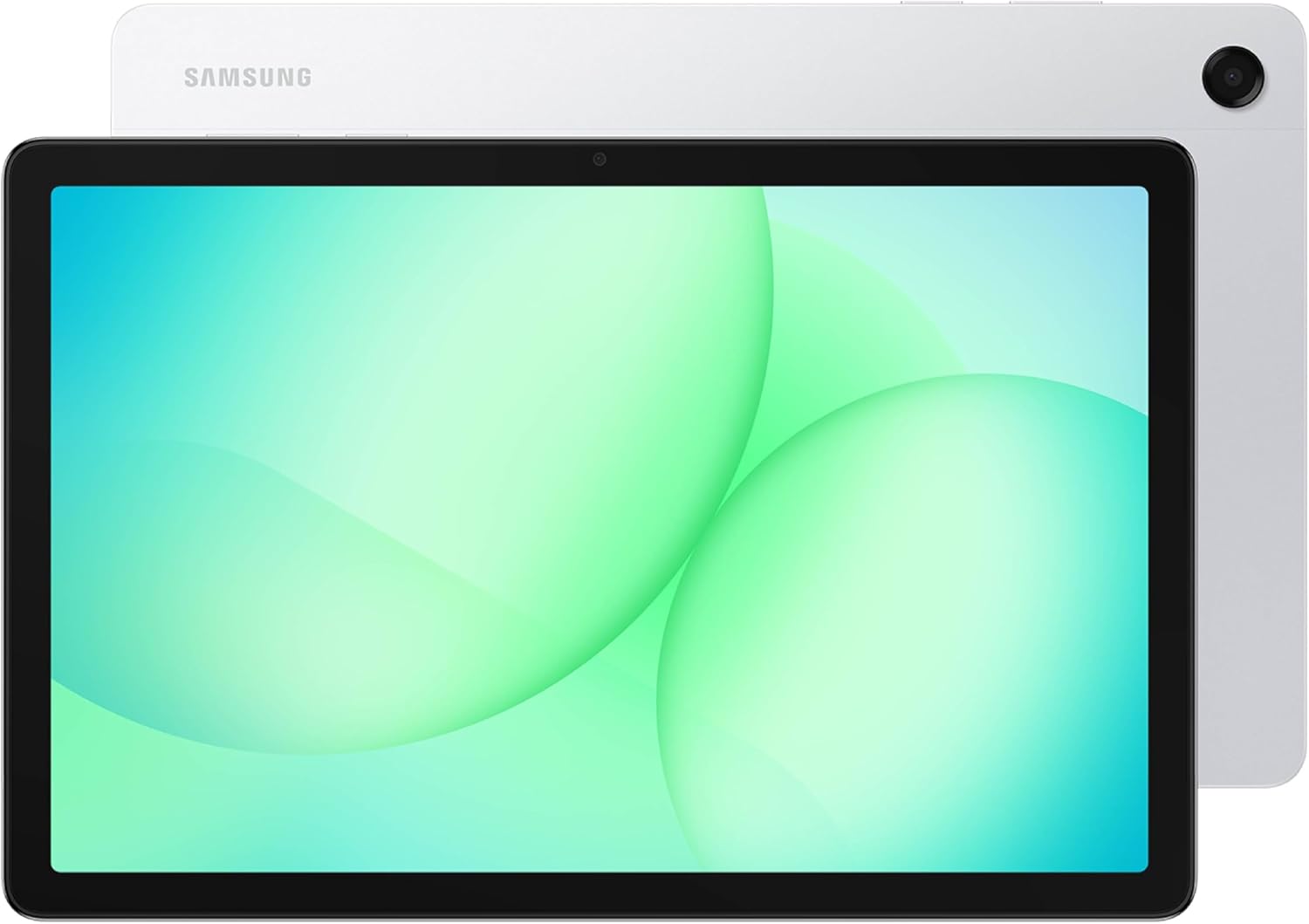
Samsung Galaxy Tab A11+ 8GB RAM, 256GB Storage, Optimized Performance, Long Lasting Battery, Expandable Storage, Large Display, Dolby Atmos Speakers, AI Assist, Slim, Light, 2 Year Warranty, Silver
Want the best price and purchase timing?
Our AI advisor analyzes real-time pricing across all channels to find you the best deal.
AI Verdict
This is an 11-inch Android 16 tablet with 8GB RAM and 256GB storage, offering 7 years of OS updates for budget-conscious users prioritizing longevity and basic media consumption.
This tablet is a strong contender for users prioritizing long-term software support and a large display for media consumption and light productivity. The 8GB RAM and 256GB storage, coupled with a 90Hz screen, offer a smooth experience for its price band. However, the display resolution and speaker quality are compromises to consider.
If display sharpness and premium audio are critical, look for tablets with higher resolution AMOLED screens and more robust speaker systems, even if it means a higher price point.
Regret Score™
Very High RiskLower is better — measures purchase-regret risk from real buyer complaints, review credibility, and product maturity
Issues discovered after purchase
Critically weak dimension
Amazon rating vs actual quality
Chance this product isn't for you
Pros
- Guaranteed 7 years of Android OS and security updates, extending usability until 2032.
- Features 8GB of RAM and 256GB of internal storage, expandable up to 2TB via microSD, providing ample space for media and apps.
- Equipped with a 4nm MediaTek Dimensity 7300 chipset, delivering a 55% better multi-core CPU and 150% better GPU performance than its predecessor, the A9+.
- The 7040mAh battery supports 25W fast charging and provides over 8 hours of YouTube HD streaming at max brightness.
- The 11-inch LCD display features a 90Hz refresh rate, offering smoother visuals than standard 60Hz panels.
- Includes Google Gemini and Circle to Search for on-the-spot AI assistance and screen search functionality.
Cons
- The 1920 x 1200 pixel resolution on an 11-inch LCD panel means individual pixels are visible upon close inspection.
- Quad speakers, while supporting Dolby Atmos, are described by users as shallow and lacking bass and clarity.
- Does not support an active stylus (S Pen), limiting its utility for drawing or precise note-taking.
- Multitasking with many apps in Samsung DeX can lead to freezing and unresponsiveness.
- Lacks USB-C to HDMI output for direct external display connection, despite supporting DeX.
Dimension Scores
The 11-inch 1920 x 1200 LCD with 90Hz refresh rate is average for the category, but individual pixels are visible upon close inspection.
The MediaTek Dimensity 7300 chipset offers a 55% better multi-core CPU and 150% better GPU than its predecessor, allowing for playable frame rates in demanding games.
The 7040mAh battery provides over 8 hours of YouTube HD streaming at max brightness and supports 25W fast charging.
With Android 16 out of the box, 7 years of OS updates, Google Gemini, and Circle to Search, it offers strong software longevity and AI features within the Android ecosystem.
Best For
- Families needing a long-lasting tablet for browsing, streaming, and light gaming due to 7 years of updates.
- Students or casual users who need expandable storage and sufficient RAM for everyday tasks and media consumption.
- Users seeking a budget-friendly tablet with improved performance for games like Fortnite (45-55 FPS at low settings) and Minecraft (60 FPS).
Not Recommended For
- Artists or students requiring active stylus support for drawing or precise note-taking.
- Power users who frequently multitask with many apps in DeX or require flawless external display connectivity.
- Audiophiles expecting rich, immersive sound directly from tablet speakers for movies or music.
Watch Out For
- The 11-inch 1920 x 1200 LCD display can show individual pixels when viewed closely, impacting visual sharpness for some users.
- Some users report touchscreen issues, particularly during gaming, which are temporarily alleviated by plugging in wired earphones.
- Despite having quad speakers with Dolby Atmos, the audio output is often described as shallow and lacking in bass.
- The tablet does not support an active stylus, meaning you're limited to less precise capacitive styluses.
- While it supports Samsung DeX, the tablet cannot output video directly via USB-C to HDMI, requiring workarounds for external displays.
Full Specifications
| ASIN | B0FVXLPWHM |
| Brand | Samsung |
| Color | Silver |
| Series | 11-inch Tablet PC |
| Model Name | 11-inch Tablet PC |
| Item Weight | 1.05 pounds |
| Screen Size | 11 Inches |
| Chipset Brand | ARM |
| Wireless Type | 802.11ac, 802.11ax |
| Processor Brand | MediaTek |
| Card Description | Integrated |
| Operating System | Android 16 |
| Item model number | SM-X230NZSMXAR |
| Screen Resolution | 1920 x 1200 pixels |
| Product Dimensions | 6.64 x 10.12 x 0.27 inches |
| Max Screen Resolution | 1920 x 1200 Pixels |
| Item Dimensions LxWxH | 6.64 x 10.12 x 0.27 inches |
| Memory Storage Capacity | 256 GB |
| Display Resolution Maximum | 1920 x 1200 Pixels |
| Standing screen display size | 11 Inches |
What Buyers Say
Users are particularly impressed by the commitment to 7 years of software updates, which is a significant selling point for a budget-friendly tablet. The performance upgrade over previous A-series models is also frequently highlighted, making it capable of handling more demanding applications and games. However, the display's resolution and the quality of the built-in speakers are common points of criticism, with some noting visible pixels and shallow audio. The lack of active stylus support is also a recurring disappointment for those hoping for more productivity features.
“Honestly, for the price and those 7 years of updates, it's a no-brainer if you just need a tablet for Netflix and some casual games, but don't expect S Pen magic or super crisp screen.”
Common Praise
- The tablet will receive 7 years of Android OS and security updates, extending its lifespan significantly.
- Performance is a noticeable upgrade from the Galaxy Tab A9+, handling apps and some games much better.
- The 8GB RAM and 256GB storage configuration, plus microSD expansion, provides plenty of space and smooth multitasking.
- The 90Hz refresh rate on the 11-inch screen makes for a smoother visual experience during scrolling and navigation.
- The all-aluminum build feels premium and comfortable to hold for extended periods.
Common Complaints
- The 1920 x 1200 resolution on the 11-inch LCD screen results in visible pixels at closer viewing distances.
- The quad speakers, despite Dolby Atmos, sound shallow and lack bass, making external audio devices preferable for media.
- There is no support for an active stylus, limiting its use for precise input like drawing or detailed note-taking.
- Multitasking heavily in DeX mode can cause the tablet to freeze or become unresponsive.
- Some users have experienced touchscreen issues, particularly during gaming, which can be temporarily mitigated by plugging in wired earphones.
Ownership Tips
- The promised 7 years of updates means this tablet should stay relevant much longer than typical budget Android devices.
- You'll probably want to invest in a good pair of Bluetooth headphones or a speaker for movies, as the built-in audio is just okay.
- If you plan on using it for drawing or serious note-taking, the lack of active stylus support will be a constant frustration.
- The screen is fine for general use, but don't expect the vibrant colors or deep blacks of a more expensive AMOLED panel.
- Even with the performance boost, pushing it too hard with many apps in DeX can still lead to slowdowns.
Frequently Asked Questions
Does the Samsung Galaxy Tab A11+ support an S Pen?
No, the Galaxy Tab A11+ does not support an active stylus like the S Pen; it only works with capacitive styluses.
What kind of display does the Galaxy Tab A11+ have?
It features an 11-inch LCD panel with a 1920 x 1200 pixel resolution and a 90Hz refresh rate.
How long will the Galaxy Tab A11+ receive software updates?
Samsung promises 7 years of Android OS and security updates for the Galaxy Tab A11+, extending its support until 2032.
Can I connect the Galaxy Tab A11+ to an external monitor?
While it supports Samsung DeX, the tablet does not directly support video output via USB-C to HDMI.
What is the battery life like on the Galaxy Tab A11+?
The 7040mAh battery can last for over 8 hours of YouTube HD streaming at maximum brightness and supports 25W fast charging.
Buying Guide
When buying a tablet like this, you're looking for a balance between cost and capability. Think about what you'll actually use it for. If it's mostly for streaming videos, browsing, and light games, then things like screen size and battery life are key. If you need it for work or creative tasks, then stylus support and raw processing power become more important. Don't get swayed by marketing buzzwords; focus on the specs that directly impact your daily use.
OS Updates (7 years)
This is huge! It means your tablet will keep getting new features and security patches for a very long time, like getting a new car that comes with free gas for seven years. It extends the tablet's usable life significantly.
RAM (8GB)
Think of RAM as your tablet's short-term memory. 8GB is like having a big desk where you can have many apps open and switch between them quickly without anything slowing down or closing unexpectedly. Less RAM means a smaller desk, and you'll hit limits faster.
Resolution (1920 x 1200 pixels)
This describes how many tiny dots (pixels) make up the image on your screen. On an 11-inch display, 1920 x 1200 is like watching a 1080p movie; it's clear, but if you get really close, you might see the individual dots, unlike a 4K TV where everything looks perfectly smooth.
Refresh Rate (90Hz)
This is how many times the screen updates per second. A 90Hz screen refreshes 90 times a second, making scrolling and animations look noticeably smoother than a standard 60Hz screen, like watching a high-frame-rate video versus a standard one.
Alternatives
If you require active stylus support for creative work or note-taking, look for tablets explicitly mentioning S Pen or similar active pen compatibility. For a sharper display, prioritize models with higher pixel density or AMOLED panels. If you need flawless external display support, check for USB-C video output capabilities.
You Might Also Like

Android Tablet with Keyboard, Android 15 Tablet 10 inch, 26GB+256GB+2TB Expand, 2-in-1 Tablets with 8-Core, 5G WiFi, 8000mAh, BT5.0, GMS, GPS, Gemini AI, Tablets PC with Mouse, Case, Stylus(Black)
$100-$149This 10.1-inch Android 15 tablet offers a 1280x800 IPS display, 6GB physical RAM (plus 20GB virtual), 256GB storage, and an 8000mAh battery, bundled with a keyboard, mouse, and stylus for budget-focus

Apple iPad (9th Generation): with A13 Bionic chip, 10.2-inch Retina Display, 64GB, Wi-Fi, 12MP front/8MP Back Camera, Touch ID, All-Day Battery Life – Space Gray
This 10.2-inch Retina Display iPad with an A13 Bionic chip and 64GB storage is for casual users needing a reliable Apple tablet for media and light tasks.

Amazon Fire HD 10 tablet (newest model) built for relaxation, 10.1" vibrant Full HD screen, octa-core processor, 3 GB RAM, 32 GB, Lilac
A 10.1" 1080p tablet with an octa-core processor and 3GB RAM, designed for Amazon content consumption and light use.

Wacom Intuos Small Graphics Drawing Tablet, Includes Training & Software; 4 Customizable ExpressKeys Compatible with Chromebook Mac Android & Windows, Black
A compact Wacom Intuos with a battery-free pen and 6.0 x 3.7-inch active area, suitable for digital art beginners on Windows, Mac, or Android.