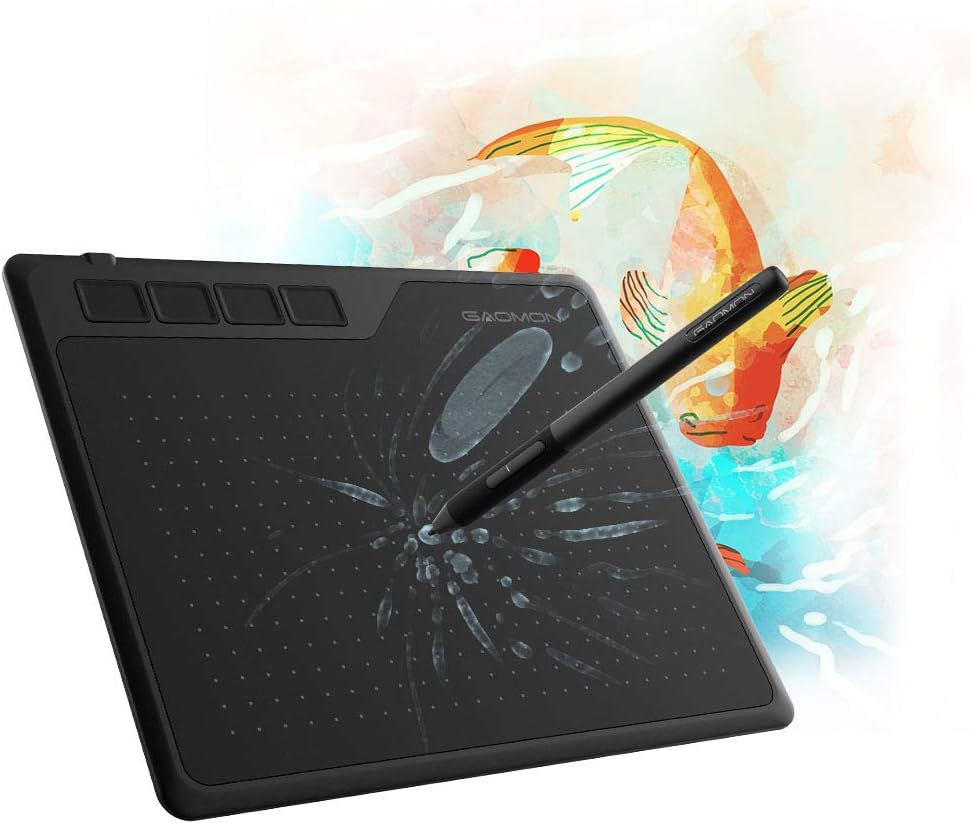
GAOMON S620 Drawing Tablet 6.5 x 4 Inch Graphics Tablet with 8192 Passive Pen 4 Customizable ExpressKeys for Digital Art, Painting, OSU Playing, Compatible with Windows PC, Mac
Want the best price and purchase timing?
Our AI advisor analyzes real-time pricing across all channels to find you the best deal.
AI Verdict
A 6.5x4 inch USB drawing tablet with 8192 pressure levels and 4 express keys, ideal for beginners and OSU players on a budget.
This tablet is a strong fit for its intended audience of beginners and OSU players due to its affordable price, battery-free pen with 8192 pressure levels, and high report rate. Its compact 6.5x4 inch active area and lightweight design make it highly portable.
If you need more advanced features or a larger drawing surface, look for tablets with pen tilt support and active areas of 8x5 inches or more.
Regret Score™
High RiskLower is better — measures purchase-regret risk from real buyer complaints, review credibility, and product maturity
Issues discovered after purchase
Critically weak dimension
Amazon rating vs actual quality
Chance this product isn't for you
Pros
- The battery-free AP32 pen eliminates the need for charging, providing 8192 pressure levels for precise control.
- A 266 PPS report rate and 5080 LPI resolution ensure pen movements are captured quickly and accurately, minimizing lag.
- The tablet is 8mm thin and weighs 249g, making it highly portable for travel or carrying in a laptop bag.
- Compatibility with Android 6.0+, Windows 7+, and macOS 10.12+ allows use across multiple devices.
- Includes useful accessories like a drawing glove, extra pen nibs, and a nib remover.
- Four customizable express keys can be programmed to improve workflow efficiency.
Cons
- The 6.5 x 4 inch active area can feel restrictive for detailed digital art on larger monitors.
- Connectivity relies on a micro-USB port, which is an older standard compared to USB-C.
- The pen lacks tilt and rotation recognition, limiting advanced artistic techniques.
- Express key placement on the top left can be inconvenient for left-handed users.
- Some users report minimal hardware smoothing, which can be a concern for competitive OSU players.
Dimension Scores
This is a pen tablet without an integrated display, so 'Display Quality' is not applicable.
The 8192 pressure levels, 266 PPS report rate, and 5080 LPI resolution are above average for its budget price band.
The tablet is wired via USB and uses a passive, battery-free pen, so 'Battery Life' is not applicable.
Compatibility with Windows, macOS, and Android, along with support for major art software, provides broad integration.
Best For
- Beginner digital artists learning to sketch and draw.
- OSU! rhythm game players seeking a responsive, budget-friendly tablet.
- Students needing a portable device for annotating documents or online classes.
- Users with Android phones or tablets who want to draw on the go.
Not Recommended For
- Professional artists requiring pen tilt, rotation, or a larger active area for complex work.
- Users who prefer modern USB-C connectivity for all their devices.
Watch Out For
- The micro-USB port feels dated; you might need adapters for newer devices.
- Left-handed users might find the express key placement awkward, as they are fixed on the top left.
- The pen does not support tilt or rotation, which limits advanced brush dynamics in art software.
- Some OSU players mention a slight hardware smoothing that might affect precision for high-level play.
- The 6.5 x 4 inch active area can feel cramped if you're used to larger drawing surfaces or have a big monitor.
Full Specifications
| ASIN | B07R77SNX9 |
| Brand | GAOMON |
| Item Weight | 8.8 ounces |
| Manufacturer | GAOMON TECHNOLOGY CORPORATION |
| Special Feature | 4 Customized Press Keys, Extra-Slim, Great for art /note-taking /osu! playing |
| Operating System | Android 6.0 or later, Windows 7 or later, macOS 10.12 or later |
| Item model number | GAOMON S620 |
| Product Dimensions | 4 x 6.5 x 0.04 inches |
| Pressure Sensitivity | 8192 Levels |
| Connectivity Technology | USB |
What Buyers Say
This tablet is a go-to for OSU players and digital art beginners, often praised for its value and responsive pen. Many users are surprised by the quality given its low price, especially the battery-free pen and included accessories. The compact size is a double-edged sword, making it portable but sometimes too small for serious art.
“Dude, for like twenty bucks, this thing is actually pretty sick for OSU, my scores are already better, just wish the cable wasn't so old school.”
Common Praise
- The battery-free pen is a huge convenience, never needing to be charged.
- The 8192 pressure sensitivity levels feel accurate and responsive for drawing.
- Its lightweight and thin design (8mm, 249g) makes it easy to carry around.
- The inclusion of an artist glove and extra nibs in the box is a welcome bonus.
- The surface texture provides a pleasant drawing experience with some friction.
- The 266 PPS report rate makes it highly suitable for fast-paced rhythm games like OSU.
Common Complaints
- The 6.5 x 4 inch active area is too small for comfortable drawing on larger monitors.
- The micro-USB port is outdated and less convenient than USB-C.
- The pen lacks tilt functionality, which is a limitation for certain drawing styles.
- Left-handed users find the fixed express key placement awkward to reach.
- Some users playing OSU report a slight, but noticeable, hardware smoothing.
Ownership Tips
- Driver installation is necessary and sometimes requires a restart to function correctly.
- The included micro-USB cable can be a point of failure over time with frequent plugging/unplugging.
- Pen nibs wear down with consistent use, so having spares is crucial.
- The small size, while portable, can lead to wrist fatigue during long drawing sessions if you're not used to it.
- The anti-slip rubber feet on the back do a decent job of keeping it from sliding on a desk.
Frequently Asked Questions
Is the GAOMON S620 compatible with Android phones?
Yes, the GAOMON S620 is compatible with Android 6.0 or later. It supports connection to Android devices, making it a handy drawing tool on the go.
Does the pen require batteries or charging?
No, the GAOMON S620 comes with a battery-free passive pen (AP32) that uses EMR technology, so it never needs to be charged.
Can I use this tablet for playing OSU!?
Yes, the GAOMON S620 is very popular among OSU! players due to its 266 PPS report rate and responsive pen, which helps with fast movements.
What operating systems is the GAOMON S620 compatible with?
It is compatible with Windows 7 or later, macOS 10.12 or later, and Android 6.0 or later.
What comes in the box with the tablet?
The box typically includes the S620 tablet, the Artpaint AP32 passive pen, a micro USB to USB-A adapter, a USB-C to USB-A adapter, extra pen nibs, a nib remover, and an artist glove.
Buying Guide
When looking at drawing tablets like this, you're mostly concerned with how well the pen tracks and how much space you have to draw. The 'active area' is your digital canvas; a bigger one means more room to move your hand. 'Pen pressure sensitivity' dictates how thick or thin your lines get based on how hard you press, which is huge for expressive art. 'Report rate' is how fast the tablet tells your computer where the pen is, super important for smooth lines and quick movements in games.
Active Area (6.5 x 4 inches)
This is the physical space on the tablet where your pen movements are registered. A 6.5 x 4 inch area is compact, making it easy to carry, but it might feel small if you're drawing on a large monitor or prefer sweeping arm movements.
8192 Pen Pressure Levels
This number indicates how many distinct levels of pressure the pen can detect. More levels mean finer control over line thickness, opacity, and other brush properties, making your digital strokes feel more natural, like a real pencil or brush.
266 PPS Report Rate
PPS stands for 'Points Per Second' and measures how many times per second the tablet reports the pen's position to your computer. A higher PPS means less lag between your pen movement and what appears on screen, crucial for fast drawing or gaming.
5080 LPI Resolution
LPI, or 'Lines Per Inch,' refers to the tablet's sensitivity to the pen's position. A higher LPI means the tablet can detect smaller movements, resulting in smoother, more accurate lines, especially for detailed work.
Alternatives
If this tablet doesn't quite fit, look for models with a larger active area (e.g., 8x5 inches or more) and consider pens with tilt recognition for more advanced artistic control. Prioritize USB-C connectivity for modern device compatibility.
You Might Also Like

Android Tablet with Keyboard, Android 15 Tablet 10 inch, 26GB+256GB+2TB Expand, 2-in-1 Tablets with 8-Core, 5G WiFi, 8000mAh, BT5.0, GMS, GPS, Gemini AI, Tablets PC with Mouse, Case, Stylus(Black)
$100-$149This 10.1-inch Android 15 tablet offers a 1280x800 IPS display, 6GB physical RAM (plus 20GB virtual), 256GB storage, and an 8000mAh battery, bundled with a keyboard, mouse, and stylus for budget-focus

Apple iPad (9th Generation): with A13 Bionic chip, 10.2-inch Retina Display, 64GB, Wi-Fi, 12MP front/8MP Back Camera, Touch ID, All-Day Battery Life – Space Gray
This 10.2-inch Retina Display iPad with an A13 Bionic chip and 64GB storage is for casual users needing a reliable Apple tablet for media and light tasks.

Amazon Fire HD 10 tablet (newest model) built for relaxation, 10.1" vibrant Full HD screen, octa-core processor, 3 GB RAM, 32 GB, Lilac
A 10.1" 1080p tablet with an octa-core processor and 3GB RAM, designed for Amazon content consumption and light use.

Wacom Intuos Small Graphics Drawing Tablet, Includes Training & Software; 4 Customizable ExpressKeys Compatible with Chromebook Mac Android & Windows, Black
A compact Wacom Intuos with a battery-free pen and 6.0 x 3.7-inch active area, suitable for digital art beginners on Windows, Mac, or Android.