
MSI PRO B550M-VC WiFi ProSeries Motherboard (AMD Ryzen 5000 Series, AM4, DDR4, PCIe 4.0, SATA 6Gb/s, M.2, USB 3.2 Gen 2, HDMI/DP, Wi-Fi 6E, Bluetooth 5.2, mATX)
Want the best price and purchase timing?
Our AI advisor analyzes real-time pricing across all channels to find you the best deal.
AI Verdict
This entry-level AM4 board packs Wi-Fi 6E and eight SATA ports, making it a solid foundation for Ryzen 5000 gaming rigs or 8-bay home NAS servers.
This board is a strong choice if you need eight-drive SATA storage or Wi-Fi 6E for a 65W CPU. It falls flat the second you drop in a 105W+ processor or attempt complex PCIe passthrough for virtual machines.
If you plan to run a Ryzen 9 5900X or need proper IOMMU groups for virtualization, step up to an X570 board like the MSI MAG X570S Tomahawk.
Regret Score™
High RiskLower is better — measures purchase-regret risk from real buyer complaints, review credibility, and product maturity
Issues discovered after purchase
Critically weak dimension
Amazon rating vs actual quality
Chance this product isn't for you
Pros
- Includes Wi-Fi 6E and Bluetooth 5.2 right out of the box without needing a separate PCIe card.
- Packs 8 SATA 6Gb/s ports, which is rare for this chipset and perfect for storage servers.
- Features a Flash BIOS button on the rear I/O to update for Ryzen 5000 CPUs without needing an older processor installed.
- Provides four DDR4 slots supporting up to 128GB of memory at 4400 MHz (OC).
- Offers four full-size physical PCIe x16 slots, though the bottom three run at PCIe 3.0 x1 speeds.
Cons
- The basic 4+2 phase VRM struggles under heavy load and will throttle 12-core chips like the Ryzen 9 5900X.
- IOMMU grouping is poorly configured, forcing you to disable M.2 slots if you use the ACS patch for virtualization passthrough.
- Windows doesn't always recognize the Wi-Fi 6E card on first boot, requiring a hardwired ethernet connection or USB drive for the initial driver install.
- BIOS flashback is notoriously picky and often rejects USB drives unless they are formatted to exactly MBR FAT32 with the file renamed to MSI.ROM.
Dimension Scores
The 4+2 phase design is barebones and struggles to keep temperatures below 70°C with high-end 12-core processors.
Packing Wi-Fi 6E, Bluetooth 5.2, and a Flash BIOS button into an entry-level board is practically unheard of.
Eight SATA 6Gb/s ports and four physical x16 slots provide massive flexibility for storage servers, even if the bottom slots run at x1 speeds.
The Click BIOS 5 interface is easy to navigate, but the BIOS flashback process is notoriously picky about USB drive formats.
Best For
- 1080p gaming builds pairing a Ryzen 5 5600X or 5800X3D with a mid-range GPU.
- Unraid or TrueNAS home servers utilizing all 8 SATA ports for hard drive arrays.
- First-time builders who need the Flash BIOS button to guarantee out-of-the-box Ryzen 5000 compatibility.
Not Recommended For
- Overclockers pushing high-wattage CPUs like the Ryzen 9 5950X on a weak 4+2 phase VRM.
- Proxmox virtualization setups requiring clean IOMMU groups for multiple GPU passthroughs.
Watch Out For
- The BIOS flashback feature is incredibly stubborn—you must use a low-capacity USB drive formatted to MBR FAT32 and rename the update file to MSI.ROM, or the process will fail.
- Windows installation media lacks the specific Wi-Fi 6E drivers, meaning you will be stuck offline during setup unless you bypass the network requirement or have the drivers ready on a thumb drive.
- If you plan to use this for a home server with VFIO passthrough, the IOMMU groups are lumped together, meaning you can't isolate PCIe devices without an ACS patch that breaks the M.2 slots.
Full Specifications
| RAM | DDR4 |
| ASIN | B0BDCZRBD6 |
| Brand | msi |
| Color | Information Not Available |
| Series | PRO |
| Platform | Windows 10 |
| CPU Model | AMD Ryzen 7 |
| Processor | amd_ryzen_7 |
| CPU Socket | Socket AM4 |
| Model Name | PRO |
| Item Weight | 2.4 pounds |
| Chipset Type | AMD B550 |
| Manufacturer | MSI |
| Memory Speed | 4400 MHz |
| Wireless Type | Bluetooth |
| Item model number | 9B13-144-548 |
| Compatible Devices | Personal Computer |
| Memory Clock Speed | 4400 MHz |
| Product Dimensions | 9.6 x 9.6 x 2.5 inches |
| Compatible Processors | Supports AM4 socket 3rd Gen AMD Ryzen™ processors, and future AMD Ryzen™ processors with BIOS update |
| RAM Memory Technology | DDR4 |
| Item Dimensions LxWxH | 9.6 x 9.6 x 2.5 inches |
| Number of USB 2.0 Ports | 6 |
What Buyers Say
The sheer number of buyers repurposing this gaming board into Unraid storage servers is staggering, driven entirely by the rare inclusion of eight SATA ports. Gamers pairing it with the Ryzen 5 5600X praise the out-of-the-box Wi-Fi 6E speeds. The setup process trips up dozens of buyers because Windows cannot detect the Wi-Fi chip during installation, forcing a hardwired connection or a USB driver transfer. Virtualization enthusiasts are the most vocal critics, discovering that the IOMMU groups lump the PCIe slots together, ruining GPU passthrough setups. Anyone using the BIOS flashback button quickly learns it demands a low-capacity USB drive formatted to MBR FAT32, or it simply refuses to read the file.
“Spent 4 hours thinking the board was dead because the bios flashback light kept blinking, turns out it just hates my 64gb sandisk drive, used an ancient 4gb thumb drive and it booted instantly.”
Common Praise
- Wi-Fi 6E module pulls 500+ Mbps download speeds and maintains stable Bluetooth 5.2 connections to wireless peripherals.
- Eight SATA ports allow builders to connect eight-drive arrays for media servers without buying a separate PCIe HBA card.
- The physical x16 size of the bottom PCIe slots easily accommodates capture cards and 10Gb network cards.
- The all-black PCB and lack of built-in RGB lighting blends perfectly into dark PC builds.
Common Complaints
- BIOS flashback button fails silently if the USB drive is not formatted exactly to MBR FAT32 with the file renamed.
- VRM heatsinks are too small to prevent thermal throttling when rendering video on a Ryzen 9 5900X.
- Windows setup halts completely because the native installer lacks the specific Wi-Fi drivers required to get online.
- IOMMU grouping is broken for Proxmox users, requiring an ACS override patch that disables the M.2 NVMe slots.
Ownership Tips
- The top M.2 slot sits directly under the primary PCIe x16 slot, meaning you have to remove your graphics card to swap the primary SSD.
- The included Wi-Fi antennas are rigid and stick straight out the back, requiring extra clearance behind the PC case.
- Running all eight SATA ports does not disable any of the PCIe or M.2 slots, a rare bandwidth configuration for B550 boards.
Frequently Asked Questions
Does this support the Ryzen 7 5800X3D out of the box?
You will likely need to use the Flash BIOS button on the rear I/O first. Download the latest BIOS to a FAT32 USB drive, plug it into the designated port, and press the button with the power supply connected.
Can I run a Ryzen 9 5950X on this board?
You can, but you shouldn't. The 4+2 phase VRM will overheat and throttle the CPU under heavy multi-core workloads. Stick to 6-core or 8-core chips.
Why isn't my Wi-Fi working after installing Windows?
Windows does not include the Wi-Fi 6E drivers natively. You need to download them on another computer, transfer them via USB, and install them manually.
Does this board have RGB lighting built in?
No, the board itself is completely dark. It does include one 4-pin RGB header and two 3-pin ARGB headers to control external fans and light strips.
Are all four PCIe slots actually x16 speed?
No. The top slot is a true PCIe 4.0 x16 slot for your graphics card. The bottom three are physically x16 size but only wired for PCIe 3.0 x1 speeds.
Buying Guide
You are looking at this board for one of two reasons: you want an entry-level AM4 gaming setup with built-in Wi-Fi, or you need to plug in eight hard drives for a home server. Do not pair this with a 12-core or 16-core Ryzen processor, as the power delivery components will overheat and slow down your system. You must prepare a USB flash drive with the latest BIOS and the Wi-Fi drivers before you start building. If you skip that step, you will be stuck staring at a Windows setup screen with no way to connect to the internet.
4+2 Phase VRM
Think of this as the plumbing that delivers electricity to your CPU. A 4+2 setup is like a narrow pipe—it flows perfectly fine for a 65W Ryzen 5 5600, but bursts under the pressure of a 105W Ryzen 9.
PCIe 3.0 x1 Slots
Even though the bottom three slots are physically long enough to fit a graphics card, they only have a fraction of the data lanes wired up. They are strictly for low-bandwidth add-ons like capture cards or extra USB hubs.
BIOS Flashback Button
This lets you update the motherboard's software using just a power supply and a thumb drive. It saves you from buying an older, compatible CPU just to turn the system on for the first time.
Alternatives
If you plan to run a 12-core processor or need clean IOMMU groups for virtual machines, search for an X570 motherboard with a 12+2 phase VRM.
You Might Also Like

JetKVM KVM Over IP ATX Extension Board, ATX Power Control Board- Only for Jet KVM Accessories Boot from Shutdown, Crash Recovery
$0-$49This is an ATX form factor power control board designed for JetKVM accessories, enabling remote PC power state management and simultaneous front panel button use.
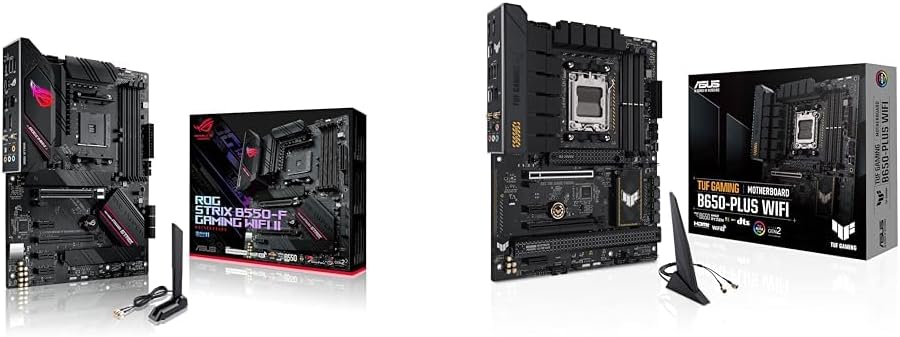
Asus ROG Strix B550-F Gaming WiFi II AMD AM4 (3rd Gen Ryzen) ATX Motherboard & TUF Gaming B650-PLUS WiFi Socket AM5 (LGA 1718) Ryzen 7000 ATX Gaming Motherboard
$150-$299This bundle offers two ATX motherboards: the ROG Strix B550-F Gaming WiFi II for AM4 Ryzen 3000/5000 CPUs with DDR4 RAM, and the TUF Gaming B650-PLUS WiFi for AM5 Ryzen 7000 CPUs with DDR5 RAM.

Game Motherboard Fit for ASROCK B650E PG-ITX WiFi B650 AM5 Motherboard Support Ryzen 7800X3D 7600/X 7950X 7700/X CPU 2xDDR5 128GB Hyper M.2 Mini-ITX
Price range unavailableThis KUETFBVC motherboard listing presents highly contradictory specifications, including a BGA 1023 socket and AMD 480 chipset, making it unsuitable for any modern Ryzen AM5 CPU.

Asus ROG Strix B550-F Gaming WiFi II AMD AM4 (3rd Gen Ryzen) ATX Gaming Motherboard (PCIe 4.0,WiFi 6E, 2.5Gb LAN, BIOS Flashback, HDMI 2.1, Addressable Gen 2 RGB Header and Aura Sync)
This is a premium-feeling AM4 board with beefy VRMs and WiFi 6E, perfect for squeezing the last drop of performance out of a Ryzen 5000 series CPU.