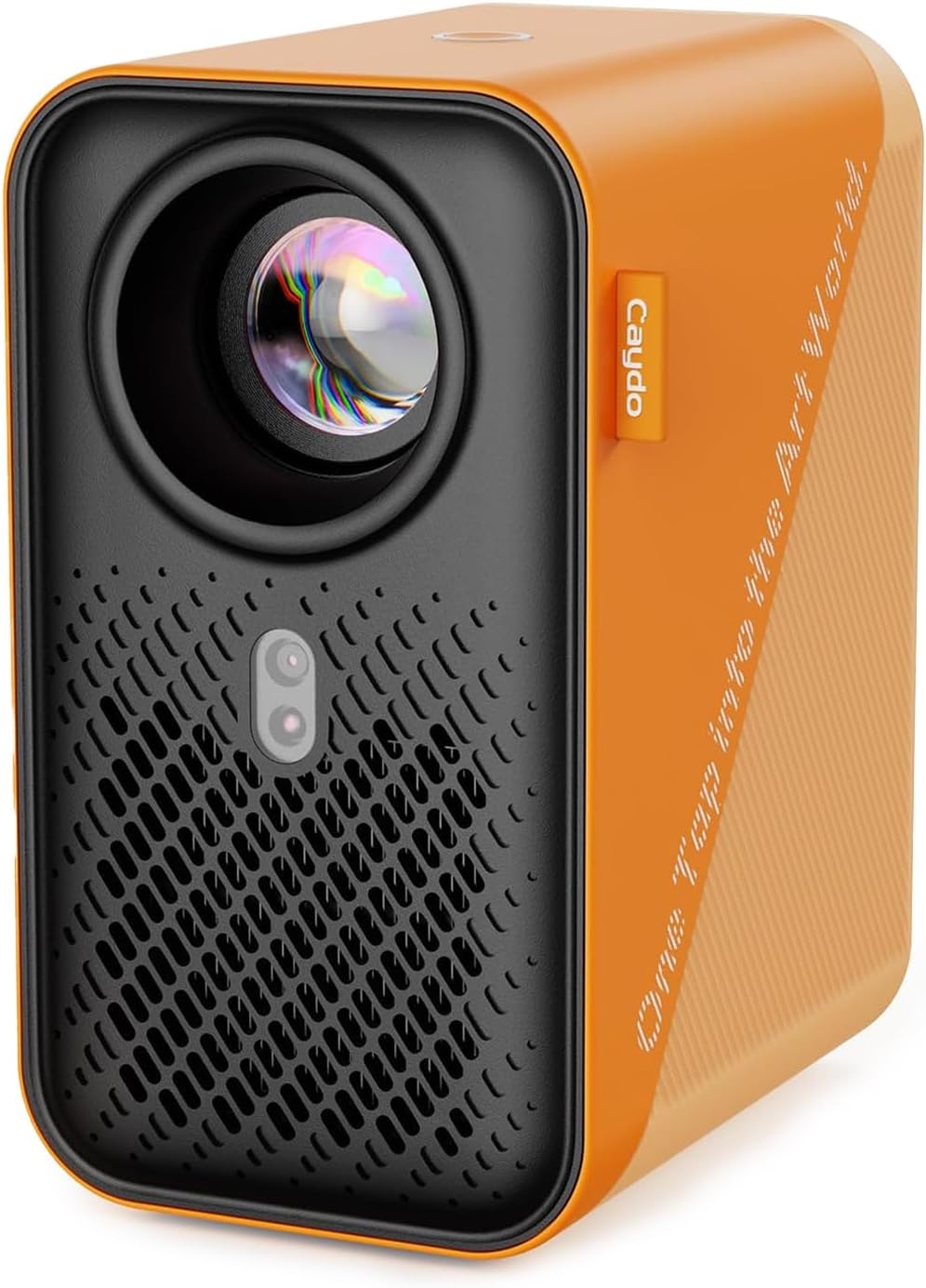
Caydo P1 Art Projector with Exclusive Drawing App for Artists, Portable Auto Focus & Keystone LED Projector for Drawing and Tracing, 4K Support, 100’’ Display, Compatible with iOS/Android, Upgraded
Want the best price and purchase timing?
Our AI advisor analyzes real-time pricing across all channels to find you the best deal.
AI Verdict
This 720p LED projector with 4K input support and a dedicated drawing app is for artists needing a portable tracing tool with auto-focus and dual-band Wi-Fi.
This projector is a strong fit for artists and beginners focused on tracing and sketching due to its dedicated app and auto-alignment features. However, its 720p native resolution and reported inconsistencies with auto-focus make it a weaker fit for users prioritizing crisp, high-definition video projection or a flawless user experience.
If you need sharper images for art or video, look for a projector with a native 1080p or 4K resolution.
Regret Score™
High RiskLower is better — measures purchase-regret risk from real buyer complaints, review credibility, and product maturity
Issues discovered after purchase
Critically weak dimension
Amazon rating vs actual quality
Chance this product isn't for you
Pros
- Projects images for tracing and sketching onto various surfaces like walls and easels.
- Includes an exclusive drawing app with flexible zoom, 360° rotation, and 3x3 grids for artistic creation.
- Features automatic screen-fit, auto-focus, and keystone correction for image alignment.
- Offers dual-band 5G/2.4G Wi-Fi and supports screen mirroring via EShare, AirPlay, and Miracast.
- Provides two-way Bluetooth 5.0 for audio output to external speakers or headphones.
- The sealed optical core helps prevent dust entry, reducing screen black spots.
Cons
- Native resolution is 1280 x 720, not 4K, despite supporting 4K video playback.
- The exclusive drawing app can feel clunky and not very user-friendly for some.
- Auto-focus functionality is reported to be inconsistent, sometimes struggling to adjust.
- Projection quality can appear washed out, especially in brightly lit environments.
- Bluetooth functionality is limited to audio transmission only, not video streaming.
Dimension Scores
The native resolution is 1280 x 720, which is below average for projectors that support 4K input, and images can appear washed out in bright environments.
The product data does not specify built-in speakers, and Bluetooth is limited to audio-only transmission, requiring external speakers for sound.
The exclusive drawing app with various tools and screen mirroring capabilities for iOS/Android offers above-average functionality for its niche, despite some reported clunkiness.
It's lightweight and portable, offering HDMI, USB, 3.5mm Jack, and dual-band Wi-Fi connectivity, which is a solid set for a portable device.
Best For
- Artists and hobbyists needing to trace or sketch designs onto physical surfaces.
- Beginners looking for guided assistance in drawing proportions and details.
- Users who need a portable projector for art projects in different locations.
- Casual home entertainment, like projecting movies outdoors, with external audio.
Not Recommended For
- Users expecting true 4K native resolution for detailed image projection.
- Professional artists requiring precise color accuracy and consistent, high-brightness projection.
- Anyone needing seamless, high-quality video streaming via Bluetooth.
Watch Out For
- The native resolution is 720p, meaning 4K content will be downscaled, resulting in less detail than a true 4K projector.
- The exclusive drawing app, while feature-rich, has been described as 'clunky' and 'not very user-friendly' by some users.
- Auto-focus can be 'hit or miss,' sometimes failing to adjust properly, which can interrupt creative flow.
- Projection quality may appear 'washed out' in bright rooms, requiring a dark environment for optimal viewing.
- The remote control requires 2 AAA batteries that are not included, meaning an extra trip to the store before use.
Full Specifications
| ASIN | B0DZGZN1XW |
| Brand | Caydo |
| Item Weight | 2.88 pounds |
| Manufacturer | Caydo |
| Special Feature | Buil-in Exclusive Art Drawing App, Bluetooth, 2.4G/5G Wi-Fi, 30"-100" Projection Size |
| Item model number | P-004W |
| Display resolution | 1280 x 720 |
| Product Dimensions | 6.6 x 5 x 3.4 inches |
| Connectivity Technology | 3.5mm Jack, Bluetooth, HDMI, USB, Wi-Fi |
| Recommended Uses For Product | Business, Education, Gaming, Home Cinema |
What Buyers Say
The biggest takeaway from user feedback is the mixed experience with the auto-focus and the drawing app; some find it intuitive and helpful for tracing, while others report it struggling or being clunky. Many appreciate its portability and the ability to project images for artistic purposes, especially for beginners needing help with proportions. However, the 720p native resolution, despite 4K input support, and the washed-out image quality in brighter settings are recurring points of concern. The audio-only Bluetooth is also a limitation for some expecting more comprehensive media capabilities.
“Okay, so it's cool for tracing my sketches onto a big canvas, but seriously, the app is kinda annoying to use and the picture looks like crap if there's any light in the room. And no batteries for the remote? Come on!”
Common Praise
- Helps beginners with accurate proportions and detailed work in drawing.
- Easy to operate with an intuitive interface, especially for new users.
- The auto-focus is intuitive and keeps images crisp for tracing (for some users).
- Lightweight and portable, making it easy to move around for different projects.
- Effective for tracing images onto various surfaces like canvas or walls.
- Can mirror phone content for projection.
Common Complaints
- The exclusive drawing app can feel clunky and not very user-friendly.
- Auto-focus is inconsistent and sometimes struggles to adjust properly.
- Projection quality appears washed out in bright environments.
- Bluetooth is only for audio transmission, not for video streaming.
- The remote control requires 2 AAA batteries that are not included.
- Some users experienced challenges connecting their phones.
Ownership Tips
- You'll quickly learn that a dark room is non-negotiable for any decent image quality, even for tracing.
- The '4K support' means it takes 4K input, but the actual projected image is 720p, which is noticeable for fine details.
- The auto-focus works sometimes, but you'll find yourself manually adjusting it more often than you'd like.
- The drawing app has some neat features, but getting images transferred and aligned can be a bit of a fiddle initially.
- Don't expect to use this as a primary movie projector unless you're super casual about resolution and don't mind connecting external audio every time.
Frequently Asked Questions
What is the actual resolution of the Caydo P1?
The Caydo P1 has a native resolution of 1280 x 720 pixels, which is 720p. It can accept and play back 4K video signals, but it will project them at its native 720p resolution.
Can I connect my phone to the projector?
Yes, you can connect your iOS or Android phone using screen mirroring options like EShare, AirPlay, and Miracast. You can also transfer images via a QR code within the app or a USB drive.
Does the projector have built-in speakers?
The product data doesn't specify built-in speakers, but it supports two-way Bluetooth 5.0 audio transmission, allowing you to connect external Bluetooth speakers or headphones for sound.
Is the auto-focus always accurate?
While the projector features auto-focus and keystone correction, some users have reported that the auto-focus can be inconsistent, sometimes struggling to adjust for a clear image.
Can I use this projector for watching movies?
Yes, you can use it for home entertainment and watching movies, even outdoors, by connecting a USB drive or using screen mirroring. However, its 720p native resolution and potential for washed-out images in bright environments mean it's best suited for casual viewing.
Buying Guide
When looking at art projectors, you need to understand the difference between native resolution and supported resolution; this projector outputs at 720p even if it takes a 4K signal. Brightness is also key, especially if you can't always work in a completely dark room. Think about how you'll get your images onto the projector – app quality and connectivity options matter a lot for your workflow.
Resolution (1280 x 720 native)
This is the actual number of pixels the projector displays. A 1280 x 720 (720p) image will look less sharp than a 1920 x 1080 (1080p) image, especially on a large screen, similar to how a standard definition TV looks compared to an HD one.
4K Support
This means the projector can accept a 4K video signal, but it will downscale it to its native 720p resolution for projection. It's like playing a 4K movie on a 720p TV; you get the content, but not the full detail.
Auto Focus & Keystone
These features automatically adjust the image to be clear and rectangular, even if the projector isn't perfectly aligned with your surface. It's super handy because it saves you from fiddling with manual adjustments every time you move it.
Dual Band Wi-Fi (5G/2.4G)
This allows for faster and more stable wireless connections for screen mirroring and app usage. Think of 5G Wi-Fi as a wider, less congested highway compared to the 2.4G, which is better for quick data transfer without lag.
Alternatives
If this projector doesn't quite fit, look for models with a native 1080p resolution for sharper images, or higher lumen counts if you need to project in rooms with some ambient light.
You Might Also Like

Panasonic Z8BAP 77 Inch OLED 4K Smart Fire TV, 144Hz TV-77Z8BAP Bundle with 4 YR CPS Enhanced Protection, WN10 Wireless TV Neck Speaker, HDMI Cable & Deco Gear Home Theater Beginner's Guidebook
$600+This 77-inch Panasonic OLED 4K Fire TV with a 144Hz panel and 170W 360 Soundscape Pro is for cinephiles and serious gamers who want premium picture and sound.

VIZIO V4K50S-0810 50" Class V-Series 4K LED HDR Compatibility Chromecast Built-in, Bluetooth Limited Edition Smart TV (Renewed)
$150-$299A 50-inch 4K UHD LED TV with Dolby Vision HDR, 60Hz refresh rate, and built-in Chromecast, best for casual viewing and light gaming on a budget.

Voice Remote for Samsung-Smart-TV-Remote-Control-Replacement, Universal for Samsung Frame Crystal QLED OLED UHD 4K 8K Voice Smart TV
This is a Bluetooth voice remote replacement for Samsung Smart TVs with voice function, featuring dedicated streaming buttons and a 40-foot range.

Amazon Fire TV 50" Omni Series (newest model), 4K UHD smart TV, hands-free with Alexa + 4-Year Protection Plan
This 50-inch 4K UHD TV with HDR10 and HLG offers hands-free Alexa control for casual viewers and smart home users.