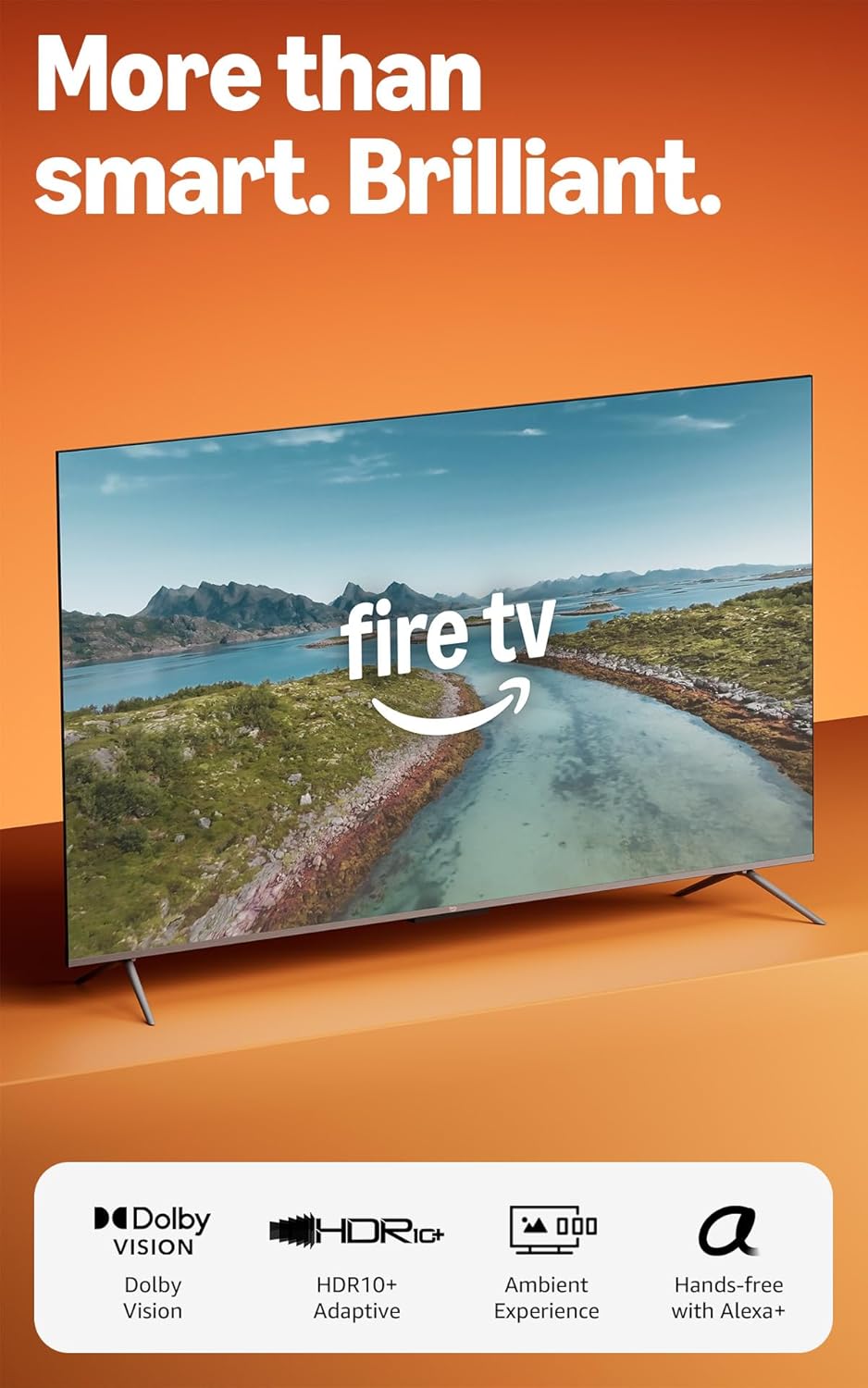
Amazon Fire TV 50" Omni QLED Series (newest model), 4K Ultra HD smart TV, HDR10+, Dolby Vision, Dolby Audio, quad-core processor, hands-free with Alexa
Want the best price and purchase timing?
Our AI advisor analyzes real-time pricing across all channels to find you the best deal.
AI Verdict
This 50-inch 4K QLED TV offers full-array local dimming and hands-free Alexa, making it a strong contender for casual viewing and smart home integration.
This 50-inch QLED TV is a situational fit, offering a strong feature set like 4K resolution, local dimming, and comprehensive HDR support for its price range. However, its 60Hz panel and reported UI sluggishness mean it won't satisfy users with higher performance expectations.
If you need smoother motion for gaming or sports, look for a TV with a 120Hz native refresh rate and more robust HDMI 2.1 features.
Regret Score™
High RiskLower is better — measures purchase-regret risk from real buyer complaints, review credibility, and product maturity
Issues discovered after purchase
Critically weak dimension
Amazon rating vs actual quality
Chance this product isn't for you
Pros
- QLED panel with 48 local dimming zones delivers enhanced color volume and contrast compared to standard LCDs.
- Supports all four major HDR formats: HLG, HDR10, HDR10+, and Dolby Vision, including adaptive versions for ambient light adjustment.
- Hands-free Alexa control with built-in microphones allows voice commands even when the screen is off.
- Includes 4 HDMI inputs, with one HDMI 2.1 port supporting VRR, ALLM, and eARC for gaming and audio passthrough.
- Wi-Fi 6 support and a quad-core processor contribute to faster app loading and smoother performance.
- Omnisense technology uses built-in sensors to wake the display for artwork or quick viewing.
Cons
- The 60Hz panel lacks the smoothness of 120Hz displays for high-frame-rate gaming or motion-intensive content.
- Built-in audio is described as adequate for casual viewing, but not immersive, often prompting recommendations for a soundbar.
- Off-axis viewing results in poor picture quality, with colors washing out and contrast degrading.
- HDR brightness is considered underpowered compared to other TVs in its price range, limiting the impact of bright highlights.
- The user interface can experience stutters and slow navigation, even with the quad-core processor.
Dimension Scores
The QLED panel with 48 local dimming zones and support for Dolby Vision IQ and HDR10+ Adaptive provides strong color and contrast for the price.
Built-in audio is described as adequate for casual viewing but lacks the immersion for a full home theater experience.
The Fire TV OS offers a comprehensive app ecosystem and seamless hands-free Alexa integration, despite occasional UI stutters.
The 50-inch screen size is common, and 4 HDMI inputs with one HDMI 2.1 port (VRR/ALLM/eARC) are above average for this price band.
Best For
- Living rooms where hands-free smart home control is a priority.
- Budget-conscious users seeking a QLED panel with local dimming for movie watching.
- Casual gamers who benefit from VRR and ALLM but don't require 120Hz refresh rates.
- Households deeply integrated into the Amazon ecosystem for streaming and content discovery.
Not Recommended For
- Serious gamers needing 120Hz refresh rates or multiple HDMI 2.1 ports.
- Viewers who frequently watch from wide angles due to poor off-axis performance.
- Audiophiles expecting robust built-in sound without an external audio system.
Watch Out For
- The 50-inch model's design uses plain black plastic and has a wide footprint for its feet, making it less aesthetically premium than larger sizes.
- Some users report the Fire TV interface can be slow or stutter, even with the quad-core processor.
- HDR content might not 'pop' as expected due to underpowered peak brightness for the price point.
- Upscaling of lower-resolution content to 4K is underwhelming, which can affect older movies or standard definition broadcasts.
What Buyers Say
Many users are surprised by the picture quality, especially the QLED colors and contrast, for a TV in this price range. The hands-free Alexa functionality is a recurring highlight, making it easy to control the TV and smart home devices. However, a consistent complaint is the occasional sluggishness of the Fire TV interface, which can be frustrating during navigation. The audio is generally considered acceptable for everyday use but not for an immersive experience, leading many to suggest external sound solutions.
“I mean, the picture is actually pretty good for what I paid, but sometimes I just want to throw the remote when the menus freeze up trying to open Netflix. Alexa hears me fine though.”
Common Praise
- Colors are vibrant and pop, especially with HDR content.
- Local dimming significantly improves black levels and contrast compared to non-local dimming TVs.
- Hands-free Alexa works reliably for changing channels, searching, and smart home control.
- The Fire TV platform offers near-flawless app support for major streaming services.
- Gaming features like VRR and ALLM on an HDMI 2.1 port are a welcome addition for the price.
Common Complaints
- The user interface can be slow and stutter, leading to navigation delays.
- Sound quality is just okay; dialogue is clear but lacks depth and bass.
- Picture quality degrades noticeably when viewed from off-center angles.
- HDR content doesn't get bright enough to deliver truly impactful highlights.
- Upscaling of non-4K content looks soft and lacks detail.
Ownership Tips
- The 'Instantly On' Omnisense feature is genuinely useful for displaying artwork or quickly starting content when entering a room.
- You'll probably end up connecting a soundbar or external speakers after a few weeks for better movie and music enjoyment.
- Disabling some of the smart features or using an external streaming device can mitigate the UI sluggishness.
- The physical switch to disable microphones for Alexa is a thoughtful addition for privacy-conscious users.
Frequently Asked Questions
Does this TV support Dolby Vision for movies?
Yes, this TV supports Dolby Vision, along with HDR10+, HDR10, and HLG, including adaptive versions that adjust to your room's lighting.
Can I control this TV with my voice without the remote?
Absolutely, it features hands-free Alexa with built-in microphones, so you can use voice commands even when the TV screen is off.
What kind of gaming features does it have?
It includes VRR (Variable Refresh Rate) and ALLM (Auto Low Latency Mode) on one of its four HDMI 2.1 ports, which is good for casual gaming.
Is the picture quality significantly better than a standard LED TV?
Yes, the QLED panel with full-array local dimming (48 zones) provides more vibrant colors and improved contrast compared to standard LED LCDs.
Does it have a 120Hz refresh rate?
No, this model has a 60Hz panel, which is standard for many TVs in this price category.
Buying Guide
When you're looking at a TV like this, you need to think about what you actually watch and where you'll put it. A 'smart TV' means it has apps built-in, so you don't always need an extra streaming stick. QLED panels give you brighter, more colorful pictures than basic LED TVs, which is great for movies and shows. Local dimming helps make dark scenes look darker and bright scenes brighter, adding depth to the image. Don't get too hung up on every single spec, but understand how they impact your viewing experience.
QLED Panel
This means the TV uses tiny 'quantum dots' to produce a wider range of colors and higher brightness than a standard LED TV. Think of it like having a bigger box of crayons for the TV to draw with, making everything look more vibrant and lifelike.
Full-Array Local Dimming (FALD)
Instead of one big light behind the screen, FALD has many small lights (zones) that can turn on and off independently. This allows the TV to make dark areas of the picture truly dark while bright areas stay bright, giving you better contrast, like turning off individual lights in a room instead of just dimming the whole room.
HDR10+ Adaptive & Dolby Vision IQ
These are advanced High Dynamic Range (HDR) formats that automatically adjust the picture's brightness and contrast based on the lighting in your room. So, whether you're watching in a dark room or a bright, sunny one, the picture should always look its best without you having to mess with settings.
60Hz Refresh Rate
This refers to how many times per second the screen can update its image. A 60Hz TV updates 60 times per second. For most movies and TV shows, this is perfectly fine. However, if you're a serious gamer or watch a lot of fast-paced sports, a 120Hz TV would show smoother motion, like flipping through a book with more pages for a smoother animation.
Alternatives
If you need a TV with smoother motion for gaming or sports, look for models with a 120Hz native refresh rate and more than one HDMI 2.1 port. For superior black levels and viewing angles, consider TVs with OLED panels.
You Might Also Like

Panasonic Z8BAP 77 Inch OLED 4K Smart Fire TV, 144Hz TV-77Z8BAP Bundle with 4 YR CPS Enhanced Protection, WN10 Wireless TV Neck Speaker, HDMI Cable & Deco Gear Home Theater Beginner's Guidebook
$600+This 77-inch Panasonic OLED 4K Fire TV with a 144Hz panel and 170W 360 Soundscape Pro is for cinephiles and serious gamers who want premium picture and sound.

VIZIO V4K50S-0810 50" Class V-Series 4K LED HDR Compatibility Chromecast Built-in, Bluetooth Limited Edition Smart TV (Renewed)
$150-$299A 50-inch 4K UHD LED TV with Dolby Vision HDR, 60Hz refresh rate, and built-in Chromecast, best for casual viewing and light gaming on a budget.

Voice Remote for Samsung-Smart-TV-Remote-Control-Replacement, Universal for Samsung Frame Crystal QLED OLED UHD 4K 8K Voice Smart TV
This is a Bluetooth voice remote replacement for Samsung Smart TVs with voice function, featuring dedicated streaming buttons and a 40-foot range.

Amazon Fire TV 50" Omni Series (newest model), 4K UHD smart TV, hands-free with Alexa + 4-Year Protection Plan
This 50-inch 4K UHD TV with HDR10 and HLG offers hands-free Alexa control for casual viewers and smart home users.