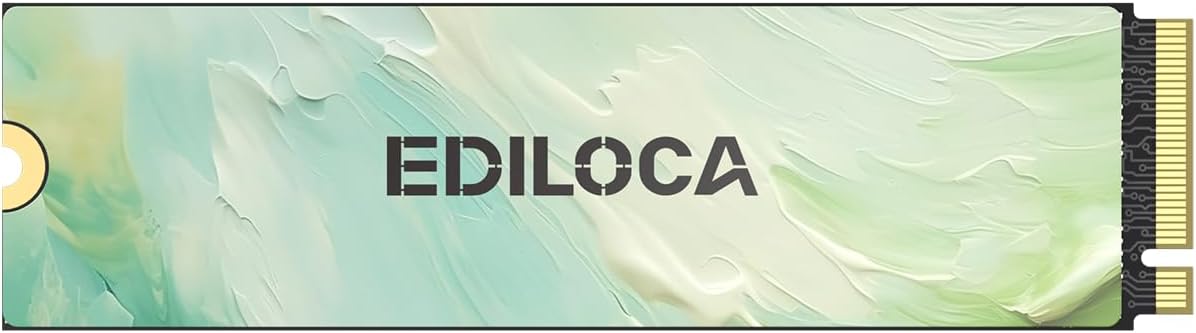
512GB NVMe M.2 SSD PCIe Gen 3x4, Up to 2050MB/s Read, M.2 2280 Internal Solid State Drive, Dynamic SLC Cache, Compatible with PC, Desktop and Laptops(EN680E)
Want the best price and purchase timing?
Our AI advisor analyzes real-time pricing across all channels to find you the best deal.
AI Verdict
This 512GB NVMe PCIe 3.0 x4 SSD with 2050MB/s read and 1600MB/s write is for budget-conscious users needing a basic system or game drive upgrade.
This 512GB NVMe PCIe 3.0 x4 drive offers 2050MB/s read and 1600MB/s write speeds, which is a significant step up from older SATA drives. However, its Gen3 interface and smaller capacity make it a specific fit for budget upgrades or secondary storage, not for cutting-edge performance.
If you need more speed or capacity, look for a 1TB PCIe Gen4 NVMe SSD with read speeds above 5000MB/s.
Regret Score™
Very High RiskLower is better — measures purchase-regret risk from real buyer complaints, review credibility, and product maturity
Issues discovered after purchase
Critically weak dimension
Amazon rating vs actual quality
Chance this product isn't for you
Pros
- Achieves sequential read speeds up to 2050MB/s and write speeds up to 1600MB/s.
- Utilizes NVMe 1.4 technology and dynamic SLC caching for faster boot times and data transfers.
- Engineered with 3D NAND flash and auto-adaptive thermal management for power efficiency.
- Includes mechanical shock resistance and AES-256 encryption for data protection.
- Comes with an installation toolkit (screws & screwdriver) and user manual.
- Features a nano-coated graphene heat dissipation for sustained performance.
Cons
- PCIe Gen3x4 interface limits peak performance compared to newer Gen4 drives.
- 512GB capacity fills up quickly with modern games or large media files.
- Not compatible with PS5 due to its Gen3 interface limitations.
- Brand's customer support and warranty claims might be challenging, potentially requiring shipping to China with long resolution times.
- Concerns about review manipulation and reliability have been raised for other products from the same brand.
Dimension Scores
The 2050MB/s read and 1600MB/s write speeds are typical for an entry-level PCIe Gen3x4 NVMe drive, but below current Gen4 standards.
Concerns about the brand's reliability, including reports of sudden failures and challenging warranty processes, place it below average for trust.
512GB is a small capacity for modern usage, quickly filled by operating systems, software, and a few large games.
The M.2 2280 form factor and PCIe Gen3x4 interface offer broad compatibility with most modern desktops and laptops, excluding PS5.
Best For
- Upgrading an older laptop or desktop with a SATA SSD or HDD.
- A primary boot drive for Windows or Linux systems.
- A secondary drive for less demanding games or applications.
- Users on a strict budget who need faster storage than a traditional HDD.
Not Recommended For
- Gamers with large game libraries or those requiring the fastest load times.
- Professionals handling large 4K video files or intensive CAD projects.
- Users seeking a primary drive for a PlayStation 5.
- Anyone prioritizing long-term data integrity from a brand with a proven track record.
Watch Out For
- The brand's support for warranty claims has been reported to involve shipping to China, with email-only communication and resolution times stretching months.
- Reliability warnings, including sudden SSD failure and total data loss, have been associated with other products from this brand.
- Review patterns for other Ediloca listings have shown repetitive phrases, suggesting algorithmic manipulation, and adjusted ratings after Amazon filtering.
Full Specifications
| ASIN | B0FLJHHNLN |
| Brand | Ediloca |
| Series | EN680E |
| Hard Drive | 512 GB Solid State Drive |
| Item Weight | 0.247 ounces |
| Manufacturer | Ediloca |
| Hard Disk Size | 512 GB |
| Special Feature | TRIM Support |
| Installation Type | Internal Hard Drive |
| Item model number | EN680E_512GB |
| Compatible Devices | Desktop, Laptop |
| Package Dimensions | 4.49 x 2.64 x 0.67 inches |
| Hard Disk Description | Solid State Drive |
| Hard Disk Form Factor | 22 Millimeters |
| Connectivity Technology | M.2 NVMe PCIe 3.0 x4 |
| Digital Storage Capacity | 512 GB |
| Specific Uses For Product | Business, Gaming |
What Buyers Say
While specific user reviews for this exact 512GB EN680E model are hard to pinpoint, the brand Ediloca has faced scrutiny regarding its overall reliability and customer support. Reports suggest potential issues with sudden drive failures and a warranty process that can be lengthy and difficult, often requiring international shipping. There are also indications of review manipulation on other products from the brand, which makes assessing genuine user experience challenging. Buyers should be aware that while the specs appear functional for a budget Gen3 drive, the brand's reputation for long-term stability and support is a significant concern.
“Look, I needed a cheap NVMe for my old laptop, and this one was on sale. It works, Windows boots faster, but I'm definitely backing up my stuff constantly because I've heard some sketchy things about this brand failing out of nowhere. Fingers crossed!”
Common Praise
- Faster boot times compared to traditional hard drives.
- Noticeable speed improvement for general computing tasks.
- Easy installation process, often plug-and-play.
- Includes necessary mounting screws and a screwdriver.
- Affordable price point for an NVMe upgrade.
Common Complaints
- Actual speeds might not consistently reach advertised maximums under sustained loads.
- Concerns about drive longevity and sudden data loss have been reported for the brand.
- Customer support and warranty claims can be difficult and time-consuming.
- Thermal throttling might occur during extended heavy use without additional cooling.
- Some users report issues with the drive not being recognized on first install, requiring troubleshooting.
Ownership Tips
- The drive runs a bit warm during large file transfers, even with the graphene pad.
- Initial setup might require formatting in Disk Management for the system to recognize it.
- Performance feels snappy for everyday tasks, but large game installs still take a while.
- The included screwdriver is tiny, barely usable for tight spaces.
- I haven't had any issues yet, but the brand's reputation makes me nervous about long-term data storage.
Frequently Asked Questions
Is this SSD compatible with my laptop?
It's compatible with most laptops and desktops that have an M.2 NVMe slot and support PCIe Gen3x4. It works with Windows (7/8/10/11) and Linux systems.
Can I use this SSD for gaming?
Yes, you can use it for gaming, especially for less demanding titles or as a secondary drive. However, for AAA games and faster load times, a higher-capacity PCIe Gen4 drive would be more suitable.
What does 'Dynamic SLC Cache' mean?
Dynamic SLC caching temporarily uses a portion of the drive's NAND flash as a faster single-level cell (SLC) cache. This boosts burst write speeds, making file transfers feel quicker until the cache is full.
Is this SSD compatible with PlayStation 5?
No, this SSD is not compatible with the PlayStation 5 due to its PCIe Gen3 interface limitations. The PS5 requires a PCIe Gen4 NVMe SSD.
Does it come with a heatsink?
It features nano-coated graphene heat dissipation, which acts as a passive cooling solution. It does not come with a bulky heatsink.
What is the warranty period?
The SSD is backed by a 3-year limited service.
Buying Guide
When you're looking at an NVMe SSD like this, you're essentially buying speed for your computer's storage. It's way faster than older hard drives or even SATA SSDs, meaning your computer boots quicker, programs open faster, and files transfer in a flash. But not all NVMe drives are created equal; some are much faster than others, and capacity is always a trade-off with price.
PCIe Gen 3x4
This refers to the interface and lanes the SSD uses. PCIe Gen3 is the older generation, and 'x4' means it uses four data lanes. It's like a highway: Gen3 is an older road, and x4 is how many lanes it has. Newer Gen4 drives are like a wider, faster highway, offering significantly higher speeds.
Read/Write Speed (MB/s)
These numbers tell you how fast the drive can read and write data sequentially. Think of it as how quickly a library can find a book (read) or put one back on the shelf (write). Higher numbers mean faster loading times for games, quicker file transfers, and a more responsive system overall.
Dynamic SLC Cache
This is a clever trick to make budget SSDs feel faster. A small portion of the drive acts as a super-fast cache. When you write data, it goes to this fast cache first. Once the cache is full, the drive slows down to its true, slower speed. It's like having a small, express lane on that highway – great for short bursts, but eventually, you hit regular traffic.
Alternatives
If you need more speed for demanding applications or gaming, look for a PCIe Gen4 NVMe SSD with read speeds of 5000MB/s or higher. For more storage, consider a 1TB or 2TB capacity, which often provides a better cost-per-gigabyte value.
You Might Also Like

Seagate IronWolf Pro SATA III 3.5" Internal NAS Hard Drive, 2-Pack - 8TB
$300-$599A 2-pack of 8TB 7200 RPM CMR internal hard drives with 256MB cache, built for 24/7 multi-bay NAS environments.

QNAP TS-453E-8G-US 4 Bay High-Performance Desktop NAS with Intel Celeron Quad-core Processor, 8 GB DDR4 RAM and Dual 2.5GbE (2.5G/1G/100M) Network Connectivity (Diskless)
$600+A 4-bay diskless NAS with an Intel Celeron J6412, 8GB DDR4 RAM, dual 2.5GbE, and M.2 NVMe slots for businesses needing long-term support.

Seagate Exos 28TB Internal Hard Drive HDD - 3.5 in CMR SATA 6Gb/s, 7200 RPM, 512MB Cache, 2.5M MTBF - ST28000NM000C (Renewed)
$300-$599This 28TB, 7200 RPM, 3.5-inch CMR SATA 6Gb/s renewed hard drive is for serious data hoarders needing massive capacity at a lower price point.

1TB G-Drive ArmorATD Rugged, Durable Portable External HDD, Up to 130MB/s, USB-C (5Gbps), USB 3.2 Gen 1 – SDPHE1G-001T
$50-$99A 1TB mechanical hard drive with a 130MB/s read speed and USB-C (5Gbps) connectivity, built for users needing rugged, portable storage for school or creative projects.