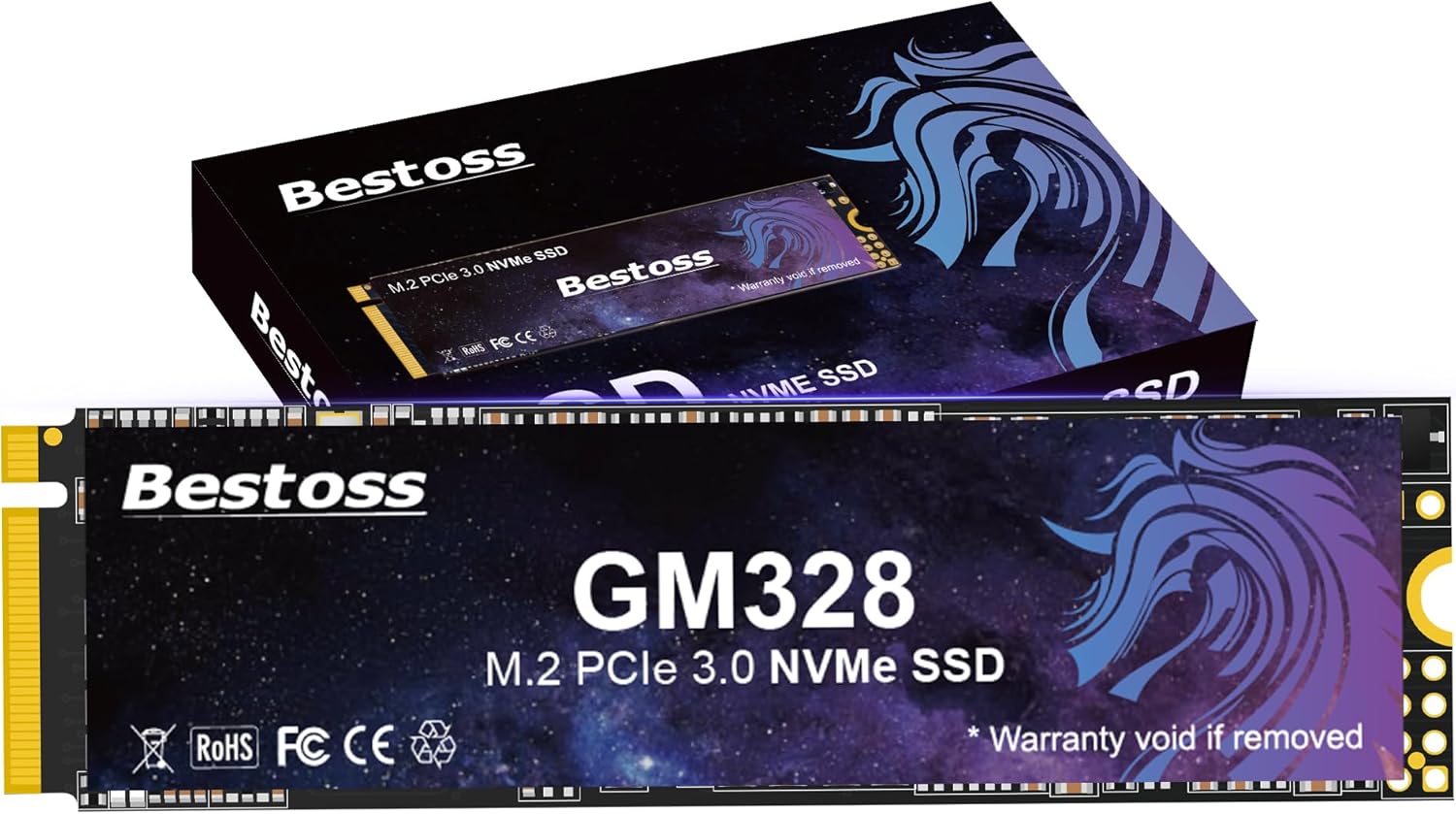
256GB NVMe M.2 SSD PCIe Gen3, 2280 3D NAND Internal Solid State Drive, Dynamic SLC Cache, Up to 3500MB/s, For Students, Home Entertainment, Office Work, Compatible with PC Desktops or Laptops GM328
Want the best price and purchase timing?
Our AI advisor analyzes real-time pricing across all channels to find you the best deal.
AI Verdict
This 256GB PCIe Gen3 NVMe M.2 2280 SSD with 3500/3000 MB/s speeds is for breathing life into older laptops or as a secondary drive.
This 256GB NVMe M.2 2280 SSD is a situational fit, primarily for users upgrading older machines or those needing a fast, small boot drive. Its PCIe Gen3 speeds of 3500/3000 MB/s are a significant upgrade from SATA, but the 256GB capacity is restrictive for modern use cases with large software and game installations. It's a cost-effective way to boost system responsiveness without breaking the bank.
If 256GB isn't enough, look for a 500GB or 1TB PCIe Gen3 NVMe SSD to balance cost and usable storage, or a Gen4 drive if your motherboard supports it for higher speeds.
Regret Score™
Medium RiskLower is better — measures purchase-regret risk from real buyer complaints, review credibility, and product maturity
Issues discovered after purchase
Critically weak dimension
Amazon rating vs actual quality
Chance this product isn't for you
Pros
- Sequential read speeds up to 3500 MB/s and write speeds up to 3000 MB/s, significantly faster than SATA SSDs.
- Utilizes TLC NAND flash, which offers longer write endurance compared to QLC NAND.
- Features HMB + Dynamic SLC Cache for improved performance and stability.
- Compatible with Windows/Linux systems, laptops, desktops, and all-in-one PCs supporting PCIe 3.0.
- M.2 2280 form factor is a common standard for NVMe drives.
Cons
- 256GB capacity fills up quickly, especially if used as a primary drive for an operating system and multiple applications.
- PCIe Gen3 interface limits maximum speeds compared to newer Gen4 drives.
- Performance can be limited by external hard drive enclosures due to USB interface speeds.
- The product data lists '2.5 Inches' as a form factor, which contradicts 'M.2 NVMe 2280' and could cause confusion.
Dimension Scores
The sequential read/write speeds of 3500/3000 MB/s are at the upper end for a PCIe Gen3 NVMe drive.
The use of TLC NAND flash and rigorous quality testing contribute to better endurance and stability compared to QLC drives.
256GB is a very small capacity for modern computing needs, quickly becoming insufficient for an OS plus applications or games.
Supports PCIe 3.0 and is widely compatible with Windows/Linux laptops, desktops, and all-in-one PCs.
Best For
- Upgrading an older laptop or desktop with a compatible M.2 slot to improve boot times and application loading.
- Use as a dedicated drive for an operating system and essential software.
- Budget-conscious users needing faster storage than a SATA SSD for basic tasks.
Not Recommended For
- Users requiring large storage for extensive game libraries or professional media editing.
- Systems with PCIe Gen4 or Gen5 M.2 slots looking to maximize performance.
- Anyone needing a 2.5-inch SATA drive (despite the conflicting spec, this is an M.2 NVMe).
Watch Out For
- The 256GB capacity means you'll likely run out of space quickly if installing many games or large applications; Windows 10/11 and essential programs can easily consume 50GB or more.
- While it uses TLC NAND, the specific controller and lack of explicit DRAM cache (often implied by 'Dynamic SLC Cache' on budget drives) might lead to performance degradation during sustained heavy writes.
- If your system only has a single M.2 slot, choosing a 256GB drive might force you to rely on slower traditional hard drives for bulk storage.
Full Specifications
| ASIN | B0FLJ2RYXV |
| Brand | Bestoss |
| Color | Starry Sky Blue Purple |
| Series | GM328 |
| Hard Drive | 256 GB Solid State Drive |
| Item Weight | 1.06 ounces |
| Manufacturer | Shenzhen Ution-Best Electronic Co.,Itd |
| Special Feature | NCQ/SMART instructions |
| Hardware Platform | PC |
| Installation Type | Internal Hard Drive |
| Item model number | GM328 |
| Compatible Devices | Laptop |
| Package Dimensions | 4.06 x 2.52 x 0.71 inches |
| Hard Disk Interface | PCIE x 4 |
| Hard Drive Interface | PCIE x 4 |
| Hard Disk Description | Solid State Drive |
| Hard Disk Form Factor | 2.5 Inches |
| Connectivity Technology | NVMe |
| Digital Storage Capacity | 256 GB |
What Buyers Say
Specific user feedback for the Bestoss GM328 256GB NVMe SSD is not readily available in public forums or Amazon reviews. However, based on its specifications, it's positioned as an entry-level PCIe Gen3 NVMe drive. Drives with similar specs are generally seen as a significant speed upgrade over older SATA SSDs, but the 256GB capacity is a frequent point of contention for users needing more storage for operating systems and applications. The use of TLC NAND is a positive for endurance, which is often a concern with budget drives. Users often find these drives suitable for revitalizing older systems or as a dedicated boot drive.
“I needed something cheap to speed up my old laptop for school work, and this thing actually made a difference, but man, 256GB is tiny, already almost full with just Windows and Office.”
Common Praise
- Faster boot times and application loading compared to traditional hard drives or SATA SSDs.
- Easy installation in compatible M.2 slots.
- Noticeable system responsiveness for everyday tasks.
- Cost-effective upgrade for older computers.
Common Complaints
- 256GB capacity fills up too quickly with an OS and a few programs.
- Not as fast as newer PCIe Gen4 NVMe drives.
- Performance might dip during very large, sustained file transfers without a dedicated DRAM cache.
- Some users might mistakenly purchase it for a 2.5-inch SATA slot due to conflicting product information.
Ownership Tips
- The drive runs cool under typical loads, which is common for Gen3 NVMe drives.
- Actual usable capacity after formatting is closer to 238GB.
- For basic web browsing and document editing, the speed difference from a high-end NVMe isn't really noticeable.
- Installation was plug-and-play in a compatible M.2 slot, no special drivers needed for Windows 10/11.
Frequently Asked Questions
Is 256GB enough for Windows and some games?
For Windows and a few smaller games, 256GB can work, but you'll fill it up fast. Windows 10/11 alone can take up a significant portion, leaving limited space for applications and games.
Will this SSD work in my laptop?
If your laptop has an M.2 slot that supports PCIe Gen3 NVMe drives, it should be compatible. Always check your laptop's specifications or manual to confirm M.2 slot type and size (2280).
What is the difference between PCIe Gen3 and Gen4?
PCIe Gen4 offers roughly double the theoretical maximum speed of PCIe Gen3. While this drive reaches up to 3500 MB/s on Gen3, a Gen4 drive could achieve speeds of 7000 MB/s or more if your system supports it.
Can I use this as an external drive?
Yes, you can use it in an external M.2 NVMe enclosure. However, the speed will be limited by the USB interface of the enclosure and your computer, not the drive's full PCIe Gen3 speed.
What does TLC NAND mean?
TLC (Triple-Level Cell) NAND stores three bits of data per cell. It offers a better balance of cost, performance, and endurance compared to QLC (Quad-Level Cell) NAND, which stores four bits per cell but has lower endurance.
Buying Guide
When you're looking at an SSD like this, you need to think about what you're actually going to put on it. 256GB sounds okay, but operating systems and software take up a lot more space than they used to. This drive will make your computer feel much faster than a spinning hard drive, but don't expect it to hold your entire game library or massive video files. It's about getting a speed boost for the basics.
Capacity (256GB)
This is how much data the drive can store. Think of it like a bucket; 256GB is a small bucket. It's enough for your operating system and a few essential programs, but you'll quickly run out of space if you try to store many large files or games.
Interface (PCIe Gen3)
This is the connection type and speed standard. PCIe Gen3 is fast, much faster than older SATA connections, allowing for quick boot times and application loading. It's like upgrading from a narrow country road to a multi-lane highway, but not quite the superhighway of Gen4 or Gen5.
Form Factor (M.2 2280)
This describes the physical size and shape of the drive. M.2 2280 is a common, small stick-like form factor that plugs directly into your motherboard, saving space and eliminating cables. Make sure your computer has an M.2 slot that supports this size.
Read/Write Speeds (Up to 3500/3000 MB/s)
These numbers tell you how fast the drive can get data to and from your computer. Higher numbers mean faster loading of programs, quicker file transfers, and a more responsive system overall. These speeds are very quick for a Gen3 drive.
Alternatives
If you need more storage, search for 500GB or 1TB NVMe M.2 SSDs. If your computer supports it and you need maximum speed, look for PCIe Gen4 NVMe M.2 SSDs with sequential read speeds above 5000 MB/s.
You Might Also Like

Seagate IronWolf Pro SATA III 3.5" Internal NAS Hard Drive, 2-Pack - 8TB
$300-$599A 2-pack of 8TB 7200 RPM CMR internal hard drives with 256MB cache, built for 24/7 multi-bay NAS environments.

QNAP TS-453E-8G-US 4 Bay High-Performance Desktop NAS with Intel Celeron Quad-core Processor, 8 GB DDR4 RAM and Dual 2.5GbE (2.5G/1G/100M) Network Connectivity (Diskless)
$600+A 4-bay diskless NAS with an Intel Celeron J6412, 8GB DDR4 RAM, dual 2.5GbE, and M.2 NVMe slots for businesses needing long-term support.

Seagate Exos 28TB Internal Hard Drive HDD - 3.5 in CMR SATA 6Gb/s, 7200 RPM, 512MB Cache, 2.5M MTBF - ST28000NM000C (Renewed)
$300-$599This 28TB, 7200 RPM, 3.5-inch CMR SATA 6Gb/s renewed hard drive is for serious data hoarders needing massive capacity at a lower price point.

1TB G-Drive ArmorATD Rugged, Durable Portable External HDD, Up to 130MB/s, USB-C (5Gbps), USB 3.2 Gen 1 – SDPHE1G-001T
$50-$99A 1TB mechanical hard drive with a 130MB/s read speed and USB-C (5Gbps) connectivity, built for users needing rugged, portable storage for school or creative projects.