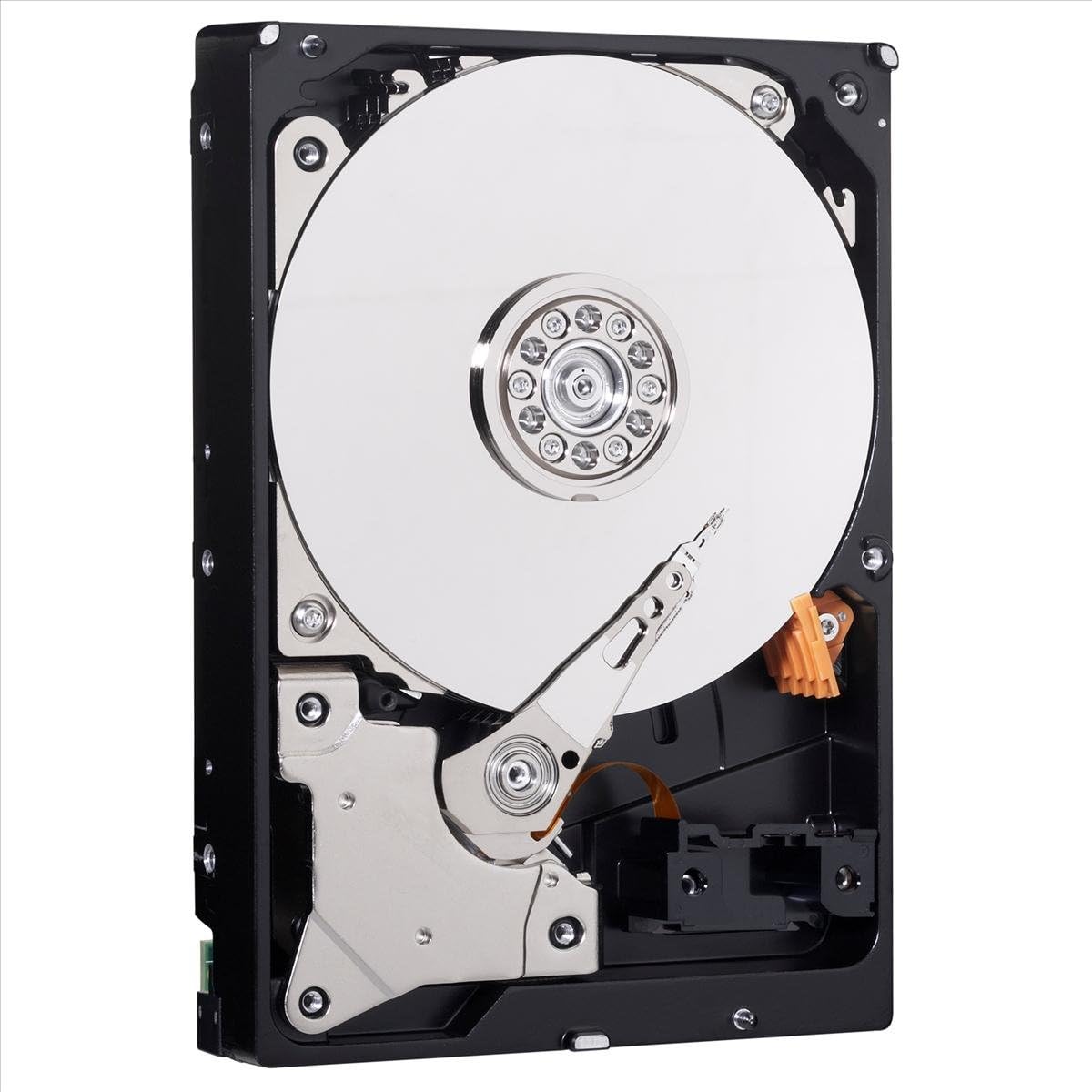
WD Blue 500GB Desktop Hard Disk Drive - 7200 RPM SATA 6 Gb/s 16MB Cache 3.5 Inch - WD5000AAKX
Want the best price and purchase timing?
Our AI advisor analyzes real-time pricing across all channels to find you the best deal.
AI Verdict
This is a 500 GB, 7200 RPM mechanical hard drive with a SATA 6 Gb/s interface, best for secondary storage in budget desktop builds or older systems.
This 500 GB, 7200 RPM HDD is a situational fit because its capacity is minimal for modern computing, and its mechanical nature means slower performance compared to SSDs. However, its low price point and 3.5-inch form factor make it suitable for specific scenarios like secondary storage in older desktops or very budget-conscious builds where speed isn't a primary concern.
If you need faster system responsiveness or more storage for applications, look for a 500 GB or 1 TB SATA SSD; for larger data archives, consider a 1 TB or 2 TB 7200 RPM HDD.
Regret Score™
Medium RiskLower is better — measures purchase-regret risk from real buyer complaints, review credibility, and product maturity
Issues discovered after purchase
Critically weak dimension
Amazon rating vs actual quality
Chance this product isn't for you
Pros
- Achieves sequential read/write speeds of up to 126 MB/s, which is typical for a 7200 RPM mechanical drive.
- Features IntelliSeek technology to optimize seek speeds, aiming to reduce power consumption, noise, and vibration.
- Includes Data LifeGuard for continuous drive monitoring to maintain optimal health.
- Utilizes NoTouch Ramp Load technology, positioning the recording head off the disk surface to protect data during transport and operation.
- Many users report quiet operation during idle and light use.
- Comes with a 2-year seller warranty, providing some coverage for defects.
Cons
- Offers a limited 500 GB capacity, which is small for modern operating systems, large applications, or extensive media libraries.
- Performance is significantly slower than solid-state drives (SSDs), with sequential speeds around 126 MB/s compared to 500+ MB/s for budget SSDs.
- Some users have reported abnormal noises or 'thrashing' sounds, even when the drive is idle.
- The package includes only the hard drive, requiring separate purchase of mounting hardware, screws, and cables.
- As a mechanical drive, it is more susceptible to damage from bumps and vibrations compared to SSDs, despite ShockGuard technology.
Dimension Scores
The drive's 7200 RPM spindle speed and 126 MB/s sequential transfer rate are average for a mechanical hard drive, but slow compared to modern storage solutions.
Many users report long-term reliability, with some drives lasting 5+ years, supported by WD's Data LifeGuard and NoTouch Ramp Load technologies.
A 500 GB capacity is very limited for current operating systems, large applications, or extensive media storage needs in 2026.
Its 3.5-inch form factor and SATA 6 Gb/s interface ensure broad compatibility with most desktop PCs and Mac systems.
Best For
- Adding secondary storage for documents and small files in an existing desktop PC.
- Budget-constrained desktop builds where an SSD for the OS is already present.
- Replacing a failed hard drive in an older desktop system that requires a 3.5-inch SATA drive.
- Offline backup storage for smaller datasets.
Not Recommended For
- Primary boot drive in a new performance-oriented PC build.
- Storing large game libraries or high-resolution video editing projects.
- Users prioritizing fast application loading times and system responsiveness.
- Laptop systems, due to its 3.5-inch form factor.
Watch Out For
- Some users have experienced 'abnormal noises' resembling a 'buzzing of an audio jack being unplugged' that lasts 2-5 seconds, even when the computer is asleep.
- A few users reported 'constant thrashing' noises from the drive, even when idle, which was highly annoying and led them to consider unplugging it.
- The drive ships without any mounting screws, SATA cables, or manuals, requiring additional purchases for installation.
- While some users praise its quiet operation, others found it noticeably louder than expected, especially during seek operations.
Full Specifications
| ASIN | B00461G3MS |
| Brand | WD |
| Color | Blue |
| Series | Blue |
| Voltage | 12 Volts |
| Language | English |
| Hard Drive | 500 GB Mechanical Hard Disk |
| Item Weight | 1.08 pounds |
| Manufacturer | Western Digital |
| Processor Brand | WD |
| Special Feature | Portable |
| Operating System | Windows |
| Flash Memory Size | 500 |
| Hardware Platform | Mac; PC |
| Installation Type | Internal Hard Drive |
| Item model number | WD5000AAKX |
| Compatible Devices | Desktop |
| Product Dimensions | 1.03 x 4 x 5.79 inches |
| Hard Disk Interface | Serial ATA |
| Computer Memory Type | SDRAM |
| Hard Drive Interface | Serial ATA |
| Hard Disk Description | Mechanical Hard Disk |
| Hard Disk Form Factor | 3.5 Inches |
| National Stock Number | 7025-01-615-7968 |
| Item Dimensions LxWxH | 1.03 x 4 x 5.79 inches |
| Connectivity Technology | SATA |
| Digital Storage Capacity | 500 GB |
| Hard Drive Rotational Speed | 7200 RPM |
| Standing screen display size | 3.5 Inches |
| Is Discontinued By Manufacturer | No |
What Buyers Say
Many users have kept this drive running for years, with some reporting it still working well after 5+ years, highlighting its longevity for a mechanical drive. While a lot of people find it quiet, there's a recurring complaint about 'abnormal noises' or 'constant thrashing' that can be quite distracting, even when the drive isn't actively being used. It's often chosen as a replacement for older, failing drives or for basic secondary storage, not as a primary high-performance solution.
“Look, it's a hard drive, it works, but man, sometimes it makes this weird buzzing sound that drives me nuts, like something's constantly working in the background even when I'm just staring at my desktop. I just needed something cheap for extra files, so whatever, but don't expect miracles.”
Common Praise
- Operates quietly during idle periods for many users.
- Provides consistent performance for a mechanical drive, reaching 126 MB/s sequential transfers.
- Easy to install as a standard 3.5-inch SATA drive.
- Many units have demonstrated long-term durability, with some users reporting 5+ years of active use.
- Functions well as a replacement drive for older systems.
Common Complaints
- Some users experience 'abnormal noises' or 'buzzing' at random times.
- Reports of 'constant thrashing' sounds, even when the drive is not actively being accessed.
- The 500 GB capacity quickly becomes insufficient for modern storage demands.
- Noticeably slower performance compared to any solid-state drive.
- Does not include mounting hardware or cables, requiring separate purchases.
Ownership Tips
- Some users have reported their drives still functioning reliably after purchasing them in 2012, indicating long-term operational capability.
- The drive's noise profile can change over time, with some users noticing increased 'thrashing' after several months of use.
- Despite its age, some users continue to use it as a secondary drive for less critical data, appreciating its continued function.
- The actual perceived speed difference between this 7200 RPM Blue drive and a 5400 RPM Green drive might not be significant for everyday tasks, as noted in some comparisons.
Frequently Asked Questions
Is this hard drive suitable for a gaming PC?
While it can store games, its 7200 RPM mechanical nature means game loading times will be significantly slower compared to an SSD. For optimal gaming performance, an SSD is recommended for game installations.
Does this drive come with any cables or mounting hardware?
No, the package includes only the hard drive itself. You will need to purchase SATA data cables, a SATA power cable (usually from your power supply), and mounting screws separately if your system doesn't already have them.
How fast is this hard drive compared to an SSD?
This 7200 RPM HDD offers sequential transfer speeds of up to 126 MB/s. A typical budget SATA SSD can achieve sequential speeds of 500-550 MB/s, making SSDs about 4-5 times faster for large file transfers and significantly faster for random read/write operations.
Can I use this drive in a laptop?
No, this drive has a 3.5-inch form factor, which is standard for desktop computers. Laptops typically use smaller 2.5-inch drives.
Is this drive noisy?
User experiences vary; many report it as quiet during idle and light use. However, some users have noted 'abnormal noises' or 'constant thrashing' during operation or even when idle.
Buying Guide
When you're looking at a hard drive like this, you're essentially buying bulk storage that's slower but cheaper than an SSD. Think about what you're actually going to put on it. If it's your operating system and main programs, you'll feel the slowdown every day. If it's just photos, old documents, or games you don't mind waiting a bit for, then it might make sense.
Capacity (500 GB)
This is how much data the drive can hold. 500 GB is like a small filing cabinet; it fills up quickly with modern software and media. For comparison, a typical Windows installation alone can take up 30-50 GB, and many modern games are 50-100+ GB each.
RPM (7200)
Revolutions Per Minute indicates how fast the platters spin. Higher RPM generally means faster data access for mechanical drives. 7200 RPM is the faster standard for consumer HDDs, but it's still much slower than an SSD, which has no moving parts.
Interface (SATA 6 Gb/s)
This is the connection type to your computer's motherboard. SATA 6 Gb/s (also known as SATA III) is the standard for most modern hard drives and SSDs, ensuring it can connect to almost any desktop PC built in the last decade.
Cache (16 MB)
The cache is a small, fast memory buffer on the drive that temporarily stores frequently accessed data, helping to speed up read and write operations. 16 MB is a smaller cache size compared to newer HDDs which often have 64 MB or 256 MB, meaning it might not handle bursts of data as efficiently.
Alternatives
If you need faster performance for your operating system and applications, look for a solid-state drive (SSD) with a SATA interface. If you need significantly more storage for large files, consider a mechanical hard drive with 1 TB or 2 TB capacity.
You Might Also Like

Seagate IronWolf Pro SATA III 3.5" Internal NAS Hard Drive, 2-Pack - 8TB
$300-$599A 2-pack of 8TB 7200 RPM CMR internal hard drives with 256MB cache, built for 24/7 multi-bay NAS environments.

QNAP TS-453E-8G-US 4 Bay High-Performance Desktop NAS with Intel Celeron Quad-core Processor, 8 GB DDR4 RAM and Dual 2.5GbE (2.5G/1G/100M) Network Connectivity (Diskless)
$600+A 4-bay diskless NAS with an Intel Celeron J6412, 8GB DDR4 RAM, dual 2.5GbE, and M.2 NVMe slots for businesses needing long-term support.

Seagate Exos 28TB Internal Hard Drive HDD - 3.5 in CMR SATA 6Gb/s, 7200 RPM, 512MB Cache, 2.5M MTBF - ST28000NM000C (Renewed)
$300-$599This 28TB, 7200 RPM, 3.5-inch CMR SATA 6Gb/s renewed hard drive is for serious data hoarders needing massive capacity at a lower price point.

1TB G-Drive ArmorATD Rugged, Durable Portable External HDD, Up to 130MB/s, USB-C (5Gbps), USB 3.2 Gen 1 – SDPHE1G-001T
$50-$99A 1TB mechanical hard drive with a 130MB/s read speed and USB-C (5Gbps) connectivity, built for users needing rugged, portable storage for school or creative projects.