
AMZ Fire Tablet Stylus Pen for AMZ Fire HD 10 Pen Fire Max 11 Pen Fire HD 8 Pen Tablets Touch Screen S Pen (white1)
Want the best price and purchase timing?
Our AI advisor analyzes real-time pricing across all channels to find you the best deal.
AI Verdict
This Rgar stylus offers a 1.5mm nib and 10-hour battery life for 2023 Fire HD 10 and Fire Max 11 tablets, but older Fire models may only see basic capacitive functionality.
This stylus is a situational fit because its advertised precision and sensitive touch technology are genuinely beneficial only for the 2023 Fire HD 10 and Fire Max 11 tablets, which support active stylus input. For other Fire models, it functions as a basic capacitive stylus, offering no advantage over a finger beyond a finer tip. The 10-hour battery life and quick charging are practical features for compatible devices.
If you need an active stylus for older Fire tablets or a more refined writing experience, look for tablets with dedicated stylus support like USI 2.0 or Wacom EMR.
Regret Score™
Very High RiskLower is better — measures purchase-regret risk from real buyer complaints, review credibility, and product maturity
Issues discovered after purchase
Critically weak dimension
Amazon rating vs actual quality
Chance this product isn't for you
Pros
- Features a 1.5 mm nib for precise input on compatible screens.
- Charges via USB-C, providing 10 hours of use after a 0.5-hour charge.
- Includes a replacement nib, a Type C charging cable, and a user manual in the package.
- Activates with a simple double-click of the pen cap, requiring no app installation.
- Offers magnetic suction for attachment to compatible devices.
Cons
- Active stylus features like precision and palm rejection are primarily functional only on 2023 Fire HD 10 and Fire Max 11 tablets.
- Older Fire tablet models (pre-2023 HD 10, HD 8, Fire 7) will likely only support it as a basic capacitive stylus, similar to finger input.
- The writing experience on Fire tablets, even with active styluses, can feel 'glidey' and less satisfying than dedicated drawing tablets.
- Palm rejection on Fire HD10 with active styluses is reported as 'not that good' or requires specific pen-first placement.
- The product title includes 'S Pen', which is a proprietary Samsung technology and misleading for this device.
Dimension Scores
It has a 1.5mm nib and sensitive touch, but the overall writing experience on Fire tablets is often described as 'glidey' and not satisfying.
The stylus claims no delays or disconnections, which is average for an active stylus, but its full potential is limited to specific Fire tablet models.
A 10-hour usage time from a 0.5-hour charge is above average for a budget stylus, offering quick turnaround for use.
Despite broad claims, true active stylus functionality is restricted to only the 2023 Fire HD 10 and Fire Max 11, making it a basic capacitive tool for most other Fire tablets.
Best For
- Users with a 2023 Fire HD 10 or Fire Max 11 tablet seeking an active stylus for basic note-taking or drawing.
- Individuals needing a stylus with a quick 0.5-hour charge time for 10 hours of use.
- Anyone looking for a stylus that attaches magnetically to compatible devices.
Not Recommended For
- Artists or serious note-takers expecting a premium, low-friction writing experience on a Fire tablet.
- Owners of older Fire HD 8 or Fire 7 tablets who need an active stylus with pressure sensitivity or advanced features.
- Users who require robust palm rejection for comfortable, extended writing sessions on a Fire tablet.
Watch Out For
- The broad compatibility claim is misleading; active stylus functionality is limited to 2023 Fire HD 10 and Fire Max 11, meaning it acts like a basic finger replacement on other Fire models.
- Palm rejection is not consistently effective on Fire HD10, with users reporting it 'won't recognize my palm if the pen is on the screen but there's no recognition prior' or that it's 'not that good'.
- The writing feel on Fire tablets with styluses is often described as 'very glidey' and 'not very satisfying', akin to 'a plastic chopstick' on glass, due to the tablet's screen technology.
- The product title's inclusion of 'S Pen' is inaccurate and could confuse buyers expecting Samsung S Pen features.
Full Specifications
| UPC | 745857130271 |
| ASIN | B0G4GSSXCZ |
| Brand | Rgar |
| Color | white1 |
| Material | Plastic |
| Item Weight | 1.41 ounces |
| Manufacturer | Rgar |
| Package Dimensions | 7.95 x 2.13 x 0.51 inches |
| Batteries Required? | No |
| Are Batteries Included | No |
| Battery Average Life Standby | 10 Hours |
| Minimum Required Operating System Version | Fire OS 5 |
What Buyers Say
Many buyers are drawn to this stylus for its broad compatibility claims, but the reality is that its active features, like precision and sensitive touch, are mostly effective only on the newer 2023 Fire HD 10 and Fire Max 11 tablets. For older Fire models, users report it functions more like a basic finger replacement, lacking advanced stylus capabilities. The quick 0.5-hour charge for 10 hours of use is a definite plus, and the USB-C charging is preferred over the AAAA batteries found in some official styluses. However, the writing experience on Fire tablets generally, even with active styluses, is often described as 'glidey' and not ideal for detailed work.
“Honestly, I got this for my Fire HD 8 and it's just okay, feels like a fancy finger. My kid's Fire Max 11 actually works with it for drawing, but on my tablet, it's just a basic pointer. The quick charge is cool though. Wish it worked better on my older Fire.”
Common Praise
- Charges quickly via USB-C, providing 10 hours of use from a 0.5-hour charge.
- Comes with a replacement nib and charging cable in the box.
- Easy to turn on with a double-click, no complex pairing or apps needed.
- Attaches magnetically to compatible devices, making it convenient to store.
- The 1.5 mm nib offers a finer point than a finger for basic navigation.
Common Complaints
- Does not provide active stylus features like pressure sensitivity or advanced palm rejection on older Fire tablets.
- The writing experience on Fire tablets can feel 'glidey' and lacks the friction of pen-on-paper.
- Palm rejection is not consistently reliable, sometimes requiring specific pen placement to avoid accidental touches.
- The 'S Pen' in the title is misleading, as it's not a Samsung S Pen and lacks its specific features.
- Some users find it functions no better than a generic capacitive stylus on non-compatible Fire models.
Ownership Tips
- The magnetic attachment is useful, but its strength can vary depending on the tablet case.
- The stylus can sometimes interfere with other Bluetooth connections if not disconnected properly.
- The fine tip is useful for navigating small UI elements more accurately than a finger.
- Battery indicator is not always clear, leading to unexpected power-offs during use.
- The 'sensitive touch technology' doesn't translate to pressure sensitivity for drawing apps on Fire tablets.
Frequently Asked Questions
Does this stylus work with all Amazon Fire tablets?
No, while it claims broad compatibility, its active features like precision and sensitive touch are primarily supported by the 2023 Fire HD 10 and Fire Max 11 tablets. For older Fire models, it will function as a basic capacitive stylus, similar to using your finger.
Does this stylus have palm rejection?
The product does not explicitly state palm rejection. User experiences with active styluses on Fire HD10 indicate that palm rejection is either 'not that good' or requires placing the pen on the screen before resting your palm.
How long does the battery last and how quickly does it charge?
The stylus offers 10 hours of use on a single charge. It recharges quickly, taking only 0.5 hours to reach full battery via its USB-C port.
Is this stylus compatible with Android and iOS devices?
The product description states compatibility with Android and iOS. However, specific performance details or advanced features on non-Fire Android/iOS devices are not provided, and user feedback primarily focuses on Fire tablet use.
Does this stylus have an eraser function or side buttons?
The product specifications and feature highlights do not mention an eraser function or programmable side buttons. Activation is done by double-clicking the pen cap.
Buying Guide
When you're looking at styluses for tablets, especially Fire tablets, you need to understand that not all styluses are created equal, and more importantly, not all tablets support the same features. A stylus isn't just a fancy stick; it's about how it interacts with your screen. For Fire tablets, the generation of your tablet drastically changes what kind of stylus experience you'll get. Don't assume a stylus will work perfectly just because it says 'compatible' with your tablet model.
Nib Size (e.g., 1.5 mm)
This tells you how fine the tip of the stylus is. A smaller nib, like 1.5 mm, allows for more precise input, making it easier to select small buttons, write neatly, or draw fine lines, compared to a fatter, rubber-tipped stylus which acts more like a finger.
Active vs. Passive Stylus
A passive stylus is basically just a conductive stick, mimicking your finger. An active stylus, like this one, has internal electronics that communicate with the tablet's screen, enabling features like finer precision, palm rejection, and sometimes pressure sensitivity. The catch is, your tablet needs to support these active features for them to work.
Charging Method & Battery Life
This impacts how convenient the stylus is to use. A stylus with a built-in rechargeable battery and a common charging port (like USB-C) is usually more convenient than one requiring disposable batteries. Knowing the battery life helps you plan your usage without running out of power mid-task.
USI 2.0 Compatibility
This is a specific standard for active styluses, particularly relevant for newer Fire tablets like the 2023 Fire HD 10 and Fire Max 11. If your tablet supports USI 2.0, a compatible stylus will offer the best active features, including better palm rejection and precision, compared to a generic active stylus.
Alternatives
If this stylus doesn't fit your needs, look for a stylus explicitly stating USI 2.0 compatibility if you have a 2023 Fire HD 10 or Fire Max 11, or consider a tablet with dedicated Wacom EMR or Apple Pencil support for a superior writing and drawing experience.
You Might Also Like

Amazon Kindle Paperwhite (16 GB) – Now with a larger display, adjustable warm light, increased battery life, and faster page turns – Black
This is a 16 GB e-reader with a 6.8” 300 ppi glare-free display and adjustable warm light, ideal for dedicated readers wanting a distraction-free experience.
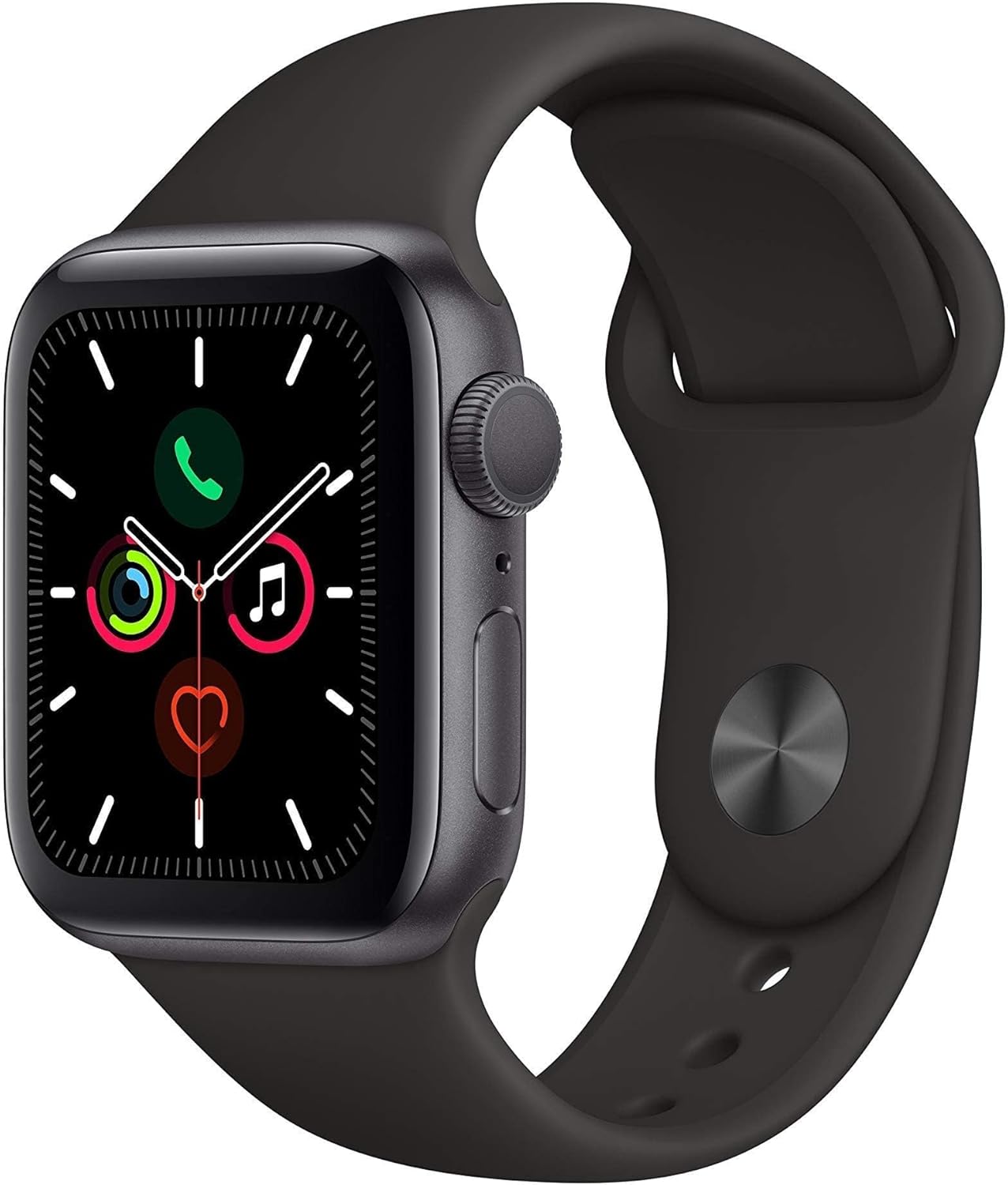
Apple Watch Series 5 (GPS, 44MM) - Space Gray Aluminum Case with Black Sport Band (Renewed)
This 44mm Apple Watch Series 5 with 32GB storage and an Always-On Retina display is for iPhone users wanting core smartwatch features at an entry-plus price.

Fitbit Inspire 3 Health &-Fitness-Tracker with Stress Management, Workout Intensity, Sleep Tracking, 24/7 Heart Rate and more, Midnight Zen/Black One Size (S & L Bands Included)
A 0.76-inch color touchscreen tracker with up to 10-day battery life, focused on basic health metrics and sleep, for those prioritizing comfort over advanced smartwatch features.

Wepro Band Compatible with Fitbit Versa 2 Bands for Women Men, Soft Band Compatible with Fitbit Versa Bands, Sport Waterproof Breathable Replacement Wristband Strap for Versa Lite, Large, Black, 1 Pack
This is a soft elastomer replacement band for Fitbit Versa, Versa 2, and Versa Lite, available in two sizes and multiple colors.