![[Case-Friendly] Page Turner for Kindle Paperwhite Oasis Kobo eReaders, Camera Camcorder Remote Controls, Page Turner Clicker for ipad Tablets Reading Novels with Wrist Strap Storage Bag Green](https://m.media-amazon.com/images/I/61geR355vVL._AC_SL1500_.jpg)
[Case-Friendly] Page Turner for Kindle Paperwhite Oasis Kobo eReaders, Camera Camcorder Remote Controls, Page Turner Clicker for ipad Tablets Reading Novels with Wrist Strap Storage Bag Green
Want the best price and purchase timing?
Our AI advisor analyzes real-time pricing across all channels to find you the best deal.
AI Verdict
This DATAFY page turner offers hands-free page turning for capacitive touchscreens with a mute button and Type-C charging, but only supports forward page turns on e-readers.
This page turner is a strong fit for anyone wanting a simple, non-Bluetooth solution for hands-free reading on most capacitive touchscreens, especially with its case-friendly clip. The included mute button and camera remote functionality add practical value beyond just e-reading.
If you need backward page navigation or a more integrated, Bluetooth-based control, look for page turners explicitly stating two-way page turning and Bluetooth connectivity.
Regret Score™
High RiskLower is better — measures purchase-regret risk from real buyer complaints, review credibility, and product maturity
Issues discovered after purchase
Critically weak dimension
Amazon rating vs actual quality
Chance this product isn't for you
Pros
- Operates without Bluetooth or Wi-Fi, simplifying setup to clipping and pressing a button.
- Includes a mute button, preventing noise during late-night reading sessions.
- The upgraded clip is designed to fit protective cases flawlessly, accommodating case thickness up to 11.5mm.
- Functions as a remote shutter for smartphone cameras and camcorders, allowing for hands-free photo and video capture.
- Provides extended standby times: the screen sensor clip offers one month and the RF remote three months after 3.4 hours of use.
- Comes with a storage bag and wrist strap for portability and secure handling.
Cons
- Only supports page forward functionality on e-readers, requiring manual interaction for backward navigation.
- Incompatible with Kindle 8th Generation devices.
- Requires re-pairing after automatically turning off due to prolonged inactivity.
- Users may need to adjust reading app margins to prevent the clip from covering text.
- Some users reported needing to click multiple times for a page turn or experiencing unintended font size changes.
Dimension Scores
This product is a page turner remote and does not have a display, so this dimension is not applicable.
It offers effortless page turning for a wide range of capacitive screens without Bluetooth, but some users reported needing multiple clicks or experiencing glitches.
The screen sensor clip provides one month of standby and the RF remote three months after 3.4 hours of use, with users reporting charging every two weeks with daily use.
It works with a broad range of capacitive touch devices including Kindles (excluding 8th Gen), Kobo, iPads, and Android tablets, and also functions as a camera remote.
Best For
- Reading in bed or under blankets without exposing hands to cold.
- Hands-free reading on a stand or propped-up e-reader.
- Taking remote photos or videos with a smartphone or camcorder.
- Users who prioritize a simple, non-Bluetooth connection for page turning.
Not Recommended For
- Kindle 8th Generation owners.
- Readers who frequently need to navigate backward through pages on their e-reader remotely.
- Users expecting a seamless experience without occasional re-pairing or margin adjustments.
Watch Out For
- The page turner only supports forward page turns on e-readers, meaning you'll have to manually touch your device to go back a page.
- Some users reported glitches like needing to click multiple times to turn a page or the device unexpectedly changing font size.
- The device automatically turns off after a period of inactivity and requires re-pairing before subsequent use.
- If your reading app has scrolling enabled, you'll need to disable it for the page turner to function correctly on iPads or cell phones.
- With thicker covers, some users found they had to wiggle the clip to ensure proper contact with the screen.
Full Specifications
| ASIN | B0FN75Q9YF |
| Brand | DATAFY |
| Color | Matcha Green |
| Batteries | 1 C batteries required. (included) |
| Item Weight | 3.07 ounces |
| Manufacturer | DATAFY |
| Special Feature | Page turner, Remote Control Video Shooting, Remote control camera to take pictures |
| Item model number | FYQ-K2 |
| Product Dimensions | 2.83 x 1.14 x 0.7 inches |
| Max Number of Supported Devices | 1 |
What Buyers Say
What really stands out is how many people love this thing for reading in bed, especially since it doesn't need Bluetooth and has a mute button. People are stoked about the clip fitting over their cases, which is a common pain point with other page turners. The camera remote feature is a cool bonus that a lot of folks didn't expect to use but ended up finding handy. The main catch is that it only turns pages forward on e-readers, which can be a bummer if you accidentally click too far.
“Okay, so I got this thing because my hands get cold under the blankets and I hate reaching out to tap my Kindle. It actually works! The clip fits over my chunky case, and I can just click away. Wish it went backwards, but honestly, it's still a game changer for my cozy reading nights.”
Common Praise
- No Bluetooth connection needed, just clip and click.
- The clip fits well over various e-reader cases.
- Mute button prevents clicking sounds during quiet reading.
- Long battery life, with some users charging every couple of weeks.
- Doubles as a remote shutter for phone cameras.
- Easy to use with either hand.
Common Complaints
- Only turns pages forward on Kindle and other e-readers.
- Requires re-pairing after automatically turning off.
- Can sometimes require multiple clicks to turn a page.
- Incompatible with Kindle 8th Generation.
- May need to adjust margins on reading apps to avoid text obstruction.
Ownership Tips
- You'll quickly learn to anticipate the forward-only page turning and adjust your reading habits.
- The auto-off feature is a battery saver, but remembering to re-pair it can be a minor annoyance.
- Experimenting with the clip placement is key to avoiding text obstruction and ensuring consistent page turns.
- The camera remote function is surprisingly useful for group photos or selfies when you don't have someone to hold your phone.
- The mute button is genuinely appreciated by partners who share a bed with a late-night reader.
Frequently Asked Questions
Does this page turner work with all Kindle models?
No, it is incompatible with the Kindle 8th Generation. It works with Kindle Paperwhite, Oasis, Kids Edition, and Voyage.
Do I need Bluetooth or Wi-Fi to use this page turner?
No, this page turner does not require Bluetooth or Wi-Fi. You simply clip it onto your device and press the remote control button.
Can I turn pages backward with this remote?
For e-readers like Kindle, it only supports page forward. While the remote has forward and backward buttons, the backward function is typically for other tablet/phone uses, not e-readers.
How long does the battery last?
The screen sensor clip offers a standby time of one month, and the RF remote offers three months, both after 3.4 hours of use. One user reported charging about once every two weeks with 3 hours of daily reading.
Will this page turner work with my Kindle case?
Yes, the upgraded clip is designed to fit protective cases flawlessly, offering a secure grip. Some users reported it working with cases up to 11.5mm thick.
Can I use this for taking photos on my phone?
Yes, it functions as a wireless camera and camcorder remote control for smartphones, allowing you to take photos, selfies, or videos remotely.
Buying Guide
When you're looking at a page turner, you're basically buying convenience for your e-reading. Think about how you read: do you prop your device up? Do your hands get tired or cold? A page turner lets you keep your hands free and comfortable. The big things to consider are how it connects (Bluetooth or direct contact), if it works with your specific device and case, and if it turns pages in both directions.
Capacitive Touch Screen Compatibility
This means the page turner mimics your finger touching the screen. If your e-reader or tablet uses a capacitive touchscreen (most modern ones do), this type of page turner should work. If it's an older resistive screen, it won't.
Case-Friendly Clip Design
Many e-readers live in cases. A 'case-friendly' design means the clip can extend far enough to make contact with the screen without you having to remove your device from its protective cover. This saves you hassle and keeps your device safe.
Forward-Only vs. Two-Way Page Turning
This is a huge one. 'Forward-only' means if you accidentally click past a page, you have to physically touch your screen to go back. A two-way page turner lets you go both forward and backward with the remote, which is much smoother for uninterrupted reading.
Mute Button
If you read in quiet environments, especially at night, a mute button means your page turns won't make a distracting clicking sound. It's a small detail that makes a big difference for peaceful reading.
Alternatives
If you need backward page turning or a more seamless, always-on connection, look for page turners that specify two-way navigation and utilize Bluetooth for pairing.
You Might Also Like

Amazon Kindle Paperwhite (16 GB) – Now with a larger display, adjustable warm light, increased battery life, and faster page turns – Black
This is a 16 GB e-reader with a 6.8” 300 ppi glare-free display and adjustable warm light, ideal for dedicated readers wanting a distraction-free experience.
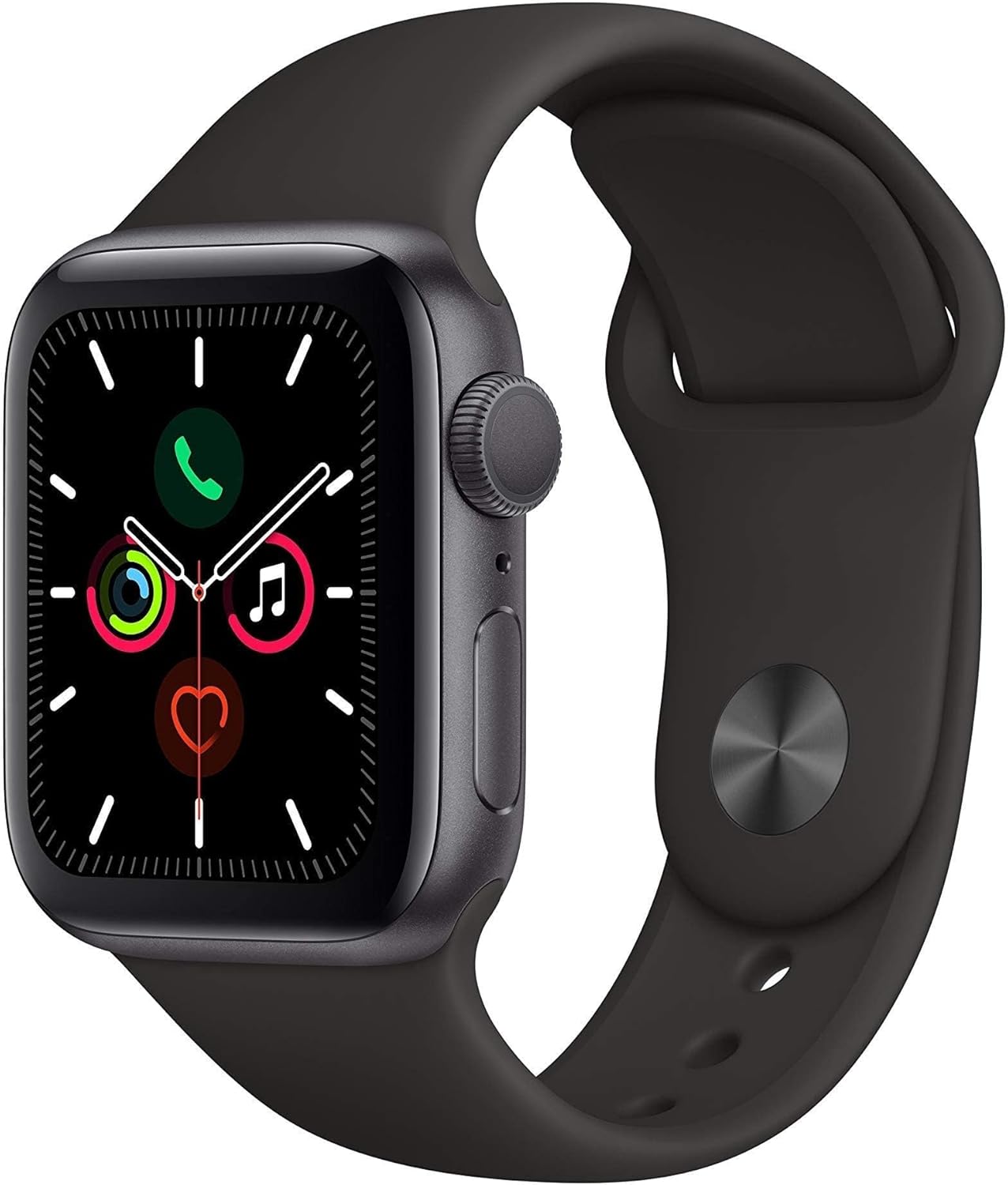
Apple Watch Series 5 (GPS, 44MM) - Space Gray Aluminum Case with Black Sport Band (Renewed)
This 44mm Apple Watch Series 5 with 32GB storage and an Always-On Retina display is for iPhone users wanting core smartwatch features at an entry-plus price.

Fitbit Inspire 3 Health &-Fitness-Tracker with Stress Management, Workout Intensity, Sleep Tracking, 24/7 Heart Rate and more, Midnight Zen/Black One Size (S & L Bands Included)
A 0.76-inch color touchscreen tracker with up to 10-day battery life, focused on basic health metrics and sleep, for those prioritizing comfort over advanced smartwatch features.

Wepro Band Compatible with Fitbit Versa 2 Bands for Women Men, Soft Band Compatible with Fitbit Versa Bands, Sport Waterproof Breathable Replacement Wristband Strap for Versa Lite, Large, Black, 1 Pack
This is a soft elastomer replacement band for Fitbit Versa, Versa 2, and Versa Lite, available in two sizes and multiple colors.