
Amazon Kindle Colorsoft 16 GB (newest model) – With color display and adjustable warm light – No Ads – Black + 3 Months of Kindle Unlimited (with auto-renewal)
Want the best price and purchase timing?
Our AI advisor analyzes real-time pricing across all channels to find you the best deal.
AI Verdict
This 7-inch E Ink Kaleido 3 color e-reader with 16 GB storage and 8-week battery life is for readers who want color for comics and magazines without tablet eye strain.
This Kindle is a situational fit because its 7-inch color E Ink display and 8-week battery life are ideal for specific color content like comics and magazines, but its lack of an ambient light sensor and physical page-turn buttons might be a drawback for some. The 16 GB storage is sufficient for many, but not for heavy graphic novel readers.
If you need more storage, auto-brightness, or wireless charging, look for the Kindle Colorsoft Signature Edition.
Regret Score™
Medium RiskLower is better — measures purchase-regret risk from real buyer complaints, review credibility, and product maturity
Issues discovered after purchase
Critically weak dimension
Amazon rating vs actual quality
Chance this product isn't for you
Pros
- The 7-inch E Ink Kaleido 3 display renders content in 4,096 colors at 150 PPI, making graphic novels and magazines readable in color.
- A single USB-C charge provides up to 8 weeks of reading, minimizing charging frequency.
- IPX8 water resistance means it can withstand immersion, allowing for worry-free reading by the pool or in the bath.
- The adjustable front light system, with 12 white and 13 amber LEDs, allows for comfortable reading in various lighting conditions from bright sunlight to darkness.
- Color highlighting in yellow, orange, blue, and pink is available, and these highlights sync across devices.
- The device is ad-free out of the box, ensuring an uninterrupted reading experience.
Cons
- The 150 PPI color resolution is noticeably lower than the 300 PPI for black and white text, making color content less sharp than monochrome text.
- It lacks an ambient light sensor, requiring manual adjustment of the front light brightness.
- 16 GB of storage can be limiting for users who download many graphic novels or audiobooks, as some graphic novels can exceed 1 GB.
- There are no physical page-turn buttons, requiring screen interaction or the double-tap gesture for navigation.
- Sideloading content is cumbersome compared to Amazon's integrated ecosystem.
Dimension Scores
The 7-inch E Ink Kaleido 3 display offers 4,096 colors at 150 PPI for color content and 300 PPI for B&W, providing a paper-like color experience for comics and magazines.
Powered by a dual-core 2GHz MediaTek CPU and 1GB RAM, it offers relatively fast performance for an E Ink device, though some users note screen flashing when scrolling comics.
A single charge via USB-C provides up to 8 weeks of usage, which is exceptional for an e-reader.
It offers seamless integration with the extensive Amazon ecosystem, including the Kindle Store, Kindle Unlimited, Kids+, and Audible, with strong audiobook support.
Best For
- Readers who primarily consume color content like comics, graphic novels, and magazines on an e-ink display.
- Individuals who want a dedicated reading device for long sessions without the eye strain of an LCD/OLED tablet.
- Users who value Amazon's ecosystem for easy access to Kindle Unlimited and Audible content.
Not Recommended For
- Users who expect tablet-like color vibrancy and refresh rates for media consumption.
- Readers who prefer physical page-turn buttons or automatic screen brightness adjustments.
- Those who frequently sideload large files or require expandable storage beyond 16 GB.
Watch Out For
- The 16 GB storage fills up quickly if you're into graphic novels, with some users reporting single graphic novel files over 1 GB.
- You'll need to manually adjust the screen brightness because this model doesn't have an ambient light sensor, unlike the Signature Edition.
- While the 'yellow band' screen issue from earlier Colorsoft models has been fixed in this 2025 version, some users still perceive a slight blue skew when the warm light is off.
- The color display's 150 PPI resolution means text bubbles in graphic novels can appear less sharp than the 300 PPI black and white text.
What Buyers Say
Many users are pleasantly surprised by the 2025 Kindle Colorsoft, noting that the 'yellow band' screen issue from previous models seems to be resolved, resulting in a much clearer screen. While the color isn't as vibrant as a tablet, it's appreciated for bringing book covers and illustrated content to life without the eye strain of an LCD. However, the lower color resolution (150 PPI) compared to black and white (300 PPI) is a recurring observation, making text in color content less crisp. The lack of an ambient light sensor is a common point of comparison to the Signature Edition, requiring manual brightness adjustments.
“Okay, so I was super worried about the screen after hearing about the old Colorsofts, but this new one? It's actually pretty good! Not an iPad, obviously, but the colors make my comics so much more fun. Just wish it had auto-brightness, I keep forgetting to change it.”
Common Praise
- The screen is much clearer and less grainy than earlier Colorsoft models, with no 'yellow band' effect.
- Color display enhances the experience for illustrated books, comics, and magazines.
- Battery life is long-lasting, with reports of several days between charges.
- The device is lightweight and comfortable to hold for extended reading sessions.
- Adjustable warm light makes reading comfortable in various lighting conditions.
- The ad-free experience is a definite plus for users.
Common Complaints
- The color resolution at 150 PPI is noticeably less sharp than the 300 PPI black and white text, especially for text bubbles in graphic novels.
- Absence of an ambient light sensor means manual brightness adjustments are always necessary.
- 16 GB of storage can be insufficient for a large collection of graphic novels or audiobooks.
- Sideloading content is described as cumbersome.
- The screen can have a slight blue skew when the warm light is off.
- No physical page-turn buttons, which some readers prefer.
Ownership Tips
- You'll find yourself manually tweaking the light settings more often than you'd think, especially when moving between different rooms or outdoors, because there's no auto-brightness.
- The 16 GB storage, while sounding like a lot, can fill up surprisingly fast if you're downloading a lot of large graphic novels or audiobooks; you'll be managing your library more actively.
- The double-tap to turn page feature, available after a software update, becomes surprisingly intuitive and a good workaround for the lack of physical buttons.
- While the color is muted compared to tablets, it genuinely enhances the experience of browsing book covers and reading illustrated content, making the library feel more alive.
- The waterproof design is a real peace of mind, especially if you're a bath or pool reader; you stop worrying about splashes after a while.
Frequently Asked Questions
Does this Kindle Colorsoft have ads?
No, the 16 GB Kindle Colorsoft model is ad-free out of the box, meaning you won't see lock screen ads or 'Special Offers'.
Is the screen color as vibrant as an iPad?
No, the E Ink Kaleido 3 display is designed for a paper-like color experience, which is less vibrant than an iPad's LCD or OLED screen but reduces eye strain.
Can I listen to audiobooks on this device?
Yes, it supports Audible audiobooks via Bluetooth 5.1, allowing you to pair wireless headphones or an external speaker.
Does it have an auto-adjusting light?
No, this 16 GB model does not have an ambient light sensor, so you'll need to manually adjust the screen brightness and warm light.
How long does the battery last?
A single charge via USB-C can last up to 8 weeks, depending on usage.
Is it waterproof?
Yes, the Kindle Colorsoft has IPX8 water resistance, making it suitable for reading in wet environments like baths or pools.
Buying Guide
When you're looking at e-readers, especially color ones, you need to think about what you'll actually read. If it's mostly text, a black and white Kindle might still be better because the text is sharper. But if you're into comics, magazines, or anything with pictures, a color e-reader like this one makes a huge difference in how engaging your content feels, even if the colors aren't as bright as your phone. Also, consider how much you hate charging; an 8-week battery life is a game-changer.
E Ink Kaleido 3 display
This is the screen technology. It's designed to look like paper, so it's easy on your eyes, especially for long reading sessions, and it can display colors, unlike older e-readers. It's not a bright, glowing tablet screen.
150 PPI (color) / 300 PPI (B&W)
PPI stands for 'pixels per inch,' and it tells you how sharp the image or text will look. A higher number means sharper. Here, black and white text will look super crisp (300 PPI), but colors will be a bit less defined (150 PPI), like looking at a newspaper photo versus a glossy magazine.
Adjustable warm light
This lets you change the screen's color temperature from a cool white to a warm amber. It's like changing the lightbulb in your room to be softer at night, making it more comfortable to read in dim light and potentially helping you sleep better.
16 GB storage
This is how much space you have for books. Think of it like a bookshelf. 16 GB holds thousands of regular books, but if you're downloading big graphic novels or audiobooks, that 'bookshelf' fills up much faster, so you might need to 'remove' some items to make space.
Alternatives
If you need more storage, automatic screen brightness, or wireless charging, look for e-readers with 'Signature Edition' features or higher storage capacities. If you only read text, a black and white e-reader with 300 PPI across the board might be a better fit.
You Might Also Like

Amazon Kindle Paperwhite (16 GB) – Now with a larger display, adjustable warm light, increased battery life, and faster page turns – Black
This is a 16 GB e-reader with a 6.8” 300 ppi glare-free display and adjustable warm light, ideal for dedicated readers wanting a distraction-free experience.
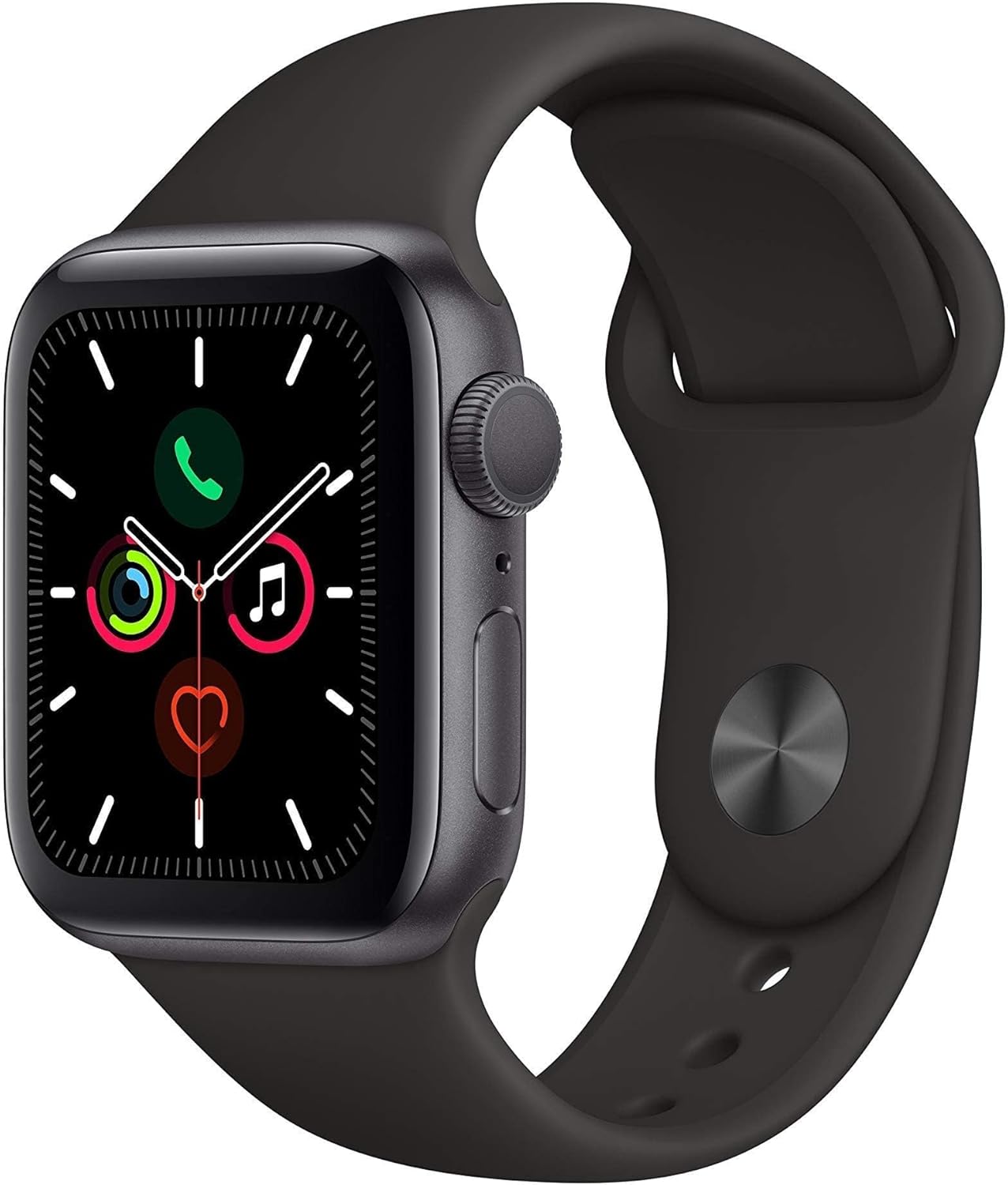
Apple Watch Series 5 (GPS, 44MM) - Space Gray Aluminum Case with Black Sport Band (Renewed)
This 44mm Apple Watch Series 5 with 32GB storage and an Always-On Retina display is for iPhone users wanting core smartwatch features at an entry-plus price.

Fitbit Inspire 3 Health &-Fitness-Tracker with Stress Management, Workout Intensity, Sleep Tracking, 24/7 Heart Rate and more, Midnight Zen/Black One Size (S & L Bands Included)
A 0.76-inch color touchscreen tracker with up to 10-day battery life, focused on basic health metrics and sleep, for those prioritizing comfort over advanced smartwatch features.

Wepro Band Compatible with Fitbit Versa 2 Bands for Women Men, Soft Band Compatible with Fitbit Versa Bands, Sport Waterproof Breathable Replacement Wristband Strap for Versa Lite, Large, Black, 1 Pack
This is a soft elastomer replacement band for Fitbit Versa, Versa 2, and Versa Lite, available in two sizes and multiple colors.