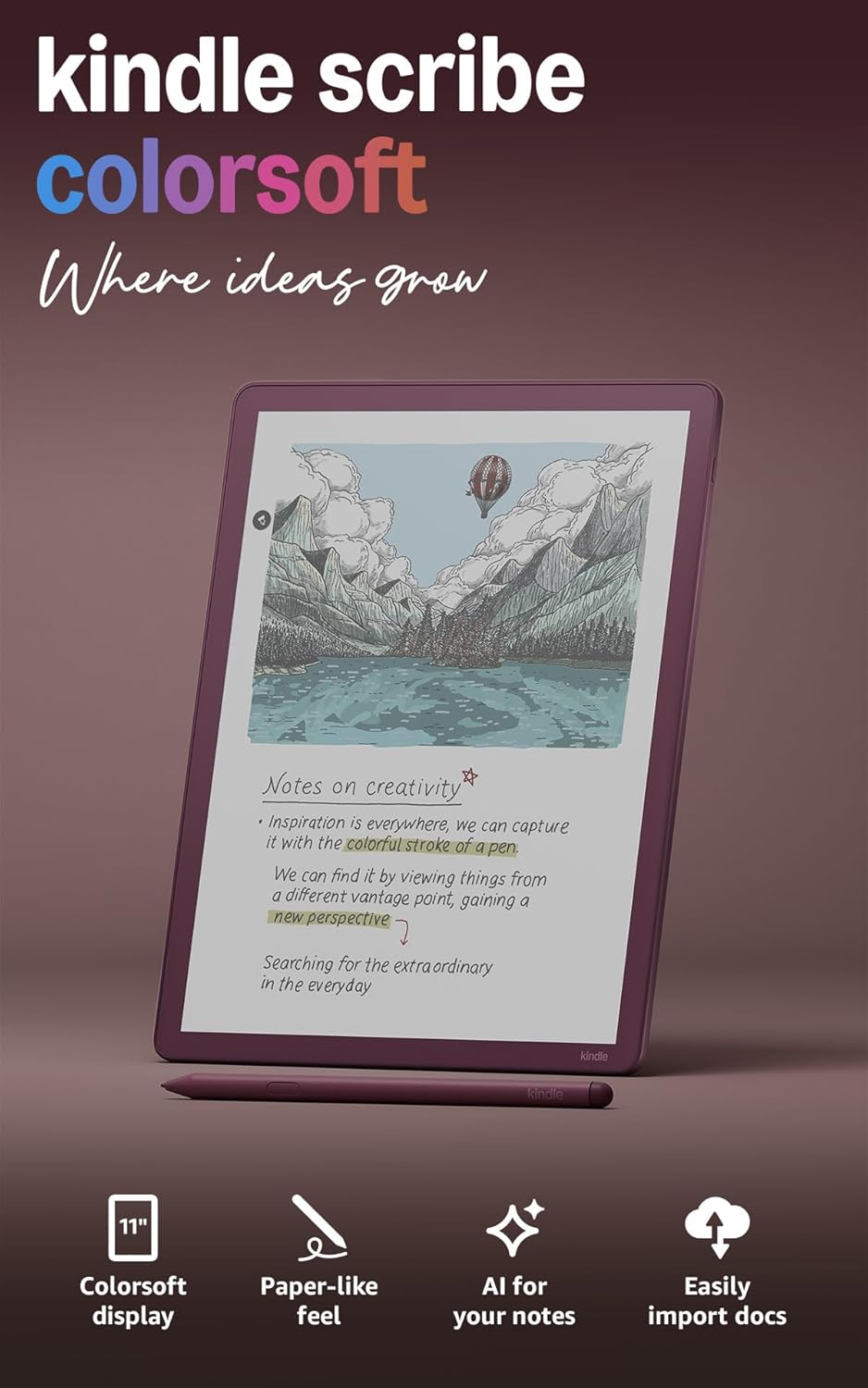
Amazon Kindle Scribe Colorsoft 64GB (newest model) — 11” paper-like color display with front light — Thin, light, powerful — Write in notebooks, documents, and books. Includes Premium Pen - Fig
Want the best price and purchase timing?
Our AI advisor analyzes real-time pricing across all channels to find you the best deal.
AI Verdict
This is an 11-inch e-ink tablet with a 150 PPI color display and 64GB storage, built for focused reading and color note-taking with an included, uncharged Premium Pen.
The Kindle Scribe Colorsoft is a situational fit because its 11-inch color e-ink display and advanced note-taking features with AI are compelling for specific use cases like color annotation and comic reading. However, its premium price and e-ink display limitations, such as muted colors and lower color PPI, mean it's not for everyone.
If the color display isn't essential, consider a monochrome e-reader with similar writing features to save money.
Regret Score™
Medium RiskLower is better — measures purchase-regret risk from real buyer complaints, review credibility, and product maturity
Issues discovered after purchase
Critically weak dimension
Amazon rating vs actual quality
Chance this product isn't for you
Pros
- The 11-inch Colorsoft display offers 1980x2640 B&W at 300 PPI and 150 PPI color, enhancing comics and annotated documents.
- The Premium Pen requires no charging and includes 10 replacement tips, with an eraser end that feels like a real eraser.
- It measures 5.4mm thin and weighs 400g, making it comfortable to hold for extended periods.
- AI-powered tools allow for searching handwritten notes, generating summaries, and refining handwriting.
- The device supports direct import of documents from Google Drive and Microsoft OneDrive, and export of notebooks to Microsoft OneNote.
- The writing experience is fluid with 14-millisecond response time and reduced parallax, feeling like writing directly on paper.
Cons
- The screen can appear darker and grayer than monochrome Kindles without sufficient front light due to the added color filter layer.
- The Audible player is basic, only allowing 15-second skips and playback speed changes.
- There is no landscape mode for the home screen, requiring frequent orientation switching.
- Annotating textbooks feels clunky compared to physical pen and paper.
- Some users report a 'pinhole defect' or 'dead pixel' issue common with Kindles.
Dimension Scores
The 11-inch Colorsoft display offers 300 PPI for B&W text and 150 PPI for color, with a re-architected display stack to minimize parallax, providing a paper-like feel.
Equipped with a 2 GHz quad-core processor, the device boasts 14-millisecond pen response time and 40% faster writing response and page turns than the previous Scribe.
The Kindle Scribe Colorsoft offers weeks of battery life, with heavy daily use draining only around 10% of the charge.
It integrates deeply with the Amazon Kindle ecosystem, supports Google Drive and Microsoft OneDrive for document import, and exports notebooks to Microsoft OneNote.
Best For
- Readers deeply invested in the Amazon Kindle ecosystem who want color for comics, graphic novels, and book covers.
- Students or professionals needing to annotate PDFs and documents with color highlights and notes.
- Individuals seeking a distraction-free writing and journaling experience with AI-powered note organization.
- Users who prioritize a lightweight, thin e-reader for long reading and writing sessions.
Not Recommended For
- Budget-conscious buyers, as the $600+ price tag is considered high for an e-ink device.
- Users expecting the vibrant, bright colors and fast refresh rates of an LCD or OLED tablet.
- Anyone needing a device with an IP rating for water and dust resistance.
Watch Out For
- The $679 price for the 64GB model is a significant premium over monochrome e-readers, making it a splurge if color isn't a primary need.
- The display's color resolution is 150 PPI, which is half the 300 PPI of the black and white text, resulting in muted colors compared to glossy prints.
- Some users have experienced a 'pinhole defect' on the screen, which is a manufacturing imperfection that remains.
- The screen's texture is reportedly less grippy than previous Scribe models, potentially affecting the writing feel for some.
- The device lacks an IP rating, meaning it's not protected against water or dust damage.
What Buyers Say
The biggest takeaway from users is that while the color e-ink is a step forward, it's not the vibrant display you'd get from an LCD or OLED tablet, with colors often described as muted. Many appreciate the improved pen feel and the AI tools for note organization, but the high price point is a recurring concern. The distraction-free environment is a major draw for some, contrasting with the 'Amazon content' prioritization that others find distracting.
“Okay, so I dropped a ton of cash on this, and yeah, the colors aren't like my phone, but for reading comics and marking up my work stuff without getting distracted by notifications? It's actually pretty sweet, and that pen feels so good to write with.”
Common Praise
- The included Premium Pen feels substantial, requires no charging, and its eraser works like a real one.
- The AI-powered search effectively indexes handwritten notes, making information retrieval surprisingly useful.
- The device's 5.4mm thinness and 400g weight make it comfortable for long reading and writing sessions.
- The re-architected display and textured surface deliver a natural, low-parallax writing experience.
- The uniform front light system with miniaturized LEDs provides even illumination across the screen.
- The ability to annotate documents with 10 pen colors and 5 highlighter colors is genuinely helpful for organization.
Common Complaints
- The $679 price tag is a significant barrier for many, especially when compared to other e-readers or even some full-featured tablets.
- Colors on the 150 PPI display are muted and less vibrant than glossy prints or OLED screens, which can be disappointing for some content.
- The screen can appear darker and grayer than monochrome Kindles when the front light is not sufficiently bright.
- The lack of an IP rating means the device is vulnerable to water and dust damage.
- The Audible player is very basic, lacking advanced features found in dedicated audiobook apps.
- Some users report a 'pinhole defect' on the screen, which is a persistent manufacturing flaw.
Ownership Tips
- The magnetic pen attachment is surprisingly strong, making it secure even when tossed in a bag.
- The AI search for handwritten notes gets more useful over time as it indexes more of your content.
- The battery life is genuinely long, easily lasting weeks even with daily use, which is a huge relief compared to other devices.
- The relocated power button is a small but welcome design change, making it easier to access.
- While the colors aren't 'pop' like an iPad, they are functional for color-coding and make certain content more engaging than monochrome.
Frequently Asked Questions
Does the Kindle Scribe Colorsoft support pen pressure sensitivity?
Yes, the Kindle Scribe Colorsoft's Premium Pen supports pressure and tilt sensitivity, allowing for varied line thickness and shading in your writing and drawings.
Can I read comics and graphic novels on the Kindle Scribe Colorsoft?
Yes, the 11-inch Colorsoft display is suitable for reading comics and graphic novels, offering a look comparable to newsprint, though colors are not as vibrant as on OLED tablets.
How does the battery life compare to other tablets?
The Kindle Scribe Colorsoft offers weeks of battery life, with heavy use draining only about 10% per day, which is significantly longer than typical full-featured tablets.
Can I transfer documents from my computer to the Kindle Scribe Colorsoft?
Yes, you can import documents from Google Drive and Microsoft OneDrive directly to the device, or email PDFs to your Kindle.
Is the screen bright enough for reading in all conditions?
The device has a front light system with miniaturized LEDs for uniform lighting, which adjusts brightness for low-light conditions. However, without sufficient front light, the screen can appear darker than monochrome Kindles.
Buying Guide
When you're looking at an e-ink tablet like this, you're buying into a specific experience. It's not a tablet for watching videos or heavy gaming; it's designed for reading and writing with minimal distractions. The 'color' here isn't like your phone screen; it's a softer, more paper-like color that's easier on your eyes for long sessions. You're paying for that specialized display and the writing experience.
Colorsoft Display (150 PPI color, 300 PPI B&W)
This tells you the screen has two different resolutions depending on what's displayed. For black and white text, it's super sharp like a regular Kindle. For colors, it's less sharp, which means colors will look more muted and less defined than on a typical tablet, but still functional for things like charts or comic art.
Premium Pen (no charging)
Unlike many styluses that need to be charged, this one never runs out of battery. This is a huge convenience because you can always pick it up and write without worrying about power levels, making it feel more like a traditional pen.
5.4mm thin, 400g light
These numbers mean the device is incredibly thin and light. Think about holding a thin magazine or a few sheets of paper. This makes it comfortable to hold for hours without fatigue, which is crucial for a reading and writing device.
Alternatives
If this doesn't quite fit, look for e-ink tablets with higher color PPI for more vibrant visuals, or consider monochrome e-readers if color isn't a priority to find a more budget-friendly option.
You Might Also Like

Amazon Kindle Paperwhite (16 GB) – Now with a larger display, adjustable warm light, increased battery life, and faster page turns – Black
This is a 16 GB e-reader with a 6.8” 300 ppi glare-free display and adjustable warm light, ideal for dedicated readers wanting a distraction-free experience.
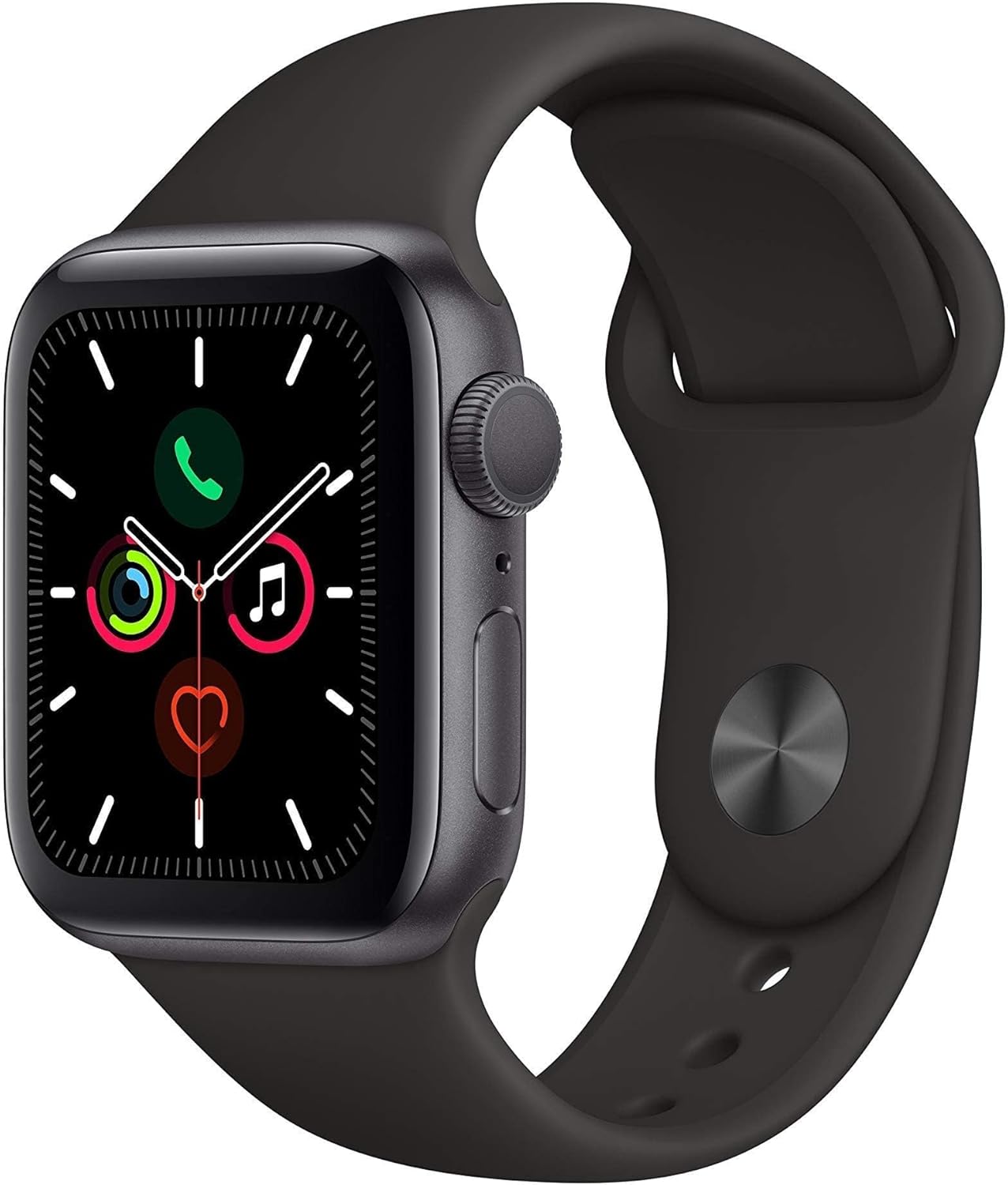
Apple Watch Series 5 (GPS, 44MM) - Space Gray Aluminum Case with Black Sport Band (Renewed)
This 44mm Apple Watch Series 5 with 32GB storage and an Always-On Retina display is for iPhone users wanting core smartwatch features at an entry-plus price.

Fitbit Inspire 3 Health &-Fitness-Tracker with Stress Management, Workout Intensity, Sleep Tracking, 24/7 Heart Rate and more, Midnight Zen/Black One Size (S & L Bands Included)
A 0.76-inch color touchscreen tracker with up to 10-day battery life, focused on basic health metrics and sleep, for those prioritizing comfort over advanced smartwatch features.

Wepro Band Compatible with Fitbit Versa 2 Bands for Women Men, Soft Band Compatible with Fitbit Versa Bands, Sport Waterproof Breathable Replacement Wristband Strap for Versa Lite, Large, Black, 1 Pack
This is a soft elastomer replacement band for Fitbit Versa, Versa 2, and Versa Lite, available in two sizes and multiple colors.