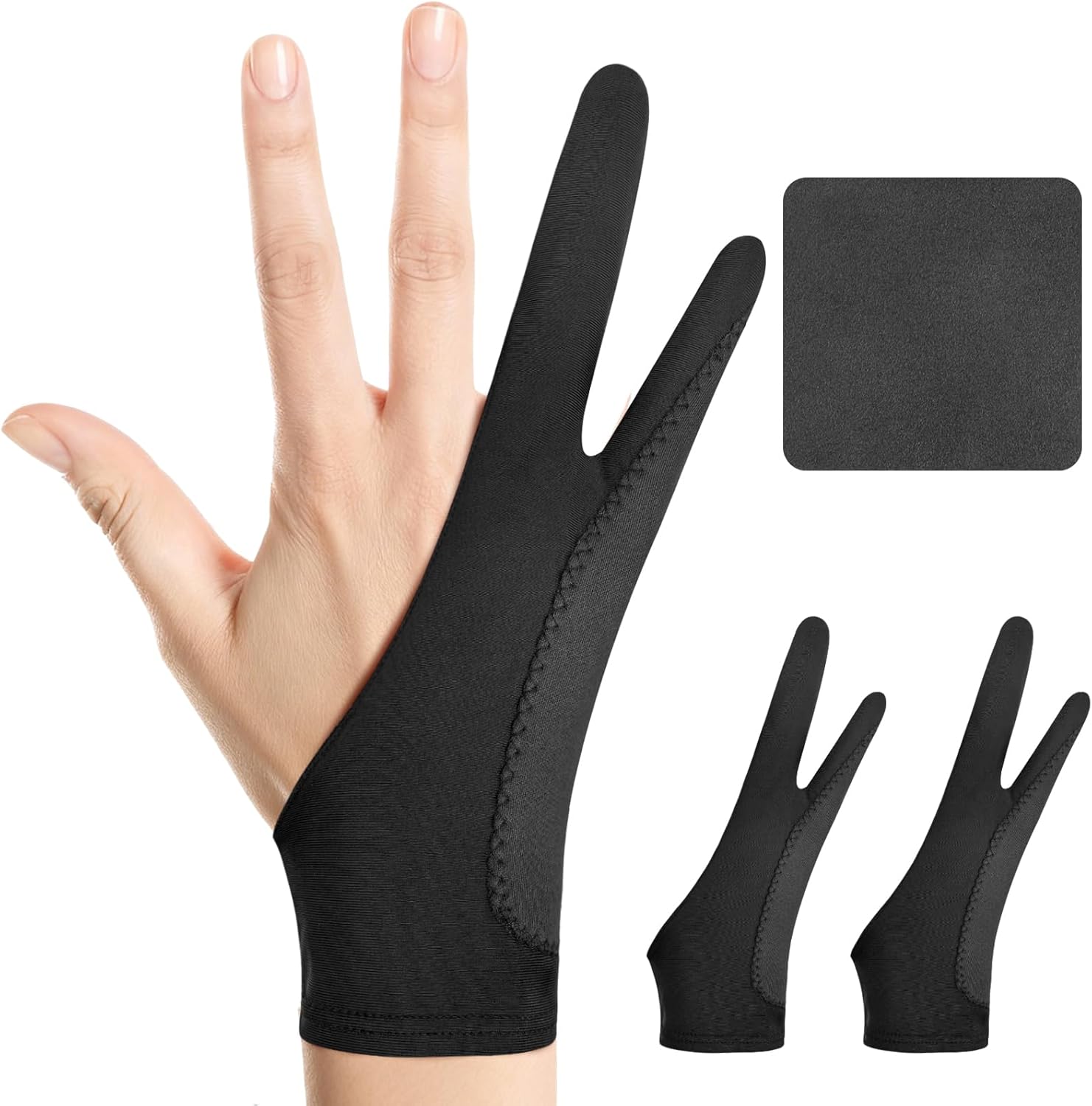
Digital Drawing Glove: 3-Layer Palm Rejection, Two-Finger Artist Glove for Drawing Tablet, iPad, Paper Sketching, Fits Left and Right Hand, Includes Cleaning Cloth(2 Pack,Black,Large)
Want the best price and purchase timing?
Our AI advisor analyzes real-time pricing across all channels to find you the best deal.
AI Verdict
This is a two-finger, ambidextrous drawing glove with a three-layer palm rejection design, suitable for artists needing reduced friction and accidental touches on tablets.
This glove is a situational fit because its three-layer palm rejection and friction reduction are beneficial for digital artists, but its effectiveness is tied to the tablet's own palm rejection capabilities. The inclusion of two gloves and a cleaning cloth adds practical value.
If you frequently encounter palm rejection issues, look for a stylus and tablet combination with advanced, reliable palm rejection technology.
Regret Score™
Very High RiskLower is better — measures purchase-regret risk from real buyer complaints, review credibility, and product maturity
Issues discovered after purchase
Critically weak dimension
Amazon rating vs actual quality
Chance this product isn't for you
Pros
- The two-finger design works for both left and right-handed artists, adapting to hand shape for comfort.
- Its three-layer anti-slip palm rejection helps prevent unintended screen touches during stylus use.
- The glove reduces friction, allowing for smoother strokes and preventing smudges on drawing surfaces.
- Made from soft, stretchy, breathable fabric, it aims to keep hands cool and dry during long drawing sessions.
- The package includes two gloves and a cleaning cloth, offering value and easy maintenance with stain-resistant fabric.
- Available in three sizes (Small, Medium, Large) to better fit different hand dimensions.
Cons
- Despite the three-layer design, some users report that palm rejection can still be inconsistent depending on the tablet's sensitivity or software settings.
- The breathable fabric might not fully prevent hand sweating for all users, especially during extended use in warm conditions.
- The glove's effectiveness for palm rejection relies heavily on the stylus and tablet's built-in palm rejection features, not just the glove itself.
- While three sizes are offered, some users find that a 'one-size-fits-all' approach or even specific sizes don't always provide a truly snug fit for all hand types.
Dimension Scores
This product is a glove and does not have a display, so this dimension is not applicable.
The glove's three-layer palm rejection and friction reduction features directly contribute to a smoother drawing experience, which is its core performance metric.
This product is a glove and does not have a battery, so this dimension is not applicable.
The glove is designed to work with iPads and other drawing tablets, indicating broad compatibility rather than deep integration with a specific ecosystem.
Best For
- Digital artists using iPads or other drawing tablets who experience friction or smudges.
- Individuals needing to prevent accidental palm touches while using a stylus for sketching or drawing.
- Artists who require an ambidextrous glove that can be used on either hand.
Not Recommended For
- Users whose primary issue is a lack of stylus-based palm rejection on their device, as the glove supplements, rather than replaces, this feature.
- Artists who need full hand coverage or specific finger dexterity for non-drawing tasks while wearing the glove.
Watch Out For
- Palm rejection can be inconsistent; some users find that even with a glove, their hand still registers touches on sensitive screens, particularly if the tablet's own palm rejection isn't robust.
- The glove's material, while breathable, may still cause hands to sweat during prolonged use, which can lead to discomfort.
- Fit can be an issue; despite offering three sizes, some users report that the glove might be too loose or too tight, affecting comfort and glide.
- The glove does not enable multi-finger gestures like two-finger tap to undo or three-finger swipe, requiring users to retrain muscle memory for these actions.
Full Specifications
| ASIN | B0DKJXD69F |
| Brand | Kortimu |
| Department | Unisex |
| Model Name | Digital Drawing Glove |
| Item Weight | 0.634 ounces |
| Manufacturer | shenzhenshixinyaokejiyouxiangongsi |
| Special Feature | Palm Rejection, Digital Art Glove, Anti-touch, Two-finger design, Antifouling, Anti-Friction |
| Item model number | Digital Drawing Glove |
| Product Dimensions | 8.07 x 3.34 x 0.1 inches |
| Included Components | 1 Cleaning Cloth, 2 Drawing Glove |
| Specific Uses For Product | Drawing, Painting, Writing |
What Buyers Say
Many users find that drawing gloves significantly improve their digital art experience by reducing friction and preventing smudges on the screen. The main draw is often the improved glide across the tablet surface, which makes drawing feel more natural. However, the effectiveness of palm rejection can vary, with some users noting that it doesn't always work perfectly, especially if the tablet or stylus itself lacks robust palm rejection features. Some artists also report that their hands can still sweat, even with breathable fabrics, during long creative sessions.
“Ugh, my hand used to stick to my iPad screen like glue and leave smudges everywhere, but this glove actually helps me glide! Still gotta be careful with my palm sometimes, but it's way better than nothing. And two gloves? Score!”
Common Praise
- Hand glides smoothly across the screen, reducing drag and making strokes more fluid.
- Helps prevent smudges and fingerprints from accumulating on the tablet surface.
- Reduces accidental touches from the palm, allowing for more focused drawing.
- The fabric feels soft and comfortable for extended wear.
- The ambidextrous design means it can be used on either hand without issue.
- Receiving two gloves and a cleaning cloth in the package is seen as a practical bonus.
Common Complaints
- Palm rejection isn't always 100% effective, with some accidental touches still registering on certain devices.
- Hands can still get sweaty during long drawing sessions, despite the breathable material.
- The fit can be inconsistent, with some users finding the glove either too loose or too snug.
- The glove prevents multi-finger gestures, requiring users to adapt their workflow.
- Some users find the material less durable over time, developing holes or stretching out.
Ownership Tips
- The 'three-layer' palm rejection is more about material thickness and less about active electronic rejection, so your tablet's own palm rejection is still key.
- Even with the breathable fabric, hands can still get warm and slightly sweaty after a couple of hours of continuous use.
- The cleaning cloth included is small but handy for quick screen wipes.
- The ambidextrous design is genuinely useful if you switch hands or need a backup.
- The glove's effectiveness can diminish slightly if it gets stretched out over time, impacting the snugness and palm rejection.
Frequently Asked Questions
Does this glove work for both left and right-handed users?
Yes, the two-finger design is ambidextrous and fits comfortably on either the left or right hand.
Will this glove completely prevent accidental touches on my iPad or drawing tablet?
The glove's three-layer anti-slip design helps reduce accidental touches, but its effectiveness also depends on your tablet and stylus's built-in palm rejection features.
What are the benefits of using a drawing glove?
It reduces friction between your hand and the screen, allowing for smoother drawing strokes, preventing smudges, and minimizing unintended input from your palm.
Is the glove comfortable for long drawing sessions?
It's crafted from soft, stretchy, breathable, and moisture-wicking fabric designed to keep your hand cool and dry during extended use.
Does this glove come in different sizes?
Yes, it's available in Small (2.95’’x7.48’’), Medium (3.34’’x8.07’’), and Large (3.54’’x8.46’’) to accommodate different hand sizes.
Can I use multi-finger gestures with this glove on?
No, the glove is designed to prevent touch input from your palm and fingers not holding the stylus, meaning multi-finger gestures like pinching or swiping will not register.
Buying Guide
When looking at drawing gloves, you're really trying to solve two main problems: friction and accidental touches. You want your hand to glide smoothly across your tablet's surface, and you don't want your palm to accidentally draw lines or activate menus. The glove helps with both by creating a non-conductive barrier and a slick surface. Remember, the glove works best in conjunction with your tablet's built-in palm rejection features, so don't expect it to fix a completely unresponsive tablet.
Palm Rejection Layers
More layers or thicker padding in the palm area means a better chance of your hand not registering as a touch input on your screen. Think of it like putting on thicker socks to avoid static shock – more material means less unwanted interaction.
Two-Finger Design
This design leaves your thumb, index, and middle fingers free to hold your stylus and interact with on-screen controls, while the covered pinky and ring finger prevent accidental touches and reduce friction. It's about balancing freedom of movement with preventing unwanted input.
Breathable Fabric
If you're drawing for hours, your hand will get warm. A breathable fabric, like the stretchy material used here, helps wick away moisture and keeps your hand cooler, preventing discomfort and stickiness.
Alternatives
If this glove doesn't meet your needs, search for gloves with reinforced or double-padded palm areas for enhanced palm rejection, or consider a different stylus that offers superior built-in palm rejection.
You Might Also Like

Amazon Kindle Paperwhite (16 GB) – Now with a larger display, adjustable warm light, increased battery life, and faster page turns – Black
This is a 16 GB e-reader with a 6.8” 300 ppi glare-free display and adjustable warm light, ideal for dedicated readers wanting a distraction-free experience.
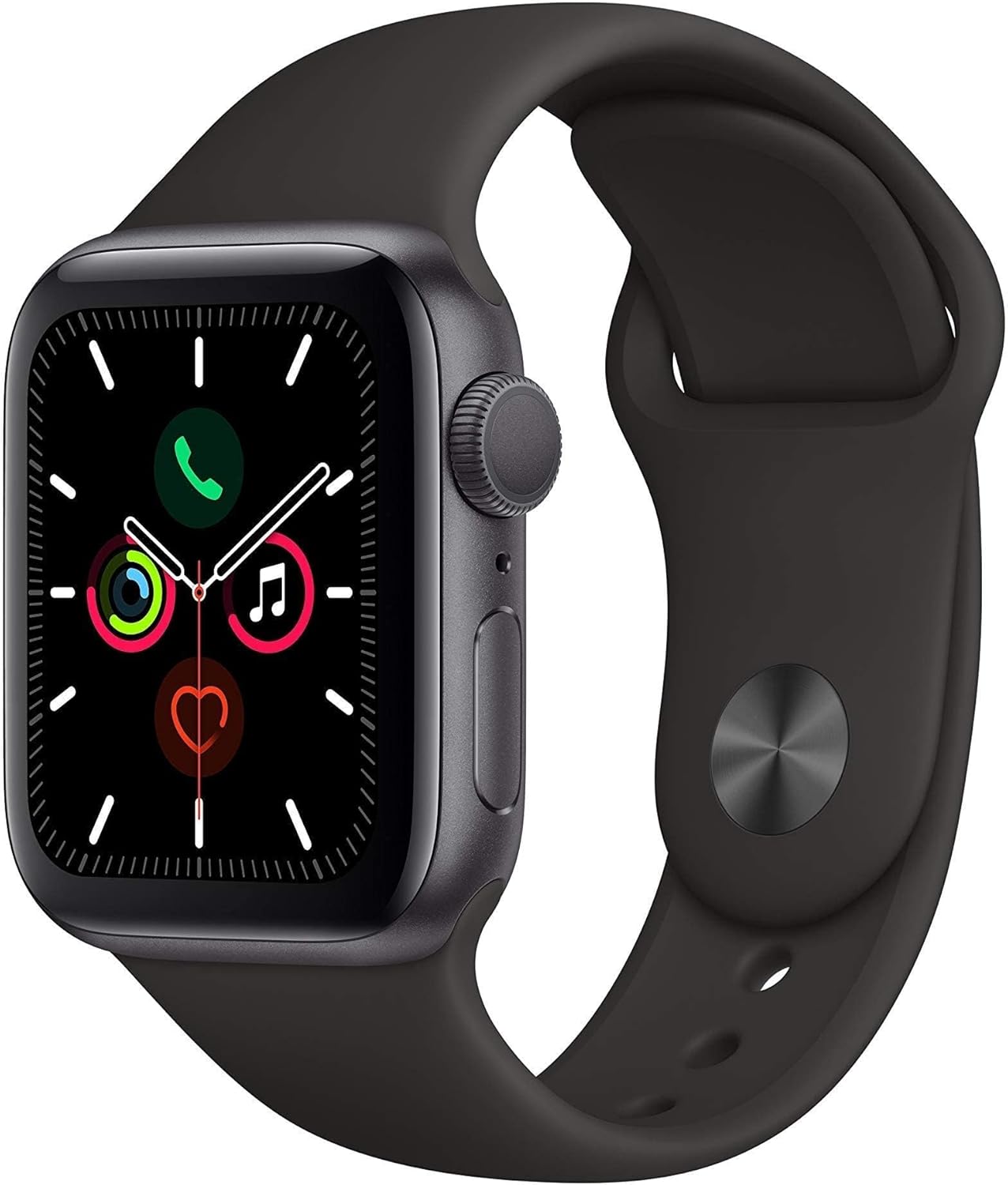
Apple Watch Series 5 (GPS, 44MM) - Space Gray Aluminum Case with Black Sport Band (Renewed)
This 44mm Apple Watch Series 5 with 32GB storage and an Always-On Retina display is for iPhone users wanting core smartwatch features at an entry-plus price.

Fitbit Inspire 3 Health &-Fitness-Tracker with Stress Management, Workout Intensity, Sleep Tracking, 24/7 Heart Rate and more, Midnight Zen/Black One Size (S & L Bands Included)
A 0.76-inch color touchscreen tracker with up to 10-day battery life, focused on basic health metrics and sleep, for those prioritizing comfort over advanced smartwatch features.

Wepro Band Compatible with Fitbit Versa 2 Bands for Women Men, Soft Band Compatible with Fitbit Versa Bands, Sport Waterproof Breathable Replacement Wristband Strap for Versa Lite, Large, Black, 1 Pack
This is a soft elastomer replacement band for Fitbit Versa, Versa 2, and Versa Lite, available in two sizes and multiple colors.