
Amazon Kindle Scribe (64GB) - Your notes, documents and books, all in one place. With built-in AI notebook summarization. Includes Premium Pen - Tungsten
Want the best price and purchase timing?
Our AI advisor analyzes real-time pricing across all channels to find you the best deal.
AI Verdict
A 10.2-inch, 300 ppi E Ink display with 64GB storage and a Premium Pen, designed for distraction-free reading and handwriting.
This device is a strong fit if your primary need is a large, distraction-free E Ink display for reading and basic handwriting, especially for PDFs. However, its limited software ecosystem for note management and occasional PDF performance issues make it a situational choice for heavy note-takers who need robust integration.
If you need more advanced note organization, better PDF handling, or color, look for devices with more open operating systems or dedicated drawing features.
Regret Score™
High RiskLower is better — measures purchase-regret risk from real buyer complaints, review credibility, and product maturity
Issues discovered after purchase
Critically weak dimension
Amazon rating vs actual quality
Chance this product isn't for you
Pros
- The 10.2-inch, 300 ppi glare-free display makes reading books and PDFs comfortable.
- The Premium Pen provides a natural writing experience with low lag, feeling like pen on paper.
- Battery life extends for days or weeks with regular use.
- AI tools can convert messy handwriting into readable text and summarize notes.
- Active Canvas allows direct annotation on book pages, expanding margins for notes.
- The front-lit display with adjustable warm light enables comfortable reading in any lighting condition.
Cons
- PDFs can lag or freeze, especially when imported via Send to Kindle.
- Exporting annotated notes from books and PDFs is difficult within the Amazon ecosystem.
- The device lacks a color screen, limiting highlight visibility to monochrome.
- Note-taking features are basic, missing tools like a straight line function or infinite canvas.
- The stylus nib can wear out quickly, with reports of wear after 10-20 pages of writing.
Dimension Scores
The 10.2-inch, 300 ppi glare-free E Ink display with adjustable front light provides crisp text and comfortable reading in various conditions.
While the writing experience is responsive, the device can lag or freeze when handling certain PDFs, and the web browser is clunky.
Users consistently report excellent battery life, lasting days or even weeks with regular use.
Exporting annotated notes is limited to email, and there are reported difficulties with PDF handling and lack of external cloud sync.
Best For
- Students and professionals who annotate many PDFs and digital documents.
- Individuals seeking a distraction-free device for reading and note-taking without notifications.
- Users who want to consolidate multiple physical notebooks into a single digital device.
- Anyone needing a large E Ink display for comfortable reading of complex layouts and technical books.
Not Recommended For
- Graphic novel readers or users requiring a color display for illustrations.
- Artists or heavy sketchers needing advanced drawing features like infinite canvas or pinch-to-zoom.
- Users who frequently need to export or integrate notes with external cloud services beyond email.
Watch Out For
- The stylus nib can show significant wear after writing only 10 to 20 pages.
- PDFs sent to the device have been reported to lag or get blocked, hindering usability.
- Getting annotated notes out of the Scribe is a pain; they show up in the Kindle app but cannot be downloaded, only emailed.
- The AI summarization feature is not available in all regions, such as the UK.
- Notes made directly in books sometimes fail to sync correctly, requiring device restarts and re-downloads.
What Buyers Say
Many users find the Kindle Scribe a game-changer for consolidating physical notebooks, praising the natural writing feel and large display for PDFs. However, the experience is hampered by a restrictive ecosystem that makes exporting annotated notes difficult and inconsistent PDF performance. The AI summarization is a neat trick, but not universally available.
“Okay, so I bought this thing thinking it'd be my everything for notes and books, and the writing *does* feel amazing, like seriously, but trying to get my annotated PDFs off this thing is a nightmare, Amazon, why is it so hard?!”
Common Praise
- The 10.2-inch screen makes reading and annotating PDFs much more comfortable.
- The Premium Pen offers a fluid writing experience that feels remarkably close to pen on paper.
- The long battery life means charging is infrequent, often lasting weeks.
- The ability to convert handwriting to text is surprisingly accurate, even with imperfect handwriting.
- The glare-free, front-lit display is easy on the eyes and works well in any light.
- It effectively replaces multiple physical notebooks for many users, reducing paper clutter.
Common Complaints
- PDFs often lag, freeze, or don't render properly when sent to the device.
- Exporting annotated notes from books or PDFs is cumbersome, mostly limited to emailing PDFs.
- The stylus nib wears out quickly, sometimes after only 10-20 pages of writing.
- There's no color display, so highlights in books appear in grayscale.
- Note-taking features are basic, lacking tools like a straight line or infinite canvas.
- The AI note summarization feature is not available in all regions.
Ownership Tips
- The Premium Pen's side button is super handy for quick erasing or highlighting, making workflow faster.
- The large bezel is actually useful for gripping the device without accidentally touching the screen.
- While the screen is monochrome, the adjustable warm light is a lifesaver for late-night reading without eye strain.
- The lack of a fingerprint sensor means constantly typing a PIN, which gets annoying fast.
- You'll probably want a case, not just for protection, but because the aluminum back is slippery and collects fingerprints.
Frequently Asked Questions
Does the Kindle Scribe have a color screen?
No, the Kindle Scribe features a 10.2-inch grayscale E Ink display with 300 ppi, so it does not support color.
Do I need to charge the Premium Pen?
No, the included Premium Pen does not require charging or setup; you can start writing immediately.
Can I convert my handwritten notes to text?
Yes, the Kindle Scribe has built-in AI tools that can convert your messy handwriting into readable font.
How do I get my notes off the device?
You can share your notebooks via email as a PDF or convert the text and email it. However, directly downloading annotated notes from books is not supported.
Is the Kindle Scribe suitable for reading PDFs?
Yes, the 10.2-inch screen and 300 ppi display make reading and marking up PDFs much more comfortable than on smaller e-readers.
Does it have a web browser?
Yes, it has a web browser, but users report it is clunky and generally not very useful.
Buying Guide
When looking at an E Ink device like the Scribe, you need to think about how much you value a paper-like experience over a tablet's versatility. This isn't an iPad; it's purpose-built for reading and handwriting, minimizing distractions. The screen size is a big deal for PDFs, and the pen experience is central to its appeal.
10.2-inch, 300 ppi E Ink display
This is like having a high-resolution, glare-free paper page that's easy on your eyes, even in direct sunlight. The large size is crucial for reading documents and PDFs without constantly zooming or scrolling.
Premium Pen (no charging)
This pen feels like a real pen on paper, offering a natural writing sensation without the hassle of charging it. The built-in eraser and customizable shortcut button speed up your note-taking.
64GB storage
This is a massive amount of space for an e-reader, letting you store thousands of books and notebooks without worrying about running out of room for years.
Alternatives
If this doesn't fit, look for e-ink tablets with more open Android operating systems for better app integration and cloud services, or dedicated drawing tablets if artistic features are paramount.
You Might Also Like

Amazon Kindle Paperwhite (16 GB) – Now with a larger display, adjustable warm light, increased battery life, and faster page turns – Black
This is a 16 GB e-reader with a 6.8” 300 ppi glare-free display and adjustable warm light, ideal for dedicated readers wanting a distraction-free experience.
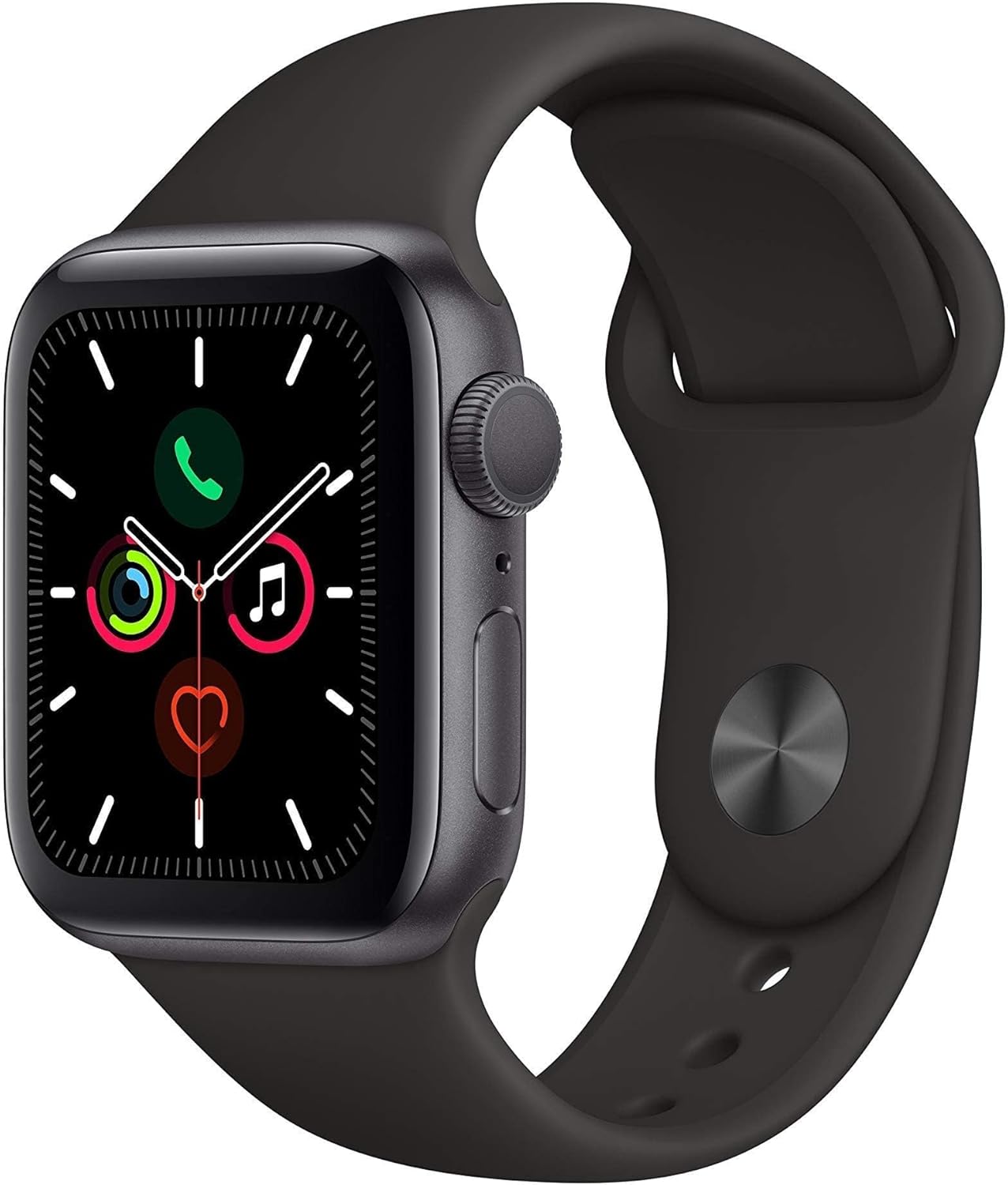
Apple Watch Series 5 (GPS, 44MM) - Space Gray Aluminum Case with Black Sport Band (Renewed)
This 44mm Apple Watch Series 5 with 32GB storage and an Always-On Retina display is for iPhone users wanting core smartwatch features at an entry-plus price.

Fitbit Inspire 3 Health &-Fitness-Tracker with Stress Management, Workout Intensity, Sleep Tracking, 24/7 Heart Rate and more, Midnight Zen/Black One Size (S & L Bands Included)
A 0.76-inch color touchscreen tracker with up to 10-day battery life, focused on basic health metrics and sleep, for those prioritizing comfort over advanced smartwatch features.

Wepro Band Compatible with Fitbit Versa 2 Bands for Women Men, Soft Band Compatible with Fitbit Versa Bands, Sport Waterproof Breathable Replacement Wristband Strap for Versa Lite, Large, Black, 1 Pack
This is a soft elastomer replacement band for Fitbit Versa, Versa 2, and Versa Lite, available in two sizes and multiple colors.