
Amazon Kindle Scribe (64GB) - Your notes, documents and books, all in one place. With built-in AI notebook summarization. Includes Premium Pen - Tungsten + 3 months of Kindle Unlimited (with auto-renewal)
Want the best price and purchase timing?
Our AI advisor analyzes real-time pricing across all channels to find you the best deal.
AI Verdict
This 10.2" E-ink tablet with 64GB storage and Premium Pen is for distraction-free reading and note-taking.
The 10.2" glare-free display and included Premium Pen make it suitable for reading and basic note-taking, especially for those invested in the Kindle ecosystem. However, software limitations and reported issues with PDF handling mean it's not a universal replacement for more robust e-ink tablets.
If advanced note-taking features, broader file support, or third-party app access are crucial, look for e-ink tablets running Android with more open ecosystems.
Regret Score™
Medium RiskLower is better — measures purchase-regret risk from real buyer complaints, review credibility, and product maturity
Issues discovered after purchase
Critically weak dimension
Amazon rating vs actual quality
Chance this product isn't for you
Pros
- The 10.2" glare-free, 300 ppi front-lit display is comfortable for reading in various lighting conditions.
- The included Premium Pen requires no charging and offers a pen-on-paper writing feel with low latency.
- 64GB storage provides ample space for a large library of books, documents, and notes.
- Features like AI notebook summarization and handwriting-to-text conversion are available (though regional for AI summarization).
- The Active Canvas feature allows direct, visible annotation on book pages.
- Offers a distraction-free interface with no notifications or social media applications.
Cons
- PDF handling can be slow or cause freezing for some users, hindering document interaction.
- Stylus nibs wear out quickly, with some users reporting wear after just 10-20 pages of writing.
- Limited customization options for note-taking tools and templates compared to other e-ink tablets.
- The AI notebook summarization feature is not available in all regions, such as the UK.
- Handwriting-to-text conversion overwrites the original handwritten note, preventing retention of both versions.
- The closed operating system prevents the installation of third-party applications.
Dimension Scores
The 10.2" glare-free, 300 ppi front-lit display provides a crisp and comfortable reading experience in various lighting conditions.
While writing latency is low, some users report lagging and freezing when handling PDFs, indicating software performance limitations.
It offers exceptional battery life, with users reporting weeks to months of use on a single charge.
It integrates seamlessly with the Amazon Kindle ecosystem for books and audiobooks, but its closed system limits external app and file compatibility.
Best For
- Avid readers who want a large screen for books and PDFs.
- Students or professionals needing to mark up documents and take notes directly on PDFs.
- Individuals seeking a dedicated, distraction-free device for journaling or light note-taking.
- Users who prioritize long battery life and a paper-like writing experience.
Not Recommended For
- Users requiring a full-featured tablet with app support and web browsing capabilities.
- Artists needing advanced drawing tools, color display, or a more open creative platform.
- Professionals who need robust planning and organizational features beyond basic note-taking.
Watch Out For
- PDFs can lag, freeze, or render improperly, making document markup frustrating for some users.
- Stylus nibs wear out quickly, with reports of wear after just 10-20 pages of writing, requiring frequent replacements.
- AI notebook summarization is not universally available, with users in some regions (like the UK) reporting its absence.
- Handwriting-to-text conversion overwrites the original note, preventing comparison or retention of the original handwritten version.
- The auto-rotation feature is always on and cannot be disabled, which can be inconvenient for some users.
What Buyers Say
Many users find the Kindle Scribe a compelling replacement for paper notebooks due to its natural writing feel and distraction-free environment, especially for marking up documents and taking notes on books. However, the software's limitations, particularly with PDF performance and the regional availability of AI features, frequently frustrate users. The quick wear of stylus nibs is also a recurring complaint, requiring frequent replacements.
“Ugh, I wanted to love this thing so bad for my textbooks, but these PDFs just freeze up on me sometimes, and I'm already on my second pen nib after like a month! It's great for reading, but the note-taking part is just not there yet for serious work.”
Common Praise
- Writing feels like pen on paper with low latency.
- The 10.2" screen is excellent for reading and marking up PDFs.
- Exceptional battery life, lasting weeks to months on a single charge.
- Provides a distraction-free environment without notifications or social media.
- The Premium Pen doesn't require charging and has a customizable side button.
- Active Canvas allows direct, visible notes on book pages without disrupting the text.
Common Complaints
- PDFs can lag, freeze, or render improperly, hindering document interaction for some users.
- Stylus nibs wear out quickly, sometimes after only 10-20 pages of writing, necessitating frequent replacements.
- AI notebook summarization is not available in all regions (e.g., UK), limiting its utility.
- Limited customization for note-taking tools and templates compared to competitor devices.
- Handwriting-to-text conversion overwrites the original note, meaning you can't keep both versions.
- The closed operating system prevents the installation of third-party applications.
Ownership Tips
- The large 10.2" screen, while great for reading, makes it less portable than smaller Kindles, often requiring a bag for transport.
- The auto-rotation feature is always on and cannot be disabled, which can be inconvenient in certain holding positions.
- The handwriting-to-text conversion is accurate but replaces the original note, so you can't keep both the handwritten and typed versions.
- Setting up the device doesn't automatically transfer all settings from previous Kindles, requiring manual re-configuration.
Frequently Asked Questions
Does the Premium Pen need to be charged?
No, the included Premium Pen does not require charging, making it ready to use anytime.
Can I install other apps on the Kindle Scribe?
No, the Kindle Scribe runs a closed operating system and does not support third-party app installation.
How long does the battery last?
The Kindle Scribe offers exceptional battery life, with users reporting weeks to months of use on a single charge.
Can I read in the dark?
Yes, the 10.2" glare-free display has a front light and auto-brightness adjustment for comfortable reading in any lighting condition.
Is the AI notebook summarization available everywhere?
No, the AI notebook summarization tool is not available in all regions, with some users outside the US reporting its absence.
Can I use it for drawing?
While it has pen tools for scribbling and annotating, it's primarily designed for note-taking and document markup, not advanced artistic drawing.
Buying Guide
When looking at an e-ink tablet like the Kindle Scribe, you're primarily balancing reading comfort with note-taking functionality. Don't expect a full tablet experience; these devices are designed for focused tasks. The screen size and pen experience are key, as is how well it handles the specific document types you plan to use.
screen_size (10.2")
This tells you how much content you can see at once. A 10.2" screen is like a standard paperback book page, making it comfortable for reading larger PDFs or books without constant scrolling.
storage_gb (64GB)
This is how much space you have for books, documents, and notes. 64GB is a lot for text-based content, equivalent to thousands of books and many notebooks, so you won't run out of space quickly unless you store many audiobooks or large PDFs.
Premium Pen
This is your digital writing tool. The 'Premium' part usually means it has extra features like an eraser on the end and a customizable shortcut button, and the fact it doesn't need charging means one less thing to worry about.
Alternatives
If you need more robust PDF annotation, a wider range of note-taking tools, or the ability to install third-party apps, look for e-ink tablets with Android operating systems and more open file management.
You Might Also Like

Amazon Kindle Paperwhite (16 GB) – Now with a larger display, adjustable warm light, increased battery life, and faster page turns – Black
This is a 16 GB e-reader with a 6.8” 300 ppi glare-free display and adjustable warm light, ideal for dedicated readers wanting a distraction-free experience.
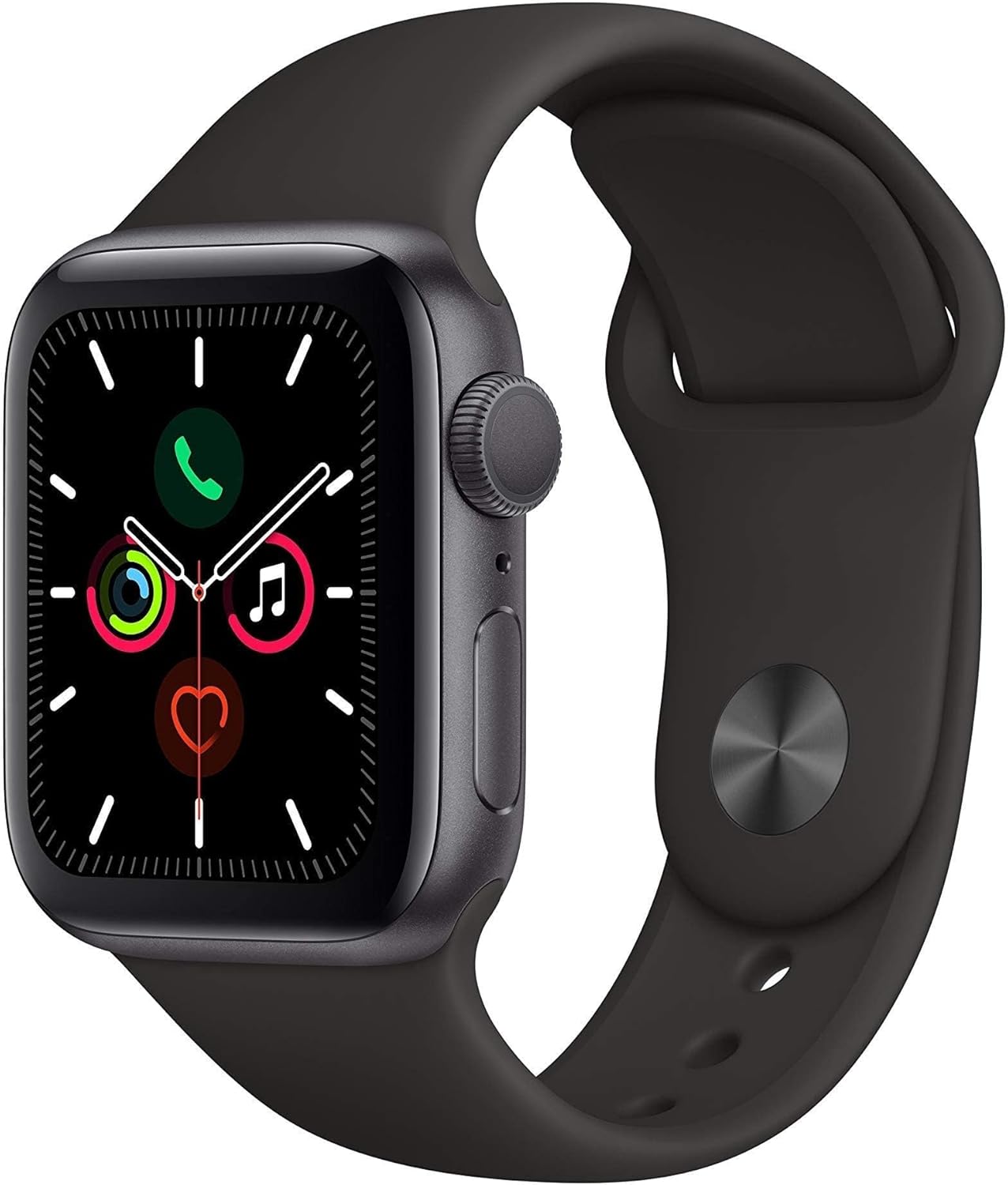
Apple Watch Series 5 (GPS, 44MM) - Space Gray Aluminum Case with Black Sport Band (Renewed)
This 44mm Apple Watch Series 5 with 32GB storage and an Always-On Retina display is for iPhone users wanting core smartwatch features at an entry-plus price.

Fitbit Inspire 3 Health &-Fitness-Tracker with Stress Management, Workout Intensity, Sleep Tracking, 24/7 Heart Rate and more, Midnight Zen/Black One Size (S & L Bands Included)
A 0.76-inch color touchscreen tracker with up to 10-day battery life, focused on basic health metrics and sleep, for those prioritizing comfort over advanced smartwatch features.

Wepro Band Compatible with Fitbit Versa 2 Bands for Women Men, Soft Band Compatible with Fitbit Versa Bands, Sport Waterproof Breathable Replacement Wristband Strap for Versa Lite, Large, Black, 1 Pack
This is a soft elastomer replacement band for Fitbit Versa, Versa 2, and Versa Lite, available in two sizes and multiple colors.