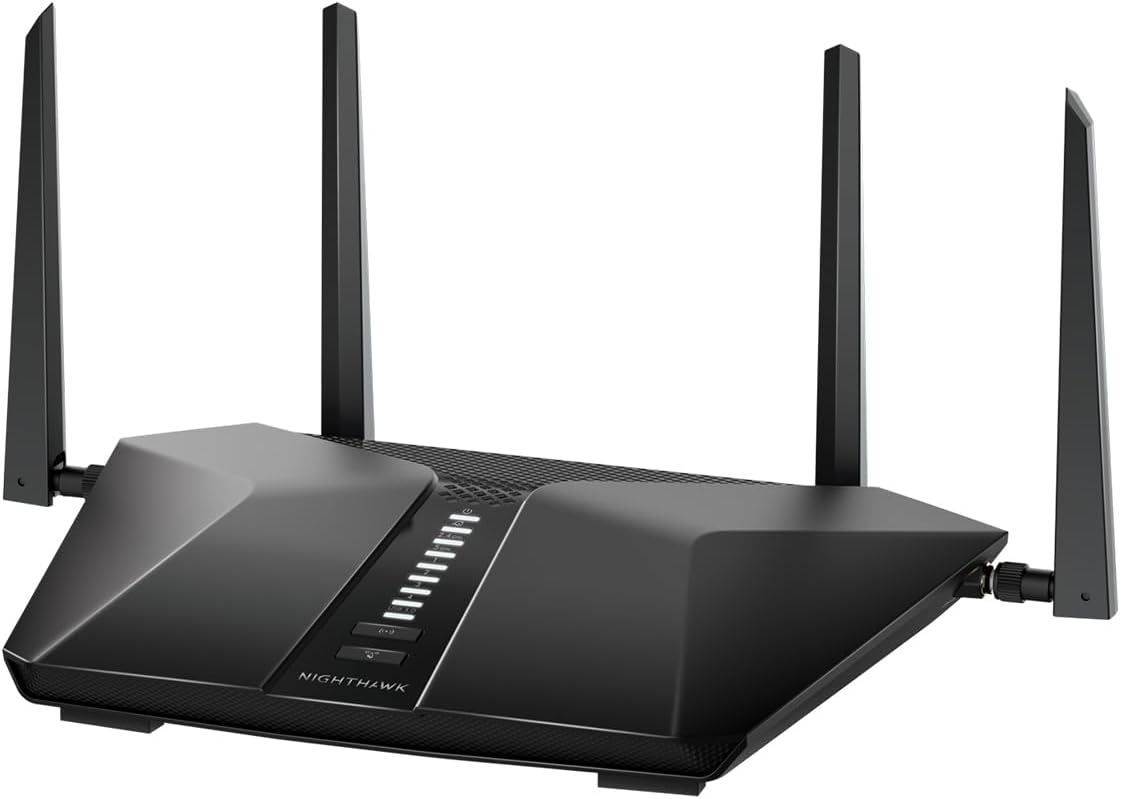
Netgear Nighthawk 5-Stream AX3600 Dual-Band WiFi 6 Router (up to 3.45Gbps) - RAX41
Want the best price and purchase timing?
Our AI advisor analyzes real-time pricing across all channels to find you the best deal.
AI Verdict
This is a dual-band WiFi 6 router with 3.45Gbps speed and 4 Gigabit Ethernet ports, suitable for homes up to 2,250 sq. ft. with up to 25 devices.
This router is a solid upgrade for homes with a 1 Gbps internet connection and a moderate number of devices, offering WiFi 6 speeds and 4 Ethernet ports. Its 2,250 sq. ft. coverage is suitable for many homes, but it's not designed for true mesh expansion.
If you need seamless whole-home coverage for larger spaces or complex layouts, look for a dedicated WiFi 6 mesh system with multiple nodes.
Regret Score™
Very Low RiskLower is better — measures purchase-regret risk from real buyer complaints, review credibility, and product maturity
Issues discovered after purchase
Critically weak dimension
Amazon rating vs actual quality
Chance this product isn't for you
Pros
- Provides AX3600 speeds up to 3.45 Gbps using WiFi 6 technology for faster data transfer.
- Covers up to 2,250 sq. ft. and supports up to 25 connected devices.
- Includes 4 x 1 Gigabit Ethernet ports for wired connections to devices like gaming consoles or PCs.
- Features a 1.5 GHz triple-core processor for handling concurrent applications.
- Supports WPA3 security and offers VPN capabilities for secure remote access.
- Setup and management are handled through the Nighthawk App, which users find easy to use.
Cons
- NETGEAR Armor, for enhanced security, requires a paid subscription after a 30-day trial.
- Some users report limited or no granular control over Quality of Service (QoS) settings, which can impact prioritization for specific traffic types like gaming or streaming.
- The advertised coverage of 2,250 sq. ft. may not translate to significantly better range compared to other reputable routers in real-world scenarios.
- While it's a dual-band router, it's not a mesh system, meaning it won't seamlessly extend coverage with additional nodes.
Dimension Scores
It delivers AX3600 speeds up to 3.45 Gbps and covers up to 2,250 sq. ft., which is above average for an entry-level router.
Users generally report strong and reliable WiFi connections for multiple devices, but some advanced features like QoS are not granular.
The Nighthawk App is consistently praised for its ease of use in setting up and managing the router.
It includes WPA3, VPN support, and automatic updates, but the more comprehensive NETGEAR Armor is a paid subscription after a trial.
Best For
- Homes needing an upgrade from older WiFi standards to WiFi 6 for faster speeds on newer devices.
- Users with internet service providers up to 1 Gbps looking to replace their ISP-provided router.
- Households with up to 25 devices requiring simultaneous streaming, gaming, and video conferencing.
- Anyone wanting 4 wired Gigabit Ethernet ports for stable connections to stationary devices.
Not Recommended For
- Large, multi-story homes or properties with dead zones that require a true mesh WiFi system for seamless coverage.
- Users who need advanced, granular Quality of Service (QoS) controls for specific applications or devices.
- Budget-conscious buyers who are unwilling to pay for a security subscription after the initial trial period.
Watch Out For
- The 'enhanced safety features' of NETGEAR Armor are only free for 30 days, then cost $69.99 annually.
- Despite being an AX3600 router, some users report that the actual WiFi range isn't substantially different from other routers, regardless of price.
- If you're a serious gamer or streamer, the lack of granular QoS controls might mean your critical traffic doesn't get prioritized as needed.
Full Specifications
| ASIN | B0BC28BF7V |
| Brand | NETGEAR |
| Color | Black |
| Model Name | RAX41-100NAS |
| Item Weight | 1.25 pounds |
| Manufacturer | NETGEAR |
| Item model number | RAX41-100NAS |
| Compatible Devices | Gaming Console, Personal Computer, Security Camera, Smart Television, Smartphone |
| Product Dimensions | 11.6 x 8.1 x 2.2 inches |
| Frequency Band Class | Dual-Band |
| Connectivity Technology | Ethernet, Wi-Fi |
| Recommended Uses For Product | Business, Gaming, Home |
| Wireless Communication Standard | 802.11ax |
What Buyers Say
Many buyers are upgrading from older ISP-provided routers and notice an immediate speed bump, especially on newer WiFi 6 devices. The Nighthawk app makes setup surprisingly painless, which is a big win for people who dread router configuration. However, the recurring cost for NETGEAR Armor security catches some off guard, and serious users might feel limited by the lack of detailed Quality of Service settings.
“Ugh, another subscription for security? I just wanted a faster router, not another monthly bill. But hey, at least my new phone actually hits those crazy speeds now, so I guess it's not all bad.”
Common Praise
- WiFi 6 devices connect at noticeably faster speeds than previous WiFi standards.
- The Nighthawk app simplifies the initial setup process, making it quick and easy.
- Provides stable connections for multiple devices streaming and gaming simultaneously.
- The 4 Gigabit Ethernet ports are useful for connecting wired devices without slowdowns.
Common Complaints
- NETGEAR Armor, the advanced security suite, becomes a paid subscription after the first month.
- Some users report that the WiFi range isn't dramatically better than cheaper or older routers.
- Lack of fine-tuned Quality of Service (QoS) controls for prioritizing specific internet traffic.
- The router can sometimes require reboots to maintain optimal performance over time.
Ownership Tips
- The router's footprint is fairly compact, fitting easily on a shelf or desk without being an eyesore.
- Firmware updates happen automatically, which is convenient for security but means occasional unexpected reboots.
- The status lights are subtle and not overly bright, which is appreciated in a bedroom or living area.
- You'll likely need to disable your ISP's WiFi if you're replacing their router to avoid interference.
Frequently Asked Questions
Does this router work with my existing modem?
Yes, the RAX41 connects to your existing cable modem and replaces your current WiFi router. It's compatible with any internet service provider up to 1 Gbps.
Is the Nighthawk RAX41 compatible with older devices?
Yes, it is backward compatible with older WiFi standards like WiFi 5 (802.11ac) and WiFi 4 (802.11n), so your older devices will still connect.
Can I use this router for gaming?
The RAX41 offers low latency and high-speed connections suitable for gaming. However, it lacks granular QoS controls, which might be a concern for professional gamers needing specific traffic prioritization.
What kind of security features does it have?
It supports WPA3 security, includes VPN support, guest network access, and automatic firmware updates. NETGEAR Armor provides additional security but requires a subscription after a 30-day trial.
How many devices can connect to this router?
The router is designed to support up to 25 devices simultaneously.
Buying Guide
When you're looking at a router like this, you're essentially buying a traffic cop for your home network. It takes your internet connection and broadcasts it wirelessly, but also manages how all your devices share that connection. The 'speed' number (like 3.45Gbps) isn't what you'll get from your internet provider; it's the maximum speed *between* your devices and the router. Your actual internet speed is limited by your ISP plan.
WiFi 6 (802.11ax)
This is the latest common WiFi standard. Think of it like a wider, more efficient highway for your data. If you have newer phones, laptops, or tablets, they can use this wider highway to get data to and from the router much faster, especially when many devices are connected. Older devices still work, but they'll use the older, narrower lanes.
Dual-Band
This means the router broadcasts two separate WiFi networks: a 2.4GHz band and a 5GHz band. The 2.4GHz band is like a slow, long-range road – it goes further and through walls better. The 5GHz band is a fast, short-range highway – it's quicker but doesn't travel as far. You can put less critical devices on 2.4GHz and speed-hungry ones (like streaming devices) on 5GHz.
AX3600 (3.45Gbps)
This number represents the theoretical maximum combined speed across both WiFi bands. It's a marketing number more than a real-world speed you'll see. It tells you the router's internal capacity, like how many lanes a highway has. A higher number means more capacity for many devices to connect quickly, not necessarily that one device will hit 3.45Gbps.
Ethernet Ports
These are physical plugs for network cables. Wired connections are always faster and more stable than WiFi. If you have a desktop PC, gaming console, or smart TV, plugging it in directly means it won't compete for WiFi bandwidth and will have the most consistent connection.
Alternatives
If you need to cover a very large home or eliminate dead spots, look for a WiFi 6 mesh system with multiple nodes. If you're a competitive gamer, prioritize routers with advanced Quality of Service (QoS) settings and a dedicated gaming mode.
You Might Also Like

Amazon eero Pro 7 with 1 month free eero Business (auto-renews annually) - Supports internet plans up to 5 Gbps, Coverage up to 6,000 sq. ft., Connect 600+ devices, 3-pack
$600+This 3-pack Wi-Fi 7 tri-band mesh system delivers up to 3.9 Gbps wireless speeds and 5 Gbps wired speeds, covering 6,000 sq. ft. for businesses needing high-capacity networking.

Amazon eero 6 mesh wifi add-on extender - Add up to 1,500 sq. ft. of Wi-Fi 6 coverage. Required eero mesh wifi system not included
A Wi-Fi 6 mesh extender that adds up to 1,500 sq. ft. of coverage, exclusively for existing eero network users.

TP-Link Deco S4 Mesh AC1900 WiFi System - Up to 5,500 Sq.ft. Coverage, Replaces WiFi Router and Extender, Gigabit Ports, Works with Alexa, Deco S4(3-Pack)
A 3-pack AC1900 dual-band mesh system covering 5,500 sq ft with Gigabit Ethernet, for homes needing broad Wi-Fi 5 coverage on a budget.

TP-Link Deco X55 Pro AX3000 Whole Home Wi-Fi 6 Mesh System - Coverage up to 6500 Sq.Ft & up to 150 Devices, 2x2.5G WAN/LAN Ports, 4 Streams, Wired Ethernet Backhaul, Ideal for 1Gig+ Internet, 3-Pack
A Wi-Fi 6 mesh system with AX3000 speed and 2x 2.5G ports per unit, covering 6500 sq. ft. for homes with 1Gig+ internet.