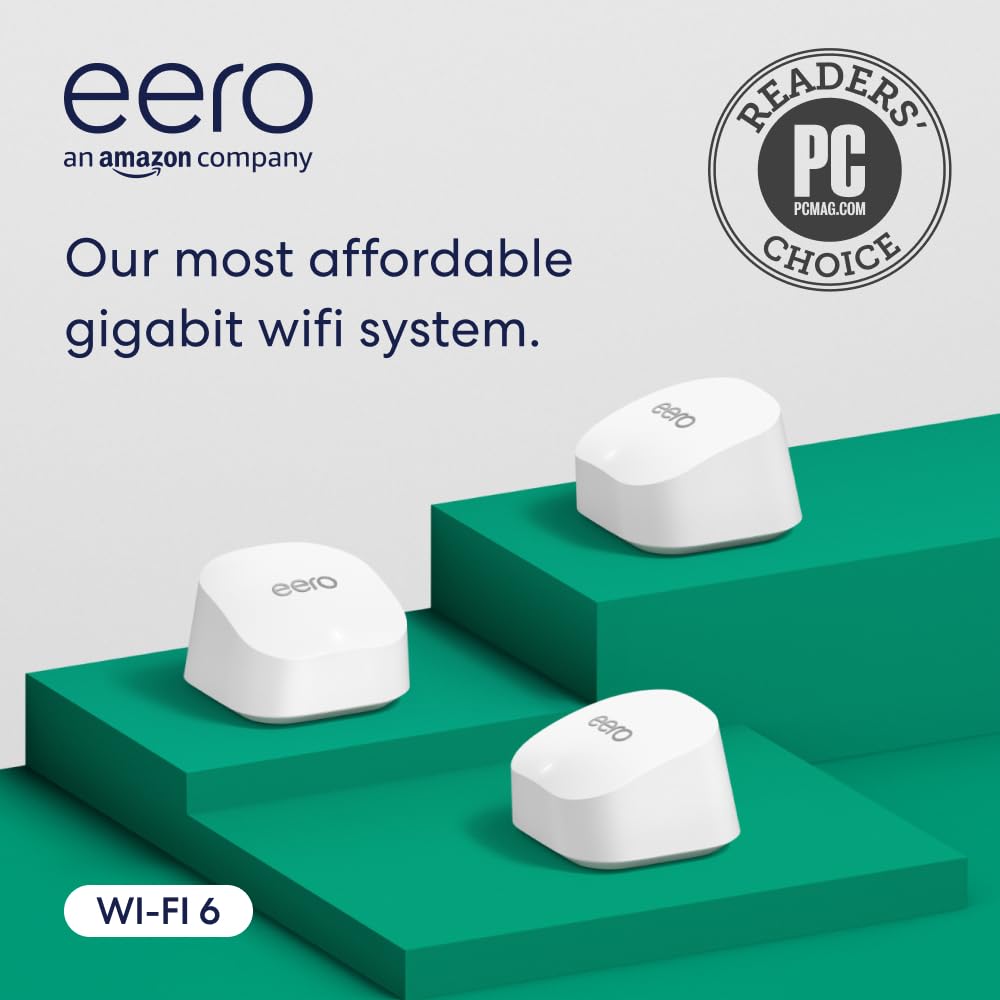
Amazon eero 6+ mesh wifi system - Supports internet plans up to a Gigabit, Coverage up to 4,500 sq. ft., Connect 75+ devices, 3-pack
Want the best price and purchase timing?
Our AI advisor analyzes real-time pricing across all channels to find you the best deal.
AI Verdict
A Wi-Fi 6 mesh system that covers 4,500 sq. ft. and supports gigabit internet, ideal for users prioritizing simple setup and stable coverage.
This eero 6+ system is a strong contender if you need to blanket a 4,500 sq. ft. home with Wi-Fi 6 and support gigabit internet, especially if ease of use is a top priority. However, the reliance on a subscription for certain features and limited physical ports might be a dealbreaker for those who need more control or wired connections.
If you need more granular network control, dedicated wired backhaul for maximum speed, or built-in advanced features without a subscription, look for mesh systems with more Ethernet ports per unit or tri-band Wi-Fi.
Regret Score™
Medium RiskLower is better — measures purchase-regret risk from real buyer complaints, review credibility, and product maturity
Issues discovered after purchase
Critically weak dimension
Amazon rating vs actual quality
Chance this product isn't for you
Pros
- Setup is guided by the eero app and takes minutes, making it very user-friendly.
- Provides extensive coverage up to 4,500 sq. ft. with the 3-pack, effectively eliminating Wi-Fi dead spots.
- Supports internet plans up to a Gigabit and delivers fast Wi-Fi 6 speeds, utilizing the 160 MHz radio channel.
- Can connect 75+ devices simultaneously without significant performance degradation.
- Features TrueMesh technology to intelligently route traffic, reducing drop-offs.
- Receives automatic software updates to keep the system current.
Cons
- Advanced features like parental controls and historical data are locked behind a paid Eero Plus subscription.
- Offers limited network customization options, which can be restrictive for advanced users.
- Each eero 6+ unit only includes two Ethernet ports, limiting wired connections at each node.
- The system is dual-band, not tri-band, which can impact wireless backhaul speeds if not wired.
- Wi-Fi 6 performance may not consistently meet peak expectations in all scenarios.
Dimension Scores
The 3-pack covers up to 4,500 sq. ft. and supports gigabit internet speeds with Wi-Fi 6 and 160 MHz channel support.
TrueMesh technology is designed to reduce drop-offs and dead spots, with many users reporting stable connections and improved connectivity.
The eero app guides users through setup in minutes and allows network management from anywhere, consistently praised for its ease of use.
The system receives automatic updates for security, but advanced security features are typically locked behind the Eero Plus subscription.
Best For
- Homes up to 4,500 sq. ft. struggling with Wi-Fi dead zones or inconsistent coverage.
- Users seeking a straightforward, 'set it and forget it' Wi-Fi solution with minimal technical fuss.
- Households with a high number of connected devices (75+) that need simultaneous connectivity.
- Individuals with gigabit internet plans who want to distribute high speeds across their entire living space.
Not Recommended For
- Users who demand extensive network customization, granular control, and advanced settings.
- Those unwilling to pay for a subscription to access features like advanced parental controls or detailed historical data.
- Power users requiring multiple wired connections at each mesh node without purchasing additional Ethernet switches.
Watch Out For
- Access to advanced parental controls, ad blocking, and historical data requires a paid Eero Plus subscription.
- Each eero 6+ unit provides only two Ethernet ports, which can limit options for wired devices at satellite nodes.
- Some users have reported that Wi-Fi 6 performance does not always live up to expectations, with speeds sometimes falling short of theoretical maximums.
- The system is dual-band, meaning it lacks a dedicated wireless backhaul band, which can lead to slower speeds for wirelessly connected nodes compared to tri-band systems.
- Fakespot analysis indicated a 'B' grade for review trustworthiness and an adjusted rating of 3.2, suggesting some reviews might be unreliable.
What Buyers Say
Many users find the eero 6+ system significantly improves Wi-Fi coverage and stability, especially when replacing older or ISP-provided equipment, with some reporting 700-800 Mbps speeds near a node and 400-600 Mbps in other rooms with gigabit internet. However, a recurring point of contention is the subscription model for features like parental controls and historical data, which some competitors offer for free. The ease of setup and the effectiveness of the mesh are frequently highlighted as major benefits.
“I just wanted my internet to WORK everywhere in my house, and this thing actually did it, but seriously, charging extra for parental controls feels like a rip-off.”
Common Praise
- Setup is quick and guided by the app, often taking around 10 minutes.
- Effectively eliminates Wi-Fi dead spots and extends coverage across the entire home.
- Provides a stable and consistent Wi-Fi connection throughout the covered area.
- Supports gigabit internet plans and delivers fast Wi-Fi 6 speeds.
- The compact design of the units allows for discrete placement in various rooms.
Common Complaints
- Advanced features like parental controls, ad blocking, and detailed historical data require a paid Eero Plus subscription.
- Offers limited network customization options compared to traditional routers, frustrating advanced users.
- Each unit has only two Ethernet ports, which can be insufficient for multiple wired devices at each node.
- Some users report that Wi-Fi 6 performance doesn't always meet their expectations for speed.
- Being a dual-band system, it lacks a dedicated backhaul band, potentially impacting speeds for wirelessly connected nodes.
Ownership Tips
- The system performs automatic software updates, which keeps it current without manual intervention.
- The mobile app provides real-time network status and lists all connected devices.
- For optimal performance, especially with gigabit internet, wiring the eero units (wired backhaul) significantly improves speeds.
- The system's design prioritizes simplicity, which means advanced users might find a lack of granular control over network settings.
- Many users found it to be a superior replacement for their ISP-provided router/extender setups, leading to better overall Wi-Fi performance.
Frequently Asked Questions
Does the eero 6+ support Wi-Fi 6?
Yes, the eero 6+ system fully supports the Wi-Fi 6 standard, enabling faster speeds and more efficient handling of multiple devices.
What is the coverage area of the 3-pack?
The 3-pack of eero 6+ units is designed to provide Wi-Fi coverage for homes up to 4,500 sq. ft..
How many devices can it connect?
The eero 6+ system is capable of connecting 75 or more devices simultaneously, making it suitable for smart homes with numerous gadgets.
Is the setup process complicated?
No, the setup process is guided by the intuitive eero app and is generally quick and simple, often taking only minutes to get the network running.
Are there any monthly fees for using eero 6+?
Basic Wi-Fi functionality does not require monthly fees. However, advanced features such as parental controls, ad blocking, and detailed historical data are part of the paid Eero Plus subscription.
How many Ethernet ports does each eero 6+ unit have?
Each eero 6+ unit is equipped with two Ethernet ports. For the gateway unit, one port connects to the modem, leaving one for a wired device. Satellite units typically have two available for wired devices.
Buying Guide
When looking at mesh Wi-Fi, you're trying to get consistent internet speeds across your entire home, not just near your main router. This means eliminating dead spots and buffering, especially if you have a large house or multiple floors. The number of units and their placement are crucial for achieving that even coverage.
Wi-Fi 6
Coverage up to 4,500 sq. ft. (3-pack)
Supports internet plans up to a Gigabit
Alternatives
If you need more control over network settings, want to avoid subscription fees for features like parental controls, or require more wired ports at each node, look for mesh systems that offer more advanced configuration options out of the box or are tri-band.
You Might Also Like

Amazon eero Pro 7 with 1 month free eero Business (auto-renews annually) - Supports internet plans up to 5 Gbps, Coverage up to 6,000 sq. ft., Connect 600+ devices, 3-pack
$600+This 3-pack Wi-Fi 7 tri-band mesh system delivers up to 3.9 Gbps wireless speeds and 5 Gbps wired speeds, covering 6,000 sq. ft. for businesses needing high-capacity networking.

Amazon eero 6 mesh wifi add-on extender - Add up to 1,500 sq. ft. of Wi-Fi 6 coverage. Required eero mesh wifi system not included
A Wi-Fi 6 mesh extender that adds up to 1,500 sq. ft. of coverage, exclusively for existing eero network users.

TP-Link Deco S4 Mesh AC1900 WiFi System - Up to 5,500 Sq.ft. Coverage, Replaces WiFi Router and Extender, Gigabit Ports, Works with Alexa, Deco S4(3-Pack)
A 3-pack AC1900 dual-band mesh system covering 5,500 sq ft with Gigabit Ethernet, for homes needing broad Wi-Fi 5 coverage on a budget.

TP-Link Deco X55 Pro AX3000 Whole Home Wi-Fi 6 Mesh System - Coverage up to 6500 Sq.Ft & up to 150 Devices, 2x2.5G WAN/LAN Ports, 4 Streams, Wired Ethernet Backhaul, Ideal for 1Gig+ Internet, 3-Pack
A Wi-Fi 6 mesh system with AX3000 speed and 2x 2.5G ports per unit, covering 6500 sq. ft. for homes with 1Gig+ internet.