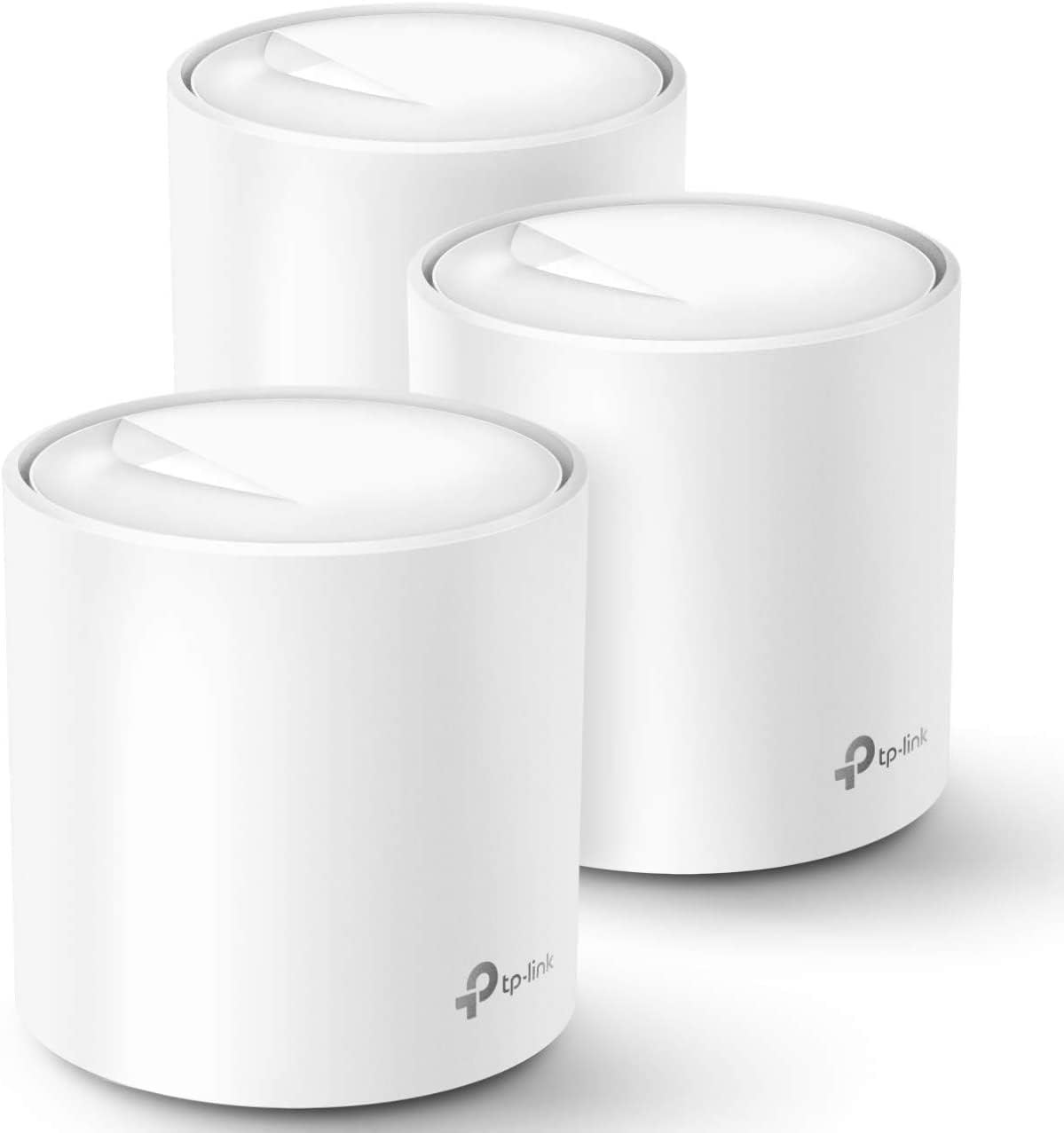
TP-Link Deco WiFi 6 Mesh System(Deco X20) - Covers up to 5800 Sq.Ft, Replaces Wireless Routers and Extenders(3-Pack, 6 Ethernet Ports in Total, Supports Wired Ethernet Backhaul)
Want the best price and purchase timing?
Our AI advisor analyzes real-time pricing across all channels to find you the best deal.
AI Verdict
A Wi-Fi 6 mesh system covering up to 5800 sq ft for up to 150 devices, designed for easy setup and basic home network management.
This 3-pack AX1800 Wi-Fi 6 mesh system is a strong fit for homes up to 5800 sq ft with many devices, offering seamless coverage and easy management. Its 150-device capacity and Wi-Fi 6 support address common connectivity issues in larger, device-dense environments. The straightforward app setup makes it accessible for non-technical users.
If you have multi-gigabit internet or need more advanced network controls like a built-in VPN, look for mesh systems with multi-gig LAN ports and more comprehensive software features.
Regret Score™
Very Low RiskLower is better — measures purchase-regret risk from real buyer complaints, review credibility, and product maturity
Issues discovered after purchase
Critically weak dimension
Amazon rating vs actual quality
Chance this product isn't for you
Pros
- Provides Wi-Fi 6 (802.11ax) for faster, more efficient connections.
- Covers up to 5800 square feet with a 3-pack system, eliminating dead zones.
- Connects up to 150 devices simultaneously without performance degradation.
- Features 6 Gigabit Ethernet ports across the 3-pack, supporting wired backhaul.
- Includes parental controls for managing and monitoring internet use.
- Offers TP-Link HomeShield with basic network security and IoT device identification.
Cons
- Lacks multi-gigabit LAN ports, limiting wired speeds for very fast internet connections.
- Does not include USB ports for network storage or printer sharing.
- The Deco app, while easy to use, lacks advanced features like a built-in VPN.
- LED indicator lights are bright and can only be scheduled off, not dimmed.
- Some users report the system prioritizing wireless backhaul even when wired backhaul is available.
Dimension Scores
The system offers AX1800 speeds and covers up to 5800 sq ft with a 3-pack, which is above average for mesh systems in its price band.
Users report the Deco X20 system as stable and not requiring frequent reboots, indicating consistent performance.
The Deco app provides a quick and visually guided setup process, making it very user-friendly for network management.
TP-Link HomeShield offers basic network security, IoT device identification, and parental controls, which are above average for entry-plus systems.
Best For
- Large homes or multi-level properties needing extensive Wi-Fi coverage up to 5800 sq ft.
- Households with many connected devices (up to 150) for streaming, gaming, and smart home use.
- Users who want a straightforward setup process via a mobile app.
- Families needing basic parental controls and network security features.
Not Recommended For
- Power users requiring advanced network configurations like built-in VPN functionality.
- Homes with multi-gigabit internet service that require multi-gig LAN ports for full speed utilization.
- Users who need USB ports for connecting network storage or printers directly to the router.
Watch Out For
- Wired backhaul may not be prioritized, with the system sometimes defaulting to wireless even when an Ethernet connection is present, especially if nodes are physically close.
- The Deco app, while user-friendly, does not offer advanced networking features such as a built-in VPN client.
- Real-world wireless speeds at satellite nodes can be significantly lower than the theoretical AX1800 rating, with users reporting 150-250 Mbps even with faster internet plans.
- The LED status lights on the units are bright and can only be turned off on a schedule, not dimmed, which can be distracting in dark rooms.
Full Specifications
| ASIN | B085Z35GY6 |
| Brand | TP-Link |
| Color | White |
| Model Name | Deco X20(3-pack) |
| Item Weight | 4.71 pounds |
| Manufacturer | TP-Link |
| Special Feature | Parental Control |
| Item model number | Deco X20(3-pack) |
| Compatible Devices | All WiFi Enabled Devices |
| Product Dimensions | 4.33 x 4.33 x 4.49 inches |
| Included Components | 1 x Ethernet Cable, 1 x Quick Installation Guide, 3 x Deco X20 Units, 3 x Power supply unit |
| Frequency Band Class | Dual-Band |
| Connectivity Technology | Ethernet, Wi-Fi |
| Recommended Uses For Product | Home |
| Wireless Communication Standard | 802.11ac, 802.11ax, 802.11b, 802.11g, 802.11n |
What Buyers Say
Many users find the Deco X20 system straightforward to install, often getting their network up and running within minutes using the app. The coverage is frequently mentioned as a key benefit, with the 3-pack effectively eliminating dead zones in large homes up to 5800 sq ft. However, some buyers report that the theoretical AX1800 speeds don't always translate to real-world performance, especially at satellite nodes where speeds can drop significantly. A recurring complaint is the system's tendency to prioritize wireless backhaul over wired, even when Ethernet is connected, which can impact performance.
“Honestly, this thing was a breeze to set up, and now I actually have Wi-Fi in my garage, which is wild, but my laptop still feels a bit slow when I'm way out there, even with the wired connection.”
Common Praise
- Setup is quick and easy using the Deco app, even for those not tech-savvy.
- Provides extensive Wi-Fi coverage across large homes, eliminating previous dead zones.
- The system is stable and does not require frequent reboots to maintain connectivity.
- Handles a large number of connected devices (up to 150) without noticeable slowdowns.
- Parental controls are effective for managing family internet access.
Common Complaints
- Real-world wireless speeds at satellite nodes are often lower than expected, sometimes only reaching 150-250 Mbps.
- The system sometimes defaults to wireless backhaul even when a wired Ethernet connection is available.
- The Deco app lacks advanced features like a built-in VPN client.
- The LED status lights on the units are bright and can only be scheduled to turn off, not dimmed.
- No USB ports for connecting external storage or printers to the network.
Ownership Tips
- The cylindrical design blends into home decor, making the units less obtrusive than traditional routers.
- The automatic band steering works well, seamlessly switching devices between 2.4 GHz and 5 GHz for optimal performance.
- The HomeShield basic features are useful for a quick security scan and identifying IoT devices, but don't expect enterprise-level protection.
- Even with wired backhaul, some users report needing to experiment with node placement to ensure the system properly utilizes the wired connection.
Frequently Asked Questions
How much area does the 3-pack Deco X20 system cover?
The 3-pack TP-Link Deco X20 system is designed to cover up to 5800 square feet, aiming to eliminate Wi-Fi dead zones throughout your home.
What Wi-Fi standard does the Deco X20 use?
The Deco X20 utilizes Wi-Fi 6 (802.11ax) technology, which provides faster speeds and better efficiency for connected devices.
Can I connect devices via Ethernet to the Deco X20 units?
Yes, each Deco X20 unit has two Gigabit Ethernet ports, totaling six ports for a 3-pack, and supports wired Ethernet backhaul for improved speeds.
Does the Deco X20 support parental controls?
Yes, the system includes parental controls that allow you to manage, limit, and monitor internet usage for different profiles and devices.
Is the Deco X20 difficult to set up?
No, the Deco app provides clear visual guidance to help you set up your network in minutes, even if you are not tech-savvy.
Can the Deco X20 handle many devices at once?
The Deco X20 (3-pack) is designed to connect up to 150 devices with a strong and reliable Wi-Fi signal.
Buying Guide
When looking at a mesh Wi-Fi system, you're essentially buying multiple access points that work together to create one big, seamless Wi-Fi network. This is different from a single router and extenders, where you often have to manually switch networks. You want to make sure the system's coverage area matches your home's square footage, and that it can handle the number of devices you typically have connected. Pay attention to the Wi-Fi standard and the number of Ethernet ports if you plan on wiring some devices.
Wi-Fi 6 (802.11ax)
This is the latest Wi-Fi standard, meaning it's designed to handle more devices at once with better efficiency and faster speeds, especially in busy network environments, like having multiple people streaming 4K video or gaming simultaneously.
Coverage (e.g., 5800 sq ft)
This tells you the maximum area the system is designed to cover. If your home is larger than this, you might still have dead spots, so match this closely to your actual living space to ensure Wi-Fi reaches everywhere you need it.
Ethernet Ports (e.g., 6 total)
These are physical connections for devices like smart TVs, gaming consoles, or desktop PCs that benefit from a more stable, faster wired connection than Wi-Fi. More ports mean more devices can be hardwired, and they're crucial if you plan to use wired backhaul between your mesh units.
Alternatives
If this system doesn't quite fit, look for mesh systems with tri-band frequency for better dedicated backhaul performance, or those with multi-gigabit Ethernet ports if you have an internet plan faster than 1 Gbps.
You Might Also Like

Amazon eero Pro 7 with 1 month free eero Business (auto-renews annually) - Supports internet plans up to 5 Gbps, Coverage up to 6,000 sq. ft., Connect 600+ devices, 3-pack
$600+This 3-pack Wi-Fi 7 tri-band mesh system delivers up to 3.9 Gbps wireless speeds and 5 Gbps wired speeds, covering 6,000 sq. ft. for businesses needing high-capacity networking.

Amazon eero 6 mesh wifi add-on extender - Add up to 1,500 sq. ft. of Wi-Fi 6 coverage. Required eero mesh wifi system not included
A Wi-Fi 6 mesh extender that adds up to 1,500 sq. ft. of coverage, exclusively for existing eero network users.

TP-Link Deco S4 Mesh AC1900 WiFi System - Up to 5,500 Sq.ft. Coverage, Replaces WiFi Router and Extender, Gigabit Ports, Works with Alexa, Deco S4(3-Pack)
A 3-pack AC1900 dual-band mesh system covering 5,500 sq ft with Gigabit Ethernet, for homes needing broad Wi-Fi 5 coverage on a budget.

TP-Link Deco X55 Pro AX3000 Whole Home Wi-Fi 6 Mesh System - Coverage up to 6500 Sq.Ft & up to 150 Devices, 2x2.5G WAN/LAN Ports, 4 Streams, Wired Ethernet Backhaul, Ideal for 1Gig+ Internet, 3-Pack
A Wi-Fi 6 mesh system with AX3000 speed and 2x 2.5G ports per unit, covering 6500 sq. ft. for homes with 1Gig+ internet.