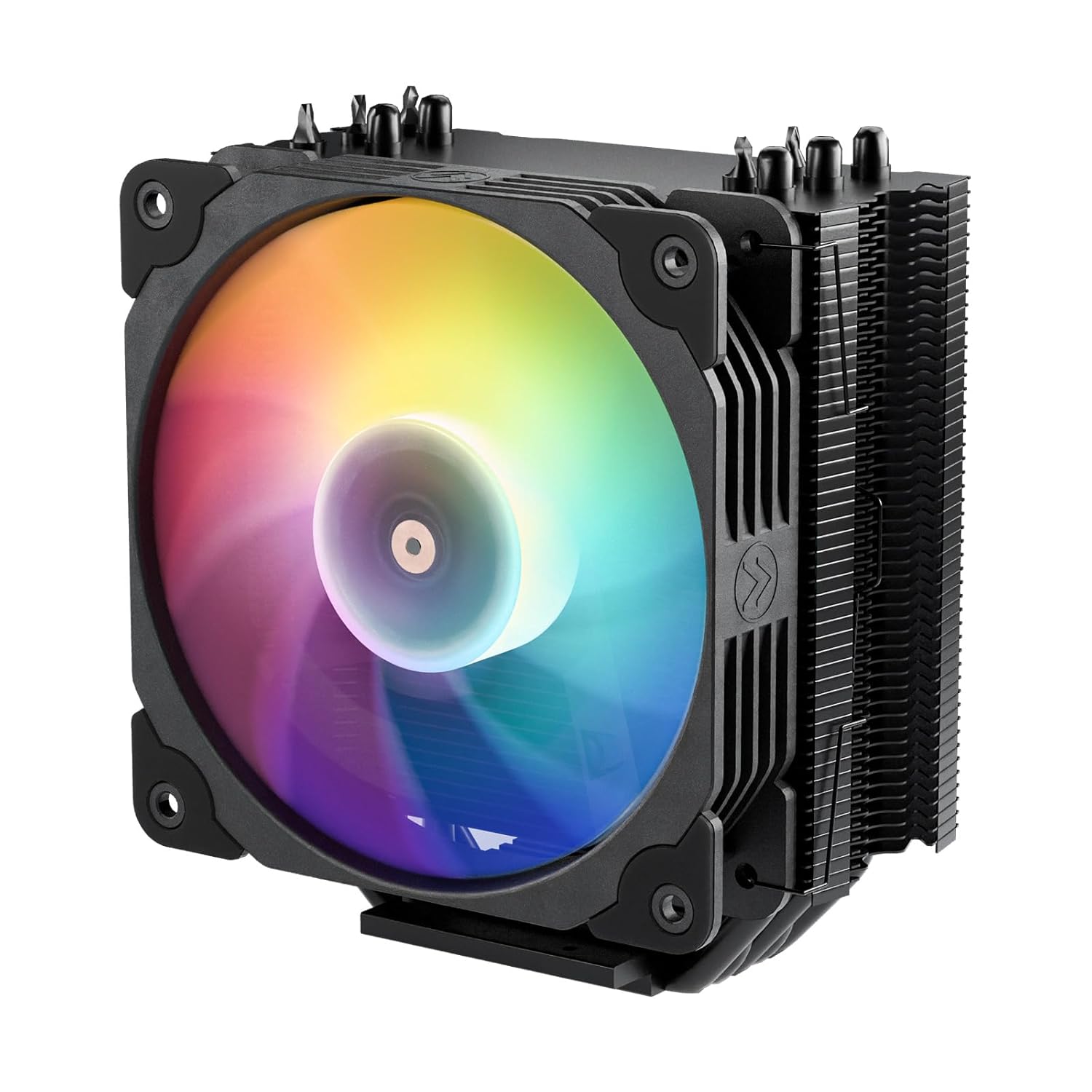
Vetroo V5 CPU Air Cooler with 5 Heat Pipes 120mm FDB PWM Processor Cooling for Intel LGA 1851/1700/1200/115X AMD AM5/AM4, Addressable RGB Lights Sync - Black
Want the best price and purchase timing?
Our AI advisor analyzes real-time pricing across all channels to find you the best deal.
AI Verdict
The Vetroo V5 is a compact 120mm air cooler that easily handles 65W to 100W processors like the Ryzen 5 5600X, but chokes on high-end overclocked chips.
This cooler excels at taming 65W to 100W processors like the Ryzen 5 or Core i5 while adding ARGB flair. Pushing it past 125W results in thermal throttling and a loud 43 dBA fan drone.
If your CPU draws more than 125W under load, upgrade to a dual-tower cooler with at least six heat pipes and twin 120mm fans.
Regret Score™
Low RiskLower is better — measures purchase-regret risk from real buyer complaints, review credibility, and product maturity
Issues discovered after purchase
Critically weak dimension
Amazon rating vs actual quality
Chance this product isn't for you
Pros
- Five direct-contact copper heat pipes keep 65W CPUs like the Ryzen 3600 under 50°C during gaming loads
- The 120mm PWM fan drops down to 800 RPM for near-silent operation during basic web browsing
- Includes a 5V 3-pin ARGB cable that syncs directly with standard motherboard lighting software
- Compact tower design clears tall RAM modules without requiring you to slide the fan up
Cons
- The Intel mounting hardware requires awkward maneuvering and excessive force to secure the brackets
- Multiple owners report a distinct rattling or buzzing noise from the fan bearing around the 990 RPM mark
- Fails to adequately cool 150W+ heat loads, hitting thermal throttling limits on overclocked i7 and Ryzen 7 chips
- At 100% fan speed (1700 RPM), the noise level hits a highly noticeable 43 dBA
Dimension Scores
Five direct-touch heat pipes easily manage 65W-100W loads but fail at the advertised 150W limit.
The hydraulic bearing frequently rattles at 990 RPM and hits a loud 43 dBA at max speed.
The aluminum fins and painted copper pipes look clean, but the Intel mounting brackets are flimsy.
The fan only requires two standard cables—a 4-pin PWM and a 3-pin ARGB—making routing straightforward.
Best For
- Upgrading from a stock AMD Wraith Stealth cooler on a Ryzen 5 5600X
- Mid-range gaming builds utilizing 65W to 100W TDP processors
- Adding synchronized ARGB lighting to a build without relying on proprietary USB controllers
Not Recommended For
- Overclocked Intel Core i7 or i9 processors pushing past 150 watts
- Silent PC enthusiasts sensitive to bearing hum at mid-range RPMs
Watch Out For
- The included 120mm fan often develops a buzzing sound right around 990 RPM — you need to set a custom fan curve in your BIOS to skip this specific speed.
- Intel LGA 1700/1200 installation uses a poorly designed bracket system that requires significantly more force and patience than standard mounting kits.
- Despite the 150W TDP rating on the box, independent testing shows it struggles to keep CPUs under 90°C once you push past 125 watts.
Full Specifications
| UPC | 609015786277 |
| ASIN | B08F21X2VP |
| Brand | Vetroo |
| Voltage | 12 |
| Wattage | 150 watts |
| Material | Aluminum |
| Item Weight | 1.68 pounds |
| Noise Level | 30.8 Decibels |
| Manufacturer | Vetroo |
| Cooling Method | Air |
| Number of Items | 1 |
| Air Flow Capacity | 52 Cubic Feet Per Minute |
| Item model number | V5 |
| Compatible Devices | Gaming Console |
| Product Dimensions | 5.83"L x 5.04"W x 2.95"H |
| Power Connector Type | 3-Pin / 4-Pin |
| Maximum Rotational Speed | 1700 RPM |
| Global Trade Identification Number | 00609015786277 |
What Buyers Say
The most consistent complaint about the Vetroo V5 is a distinct buzzing noise from the fan bearing when it spins around 990 RPM. Owners frequently have to dive into their BIOS to create a custom fan curve that skips this specific speed range. Users upgrading from stock AMD coolers report temperature drops of up to 20°C under heavy gaming loads. The Intel mounting hardware receives heavy criticism for being unnecessarily difficult to align and secure. The 5V ARGB lighting syncs flawlessly with motherboard software like Aura Sync and Mystic Light.
“Dropped my Ryzen temps by 20 degrees but the fan has this awful buzzing noise at 1000rpm that drove me insane until I changed the fan curve in the bios.”
Common Praise
- Drops Ryzen 5 3600 temperatures by 20°C compared to the stock AMD Wraith Stealth cooler
- The 5V 3-pin ARGB cable syncs instantly with motherboard software without needing a third-party hub
- Slim tower design leaves plenty of clearance for tall memory modules in all four RAM slots
- The completely blacked-out or white-out paint job on the heat pipes matches modern case aesthetics perfectly
Common Complaints
- The fan bearing emits an annoying rattle or buzzing sound specifically between 900 and 1000 RPM
- Intel mounting brackets require excessive force to lock down and feel poorly engineered
- Struggles to cool higher-end processors, hitting thermal limits on 125W+ loads
- The fan gets aggressively loud, hitting 43 dBA when running at the maximum 1700 RPM
Ownership Tips
- The fan bearing noise often develops after a few weeks of use, rather than right out of the box
- Setting a custom fan curve to jump from 800 RPM directly to 1100 RPM completely eliminates the mid-range rattling issue
- The included thermal paste dries out faster than premium brands, leading to slightly higher temps after six months
Frequently Asked Questions
Does this come with thermal paste?
Yes, it includes a small packet of thermal paste in the box. This packet holds enough compound for one or two applications.
Will the ARGB fan work if my motherboard doesn't have a 3-pin 5V header?
The fan will still spin and cool your CPU using the 4-pin PWM cable. The RGB lights will remain off without a separate SATA-powered ARGB controller.
Does it fit in the Dell XPS 8940 case?
It physically fits inside the XPS 8940. You need to purchase separate 16mm M3 machine screws because the included hardware doesn't match Dell's proprietary motherboard threading.
Can I add a second fan to the back of the heatsink?
The heatsink supports a push-pull configuration. Vetroo only includes one set of fan clips in the box, so you have to source your own clips for a second fan.
Does this clear tall RGB RAM sticks?
The 120mm fan sits far enough back that it does not overhang the primary DIMM slots on most ATX and Micro-ATX motherboards.
Buying Guide
When buying a single-tower air cooler, you need to match the cooler's actual thermal capacity to your processor's power draw, not just the socket type. The 150W rating on the box is highly optimistic; this cooler is strictly for 65W to 100W processors. You also need to verify your motherboard has a 5V 3-pin ARGB header, otherwise the fan will not light up at all. Be prepared to adjust your fan curves in the BIOS to avoid the specific RPM ranges where this fan tends to vibrate.
5 Direct-Contact Heat Pipes
These copper tubes touch the processor directly to pull heat away fast, acting like a multi-lane highway moving heat from the chip to the aluminum fins.
150W TDP Rating
This number represents the maximum amount of heat the cooler claims it can dissipate, though independent tests show this specific model struggles past 125 watts.
5V 3-Pin ARGB
This specific connector allows your motherboard to control the fan's lighting colors and patterns, but it will not physically plug into older 12V 4-pin RGB headers.
Alternatives
If your processor draws more than 125 watts under load, look for a dual-tower cooler featuring at least six heat pipes and two 120mm fans.
You Might Also Like

Micro ATX PC Case | Mini Tower Computer case | Pre-Installed 120mm*1 RGB Fan | ITX Desktop Chassis for MATX/ITX | 240 RAD | 280mm GPU | 160mm CPU Cooler Height - White S6
$0-$49This MAQUY S6 is a budget Micro ATX case with a pre-installed 120mm RGB fan, supporting 280mm GPUs and 240mm top radiators for entry-level builds.

Micro ATX Case, Mini PC ITX Desktop Computer Case MATX Case Support ATX PSU/250mm GPU/135mm CPU Cooler/1x 3.5’’HDD or 2X 2.5’’SSD/USB 3.0 Port
$0-$49This is a compact 38.5x19.5x32.5cm Micro ATX case supporting 250mm GPUs and 135mm CPU coolers, designed for budget workstation builds.

Small PC Case, ITX Mini Computer Case with 360 Degree Ventilation, 10.5L Compact Design for ITX Motherboard, SFX Power Supply, 4 x 2.5 Inch SSDs
$50-$99This 10.5L acrylic ITX case supports SFX/SFX-L PSUs, ITX motherboards, and GPUs up to 210mm, designed for compact builds.

Micro ATX PC Case | Mini Tower Computer case Support Vertical GPU Mount | Pre-Installed 120mm*1 RGB Fan | ITX Desktop Chassis for MATX/ITX | 240 RAD | 320mm GPU | 165mm CPU Cooler Height-Black
$0-$49A budget Micro ATX case with a mesh front, tempered glass, and support for 320mm GPUs and 240mm AIOs, but only one pre-installed 120mm RGB fan.