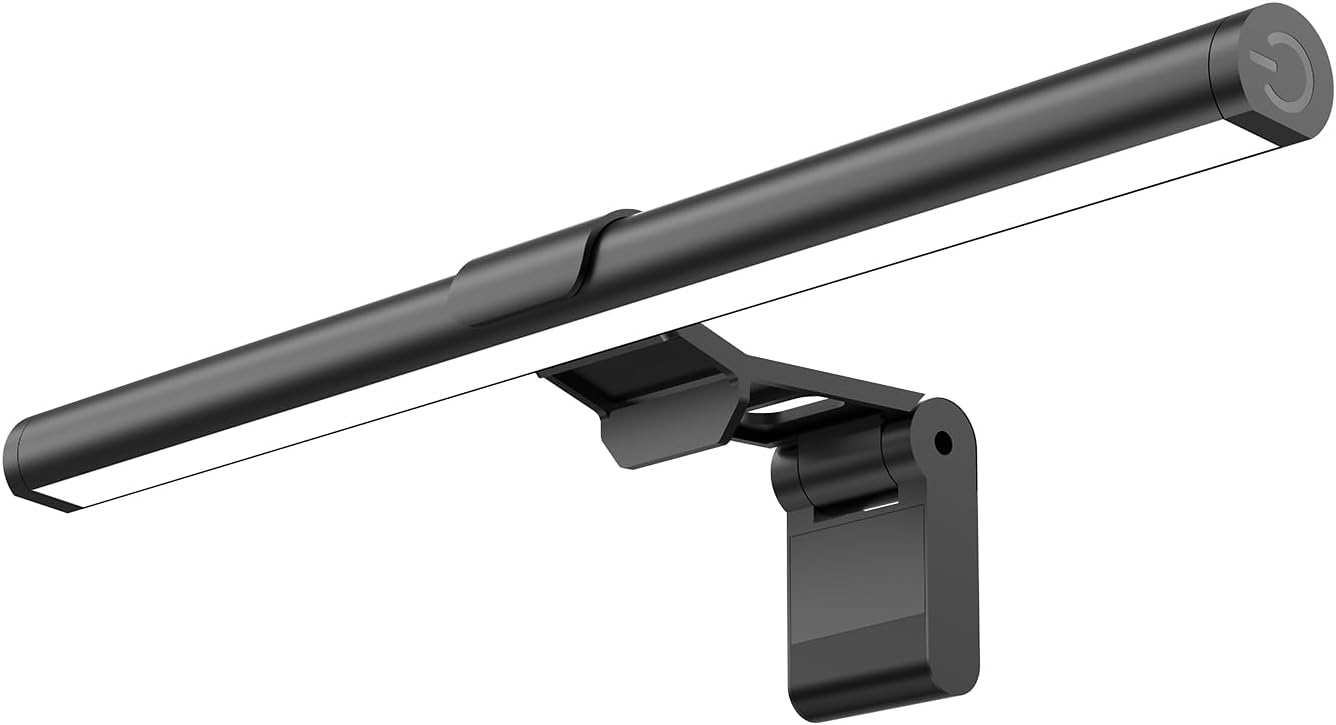
Monitor Light Bar, Eye-Care USB Reading Mnitor lamp, 11.8'' LED Computer Lights with Ultrawide Lighting, 3 Color Temperature Dimmable Desk Light for Home Office Gaming
Want the best price and purchase timing?
Our AI advisor analyzes real-time pricing across all channels to find you the best deal.
AI Verdict
A 11.8-inch USB-powered light bar with 800 lux central brightness and 3 color temperatures, designed for basic desk illumination.
This light bar is a situational fit for basic desk lighting needs, especially for smaller monitors or when desk space is tight. Its 11.8-inch length and 800 lux central brightness provide focused light, but it won't offer comprehensive illumination for larger setups. The USB power and simple controls make it accessible, but its budget price point suggests potential compromises in light quality and glare prevention compared to premium options.
If you need wider coverage or guaranteed glare-free lighting, look for light bars explicitly designed for ultrawide monitors or those with advanced asymmetrical optical designs.
Regret Score™
High RiskLower is better — measures purchase-regret risk from real buyer complaints, review credibility, and product maturity
Issues discovered after purchase
Critically weak dimension
Amazon rating vs actual quality
Chance this product isn't for you
Pros
- Delivers up to 800 lux of central brightness, covering a 30''x20'' area for desk illumination.
- Offers 3 color temperatures (3000-4000-6500K) and stepless dimming for adjustable lighting.
- Features a mechanical ON/OFF switch for control, which some users prefer over touch sensors.
- Powered via USB, allowing compatibility with computers, adapters, or power banks.
- Utilizes a patented counterweight clip for tool-free installation on most screens, including curved ones.
Cons
- The 11.8-inch length might not fully illuminate wider monitors, potentially leaving dark spots on larger desks.
- While advertised as eye-friendly, budget light bars often struggle with light bleed onto the screen, potentially causing glare.
- The mechanical ON/OFF switch, while tactile, can cause the light bar to shift position when pressed, as reported with similar designs.
- Made of plastic, which might not feel as durable as light bars with metal components.
- At 5.6 ounces, it's lightweight, but the counterweight system's stability on very thin or unusually shaped monitors can be inconsistent.
Dimension Scores
The 45° lighting angle and 3 color temperatures aim to reduce eye strain, offering some comfort for long sessions.
Offers 3 color temperatures (3000-4000-6500K) and stepless dimming, providing flexibility in light output.
Made of plastic and weighing 5.6 ounces, it's a budget-friendly construction that may not feel as robust as higher-end models.
Described as 'Modern' and designed to be space-saving, its appearance is functional and unobtrusive, typical for its category.
Best For
- Small desks needing focused illumination without occupying desk space.
- Users seeking basic, adjustable lighting for reading or typing in front of a monitor.
- Budget-conscious setups where a simple USB-powered light is sufficient.
- Monitors with standard bezels where the counterweight clip can sit securely.
Not Recommended For
- Users with ultrawide or very large monitors who need full, even screen-width illumination.
- Anyone sensitive to potential screen glare or light bleed, which can occur with budget light bars.
- Setups requiring precise, high-end asymmetrical lighting to completely eliminate screen reflections.
Watch Out For
- The 11.8-inch length means it won't cover the full width of many modern monitors, especially ultrawides, leading to uneven desk lighting.
- Despite claims of eliminating reflections, budget light bars often have some light bleed onto the screen, which can reduce contrast.
- The mechanical ON/OFF switch, while simple, might cause the light bar to move or tilt slightly when operated, requiring readjustment.
- Fitting a webcam on top of the monitor alongside the light bar can be challenging or impossible due to limited space.
- The plastic construction and lightweight design (5.6 ounces) might feel less premium or robust compared to higher-priced alternatives.
Full Specifications
| ASIN | B0FW43JPNG |
| Brand | SAMPHON |
| Color | Black |
| Style | Modern |
| Voltage | 5 Volts |
| Material | Plastic |
| Set Name | Monitor Light Bar |
| Item Weight | 5.6 ounces |
| Part Number | SC02 |
| Shade Color | White Matte |
| Manufacturer | SAMPHON |
| Switch Style | Push Button |
| Bulb Features | Dimmable |
| Shade Material | Plastic |
| Item model number | SC02 |
| Light Source Type | LED |
| Product Dimensions | 11.8"L x 0.78"W x 3.3"H |
| Batteries Required? | No |
| Included Components | Monitor Light bar, USB Power Cable, User Manual |
| Item Package Quantity | 1 |
What Buyers Say
Specific user reviews for the SAMPHON Monitor Light Bar (ASIN B0FW43JPNG) are limited, so I'm drawing on common experiences with similar budget monitor light bars. Many users find that these lights effectively illuminate their desk area, making it easier to see their keyboard and documents without taking up valuable desk space. The ability to adjust color temperature and brightness is often appreciated for adapting to different tasks and times of day. However, a recurring concern with budget light bars is the potential for light to bleed onto the monitor screen, which can cause glare and reduce contrast, unlike more expensive models designed with precise asymmetrical optics. Mounting can also be a bit finicky, especially on very thin or unusually shaped monitors, and fitting a webcam alongside the light bar can be a tight squeeze.
“Okay, so it lights up my keyboard and stuff, which is cool, but I definitely see some light on my screen sometimes, which is annoying. For the price, it's doing the job, but don't expect BenQ magic.”
Common Praise
- Effectively lights up the desk area, making it easier to read physical documents.
- Frees up desk space compared to traditional desk lamps.
- Adjustable color temperatures (3000-4000-6500K) help match ambient lighting or personal preference.
- Stepless dimming allows for precise brightness control.
- USB power makes it convenient to use with various devices.
Common Complaints
- Light can reflect onto the monitor screen, causing glare and impacting screen contrast.
- The 11.8-inch length is too short for wider monitors, leaving parts of the desk unlit.
- Mounting mechanism, while functional, can feel less secure or 'chintzy' on some monitors.
- Operating the mechanical switch can cause the light bar to shift on top of the monitor.
- May interfere with webcam placement on top of the monitor.
Ownership Tips
- The 11.8-inch length is really noticeable on a 27-inch monitor; it only lights up the center of the desk.
- You gotta be gentle with the mechanical switch, otherwise, the whole thing tilts a bit.
- The memory function is actually super handy, I don't have to set the brightness every time.
- It does help with eye strain when working in a dim room, but I still get a bit of glare on my glossy monitor.
- The USB cable is long enough for most setups, but you might need an extra port if your monitor doesn't have one.
Frequently Asked Questions
Will this light bar work with my curved monitor?
Yes, the patented counterweight clip is designed to fit most screens, including curved ones.
How do I change the color temperature and brightness?
You can short press the mechanical ON/OFF switch on the right side to cycle through the 3 color temperatures, and long press it to adjust brightness steplessly.
Does it remember my last settings?
Yes, it has a built-in memory function that automatically recalls your last brightness and color temperature settings for convenience.
Can I power this light bar from my computer's USB port?
Yes, it's USB powered and can be connected to computers, adapters, or mobile power banks.
Is this light bar suitable for gaming?
It provides adjustable lighting that can reduce eye strain during extended sessions, making it suitable for gaming, but it doesn't offer RGB or specialized gaming features.
Buying Guide
When you're looking at monitor light bars, you're basically trying to light up your desk without shining light *onto* your screen or *into* your eyes. This helps reduce eye strain, especially if you work in a dimly lit room. You want enough brightness to see your keyboard and documents clearly, but the light needs to be directed downwards and forwards, not backwards onto your display. The mounting system is also key; it needs to be stable on your specific monitor without blocking your webcam.
Central Brightness (e.g., 800 lux)
This tells you how bright the light is directly under the bar. Higher lux means more light for your desk, which is important for reading or writing. Think of it like the power of a flashlight – more lux means a brighter spot.
Color Temperature (e.g., 3000-4000-6500K)
This refers to the 'warmth' or 'coolness' of the light. Lower Kelvin (like 3000K) is a warm, yellowish light, good for relaxation. Higher Kelvin (like 6500K) is a cool, bluish-white light, often preferred for focus and productivity. It's like choosing between a cozy lamp and bright office lighting.
Lighting Angle (e.g., 45°)
This indicates how the light is directed. A specific angle, like 45°, is designed to illuminate your desk area while minimizing light spill onto your monitor screen and preventing light from shining directly into your eyes. It's about getting the light where you need it, and nowhere else.
Alternatives
If this light bar doesn't cut it, look for models with longer lengths (e.g., 15-inch or 20-inch) for wider monitors, or those explicitly featuring advanced asymmetrical optical designs to eliminate screen glare.
You Might Also Like

LYMAX Computer Monitor Light Bar with Wireless Remote, Motion Sensor, Fit for Flat/Curved Monitor, Adjustable Color Temperature with Auto-Dimming, Eye-Care USB-C Monitor Lamp, No Glare Desk Lamp
$50-$99A 15.7-ounce aluminum monitor light bar with motion sensing, auto-dimming, and stepless 2700K-6500K color temperature adjustment for flat or curved screens.

Computer Monitor Lamp, Screen Monitor Light Bar for Eye Caring, Screen Monitor Light Bar with Backlight for Eye Caring, E-Reading LED Task Lamp with Dimming Adjustment, Perfect for Reading and Study
$0-$49This BLYGACN monitor lamp offers 3 color temperatures (3000K-6500K), dimming, and a 60-minute timer, powered by USB, for monitors 15-24 inches.

Monitor Light Bar with Touch Control, RGB Desk Lamp Full Spectrum Screen Lamp, Glare-Free Low Blue Light Monitor Lamp with Memory Mode, USB Powered for Gaming, Office & Work
$0-$49A USB-powered plastic monitor light bar with touch controls, RGB modes, and glare-free illumination for basic desk setups.

RGB Monitor Light Bar, Eye-Care Dual Light Reading Screen Lamp, 9 Modes Gaming Backlight LED Computer Lamp, 3 Colors Dimmable Frontlight, 15.75'' USB Desk Lights for Home, Office
$0-$49This is a budget-focused 6.4-ounce plastic monitor light bar with dual-mode lighting and 9 RGB backlight modes, designed for users needing basic task and ambient lighting without cluttering their desk