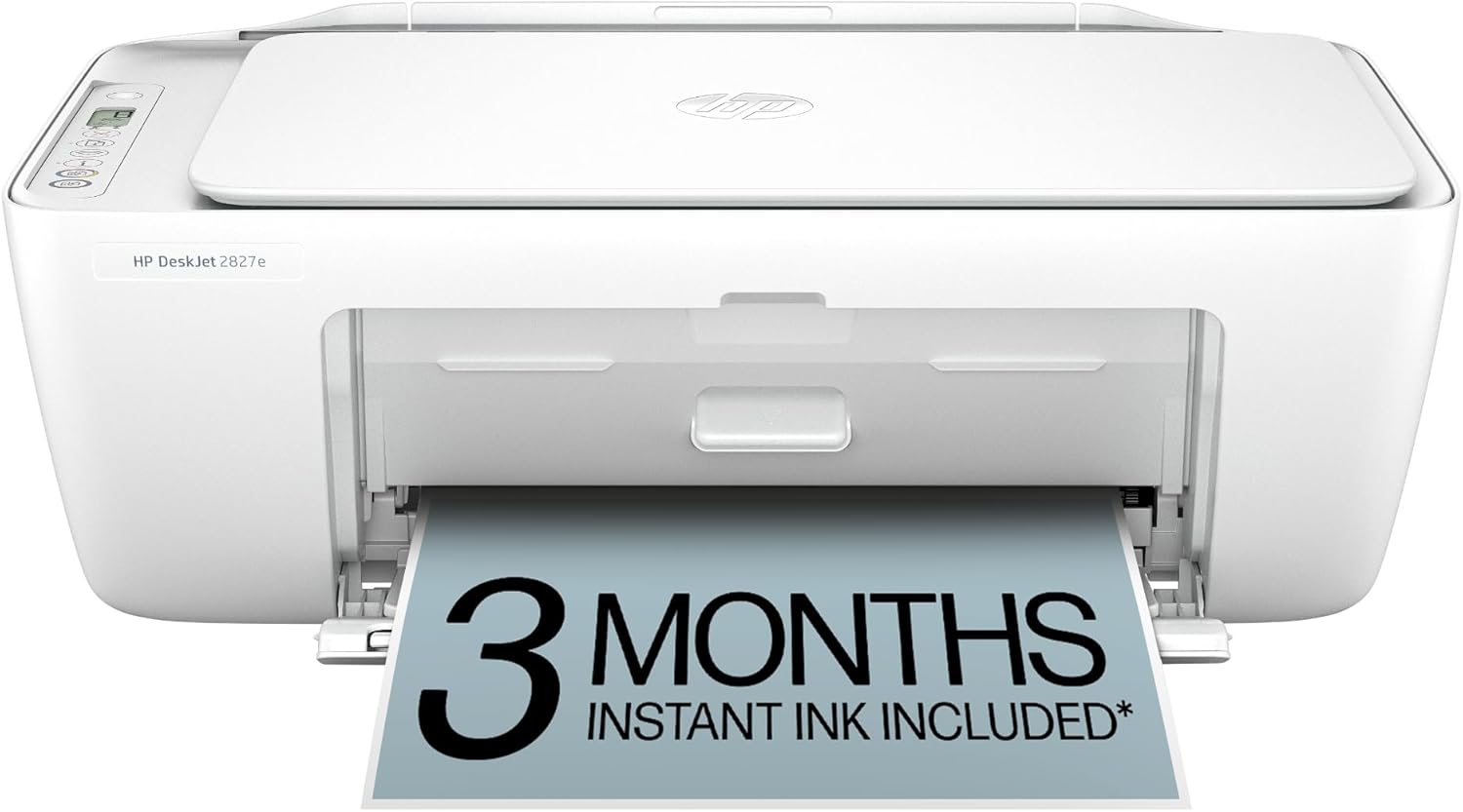
HP DeskJet 2827e Wireless All-in-One Color Inkjet Printer, Scanner, Copier, Best-for-Home, 3 Month Instant Ink Trial Included, AI-Enabled (6W7F5A)
Want the best price and purchase timing?
Our AI advisor analyzes real-time pricing across all channels to find you the best deal.
AI Verdict
This is a 7.5 ppm black, 5.5 ppm color inkjet printer, scanner, and copier with a 60-sheet input tray for basic home document printing.
This printer is a situational fit for users with extremely light printing needs who are comfortable with HP's Instant Ink ecosystem and dynamic security. Its 7.5 ppm black print speed and 60-sheet input tray are suitable for very infrequent, small print jobs, but its reliance on HP-chipped cartridges and reported connectivity issues can be limiting.
If you print more than a few pages a week or prefer using third-party ink, look for printers with higher page-per-minute ratings and an open ink cartridge system.
Regret Score™
High RiskLower is better — measures purchase-regret risk from real buyer complaints, review credibility, and product maturity
Issues discovered after purchase
Critically weak dimension
Amazon rating vs actual quality
Chance this product isn't for you
Pros
- Constructed with 60% post-consumer recycled plastic, contributing to a more sustainable design.
- Includes a 3-month Instant Ink trial, potentially delaying initial ink purchases.
- Features a flatbed scanner for scanning and copying documents and photos.
- Offers wireless printing and mobile control via the HP Smart App for printing, scanning, and copying from smartphones or tablets.
- AI-enabled functionality aims to deliver perfectly formatted prints and remove unwanted content from web pages and emails.
- Weighs 7.52 pounds, making it relatively easy to move around a home office.
Cons
- Print speeds are 7.5 pages per minute for black and 5.5 pages per minute for color, which is slow for larger print jobs.
- Utilizes dynamic security measures that block non-HP ink cartridges, limiting ink purchasing options and potentially increasing long-term costs.
- Lacks automatic duplex printing, requiring manual flipping for two-sided documents.
- Some users report inconsistent Wi-Fi connectivity despite claims of reliable wireless performance.
- The HP Smart App may require a login, which some users find inconvenient for quick printing tasks.
Dimension Scores
As a printer, this product does not offer features related to user comfort or physical support.
As a printer, this product lacks any physical adjustability features for user interaction or placement beyond its compact footprint.
While made with 60% recycled plastic, the budget price point and user comments implying disposability suggest a basic construction not built for heavy use.
Its compact design is mentioned as a positive, allowing it to fit in small spaces without being obtrusive.
Best For
- Homes needing occasional document printing like to-do lists, recipes, or letters.
- Users who prioritize a low upfront printer cost and are willing to manage ink subscriptions.
- Small spaces where a compact, 7.52-pound device is necessary.
Not Recommended For
- Users requiring frequent or high-volume printing due to slow print speeds.
- Anyone unwilling to commit to HP's Instant Ink program or use only HP-chipped cartridges.
- Environments needing professional-quality photo prints, as colors can be oversaturated and lack sharpness.
Watch Out For
- The printer's dynamic security actively prevents the use of non-HP ink cartridges, forcing reliance on HP's potentially more expensive options.
- Initial 'tester' ink cartridges included with the printer are often small and run out quickly, leading to an immediate need for replacements or Instant Ink activation.
- Connectivity issues, particularly with Wi-Fi, are reported by some users, leading to frustration during setup or printing.
- Without an LCD display, troubleshooting errors or connecting to Wi-Fi often requires using the HP Smart App, which some find less intuitive than a physical screen.
Full Specifications
| UPC | 198990334097 |
| ASIN | B0F1NJ75D5 |
| Brand | HP |
| Color | White |
| Duplex | Manual (driver support provided) |
| Wattage | 100 watts |
| Ink Color | Black; Cyan; Magenta; Yellow |
| Model Name | HP DeskJet 2827e All-in-One Printer |
| Sheet Size | 8.5 x 11;8.27 x 11.7;8.5 x 14;7.16 x 10.12; Inches |
| Color Depth | 24 Bits |
| Item Weight | 7.52 pounds |
| Print media | Paper (plain) |
| Manufacturer | HP |
| Model Series | DeskJet |
| Scanner Type | Flatbed |
| Warranty Type | One-year limited warranty. For more info please visit us at support.hp.com .For full terms and conditions visit: support.hp.com .Warranty and support options vary by product, country, and local legal requirements |
| Control Method | App |
| Printer Output | Color |
| Number of Trays | 1 |
| Processor Count | 1 |
| Special Feature | 60% post-consumer recycled plastic, Scan to PDF |
| Total USB Ports | 1 |
| Printer Ink Type | Dye-Based Ink |
| Item model number | 6W7F5A#B1H |
| Power Consumption | 2.8 Watts |
| Compatible Devices | Laptops, PC, Smartphones |
| Hardware Interface | USB |
| Maximum Media Size | 3 x 5 to 8.5 x 14 in |
| Product Dimensions | 11.97"D x 16.7"W x 6.06"H |
| Dual-sided printing | No |
| Included Components | HP DeskJet 2827e All-in-One; HP 67 Setup Black Cartridge; HP 67 Setup Tri-color Cartridge; Regulatory flyer; Setup guide; Reference guide; Power cord [For ink volume and page yield information, visit http://hp.com/go/learnaboutsupplies ] |
| Printing Technology | HP Thermal Inkjet |
| Compatible Cartridge | HP 67 Black Original Ink Cartridge 3YM56A; HP 67XL Black High Yield Original Ink Cartridge 3YM57A; HP 67 Tri-Color Original Ink Cartridge 3YM55A; HP 67XL Tri-Color High-Yield Original Ink Cartridge 3YM58A |
| Output sheet capacity | 25.0 |
| Supported Media Sizes | 3 x 5 inches |
| Maximum copies per run | Up to 9 copies |
| Connectivity Technology | Apple AirPrint; Google Cloud Print; USB; Wireless (Wi-Fi); Wireless direct printing |
| Initial page print time | 19 Seconds |
| Memory Storage Capacity | 64 MB |
| Max Input Sheet Capacity | 60 |
| Max Printspeed Monochrome | 7.5 ppm |
| Max copy resolution color | Up to 300 x 300 dpi |
| Specific Uses For Product | Home and home office |
| Maximum Print Speed (Color) | 5.5 ppm |
| Additional Printer functions | All In One |
| Max Copy Speed (Black & White) | 6 ppm |
| Maximum Color Print Resolution | Up to 4800 x 1200 optimized dpi color (when printing from a computer on selected HP photo papers and 1200 input dpi) Dots Per Inch |
| Max copy resolution black-white | Up to 1200 x 1200 rendered dpi |
| Maximum Black and White Print Resolution | Up to 1200 x 1200 rendered dpi Dots Per Inch |
What Buyers Say
Many users express strong reservations about the HP DeskJet 2827e, primarily due to its restrictive ink policies and the high cost of replacement cartridges after the initial 3-month Instant Ink trial. The printer's dynamic security, which blocks non-HP ink, is a frequent point of frustration. While some appreciate its compact size and mobile printing capabilities via the HP Smart App, others report inconsistent Wi-Fi connections and slow print speeds. The lack of automatic duplex printing and a physical LCD screen also contribute to a less streamlined user experience.
“This thing is a trap! The printer was cheap, but the ink costs a fortune and it won't even use my old cartridges, what a rip-off.”
Common Praise
- Compact size allows it to fit easily on small desks or shelves.
- HP Smart App enables printing, scanning, and copying directly from a smartphone.
- Initial 3-month Instant Ink trial provides a period of free ink.
- Made with 60% recycled plastic, appealing to environmentally conscious buyers.
- Flatbed scanner functions adequately for basic document and photo scanning.
Common Complaints
- Printer only works with HP-chipped cartridges, blocking third-party ink and increasing long-term costs.
- Print speeds of 7.5 ppm black and 5.5 ppm color are too slow for anything beyond very light use.
- Wi-Fi connectivity can be unreliable, leading to frequent disconnections and setup issues.
- The included 'tester' ink cartridges run out quickly, forcing users into the Instant Ink program or expensive replacements.
- Lacks automatic two-sided printing, requiring manual intervention for duplex documents.
- HP Smart App sometimes requires a login, which is an extra step for quick tasks.
Ownership Tips
- Expect the included ink cartridges to deplete rapidly, often within weeks, pushing you towards the Instant Ink subscription.
- Be prepared for potential Wi-Fi drops and the need to reconnect, which can interrupt printing.
- The HP Smart App is essential for setup and troubleshooting, as there's no physical display on the printer itself.
- Printing anything beyond basic text documents will highlight the slow print speeds, especially for color.
- If you try to use non-HP ink, the printer will simply refuse to work, making it a dedicated HP ink machine.
Frequently Asked Questions
Does this printer come with ink?
Yes, it includes 'tester' ink cartridges and a 3-month trial for HP Instant Ink upon activation of HP+. Be aware the included cartridges are often small and run out quickly.
Can I use non-HP ink cartridges with this printer?
No, this printer uses dynamic security to block cartridges without original HP chips or circuitry. Firmware updates will maintain this restriction.
Is this printer good for printing photos?
For casual home photos, it's acceptable, but user reviews indicate oversaturated colors and a lack of sharpness for professional-quality photo printing.
Does it print double-sided automatically?
No, this printer does not support automatic two-sided (duplex) printing; you will need to manually flip the pages.
How fast does it print?
It prints at up to 7.5 pages per minute for black and 5.5 pages per minute for color documents.
Buying Guide
When looking at a printer like this, you need to think about how much you actually print. If it's just a few pages a month, the low upfront cost might seem appealing. But the real cost is often in the ink. You'll be locked into HP's ink system, which can get pricey, especially after any trial periods end. Also, check if you need features like automatic double-sided printing or a display screen, because this one skips those to keep the price down.
Pages Per Minute (PPM)
This tells you how fast the printer spits out pages. For this printer, 7.5 ppm black and 5.5 ppm color means it's pretty slow. If you're printing a 20-page report, you'll be waiting a while, like waiting for a slow elevator.
Instant Ink Trial
This is a subscription service where HP sends you ink when your printer is low. The 3-month trial sounds great, but after that, you pay monthly. It's like a streaming service for ink; convenient, but you keep paying even if you don't print much that month.
Dynamic Security
This is HP's way of making sure you only use their brand of ink. The printer literally won't work with other brands. It's like a coffee machine that only takes one specific brand of coffee pod, limiting your choices and potentially costing you more.
Alternatives
If this printer doesn't fit, search for models with higher PPM ratings, automatic duplex printing, and an open ink system that allows for third-party cartridges.
You Might Also Like

LYMAX Computer Monitor Light Bar with Wireless Remote, Motion Sensor, Fit for Flat/Curved Monitor, Adjustable Color Temperature with Auto-Dimming, Eye-Care USB-C Monitor Lamp, No Glare Desk Lamp
$50-$99A 15.7-ounce aluminum monitor light bar with motion sensing, auto-dimming, and stepless 2700K-6500K color temperature adjustment for flat or curved screens.

Computer Monitor Lamp, Screen Monitor Light Bar for Eye Caring, Screen Monitor Light Bar with Backlight for Eye Caring, E-Reading LED Task Lamp with Dimming Adjustment, Perfect for Reading and Study
$0-$49This BLYGACN monitor lamp offers 3 color temperatures (3000K-6500K), dimming, and a 60-minute timer, powered by USB, for monitors 15-24 inches.

Monitor Light Bar with Touch Control, RGB Desk Lamp Full Spectrum Screen Lamp, Glare-Free Low Blue Light Monitor Lamp with Memory Mode, USB Powered for Gaming, Office & Work
$0-$49A USB-powered plastic monitor light bar with touch controls, RGB modes, and glare-free illumination for basic desk setups.

RGB Monitor Light Bar, Eye-Care Dual Light Reading Screen Lamp, 9 Modes Gaming Backlight LED Computer Lamp, 3 Colors Dimmable Frontlight, 15.75'' USB Desk Lights for Home, Office
$0-$49This is a budget-focused 6.4-ounce plastic monitor light bar with dual-mode lighting and 9 RGB backlight modes, designed for users needing basic task and ambient lighting without cluttering their desk