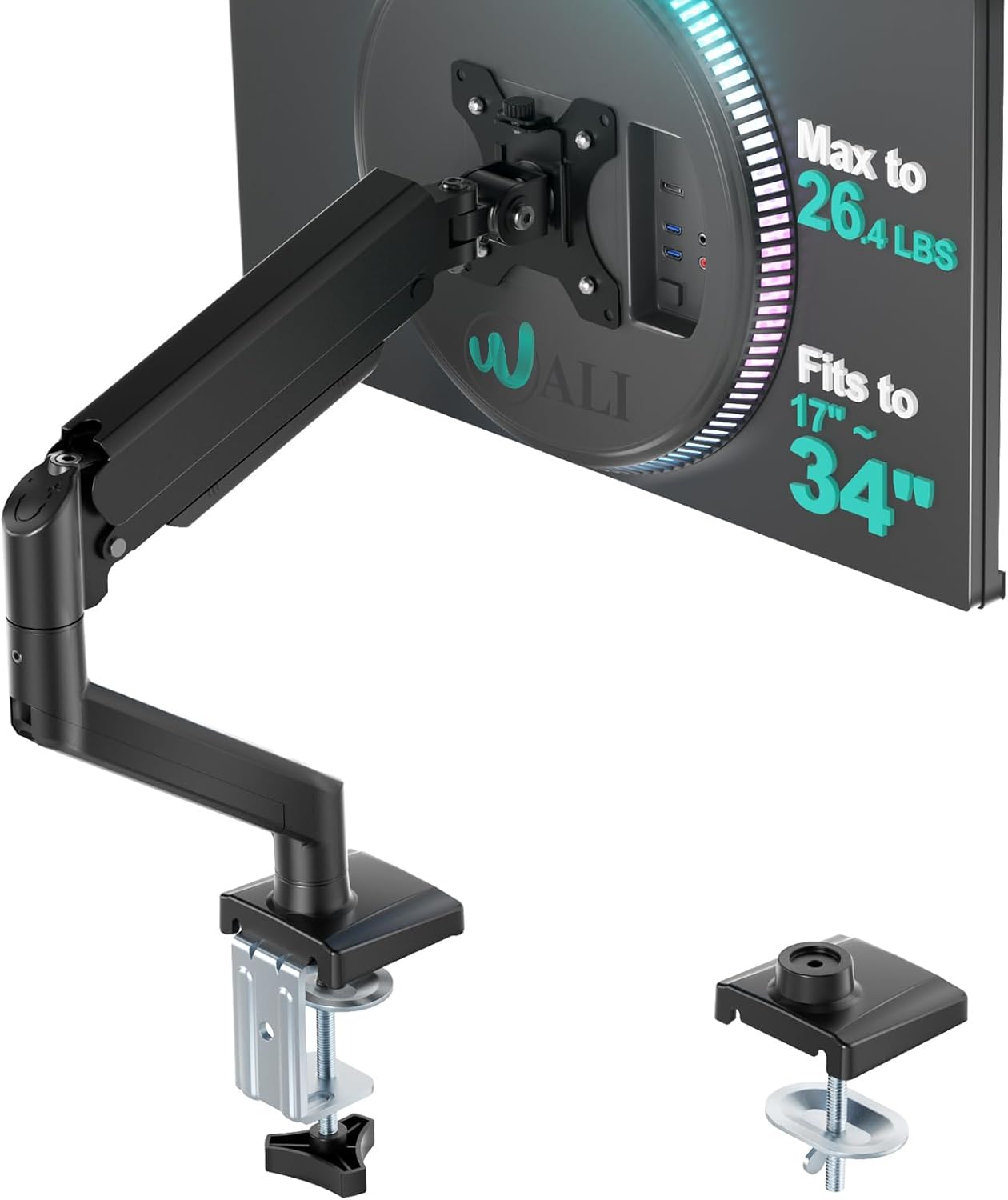
WALI Single Monitor Mount, Gas Spring Monitor Arm for 17-34 inch Screens, Adjustable Computer Monitors Stand up to 26.4lbs, with Clamp and Grommet Base, Mounting Holes 75 and 100mm (GSMP001N), Black
Want the best price and purchase timing?
Our AI advisor analyzes real-time pricing across all channels to find you the best deal.
AI Verdict
This WALI gas spring arm supports 17-34 inch screens up to 26.4 lbs, offering full articulation for desk space reclamation.
This WALI arm is a situational fit because it provides extensive adjustability, including 19.3 inches of extension and 17.3 inches of height adjustment, for monitors up to 26.4 lbs. However, some users report issues with the VESA plate connection having play and the gas spring needing frequent, forceful adjustments for heavier screens.
If you need more consistent stability and a more rigid monitor position, look for arms with a more robust VESA mounting mechanism and a higher-rated gas spring system.
Regret Score™
Medium RiskLower is better — measures purchase-regret risk from real buyer complaints, review credibility, and product maturity
Issues discovered after purchase
Critically weak dimension
Amazon rating vs actual quality
Chance this product isn't for you
Pros
- Supports flat screens up to 26.4 lbs and curved screens up to 19.8 lbs, accommodating many 17-34 inch monitors.
- Offers full articulation with +180°/-180° swivel, +70°/-45° tilt, and 360° rotation for precise positioning.
- Extends the screen up to 19.3 inches and raises it 17.3 inches above the desktop, promoting ergonomic viewing.
- Includes both clamp and grommet base options for installation on various desk types.
- Frees up desk space by elevating the monitor off the desktop.
- Comes with all necessary mounting hardware and Allen wrenches for setup.
Cons
- Gas spring tension adjustment can be difficult, requiring significant tightening for heavier monitors to prevent drooping.
- The VESA plate connection to the arm can have some play, causing the monitor to wiggle or be difficult to level precisely.
- Cable management features are basic, often leaving wires exposed or having covers too small for multiple cables.
- Requires adequate space behind the desk for full arm extension, potentially problematic if your desk is against a wall.
- Some users report the arm losing its ability to hold position or swinging to the side after a period of use.
Dimension Scores
The arm extends 19.3 inches and raises 17.3 inches, allowing for significant ergonomic positioning to reduce strain.
It offers full +180°/-180° swivel, +70°/-45° tilt, and 360° rotation, providing extensive movement options.
Constructed from metal and generally perceived as sturdy for its price, but some users report issues with VESA plate play and gas spring longevity.
The black metal design is functional and unobtrusive, but cable management is basic, which can detract from a clean look.
Best For
- Single monitor setups needing significant desk space reclamation.
- Users with 17-34 inch flat screens weighing under 26.4 lbs who need flexible monitor positioning.
- Desks with sufficient clearance behind them for the arm's extension.
- Budget-conscious buyers who prioritize adjustability over premium build tolerances.
Not Recommended For
- Users with monitors exceeding 26.4 lbs (flat) or 19.8 lbs (curved) who need consistent stability.
- Desks flush against a wall where the arm's extension would be restricted.
- Anyone needing perfectly rigid monitor positioning without any slight movement or wiggle.
Watch Out For
- The VESA plate connection can introduce slight play, causing the monitor to wiggle when touched or adjusted.
- Adjusting the gas spring for heavier monitors can be a struggle, requiring considerable force to tighten enough to prevent sagging.
- Cable management clips are often too small or expose wires, making a truly clean setup difficult.
- The arm's full extension requires up to 19.3 inches of clearance from the mounting point, which can be an issue for desks against walls.
- Some users have experienced the gas spring mechanism failing to hold position or allowing the monitor to drift after a few months.
Full Specifications
| UPC | 811278026728 |
| ASIN | B0DGPZR6P1 |
| Brand | WALI |
| Color | Black-Standard |
| Material | Metal |
| Brand Name | WALI |
| Color Name | Black-Standard |
| Item Weight | 5.15 pounds |
| Manufacturer | WALI |
| Mounting Type | Tabletop Mount |
| Movement Type | Rotate, Swivel |
| Item model number | GSMP001N |
| Compatible Devices | Monitor |
| Maximum Tilt Angle | 70 Degrees |
| Package Dimensions | 15.63 x 7.99 x 3.82 inches |
What Buyers Say
What surprised me most is how many people successfully mounted monitors heavier than the stated capacity, like a 42-inch LG C2 or an Odyssey G9, after really cranking down the gas spring tension. Most users found the installation straightforward and appreciated the immediate desk space gains. However, a recurring complaint is the slight wobble or play where the VESA plate connects to the arm, making precise leveling a bit of a chore. The included cable management is often described as minimal, barely hiding a few wires.
“Dude, this thing actually holds my big monitor, but I had to twist that tension screw like my life depended on it, and it still wiggles a bit if I bump the desk. But hey, my desk is finally clean!”
Common Praise
- Holds monitors securely, even some slightly over the stated weight limit after tension adjustment.
- Frees up a significant amount of desktop space.
- Installation is generally quick and easy for most users.
- Provides a wide range of motion for monitor positioning, including full rotation.
- The clamp feels heavy and solid, providing a secure desk attachment.
Common Complaints
- The VESA plate connection can have some play, causing the monitor to wiggle or not sit perfectly level.
- Gas spring tension needs to be adjusted aggressively for heavier monitors, and some users report it losing tension over time.
- Cable management is very basic, often leaving cables exposed or being too small for multiple wires.
- Requires considerable space behind the desk for the arm to fully extend or articulate.
- Some users experienced the arm failing to hold position or drifting after a few months of use.
Ownership Tips
- After a few weeks, the gas spring might need re-tightening, especially if your monitor is on the heavier side of the supported range.
- The slight play in the VESA mount becomes more noticeable when making small adjustments or if your desk isn't perfectly stable.
- The cable management covers are more for aesthetics than true concealment; expect some cables to still be visible.
- If your desk is against a wall, you'll likely sacrifice some of the arm's extension range.
- The included Allen wrenches are essential; keep them handy for future tension adjustments.
Frequently Asked Questions
What monitor sizes and weights does this arm support?
It supports most flat or curved LCD/LED screens from 17 to 34 inches. The maximum load capacity is 26.4 lbs for flat screens and 19.8 lbs for curved screens.
How much can the monitor arm extend and raise?
The arm allows you to extend your screen out by 19.3 inches and raise it up to 17.3 inches above the desktop.
What are the installation options?
The WALI Single Monitor Arm comes with two installation methods: a C-clamp for desk edges and a grommet base for desks with a pre-drilled hole.
Does it come with all the necessary tools for assembly?
Yes, the package includes the mounting hardware kit and user manual, which typically contains the required Allen wrenches and screws.
Can I rotate my monitor to a vertical position with this arm?
Yes, the arm allows for 360° rotation, so you can easily switch your monitor between landscape and portrait orientations.
Buying Guide
When you're looking at monitor arms, you're really buying desk space and ergonomic flexibility. You need to know your monitor's weight and VESA pattern (the screw holes on the back) first, because if it doesn't fit, nothing else matters. Also, think about how much you actually move your monitor; if it's set-it-and-forget-it, you might not need the most expensive gas spring. But if you're constantly adjusting, the quality of that gas spring and the arm's joints makes a huge difference in how smooth and stable it feels.
Max Load Capacity (26.4 lbs flat / 19.8 lbs curved)
This is the absolute heaviest monitor the arm can reliably hold. If your monitor weighs more, the arm will sag or fail to hold position, like trying to lift a bowling ball with a fishing rod. Always check your monitor's weight before buying.
VESA Mounting Pattern (75x75mm and 100x100mm)
This refers to the square pattern of screw holes on the back of your monitor. Most monitors use 75x75mm or 100x100mm. If your monitor doesn't have these, or has a different pattern, you'll need an adapter, or the arm simply won't attach.
Extension (19.3 inches) & Height Adjustment (17.3 inches)
These numbers tell you how far forward the monitor can reach and how high it can go above your desk. More extension means you can pull the monitor closer to you or push it further back, freeing up desk space. More height means you can position your screen at eye level, which is crucial for preventing neck and back pain.
Installation Methods (Clamp and Grommet)
This determines how the arm attaches to your desk. A clamp attaches to the edge, like a vice, while a grommet mount goes through a hole in your desk. Knowing your desk type and preferred method is key for a secure setup.
Alternatives
If you need a more rigid mount with less wobble or superior cable management, look for arms with higher weight ratings and integrated cable channels. For desks against walls, consider pole-mounted arms that don't extend as far back.
You Might Also Like

LYMAX Computer Monitor Light Bar with Wireless Remote, Motion Sensor, Fit for Flat/Curved Monitor, Adjustable Color Temperature with Auto-Dimming, Eye-Care USB-C Monitor Lamp, No Glare Desk Lamp
$50-$99A 15.7-ounce aluminum monitor light bar with motion sensing, auto-dimming, and stepless 2700K-6500K color temperature adjustment for flat or curved screens.

Computer Monitor Lamp, Screen Monitor Light Bar for Eye Caring, Screen Monitor Light Bar with Backlight for Eye Caring, E-Reading LED Task Lamp with Dimming Adjustment, Perfect for Reading and Study
$0-$49This BLYGACN monitor lamp offers 3 color temperatures (3000K-6500K), dimming, and a 60-minute timer, powered by USB, for monitors 15-24 inches.

Monitor Light Bar with Touch Control, RGB Desk Lamp Full Spectrum Screen Lamp, Glare-Free Low Blue Light Monitor Lamp with Memory Mode, USB Powered for Gaming, Office & Work
$0-$49A USB-powered plastic monitor light bar with touch controls, RGB modes, and glare-free illumination for basic desk setups.

RGB Monitor Light Bar, Eye-Care Dual Light Reading Screen Lamp, 9 Modes Gaming Backlight LED Computer Lamp, 3 Colors Dimmable Frontlight, 15.75'' USB Desk Lights for Home, Office
$0-$49This is a budget-focused 6.4-ounce plastic monitor light bar with dual-mode lighting and 9 RGB backlight modes, designed for users needing basic task and ambient lighting without cluttering their desk