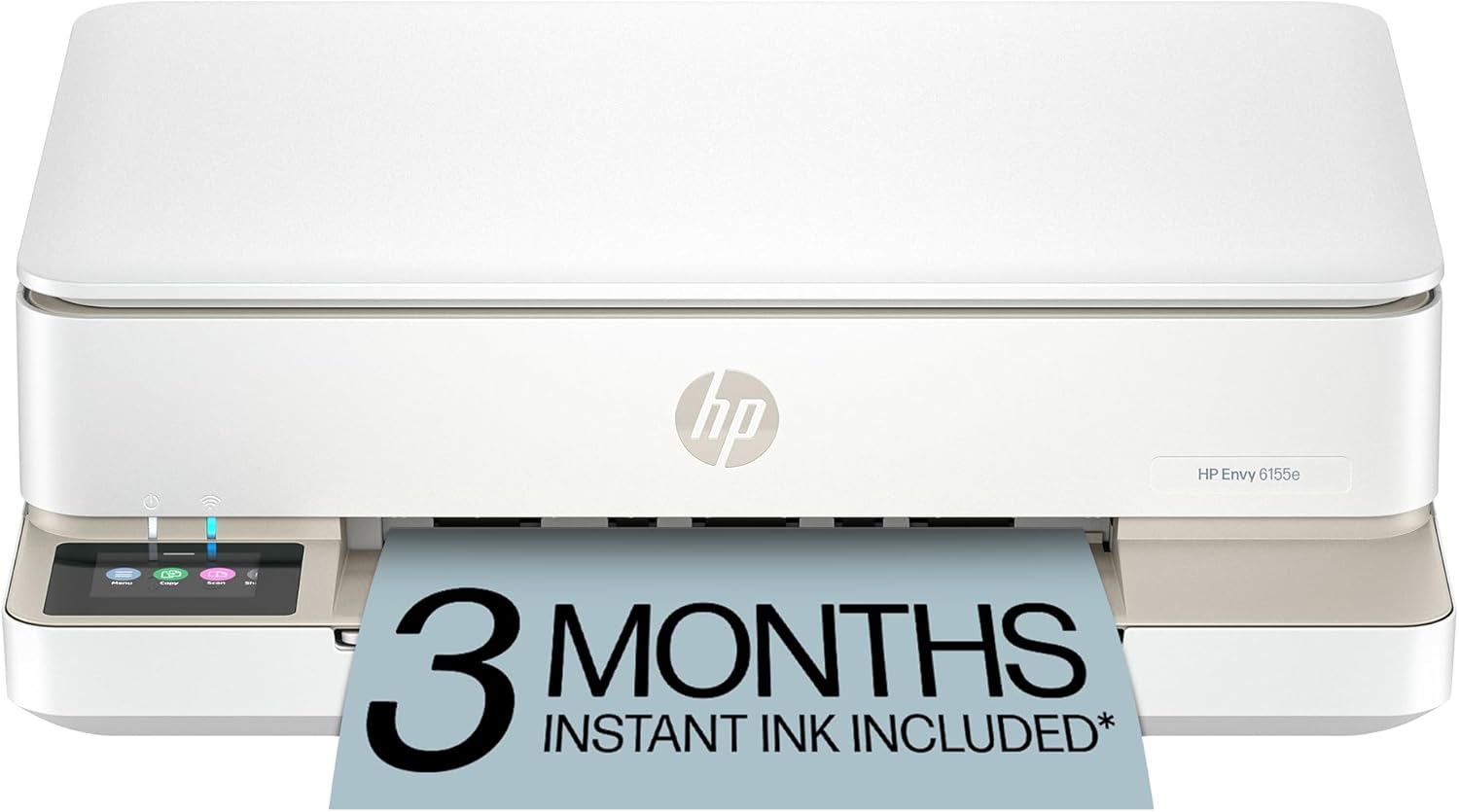
HP Envy 6155e Wireless All-in-One Color Inkjet Printer, Portobello, Print, scan, copy, Duplex printing Best-for-home, 3 month Instant Ink trial included, AI-enabled (714L5A)
Want the best price and purchase timing?
Our AI advisor analyzes real-time pricing across all channels to find you the best deal.
AI Verdict
This 11.28-pound HP Envy 6155e is a color inkjet all-in-one with 7 ppm color and 10 ppm black speeds, a 2.4-inch touchscreen, and 2-sided printing, designed for light home use.
This printer is a situational fit for home users who prioritize AI-enabled formatting for web pages and occasional photo printing with true-to-screen color. Its 7 ppm color and 10 ppm black speeds, coupled with a 100-sheet input tray, are adequate for light, intermittent use but will struggle with higher volumes.
If you need faster print speeds or lower running costs for more frequent printing, look for models with higher ppm ratings and larger ink tanks or toner cartridges.
Regret Score™
High RiskLower is better — measures purchase-regret risk from real buyer complaints, review credibility, and product maturity
Issues discovered after purchase
Critically weak dimension
Amazon rating vs actual quality
Chance this product isn't for you
Pros
- HP AI technology removes unwanted content from web pages and emails for precise printing, reducing wasted paper and ink.
- Dual-band Wi-Fi automatically detects and resolves connection issues, offering reliable wireless printing from various devices.
- Automatic 2-sided printing saves paper and streamlines multi-page document printing.
- The 2.4-inch color touchscreen provides intuitive navigation and straightforward setup.
- Prints borderless photos and utilizes HP's P3 technology for true-to-screen color reproduction.
- Includes a 3-month Instant Ink trial, providing hassle-free ink delivery.
Cons
- Low page yields result in high recurring ink costs and frequent maintenance if printing frequently.
- Print speeds are slow, at 7 ppm color and 10 ppm black, which is not ideal for heavy printing needs.
- The scanner is a basic flatbed, lacking features like an Automatic Document Feeder (ADF) or duplex scanning.
- Some users report difficulties with HP's software and app-based setup process, including Wi-Fi connection issues.
- The power button is located on the back, which some users find inconvenient.
Dimension Scores
This dimension is not applicable to a printer, as it does not offer ergonomic support or comfort features.
Adjustability is minimal, limited to a 100-sheet input tray and a 2.4-inch touchscreen for navigation, with no physical adjustments for placement or orientation.
The printer is made from at least 60% recycled plastic, indicating some environmental consideration, but there are no specific claims about durability or premium materials.
Users describe the 'Portobello' design as 'sleek' and 'attractive', fitting well into modern home workspaces.
Best For
- Home users printing everyday color documents like homework and recipes.
- Students needing to print school projects and occasional borderless photos.
- Users who value AI-assisted formatting to clean up web pages and emails before printing.
- Individuals seeking a printer with reliable wireless connectivity for printing from multiple devices.
Not Recommended For
- Small offices or users with high-volume printing requirements due to slow speeds and high ink costs.
- Users needing advanced scanning features like multi-page document scanning or automatic duplex scanning.
- Anyone looking to avoid ink subscription services, as it's heavily integrated with Instant Ink.
Watch Out For
- The printer's low page yields mean you'll face high recurring ink costs if you print more than occasionally.
- Setup can be a 'nightmare' for some, with users reporting issues connecting to Wi-Fi or completing the setup through the HP app.
- The power button is located on the back, which one user found to be a 'bother'.
- Despite AI features, the printer is 'very slow', only printing up to 8 document pages per minute according to one review, which is below its advertised 10 ppm black.
Full Specifications
| UPC | 197029817495 |
| ASIN | B0D7JS7S2P |
| Brand | HP |
| Color | White |
| Duplex | Automatic (standard) |
| Wattage | 100 watts |
| Ink Color | Black; Cyan; Magenta; Yellow |
| Model Name | 6155e (New) |
| Sheet Size | 3 x 5 to 8.5 x 12 in; Duplex:3 x 5.5 to 8.5 x 11.7 in Inches |
| Color Depth | 24 Bits |
| Item Weight | 11.28 pounds |
| Print media | Envelopes, Labels, Paper (plain) |
| Manufacturer | HP |
| Model Series | Envy |
| Scanner Type | Flatbed |
| Series Number | 714 |
| Warranty Type | One-Year limited hardware warranty with option to extend to two-years with acceptance of HP+ Offer. For more info please visit us at support.hp.com . |
| Control Method | App |
| Printer Output | Color |
| Controller Type | iOS |
| Number of Trays | 1 |
| Processor Count | 1 |
| Total USB Ports | 1 |
| Printer Ink Type | Ink |
| Item model number | HP Envy 6155e All-in-One Printer |
| Power Consumption | 4.25 Watts |
| Compatible Devices | Laptops, PC, Smartphones |
| Hardware Interface | USB |
| Maximum Media Size | 8.5 x 11.7 in |
| Product Dimensions | 14.21"D x 17.05"W x 5.35"H |
| Dual-sided printing | Yes |
| Included Components | HP Envy 6155e All-in-One Printer; HP 68 Setup Black Cartridge; HP 68 Setup Tri-Color Cartridge; Regulatory flyer; Setup guide; Reference guide; Power cord |
| Printing Technology | Inkjet |
| Compatible Cartridge | HP ink cartridges |
| Number of USB 2 Ports | 1 |
| Output sheet capacity | 25.0 |
| Supported Media Sizes | 3 x 5 inches |
| Maximum copies per run | Up to 99 copies |
| Connectivity Technology | 802.11a/b/g/n/ac; Wi-Fi |
| Initial page print time | 22 Seconds |
| Memory Storage Capacity | 256 MB |
| Max Input Sheet Capacity | 100 |
| Max Printspeed Monochrome | 10 ppm |
| Max copy resolution color | 300 x 300 dpi |
| Specific Uses For Product | Home and home office |
| Maximum Print Speed (Color) | 7 ppm |
| Additional Printer functions | All In One |
| Maximum Color Print Resolution | Up to 4800 x 1200 optimized dpi color (when printing from a computer on selected HP photo papers and 1200 input dpi) Dots Per Inch |
| Max copy resolution black-white | Up to 300 x 300 dpi |
| Maximum Black and White Print Resolution | Up to 1200X 1200 rendered dpi (when Printing from a computer) Dots Per Inch |
What Buyers Say
Many users highlight the printer's AI-enabled formatting as a standout feature, effectively cleaning up web pages and emails for printing, which saves ink and paper. However, the recurring cost of ink due to low page yields is a significant concern for those who print more than occasionally. While the 2.4-inch color touchscreen and dual-band Wi-Fi are generally praised for ease of use and reliable connectivity, some initial setup experiences with the HP app are reported as frustrating. The printer is consistently noted for its ability to produce quality color documents and borderless photos, making it suitable for home and student use.
“Honestly, this printer is a mixed bag. The AI stuff for web pages is actually kinda cool, no more weird printouts, but seriously, the ink costs are gonna kill me if I print too much, and setting it up was a total headache with the app.”
Common Praise
- AI-enabled smarts automatically remove unwanted content from web pages and emails, leading to clean, perfectly laid out prints.
- The 2.4-inch color touchscreen is responsive, easy to read, and makes daily operation straightforward.
- Dual-band Wi-Fi is reliable, automatically detecting and resolving connection issues, allowing printing from any device in the home.
- Produces vibrant prints that match screen colors, thanks to HP's P3 technology and true-to-screen tech.
- Automatic two-sided printing helps save paper and streamlines multi-page documents.
- Print quality is good for everyday documents and photos.
Common Complaints
- Low page yields result in high recurring costs for ink, making it expensive for frequent printing.
- Initial setup, particularly with the HP app and Wi-Fi connection, can be a 'nightmare' or 'not easy'.
- The printer is 'very slow', with speeds up to 7 ppm color and 10 ppm black, which is not suitable for high-volume tasks.
- The flatbed scanner is basic and lacks features like an Automatic Document Feeder (ADF) or duplex scanning.
- The power button is inconveniently located on the back of the device.
Ownership Tips
- The 3-month Instant Ink trial is a nice perk initially, but be aware of the ongoing subscription costs after it ends.
- Even with 'reliable' Wi-Fi, some users still experience occasional connection drops or setup frustrations that require troubleshooting.
- The 100-sheet input tray means frequent paper refills if you print multi-page documents regularly.
- The 'Portobello' color and compact size make it blend into home decor better than typical office printers.
- The AI-enabled formatting for web pages is genuinely useful for avoiding wasted ink and paper on unwanted ads or navigation.
Frequently Asked Questions
Does the HP Envy 6155e come with ink?
Yes, it includes a 3-month trial of HP Instant Ink, which delivers ink to your door before you run out.
Can I print double-sided with this printer?
Yes, the HP Envy 6155e features automatic 2-sided (duplex) printing to save paper.
How does the 'AI-enabled' feature work?
HP AI helps perfectly format prints by removing unwanted content from web pages and emails, ensuring cleaner layouts.
Is the HP Envy 6155e easy to set up wirelessly?
It has dual-band Wi-Fi designed to be reliable and self-healing, and many users find the 2.4-inch touchscreen makes setup straightforward, though some report initial app-related setup difficulties.
What kind of photos can it print?
It prints everyday quality color documents and borderless photos, with 'true-to-screen tech' for vibrant colors.
Buying Guide
When looking at an all-in-one inkjet printer like this, you need to think about how much you actually print. If you're just doing a few pages of homework or a recipe here and there, the slower speeds and ink costs might be fine. But if you're printing stacks of documents every week, those 'per page' costs add up fast, and you'll be waiting a while for your prints. Also, consider if you need to scan multi-page documents, because a basic flatbed scanner means you'll be manually placing each sheet.
Print speeds (7 ppm color, 10 ppm black)
This tells you how many pages per minute the printer can churn out. Think of it like how fast your car goes – 7-10 pages per minute is like driving in a school zone; it's okay for short trips but slow for a long commute. For a few pages, it's fine, but for a big report, you'll be waiting.
100-sheet input tray
This is how much paper the printer can hold at once. A 100-sheet tray is like a small snack bag; it's enough for a quick print job, but if you're printing a longer document or multiple items, you'll be refilling it often.
AI-enabled printing
This isn't about the printer becoming sentient; it means the printer's software can intelligently reformat things like web pages or emails. Imagine trying to print a recipe online and getting ads and navigation menus – the AI tries to remove that clutter so you only print what you want, saving ink and paper.
Dual-band Wi-Fi
This refers to the printer's wireless connection. Dual-band Wi-Fi is like having two different lanes on a highway for your internet traffic (2.4GHz and 5GHz). It generally means a more stable and reliable connection to your home network, reducing frustrating disconnections.
Alternatives
If you need faster printing and lower running costs for higher volumes, look for inkjet printers with higher ppm ratings and larger ink tanks or consider laser printers. For advanced scanning, seek models with an Automatic Document Feeder (ADF) and duplex scanning capabilities.
You Might Also Like

LYMAX Computer Monitor Light Bar with Wireless Remote, Motion Sensor, Fit for Flat/Curved Monitor, Adjustable Color Temperature with Auto-Dimming, Eye-Care USB-C Monitor Lamp, No Glare Desk Lamp
$50-$99A 15.7-ounce aluminum monitor light bar with motion sensing, auto-dimming, and stepless 2700K-6500K color temperature adjustment for flat or curved screens.

Computer Monitor Lamp, Screen Monitor Light Bar for Eye Caring, Screen Monitor Light Bar with Backlight for Eye Caring, E-Reading LED Task Lamp with Dimming Adjustment, Perfect for Reading and Study
$0-$49This BLYGACN monitor lamp offers 3 color temperatures (3000K-6500K), dimming, and a 60-minute timer, powered by USB, for monitors 15-24 inches.

Monitor Light Bar with Touch Control, RGB Desk Lamp Full Spectrum Screen Lamp, Glare-Free Low Blue Light Monitor Lamp with Memory Mode, USB Powered for Gaming, Office & Work
$0-$49A USB-powered plastic monitor light bar with touch controls, RGB modes, and glare-free illumination for basic desk setups.

RGB Monitor Light Bar, Eye-Care Dual Light Reading Screen Lamp, 9 Modes Gaming Backlight LED Computer Lamp, 3 Colors Dimmable Frontlight, 15.75'' USB Desk Lights for Home, Office
$0-$49This is a budget-focused 6.4-ounce plastic monitor light bar with dual-mode lighting and 9 RGB backlight modes, designed for users needing basic task and ambient lighting without cluttering their desk