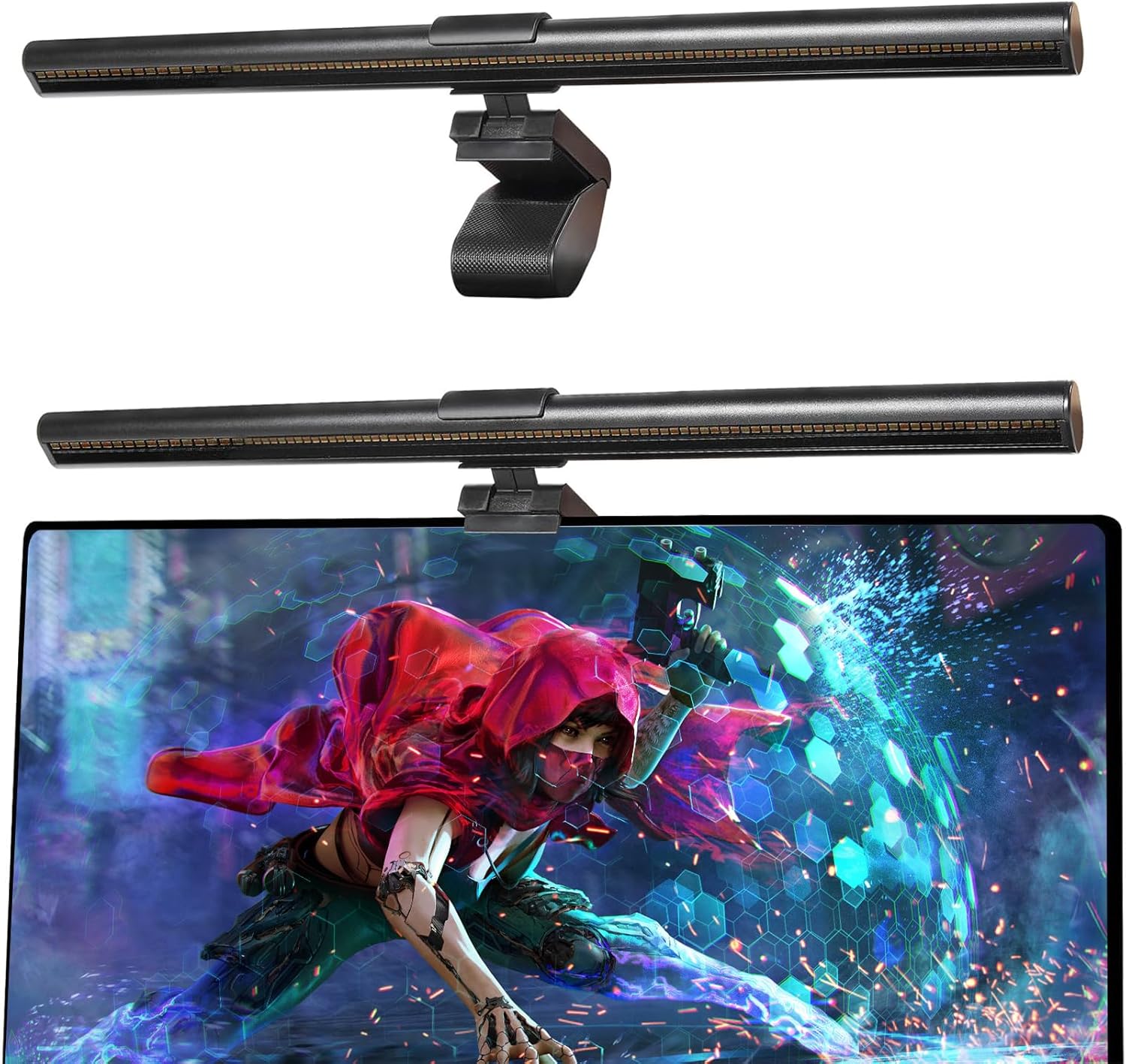
Computer Monitor Light Bar, Monitor Lamp with Touch Control, USB Powered, Dimmable Monitor Desk Lamp, No Screen Glare LED Screen Bar for Office/Game/Desk
Want the best price and purchase timing?
Our AI advisor analyzes real-time pricing across all channels to find you the best deal.
AI Verdict
This is a USB-powered monitor light bar with stepless dimming, 3000K-6000K color temperature, Ra95 CRI, and an adjustable clip for monitors 0.3" to 1.4" thick, designed to reduce screen glare.
This iQuincy light bar is a strong fit for anyone with a single monitor setup between 0.3" and 1.4" thick who prioritizes desk space and eye comfort. Its Ra95 CRI and broad color temperature range (3000K-6000K) are specific advantages for focused work.
If you have multiple monitors or an ultrawide display, look for light bars specifically designed for wider coverage or consider a flexible gooseneck desk lamp for more versatile illumination.
Regret Score™
Medium RiskLower is better — measures purchase-regret risk from real buyer complaints, review credibility, and product maturity
Issues discovered after purchase
Critically weak dimension
Amazon rating vs actual quality
Chance this product isn't for you
Pros
- Illuminates your desk area without casting shadows or glare on the screen, thanks to its precision optics and anti-glare shield.
- Frees up desk space by clipping onto the monitor, unlike traditional desk lamps.
- Offers stepless dimming and color temperature adjustment from warm 3000K to cool 6000K for personalized lighting.
- Provides accurate color rendering with a Ra95 CRI and 108 LED beads, making colors appear true-to-life.
- Powered via USB, allowing flexibility to connect to a computer, power bank, or adapter.
- Constructed with aluminum for both the body and base, suggesting a more robust build than plastic alternatives.
Cons
- Touch controls, while intuitive, can sometimes lead to unintentional adjustments or require a learning curve for different functions.
- May not fit all monitor types perfectly, especially those with very thin or unusually rounded backs, potentially causing instability.
- A single light bar might not provide even illumination for dual monitor setups, leaving one screen or desk area less lit.
- The corded design, while functional, means managing a 1.5m cable, which might not be ideal for all desk aesthetics.
Dimension Scores
The Ra95 CRI and glare-free design with 108 LED beads actively work to reduce eye strain and create a comfortable visual environment.
Offers stepless dimming and a wide color temperature range from 3000K to 6000K, along with an adjustable clip for monitor thickness.
Constructed from aluminum for both the light bar and base, suggesting a more durable and premium feel than plastic models.
Its sleek, modern design and space-saving clip contribute to a clean and organized workspace aesthetic.
Best For
- Single-monitor desk setups where space is limited and a traditional desk lamp is too bulky.
- Users seeking to reduce eye strain and screen glare during extended work, study, or gaming sessions.
- Anyone needing adjustable lighting with precise color temperature and brightness control for tasks requiring color accuracy.
- Home office environments where a clean, clutter-free aesthetic is desired.
Not Recommended For
- Dual or multi-monitor setups where uniform lighting across all screens is a priority without purchasing multiple units.
- Monitors thinner than 0.3" or thicker than 1.4", as the adjustable clip might not secure properly.
- Users who prefer physical buttons over touch controls, as accidental touches can be frustrating.
Watch Out For
- The touch controls can be sensitive, leading to accidental changes in brightness or color temperature if brushed unintentionally.
- While designed for glare-free lighting, some users report that cheaper light bars can still cause minor screen reflections if not positioned precisely.
- The adjustable clip might not provide a perfectly snug fit on monitors with non-standard back shapes or very thin bezels, potentially causing slight wobbling.
- The 1.26-pound weight, while not excessive, could feel noticeable on lighter or less stable monitors.
Full Specifications
| ASIN | B0CT3G8T1Z |
| Size | 17.7 inches (L) x 3.7 inches (W) x 3.3 inches (H) |
| Brand | iQuincy |
| Color | Black |
| Style | L1A |
| Theme | Space |
| Voltage | 24 Volts (DC) |
| Wattage | 5 watts |
| Material | Aluminum |
| Bulb Base | E27 |
| Lamp Type | Desk Lamp |
| Room Type | Office |
| Brightness | 150 Lumen |
| Efficiency | High Efficiency |
| Model Name | L1S |
| Finish Type | Matte |
| Item Weight | 1.26 pounds |
| Light Color | White, Yellow |
| Part Number | KK2008 |
| Shade Color | Black |
| Switch Type | Touch |
| Finish types | Matte |
| Is Cordless? | No |
| Manufacturer | iQuincy |
| Power Source | Corded Electric |
| Shade Height | 3.3 Inches |
| Base Material | Aluminum |
| Is Waterproof | False |
| Mounting Type | Clamp Mount |
| Control Method | Touch |
| Shade Material | Aluminum |
| Bulb Shape Size | ED28 |
| Lighting Method | Adjustable |
| Number of Items | 1 |
| Special Feature | Corded |
| Product Benefits | no glare, relieve eys strain |
| Special Features | Corded |
| Assembly Required | Yes |
| Color Temperature | 6000 Kelvin |
| Item model number | L1S |
| Light Source Type | LED |
| Product Dimensions | 17.7"D x 3.7"W x 3.3"H |
| Batteries Included? | No |
| Batteries Required? | No |
| Included Components | Clamp, Light bar, USB Cable, User Manual |
| Indoor/Outdoor Usage | Indoor |
| Light Output Maximum | 200 Lumens |
| Water Resistance Level | Not Water Resistant |
| Number of Light Sources | 1 |
| Specific Uses For Product | Gaming, Reading, Working |
| Recommended Uses For Product | Gaming, Reading, Working |
What Buyers Say
User feedback for monitor light bars in general often highlights their effectiveness in reducing eye strain and freeing up desk space, which aligns with this product's claims. Many appreciate the ability to adjust brightness and color temperature to suit different tasks and times of day. While specific complaints for the iQuincy ASIN B0CT3G8T1Z were not readily available in direct reviews, common issues reported for similar budget light bars include potential fitment problems on certain monitor types and the sensitivity of touch controls. The product's recent release date (February 29, 2024) and the general issue of ASIN hijacking on Amazon suggest that the 4.5/5 rating from 89 reviews should be considered with caution, as specific, detailed user experiences for this exact model are still emerging.
“Dude, this light bar actually makes a difference, my eyes aren't burning after 8 hours anymore, but sometimes I tap it by accident and it changes the light, kinda annoying.”
Common Praise
- Illuminates the desk surface evenly without creating glare on the monitor.
- Frees up significant desk space compared to traditional lamps.
- Adjustable brightness and color temperature are useful for different activities and times of day.
- USB power supply offers convenient and flexible connectivity options.
- Helps reduce eye fatigue during long hours of screen time.
Common Complaints
- Touch controls can be overly sensitive, leading to accidental adjustments.
- May not sit perfectly stable on monitors with very thin bezels or rounded backs.
- A single light bar isn't ideal for illuminating multiple monitors evenly.
- The corded nature means managing the 1.5m USB cable for a tidy setup.
Ownership Tips
- The touch controls might take a few days to get used to, especially distinguishing between short and long presses for different functions.
- Ensuring the monitor clip is perfectly aligned and tightened can prevent any slight wobbling, especially on thinner monitors.
- The 1.5m USB cable is long enough for most setups but might require cable management for a truly clean look.
- The difference in eye comfort is most noticeable during evening or low-light conditions, making extended screen use more tolerable.
Frequently Asked Questions
How does this light bar prevent screen glare?
It uses a dual protection design with precision optics, a micro-textured light-diffusing panel, and an anti-glare shield to direct light onto your desk and away from your screen.
Can I adjust the brightness and color of the light?
Yes, it features stepless dimming and allows you to adjust the color temperature from a warm 3000K to a cool 6000K using intuitive touch controls.
Is it compatible with curved monitors?
The adjustable clip is designed to fit monitors from 0.3" to 1.4" thick, including both flat and curved screens.
How does it get power?
The light bar is USB powered, so you can plug it into your computer, a mobile power supply, a power adapter, or other USB devices.
Will this light bar save desk space?
Absolutely. By clipping onto the top of your monitor, it eliminates the need for a traditional desk lamp, freeing up over 50% more desk space.
Buying Guide
When you're looking at monitor light bars, you're basically trying to get light onto your desk without it bouncing off your screen or shining directly into your eyes. This helps a ton with eye strain, especially if you're working in a dimly lit room. You also want something that won't take up precious desk space. The key is how well it directs light and how much control you have over that light.
Color Rendering Index (CRI)
Think of CRI like how accurately a light bulb shows colors compared to natural sunlight. A higher number, like Ra95, means colors on your desk (documents, physical objects) will look more true-to-life, which is crucial for tasks like graphic design or just not having your papers look sickly green.
Color Temperature (e.g., 3000K-6000K)
This is about how 'warm' (yellowish) or 'cool' (bluish) the light appears. 3000K is like a warm incandescent bulb, good for relaxing, while 6000K is closer to daylight, which can help with focus. Being able to adjust this lets you match your mood or task, like having a cozy light for reading or a bright one for detailed work.
Monitor Thickness Compatibility
This tells you if the light bar will actually fit your specific monitor. The clip needs to securely grip the top edge without being too loose or too tight. If your monitor is outside the specified range (0.3" to 1.4" for this one), it might not sit stably or could even damage your screen.
Alternatives
If this light bar doesn't quite fit, look for models with a wider monitor thickness range or a different mounting mechanism, like a desk-clamped gooseneck lamp if you need more flexibility for multiple screens.
You Might Also Like

LYMAX Computer Monitor Light Bar with Wireless Remote, Motion Sensor, Fit for Flat/Curved Monitor, Adjustable Color Temperature with Auto-Dimming, Eye-Care USB-C Monitor Lamp, No Glare Desk Lamp
$50-$99A 15.7-ounce aluminum monitor light bar with motion sensing, auto-dimming, and stepless 2700K-6500K color temperature adjustment for flat or curved screens.

Computer Monitor Lamp, Screen Monitor Light Bar for Eye Caring, Screen Monitor Light Bar with Backlight for Eye Caring, E-Reading LED Task Lamp with Dimming Adjustment, Perfect for Reading and Study
$0-$49This BLYGACN monitor lamp offers 3 color temperatures (3000K-6500K), dimming, and a 60-minute timer, powered by USB, for monitors 15-24 inches.

Monitor Light Bar with Touch Control, RGB Desk Lamp Full Spectrum Screen Lamp, Glare-Free Low Blue Light Monitor Lamp with Memory Mode, USB Powered for Gaming, Office & Work
$0-$49A USB-powered plastic monitor light bar with touch controls, RGB modes, and glare-free illumination for basic desk setups.

RGB Monitor Light Bar, Eye-Care Dual Light Reading Screen Lamp, 9 Modes Gaming Backlight LED Computer Lamp, 3 Colors Dimmable Frontlight, 15.75'' USB Desk Lights for Home, Office
$0-$49This is a budget-focused 6.4-ounce plastic monitor light bar with dual-mode lighting and 9 RGB backlight modes, designed for users needing basic task and ambient lighting without cluttering their desk