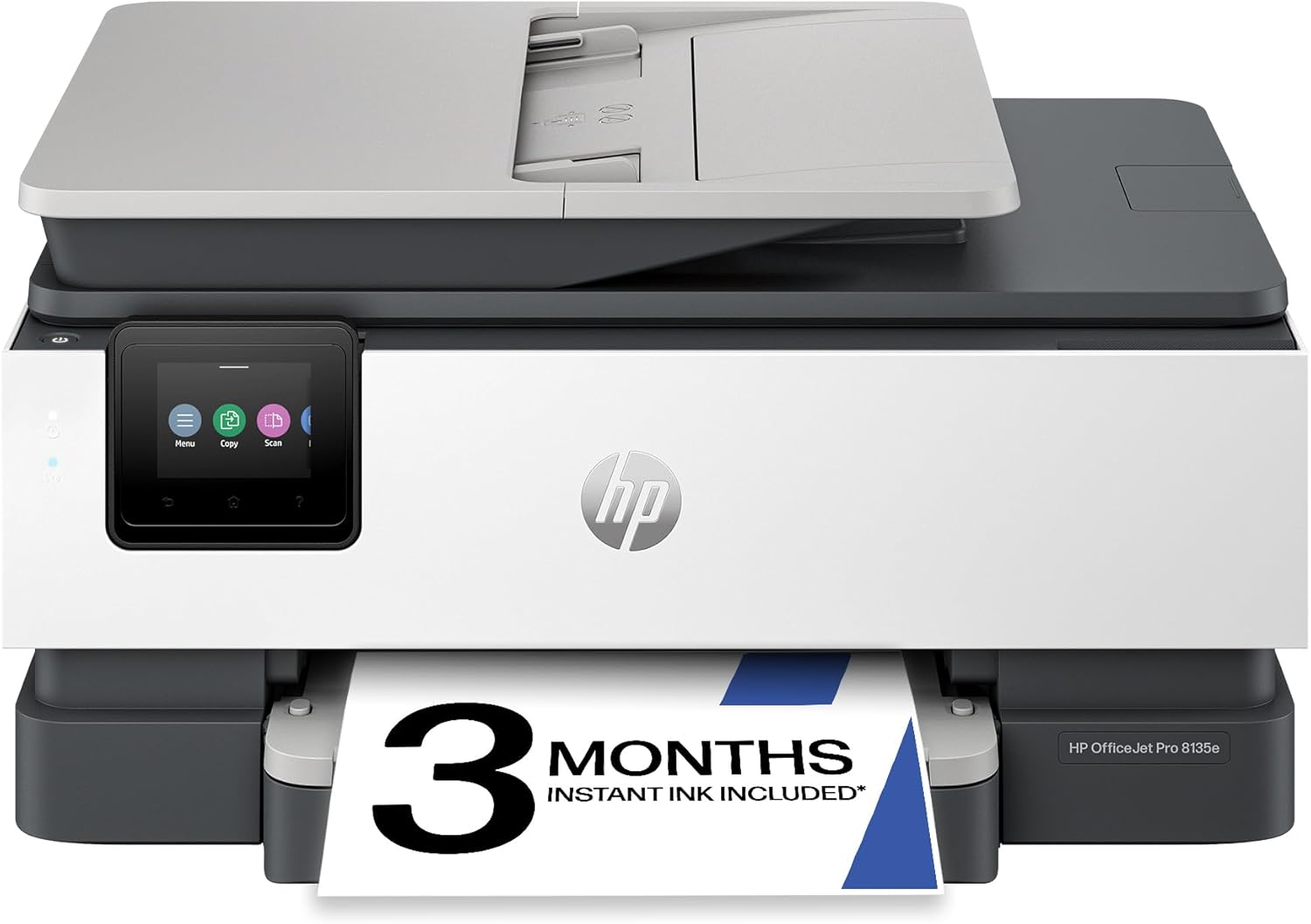
HP OfficeJet Pro 9135e Wireless All-in-One Color Inkjet Printer, Print, scan, copy, fax, ADF, Duplex printing best-for-office, 3 month Instant Ink trial included, AI-enabled (404M0A)
Want the best price and purchase timing?
Our AI advisor analyzes real-time pricing across all channels to find you the best deal.
AI Verdict
A 25 ppm black, 20 ppm color inkjet with 500-sheet capacity and duplex scanning, built for offices needing fast color documents and security.
This printer is a strong fit for small to medium offices needing high-volume, fast color printing and robust security features, thanks to its 25 ppm black speed, 500-sheet capacity, and HP Wolf Pro Security. However, its reliance on HP+ and Instant Ink, coupled with dynamic security that blocks non-HP cartridges, makes it a situational fit for users who are comfortable with or prefer a subscription-based ink model.
If you prioritize lower long-term ink costs or the freedom to use third-party cartridges, look for printers that do not employ dynamic security or offer open cartridge systems.
Regret Score™
Medium RiskLower is better — measures purchase-regret risk from real buyer complaints, review credibility, and product maturity
Issues discovered after purchase
Critically weak dimension
Amazon rating vs actual quality
Chance this product isn't for you
Pros
- Prints black documents at 25 pages per minute and color documents at 20 pages per minute.
- Features two 250-sheet input trays, providing a total 500-sheet paper capacity.
- Includes automatic double-sided printing and single-pass duplex scanning via the ADF.
- Equipped with HP Wolf Pro Security to protect data and networks against cyber threats.
- AI-enabled to format web pages and emails for precise printing, removing unwanted content.
- Offers reliable dual-band Wi-Fi and Ethernet connectivity, supporting mobile printing via the HP Smart app.
Cons
- Intended to work only with HP-chipped cartridges, blocking non-HP alternatives through dynamic security and firmware updates.
- Some users report connectivity issues despite the dual-band Wi-Fi, and the setup process can be frustrating.
- Photo printing quality is not its strongest suit, with low print resolution and limited color range resulting in lost details and dark pictures.
- One user reported that printing a 30-page document took 10 minutes, indicating potential slowness for large jobs.
- Ink cartridges are costly after the initial 3-month Instant Ink trial.
Dimension Scores
The 4.3-inch color touchscreen interface simplifies daily operations and setup, making it user-friendly.
It features two 250-sheet paper trays for varied media, an auto document feeder, and supports automatic double-sided printing and scanning.
Weighing 26.1 pounds and made from over 40% recycled plastic, it suggests a sturdy construction, though the output tray is noted as flimsy by one user.
The printer has a standard office product design, without specific features that make it stand out visually.
Best For
- Offices regularly printing professional-quality color documents like presentations and brochures.
- Workgroups requiring fast document processing with automatic double-sided printing and scanning.
- Environments prioritizing data security with built-in HP Wolf Pro Security.
- Users who print frequently enough to benefit from an ink subscription service like Instant Ink.
Not Recommended For
- Users with limited desk space, given its 26.1-pound weight and dimensions of 17.2 x 15.6 x 12.53 inches.
- Casual home users who print infrequently and may not benefit from a high-volume office printer or ink subscription.
- Anyone wanting to use third-party ink cartridges or avoid subscription services due to HP's dynamic security.
Watch Out For
- HP's dynamic security measures block cartridges using non-HP chips, and periodic firmware updates maintain this effectiveness, potentially rendering previously working non-HP cartridges unusable.
- Some users experience 'paper jam' alerts, with the first paper tray reportedly not holding paper securely.
- One user noted that a 30-page document took 10 minutes to print, which is significantly slower than expected for a printer rated at 25 ppm black.
- Ink cartridges are described as costly after the initial 3-month Instant Ink trial, impacting long-term running expenses.
- Connectivity issues and setup challenges were reported by some users, despite the printer featuring dual-band Wi-Fi.
Full Specifications
| UPC | 196337284975 |
| ASIN | B0CFM7VJNK |
| Brand | HP |
| Color | Light Cement |
| Duplex | Automatic |
| Wattage | 100 watts |
| Ink Color | Black, cyan, magenta, yellow |
| Model Name | New Version |
| Sheet Size | 8.5 x 11;8.27 x 11.7;8.5 x 14;7.16 x 10.12; Inches |
| Color Depth | 24 Bits |
| Item Weight | 26.1 pounds |
| Print media | Paper (plain) |
| Manufacturer | HP |
| Model Series | 9130 |
| Scanner Type | Easy slide-off glass, single-pass 2-sided ADF |
| Series Number | 9130 |
| Warranty Type | One-Year limited hardware warranty with option to extend to two-years with acceptance of HP+ Offer. For more information, please visit us at support.hp.com. (9) |
| Control Method | App |
| Printer Output | Color |
| Controller Type | Android |
| Number of Trays | 2 |
| Processor Count | 1 |
| Special Feature | Auto Document Feeder, Double Sided Scanning, Network-Ready, Two 250 Sheet Paper Trays |
| Total USB Ports | 1 |
| Printer Ink Type | HP ink |
| Item model number | 404M0A#B1H |
| Power Consumption | 5.58 Watts |
| Compatible Devices | Laptops, PC, Smartphones |
| Hardware Interface | Ethernet, USB |
| Maximum Media Size | 8.5 x 11.7 in |
| Product Dimensions | 15.6"D x 17.2"W x 12.53"H |
| Dual-sided printing | Yes |
| Included Components | HP OfficeJet Pro 9135e AiO Printer; HP 936 Setup Black Ink Cartridge; HP 936 Setup Cyan Ink Cartridge; HP 936 Setup Magenta Ink Cartridge; HP 936 Setup Yellow Ink Cartridge; Regulatory Flyer; Ink Caution Flyer; Power Cord; Setup Poster; Reference Guide [For more information about fill and yield, see http://www.hp.com/go/learnaboutsupplies ] |
| Printing Technology | HP Thermal Inkjet |
| Total Ethernet Ports | 1 |
| Number of USB 2 Ports | 1 |
| Supported Media Sizes | JIS B5, Legal (8.5 x 14 inches), Letter (8.5 x 11 inches) |
| Maximum copies per run | Up to 99 copies |
| Connectivity Technology | Ethernet, USB, Wireless |
| Initial page print time | 11 Seconds |
| Memory Storage Capacity | 512 MB |
| Max Input Sheet Capacity | 500 |
| Max Printspeed Monochrome | 25.0 |
| Max copy resolution color | Up to 600 dpi |
| Specific Uses For Product | Office |
| Maximum Print Speed (Color) | 20.0 |
| Additional Printer functions | All In One |
| Max Copy Speed (Black & White) | 23 ppm |
| Maximum Color Print Resolution | Up to 4800 x 1200 optimized dpi on HP Advance Photo Paper 1200 x 1200 dpi input Dots Per Inch |
| Max copy resolution black-white | Up to 600 dpi |
| Maximum Black and White Print Resolution | 1200 x 1200 rendered dpi Dots Per Inch |
What Buyers Say
Users frequently highlight the HP OfficeJet Pro 9135e's speed, with black documents printing at 25 ppm and color at 20 ppm, alongside its substantial 500-sheet paper capacity and robust security features like HP Wolf Pro Security. However, a recurring point of contention is HP's dynamic security, which restricts the use of non-HP ink cartridges and can be enforced through firmware updates. Some individuals also reported frustrating setup experiences and occasional connectivity issues, despite the inclusion of dual-band Wi-Fi.
“This printer is super fast and the double trays are a lifesaver for my small business, but seriously, HP, the ink cartridge lockdown and the setup headaches are just ridiculous, makes me want to pull my hair out sometimes!”
Common Praise
- Fast printing speeds for both black (25 ppm) and color (20 ppm) documents.
- Dual 250-sheet paper trays provide a generous 500-sheet capacity, reducing refill frequency.
- Automatic double-sided printing and single-pass duplex scanning are game-changers for large document batches.
- HP Wolf Pro Security offers peace of mind regarding data protection against cyber threats.
- The 4.3-inch color touchscreen makes navigation and daily operations straightforward.
Common Complaints
- HP's dynamic security blocks non-HP ink cartridges, and firmware updates can disable previously working ones.
- The setup process can be frustrating and time-consuming for some users.
- Some users experienced connectivity issues, even with the dual-band Wi-Fi.
- Reports of 'paper jam' alerts and the first paper tray not securely holding paper.
- Ink cartridges are considered costly once the initial Instant Ink trial period ends.
Ownership Tips
- Managing the Instant Ink subscription and understanding its terms is crucial to avoid unexpected charges or service interruptions.
- Regularly checking for and applying firmware updates is necessary, as these can impact cartridge compatibility and security features.
- The actual speed for complex or mixed-media print jobs might vary from the stated ppm, especially with duplexing due to drying times.
- Be prepared to troubleshoot occasional paper jams or connectivity glitches, as reported by some users.
- The physical size and weight (26.1 pounds) mean it needs a dedicated, sturdy space, and moving it is a two-person job.
Frequently Asked Questions
What are the dimensions and weight of the HP OfficeJet Pro 9135e?
The printer measures 17.2 inches (W) x 15.6 inches (D) x 12.53 inches (H) and weighs 26.1 pounds.
Is the HP OfficeJet Pro 9135e compatible with Windows 10?
Yes, the HP OfficeJet Pro 9135e is compatible with Windows 10.
Does this printer have Ethernet connectivity?
Yes, it includes an Ethernet port in addition to Wi-Fi connectivity.
Can I print directly from a USB flash drive?
Yes, the printer has a USB host port, allowing you to print directly from a USB stick.
What is HP+ and Instant Ink, and how do they relate to this printer?
HP+ is an optional printing system that requires an ongoing internet connection and exclusive use of Original HP Ink cartridges. Activating HP+ includes 3 months of Instant Ink, a subscription service that delivers ink to your door before you run out, with a monthly fee applying after the trial unless cancelled.
Does the printer support mobile printing?
Yes, it supports mobile printing via the HP Smart app, allowing you to print, scan, copy, and fax directly from your phone.
Buying Guide
When looking at an office printer like this, you need to understand that 'pages per minute' (ppm) tells you how fast it spits out documents, which is key for busy offices. 'Duplex printing and scanning' means it can handle both sides of a page automatically, saving you time and paper. The 'ADF' (Auto Document Feeder) is your best friend for scanning or copying stacks of documents without manually feeding each one. Also, be aware of ink subscription models like Instant Ink; they offer convenience but tie you to specific brand cartridges.
Print Speed (ppm)
This number, like 25 ppm for black documents, tells you how quickly the printer can produce pages. Higher ppm means less waiting around for your reports and presentations, similar to how a faster car gets you to your destination quicker.
Duplex Printing & Scanning
This feature allows the printer to automatically print or scan on both sides of a sheet of paper. Think of it like a smart assistant that flips the pages for you, saving paper and making multi-page tasks much more efficient.
Paper Capacity (e.g., 500 sheets)
This indicates how much paper the printer can hold at once. A 500-sheet capacity means you won't be constantly refilling trays, which is like having a large fuel tank in your car – fewer stops and more continuous work.
Dynamic Security / Instant Ink
This refers to HP's system that requires you to use only HP-branded ink cartridges, often tied to a subscription service. It's like a proprietary coffee machine that only takes its own brand of pods; convenient if you like the service, but restrictive if you prefer other options or want to save money on third-party supplies.
Alternatives
If this printer doesn't quite fit, look for models with lower cost-per-page for ink, or those that explicitly state compatibility with third-party cartridges to avoid subscription lock-ins and dynamic security measures.
You Might Also Like

LYMAX Computer Monitor Light Bar with Wireless Remote, Motion Sensor, Fit for Flat/Curved Monitor, Adjustable Color Temperature with Auto-Dimming, Eye-Care USB-C Monitor Lamp, No Glare Desk Lamp
$50-$99A 15.7-ounce aluminum monitor light bar with motion sensing, auto-dimming, and stepless 2700K-6500K color temperature adjustment for flat or curved screens.

Computer Monitor Lamp, Screen Monitor Light Bar for Eye Caring, Screen Monitor Light Bar with Backlight for Eye Caring, E-Reading LED Task Lamp with Dimming Adjustment, Perfect for Reading and Study
$0-$49This BLYGACN monitor lamp offers 3 color temperatures (3000K-6500K), dimming, and a 60-minute timer, powered by USB, for monitors 15-24 inches.

Monitor Light Bar with Touch Control, RGB Desk Lamp Full Spectrum Screen Lamp, Glare-Free Low Blue Light Monitor Lamp with Memory Mode, USB Powered for Gaming, Office & Work
$0-$49A USB-powered plastic monitor light bar with touch controls, RGB modes, and glare-free illumination for basic desk setups.

RGB Monitor Light Bar, Eye-Care Dual Light Reading Screen Lamp, 9 Modes Gaming Backlight LED Computer Lamp, 3 Colors Dimmable Frontlight, 15.75'' USB Desk Lights for Home, Office
$0-$49This is a budget-focused 6.4-ounce plastic monitor light bar with dual-mode lighting and 9 RGB backlight modes, designed for users needing basic task and ambient lighting without cluttering their desk