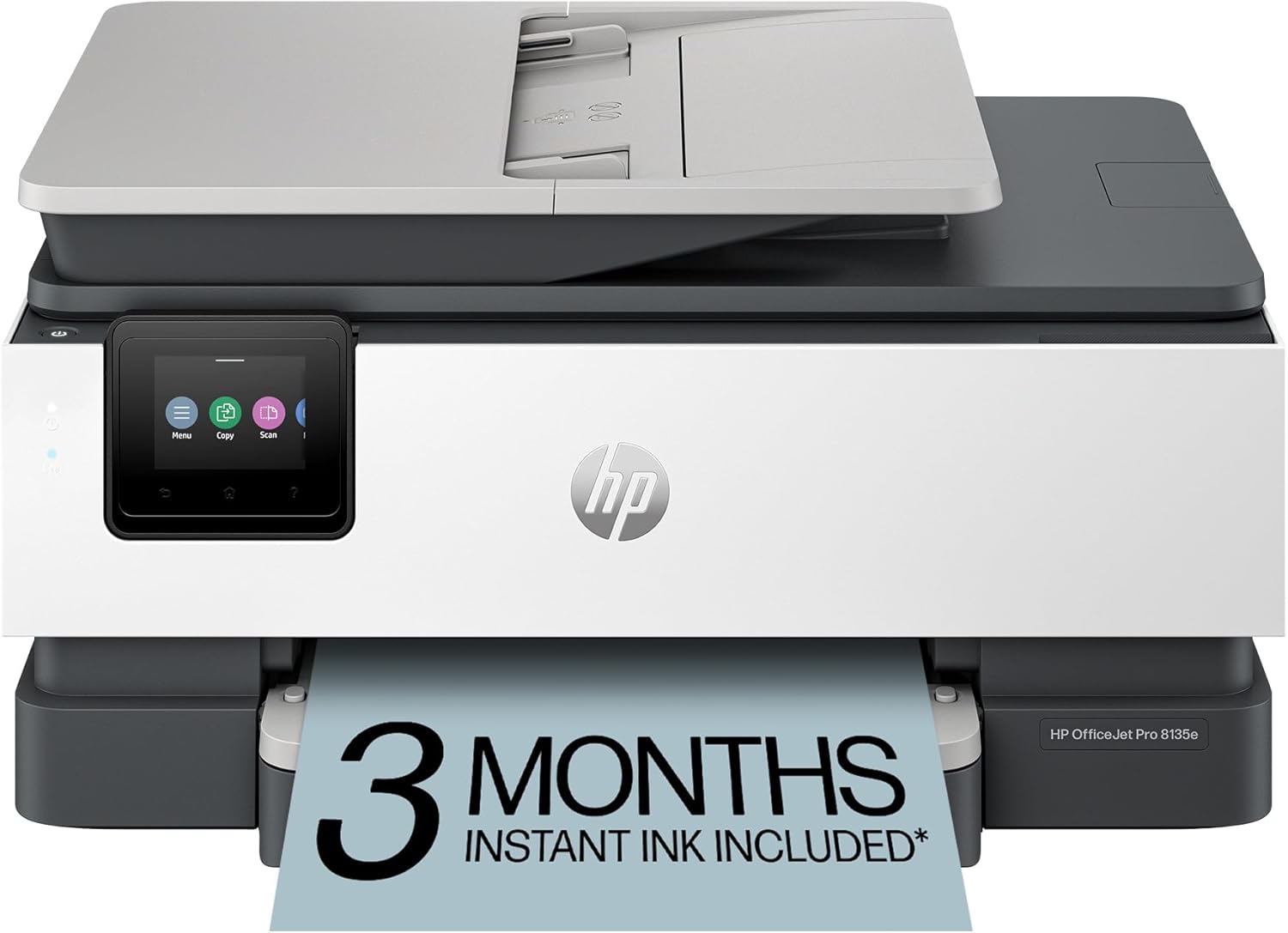
HP OfficeJet Pro 8135e Wireless All-in-One Color Inkjet Printer, Print, scan, Copy, fax, ADF, Duplex Printing Best-for-Home Office, 3 Month Instant Ink Trial Included, AI-Enabled (40Q35A)
Want the best price and purchase timing?
Our AI advisor analyzes real-time pricing across all channels to find you the best deal.
AI Verdict
This 17.6-pound all-in-one inkjet printer with 20 ppm black and 10 ppm color speeds is for home offices needing print, scan, copy, and fax with a 225-sheet tray.
This printer is a situational fit for home offices that need a multifunction device with a 225-sheet tray and 20 ppm black print speed. Its AI-enabled features for web page printing are unique, but the dynamic security and single-sided ADF scanning are significant limitations for some workflows.
If two-sided scanning from the ADF is a must-have, look for models explicitly stating 'duplex ADF scanning' or 'single-pass duplex scanning'.
Regret Score™
Medium RiskLower is better — measures purchase-regret risk from real buyer complaints, review credibility, and product maturity
Issues discovered after purchase
Critically weak dimension
Amazon rating vs actual quality
Chance this product isn't for you
Pros
- Prints black documents at 20 pages per minute and color documents at 10 pages per minute, suitable for home office tasks.
- Includes an automatic document feeder (ADF) for scanning or copying up to 35 pages at once.
- Features a 225-sheet input tray, reducing the frequency of paper refills.
- Offers dual-band Wi-Fi that automatically detects and resolves connection issues, plus Ethernet and USB 2.0 for varied connectivity.
- Supports automatic 2-sided printing, saving paper for reports and documents.
- The HP Smart app allows printing, scanning, copying, and faxing directly from a smartphone, PC, or tablet.
Cons
- The automatic document feeder only scans one side of a document, requiring manual flipping for two-sided scanning.
- Dynamic security measures block non-HP ink cartridges, and firmware updates can disable previously working third-party options.
- Some users report the printer frequently loses its Wi-Fi connection, leading to intermittent alarms.
- Ink cartridges deplete quickly for some users, necessitating frequent replacements.
- Despite a 'quiet mode' claim, some users find the printing process noisy.
Dimension Scores
The 2.7-inch color touchscreen offers a phone-like interface for navigation, which is standard for ease of use.
The 225-sheet input tray and 35-page ADF provide average paper handling capacity for a home office printer.
The printer weighs 17.6 pounds and is made with over 45% recycled plastic, indicating an average build for its category.
The design is functional for a home office, without specific features that make it stand out aesthetically from other all-in-one printers.
Best For
- Home offices printing professional-quality color documents like reports and presentations.
- Users who frequently print web pages and emails and want unwanted content removed by HP AI.
- Individuals needing an all-in-one device with print, scan, copy, and fax capabilities for varied tasks.
- Those who prefer managing printer functions via a smartphone app and cloud storage integration.
Not Recommended For
- Users who rely on third-party or refilled ink cartridges due to dynamic security blocking them.
- Offices requiring automatic two-sided scanning from the ADF, as it only scans one side at a time.
- Environments where consistent, uninterrupted Wi-Fi connectivity is critical, given reported connection drops.
Watch Out For
- HP's dynamic security means the printer only works with cartridges containing an HP chip, blocking non-HP inks and potentially disabling them with firmware updates.
- The automatic document feeder (ADF) scans only one side of a document; you have to manually flip pages to scan the other side for two-sided documents.
- Some users experience the printer losing its Wi-Fi connection easily and emitting annoying alarms about the lost connection that cannot be permanently disabled.
- Ink cartridges are reported to deplete quickly for some owners, leading to higher running costs if not on an Instant Ink plan.
- Initial setup can be problematic for some, with reports of printers not printing or not printing color correctly out of the box.
Full Specifications
| UPC | 196337163942 |
| ASIN | B0CFM7BTW8 |
| Brand | HP |
| Color | Light Cement |
| Duplex | Automatic (standard) |
| Wattage | 100 watts |
| Ink Color | Black, cyan, magenta, yellow |
| Model Name | New Version |
| Sheet Size | 8.5 x 11;8.27 x 11.7;8.5 x 14;7.16 x 10.12; Inches |
| Item Weight | 17.6 pounds |
| Print media | Paper (plain) |
| Manufacturer | HP |
| Model Series | 8130 |
| Scanner Type | Flatbed, 1-sided ADF |
| Series Number | 8130 |
| Warranty Type | One-year limited hardware warranty with option to extend to two-years with acceptance of HP+ Offer. For more info please visit us at support.hp.com . |
| Control Method | App |
| Printer Output | Color |
| Controller Type | Android |
| Number of Trays | 2 |
| Processor Count | 1 |
| Total USB Ports | 2 |
| Printer Ink Type | Pigment-Based Ink |
| Item model number | 40Q35A#B1H |
| Power Consumption | 4.45 Watts |
| Compatible Devices | Laptops, PC, Smartphones |
| Hardware Interface | Ethernet, USB |
| Maximum Media Size | 8.5 x 11.7 in |
| Product Dimensions | 13.29"D x 18.12"W x 9.17"H |
| Dual-sided printing | Yes |
| Included Components | HP 923 Setup Black Ink Cartridge; HP 923 Setup Cyan Ink Cartridge; HP 923 Setup Magenta Ink Cartridge; HP 923 Setup Yellow Ink Cartridge; Power Cord; Regulatory Flyer; Ink Caution Flyer; Setup Poster; Reference Guide |
| Printing Technology | Inkjet |
| Total Ethernet Ports | 1 |
| Number of USB 2 Ports | 2 |
| Output sheet capacity | 60.0 |
| Supported Media Sizes | Junior Legal (5 x 8 inches), Legal (8.5 x 14 inches), Letter (8.5 x 11 inches) |
| Maximum copies per run | Up to 99 copies |
| Connectivity Technology | Ethernet, USB, Wireless |
| Initial page print time | 18 Seconds |
| Memory Storage Capacity | 512 MB |
| Max Input Sheet Capacity | 225 |
| Max Printspeed Monochrome | 20 ppm |
| Max copy resolution color | Up to 600 dpi |
| Specific Uses For Product | Home |
| Maximum Print Speed (Color) | 10 ppm |
| Additional Printer functions | All In One |
| Max Copy Speed (Black & White) | 12 ppm |
| Maximum Color Print Resolution | Up to 4800 x 1200 optimized dpi on HP Advance Photo Paper 1200 x 1200 dpi input Dots Per Inch |
| Max copy resolution black-white | 1200 x 1200 dpi |
| Maximum Black and White Print Resolution | 1200 x 1200 rendered dpi Dots Per Inch |
What Buyers Say
Many users report frustration with the printer's Wi-Fi connectivity, citing frequent disconnections and persistent alarm notifications that can't be silenced. The dynamic security feature, which blocks non-HP ink cartridges, is a recurring point of contention, forcing users into HP's ecosystem. While the 20 ppm black print speed and 225-sheet tray are appreciated, the single-sided ADF scanning is a notable workflow limitation. Some also mention quick ink depletion, making the Instant Ink subscription almost a necessity.
“Honestly, this thing keeps dropping off my Wi-Fi, and then it just BEEPS at me until I reconnect it, which is super annoying when I'm trying to work. And don't even think about using cheaper ink, HP locked that down tight. It prints okay when it actually works, but the Wi-Fi issue is a dealbreaker.”
Common Praise
- The 225-sheet paper tray means less frequent refilling during larger print jobs.
- The HP Smart app makes printing, scanning, and copying from a smartphone straightforward and convenient.
- Automatic 2-sided printing helps save paper and creates professional-looking documents.
- The 2.7-inch color touchscreen is intuitive and easy to navigate.
- Print quality for both black and color documents is clear and professional for home office use.
Common Complaints
- The printer frequently loses its Wi-Fi connection, and an alarm sounds that cannot be permanently disabled.
- Dynamic security prevents the use of non-HP ink cartridges, and updates can block previously compatible ones.
- Ink cartridges run out quickly, leading to higher costs if not subscribed to Instant Ink.
- The automatic document feeder only scans one side of a page, requiring manual flipping for duplex scanning.
- Some users experienced initial setup problems, including units that wouldn't print or print color.
Ownership Tips
- The 'self-healing' Wi-Fi doesn't always prevent frequent disconnections, leading to workflow interruptions.
- The Instant Ink trial is heavily pushed, and the dynamic security makes it difficult to switch to third-party ink later.
- The HP Smart app, while functional, can occasionally lag, impacting quick tasks.
- Despite claims of a 'quiet mode,' the printer can still be noticeably noisy during operation.
- The 35-page ADF is useful for multi-page documents, but the lack of true duplex scanning means more manual work for two-sided originals.
Frequently Asked Questions
Does this printer scan double-sided documents automatically?
No, the HP OfficeJet Pro 8135e can print double-sided documents automatically, but its automatic document feeder (ADF) only scans one side at a time. You'll need to manually flip the pages to scan the other side.
Can I use non-HP ink cartridges with this printer?
No, this printer is designed to work only with HP-chipped cartridges due to dynamic security measures. It will block cartridges using non-HP chips, and firmware updates can disable previously working ones.
What is the print speed for black and color documents?
The printer can produce black documents at up to 20 pages per minute (ppm) and color documents at up to 10 ppm, based on ISO standards.
Is an Instant Ink subscription required?
No, you are not obligated to use the Instant Ink subscription after the included 3-month trial. You can purchase standard HP 923 or 923e ink cartridges separately.
Does it have a touchscreen?
Yes, the HP OfficeJet Pro 8135e features a 2.7-inch color touchscreen for navigating its functions.
Buying Guide
When buying an all-in-one printer like this, you're looking for a workhorse that handles multiple tasks. Pay attention to print speeds for both black and color, as they often differ significantly. The paper tray capacity tells you how often you'll be refilling, and features like an automatic document feeder (ADF) and duplex printing save you time and paper. Connectivity options like Wi-Fi and Ethernet are crucial for flexible placement and sharing.
Print Speed (ppm)
This number, pages per minute, tells you how fast the printer spits out documents. 20 ppm for black is like a quick email response, while 10 ppm for color is more like waiting a few extra seconds for a presentation slide. Faster is better if you print a lot.
Automatic Document Feeder (ADF)
Think of the ADF as a stack of papers you can load for scanning or copying multiple pages without manually placing each one. A 35-page ADF means you can scan a small report in one go, saving you from standing over the scanner.
Dynamic Security
This is HP's way of ensuring you only use their brand of ink. It means the printer checks for an HP chip in the cartridge, and if it's not there, the printer won't work. It's like a car that only takes a specific brand of gas – convenient for the manufacturer, but limits your choices and potentially increases your running costs.
225-sheet Input Tray
This is how much paper the printer can hold at once. A 225-sheet tray means you won't be constantly refilling it, especially if you print frequently. It's like having a larger gas tank in your car; fewer stops at the station.
Alternatives
If this printer doesn't fit, search for all-in-one inkjet printers with true duplex ADF scanning for two-sided originals, or models explicitly stating compatibility with third-party ink cartridges.
You Might Also Like

LYMAX Computer Monitor Light Bar with Wireless Remote, Motion Sensor, Fit for Flat/Curved Monitor, Adjustable Color Temperature with Auto-Dimming, Eye-Care USB-C Monitor Lamp, No Glare Desk Lamp
$50-$99A 15.7-ounce aluminum monitor light bar with motion sensing, auto-dimming, and stepless 2700K-6500K color temperature adjustment for flat or curved screens.

Computer Monitor Lamp, Screen Monitor Light Bar for Eye Caring, Screen Monitor Light Bar with Backlight for Eye Caring, E-Reading LED Task Lamp with Dimming Adjustment, Perfect for Reading and Study
$0-$49This BLYGACN monitor lamp offers 3 color temperatures (3000K-6500K), dimming, and a 60-minute timer, powered by USB, for monitors 15-24 inches.

Monitor Light Bar with Touch Control, RGB Desk Lamp Full Spectrum Screen Lamp, Glare-Free Low Blue Light Monitor Lamp with Memory Mode, USB Powered for Gaming, Office & Work
$0-$49A USB-powered plastic monitor light bar with touch controls, RGB modes, and glare-free illumination for basic desk setups.

RGB Monitor Light Bar, Eye-Care Dual Light Reading Screen Lamp, 9 Modes Gaming Backlight LED Computer Lamp, 3 Colors Dimmable Frontlight, 15.75'' USB Desk Lights for Home, Office
$0-$49This is a budget-focused 6.4-ounce plastic monitor light bar with dual-mode lighting and 9 RGB backlight modes, designed for users needing basic task and ambient lighting without cluttering their desk