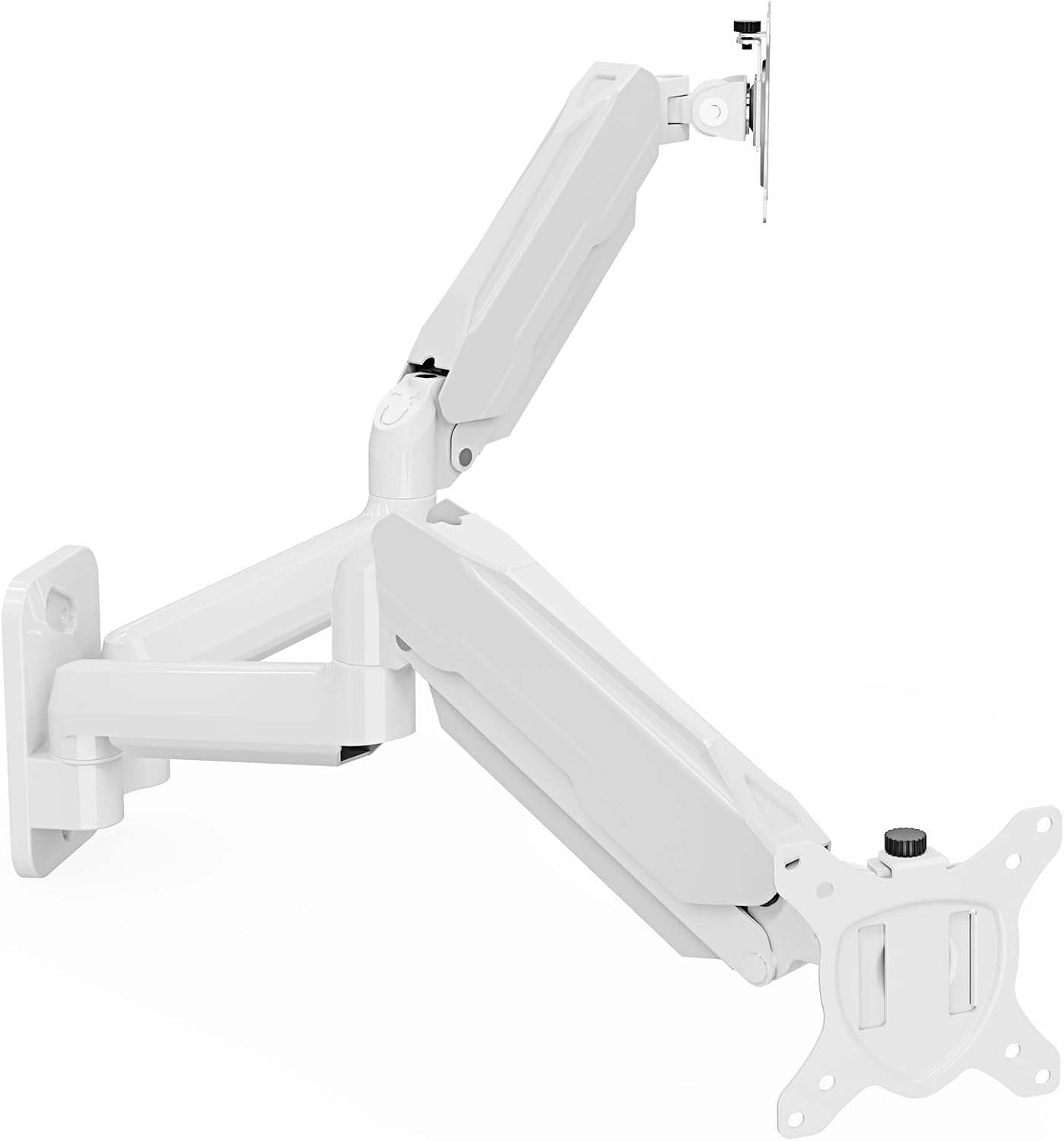
MOUNT PRO Dual Monitor Wall Mount for 13 to 32 Inch Computer Screens, Gas Spring Wall Monitor Arm for 2 Monitors, Each Holds Up to 19.8lbs, Adjustable Wall Monitor Mount with VESA 75x75/100x100, White
Want the best price and purchase timing?
Our AI advisor analyzes real-time pricing across all channels to find you the best deal.
AI Verdict
This is a dual gas spring wall mount for two 13-32 inch flat monitors, each up to 19.8 lbs, offering +90° to -45° tilt, 180° swivel, and 360° rotation.
This wall mount is a situational fit because it offers excellent adjustability and space-saving benefits for flat monitors up to 32 inches and 19.8 lbs each. However, its incompatibility with specific curved screens and reported issues with monitor alignment mean it won't work for everyone.
If you have a curved monitor or need guaranteed perfect alignment, look for mounts specifically rated for curved displays or those with more precise micro-adjustments.
Regret Score™
Low RiskLower is better — measures purchase-regret risk from real buyer complaints, review credibility, and product maturity
Issues discovered after purchase
Critically weak dimension
Amazon rating vs actual quality
Chance this product isn't for you
Pros
- Each arm supports monitors weighing 4.4-19.8 lbs, accommodating a wide range of screen sizes from 13 to 32 inches.
- Gas spring system allows for smooth height and depth adjustments, passing 10,000-cycle tests for durability.
- Offers extensive adjustments including +90° to -45° tilt, 180° swivel, and 360° rotation for optimal viewing angles.
- Integrated cable management system helps keep AV and power cords organized and out of sight.
- Wall-mounted design frees up significant desktop space.
- Designed for installation on both wood stud and solid concrete walls, with necessary hardware included.
Cons
- Not compatible with 1000R, 1500R, or 1800R curved screens.
- Some users reported difficulty getting monitors to align evenly.
- One user experienced a monitor tilting down even after tightening screws.
- Installation requires drilling into wood studs or solid concrete; cannot be installed into drywall alone.
- No paper templates are provided for drilling holes, which some users found inconvenient.
Dimension Scores
The gas spring system and extensive adjustability (+90° to -45° tilt, 180° swivel, 360° rotation, 20.4" extension) allow for highly customized viewing angles to reduce strain.
Offers full motion with +90° to -45° tilt, 180° swivel, and 360° rotation, plus gas spring height adjustment and 20.4 inches of extension.
Constructed from Alloy Steel and features a gas spring system tested for 10,000 cycles, but some users reported issues with monitors tilting down despite tightening.
The white finish and integrated cable management system contribute to a clean, organized look, freeing up desk space.
Best For
- Users with two flat 13-32 inch monitors needing to reclaim desk space.
- Workspaces requiring flexible monitor positioning for collaborative viewing or standing setups.
- Environments where monitors need to be securely mounted to a wall rather than a desk.
Not Recommended For
- Users with 1000R, 1500R, or 1800R curved monitors.
- Installations only possible on drywall without studs or concrete.
- Users who frequently rearrange their desk setup and might prefer a desk clamp mount.
Watch Out For
- Monitors might not align perfectly, with one user reporting difficulty achieving even alignment.
- A monitor might tilt downwards even after tightening, as one user experienced.
- The mount is heavy at 7.77 pounds, which can make initial installation more challenging.
- No drilling template is included, which can complicate accurate hole placement during installation.
Full Specifications
| ASIN | B0C64XD9F7 |
| Brand | MOUNT PRO |
| Color | White |
| Material | Alloy Steel |
| Item Weight | 7.77 pounds |
| Manufacturer | MOUNT PRO |
| Mounting Type | Wall Mount |
| Movement Type | Rotate, Swivel, Tilt, Articulating |
| Compatible Devices | Monitor |
| Maximum Tilt Angle | 90 Degrees |
| Package Dimensions | 15.28 x 10.35 x 4.45 inches |
What Buyers Say
The biggest surprise from user feedback is how many people struggle with getting their monitors perfectly level, even with the gas springs and tightening mechanisms. While the mount generally holds up well for its stated weight capacity, this alignment issue is a recurring theme.
“Ugh, this thing is a pain to get both monitors perfectly straight, one always wants to droop a little even after I cranked on the screws. But hey, my desk is finally clear!”
Common Praise
- The gas spring arms allow for effortless height and depth adjustments.
- Cable management system effectively keeps cords neat and organized.
- Frees up a lot of valuable space on the desk.
- Installation can be completed quickly, with some users reporting 10-30 minutes.
- Supports a wide range of monitor sizes from 13 to 32 inches.
Common Complaints
- Difficulty in getting both monitors to align evenly.
- One monitor arm might sag or tilt down despite screws being tightened.
- Lack of a paper template for drilling holes during installation.
- The mount itself is heavy, making initial handling potentially awkward.
- Not compatible with popular curved monitor types like 1000R or 1500R.
Ownership Tips
- The gas springs might need adjustment based on monitor weight to achieve the 'free-float effect'.
- Even with tightening, some users find one monitor arm struggles to hold its position perfectly over time.
- The wall mounting requires careful measurement and drilling, especially without a template.
- The 360° rotation is activated only after the monitor is installed.
Frequently Asked Questions
What size and weight monitors can this wall mount support?
This mount is designed for two computer screens between 13 and 32 inches, with each arm holding monitors weighing 4.4 to 19.8 lbs.
Is this mount compatible with curved monitors?
No, this dual monitor wall mount is not compatible with 1000R, 1500R, or 1800R curved screens.
What types of walls can this mount be installed on?
It fits both wood stud and solid concrete walls. You should not install it into drywall alone.
What kind of adjustments can I make with this monitor arm?
You can tilt your monitors +90° to -45°, swivel them 180°, and rotate them 360°. The arm also extends up to 20.4 inches.
Does it come with all the necessary hardware for installation?
Yes, the mount comes with all necessary hardware and instructions for assembly.
Buying Guide
When you're looking at a dual monitor wall mount like this, you're basically trading desk space for a bit more installation effort. You need to make sure your wall can handle it – wood studs or solid concrete are a must, no just drywall. The big win here is how much you can move your screens around, which is awesome for your neck and eyes. Just double-check your monitor's weight and VESA pattern before you commit.
VESA 75x75/100x100
This refers to the square pattern of screw holes on the back of your monitor. Your monitor needs to have one of these two patterns for the mount to attach. Think of it like a standard bolt pattern for car wheels – if it doesn't match, it won't fit.
Each Holds Up to 19.8lbs
This is the maximum weight each arm can safely support. If your monitor is heavier than this, the arm won't hold it up, and it could sag or even break. Always weigh your monitors, not just guess!
Gas Spring System
This is the mechanism that allows the arms to move smoothly up and down and hold their position. It's like the liftgate on an SUV – it helps you move heavy things with less effort and keeps them where you put them.
+90° to -45° Tilt, 180° Swivel, 360° Rotation
These numbers tell you how much you can angle your screen up/down (tilt), left/right (swivel), and spin it around (rotation). More range means you can adjust your view precisely to avoid glare, share your screen, or switch between landscape and portrait modes.
Alternatives
If this mount doesn't fit, look for desk-mounted gas spring arms if you don't want to drill into your wall, or mounts specifically designed for ultra-wide or curved monitors if yours isn't flat. Pay close attention to the VESA pattern and individual arm weight capacity.
You Might Also Like

LYMAX Computer Monitor Light Bar with Wireless Remote, Motion Sensor, Fit for Flat/Curved Monitor, Adjustable Color Temperature with Auto-Dimming, Eye-Care USB-C Monitor Lamp, No Glare Desk Lamp
$50-$99A 15.7-ounce aluminum monitor light bar with motion sensing, auto-dimming, and stepless 2700K-6500K color temperature adjustment for flat or curved screens.

Computer Monitor Lamp, Screen Monitor Light Bar for Eye Caring, Screen Monitor Light Bar with Backlight for Eye Caring, E-Reading LED Task Lamp with Dimming Adjustment, Perfect for Reading and Study
$0-$49This BLYGACN monitor lamp offers 3 color temperatures (3000K-6500K), dimming, and a 60-minute timer, powered by USB, for monitors 15-24 inches.

Monitor Light Bar with Touch Control, RGB Desk Lamp Full Spectrum Screen Lamp, Glare-Free Low Blue Light Monitor Lamp with Memory Mode, USB Powered for Gaming, Office & Work
$0-$49A USB-powered plastic monitor light bar with touch controls, RGB modes, and glare-free illumination for basic desk setups.

RGB Monitor Light Bar, Eye-Care Dual Light Reading Screen Lamp, 9 Modes Gaming Backlight LED Computer Lamp, 3 Colors Dimmable Frontlight, 15.75'' USB Desk Lights for Home, Office
$0-$49This is a budget-focused 6.4-ounce plastic monitor light bar with dual-mode lighting and 9 RGB backlight modes, designed for users needing basic task and ambient lighting without cluttering their desk