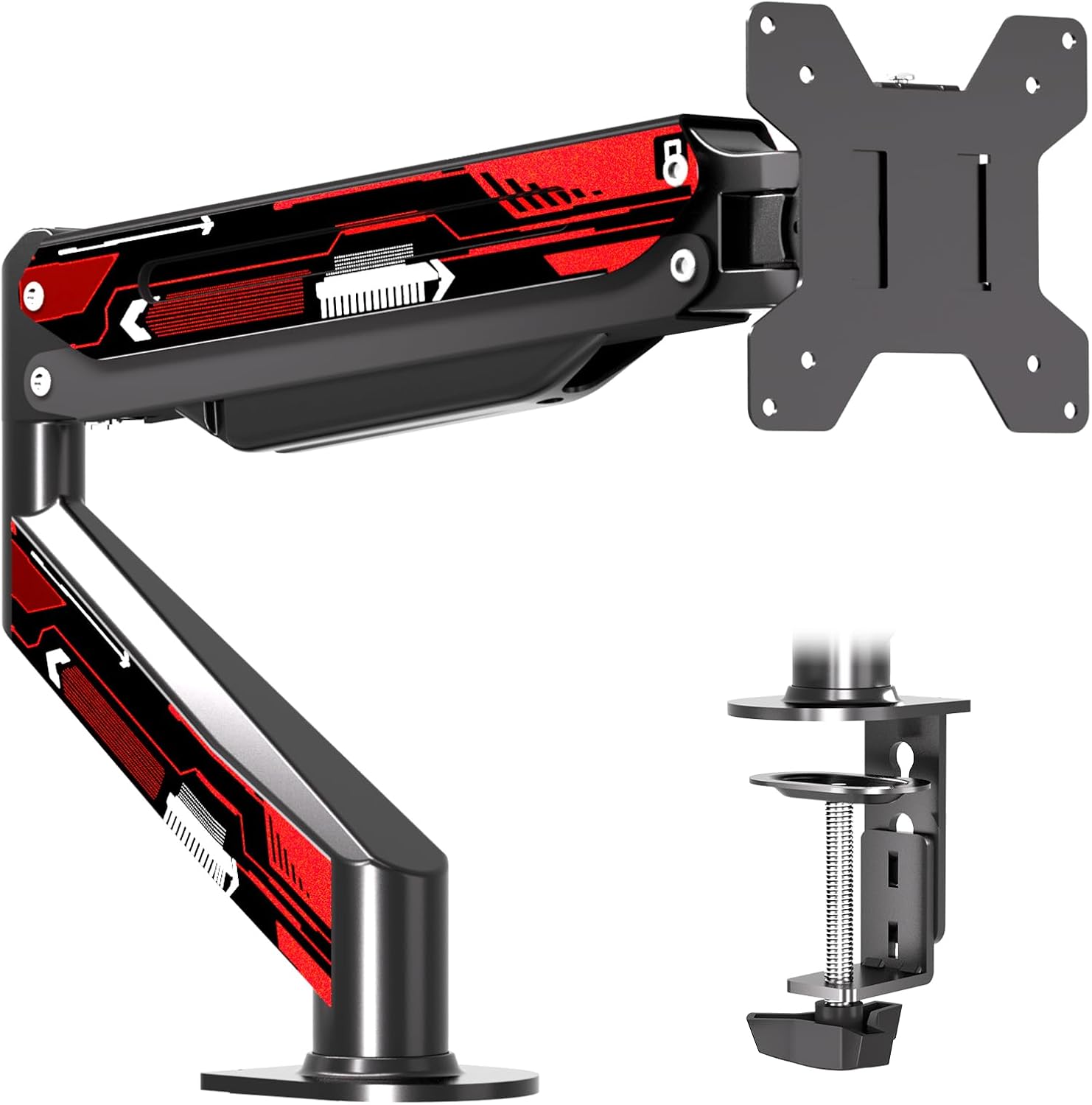
Suptek Monitor Mount Gas Spring Monitor Arm Desk Mount Monitor Stand Fully Adjustable Fits 32 inch Monitors Weight Capacity up to 22 lbs(MD8WR)
Want the best price and purchase timing?
Our AI advisor analyzes real-time pricing across all channels to find you the best deal.
AI Verdict
This is a single gas spring monitor arm for displays up to 32 inches and 22 pounds, offering full motion with C-clamp or grommet installation.
This monitor arm is a situational fit because it offers extensive adjustability and solid construction for its price point, supporting monitors up to 32 inches and 22 pounds. However, the gas spring mechanism might struggle with heavier monitors near its limit, leading to tilt issues, and some users report a slight wobble with larger screens.
If you have a monitor close to the 22-pound weight limit or prioritize absolute rigidity, look for arms with a higher weight capacity or a more robust gas spring system.
Regret Score™
Low RiskLower is better — measures purchase-regret risk from real buyer complaints, review credibility, and product maturity
Issues discovered after purchase
Critically weak dimension
Amazon rating vs actual quality
Chance this product isn't for you
Pros
- Supports monitors up to 32 inches and 22 pounds with 75x75mm or 100x100mm VESA mounting holes.
- Offers full motion adjustments including 360° rotation, ±80° tilt, and ±180° swivel.
- Includes both C-clamp and grommet base options, fitting desks up to 3.85 inches thick.
- Constructed with 90% high-grade steel material for its body.
- Comes with a step-by-step user manual and organized hardware kit for installation.
Cons
- Instructions can be a little hard to read for some users.
- Up/down tilting can be difficult to maintain with monitors close to the 22-pound weight limit.
- May exhibit a slight wobble, particularly with larger monitors, though it's often not noticeable during daily use after tightening.
- The included tools may not be of the highest quality, with users suggesting to use personal screwdrivers.
Dimension Scores
The gas spring allows for easy height adjustment, and the full motion capabilities (tilt ±80°, swivel ±180°, rotate 360°) provide extensive ergonomic positioning.
With 360° rotation, ±80° tilt, ±180° swivel, and gas spring height adjustment, it offers a wide range of motion for a single monitor arm.
The arm is constructed with 90% high-grade steel, indicating a sturdy material choice, though some users report slight wobble with heavier monitors.
The design is functional and typical for a budget monitor arm, with integrated cable ties to help keep the workspace tidy.
Best For
- Single monitor setups needing extensive adjustability for screens up to 32 inches.
- Users looking to free up desk space by mounting their monitor.
- Desks with a thickness up to 3.85 inches, compatible with C-clamp or grommet installation.
- Workspaces requiring frequent monitor reorientation (portrait/landscape) or sharing the screen.
Not Recommended For
- Monitors exceeding 32 inches or weighing more than 22 pounds.
- Users who need a completely wobble-free experience with a large, heavy monitor.
- Those expecting premium quality installation tools included in the box.
Watch Out For
- If your monitor is heavy, near the 22-pound limit, you might find the up/down tilt difficult to adjust and keep in place.
- The instructions provided can be a bit challenging to follow, making initial setup potentially frustrating.
- You might experience a slight wobble, especially with a 32-inch monitor, even after tightening everything down.
- The included screwdriver might not be the best, so plan on using your own tools for a smoother installation.
Full Specifications
| ASIN | B08SLQFPG5 |
| Brand | suptek |
| Color | Dark Black |
| Material | Alloy Steel, Metal |
| Brand Name | suptek |
| Color Name | Dark Black |
| Item Weight | 5.61 pounds |
| Manufacturer | suptek |
| Mounting Type | Tabletop Mount |
| Movement Type | Articulating, Rotate, Swivel, Tilt |
| Compatible Devices | Monitor |
| Maximum Tilt Angle | 80 Degrees |
| Package Dimensions | 16.02 x 9.65 x 3.43 inches |
What Buyers Say
What really stands out is how much adjustability you get for the price, especially the gas spring for height changes and the ability to spin your monitor all the way around. However, don't expect a perfectly rigid experience if you're pushing the 22-pound weight limit, as some folks noticed the tilt mechanism struggling or a bit of wobble with heavier screens. The installation is generally easy, but a few people mentioned the instructions could be clearer, and the included tools aren't top-tier.
“Man, this thing is okay for my 27-inch, but my 32-inch feels a little wobbly and the tilt screw is a pain to get just right, wish the instructions were clearer too.”
Common Praise
- The gas spring makes adjusting monitor height smooth and easy.
- Ability to rotate the monitor 360° for portrait or landscape orientation is very useful.
- Offers extensive tilt (±80°) and swivel (±180°) for viewing flexibility.
- The C-clamp and grommet options provide flexibility for different desk setups.
- Made mostly of high-grade steel, giving it a feeling of durability.
Common Complaints
- Instructions can be a bit difficult to understand during setup.
- Heavy monitors (close to 22 lbs) can cause issues with the up/down tilting holding its position.
- Some users observed a slight wobble, especially with 32-inch monitors, even after tightening.
- The provided installation tools are not always the best quality.
Ownership Tips
- You'll need to fine-tune the gas spring tension with an Allen key to match your monitor's weight, or it'll either drop or float.
- Even with a slight wobble, it often becomes unnoticeable during normal daily use once everything is tightened down.
- Using your own screwdriver for installation will likely make the process smoother than relying on the included one.
- The cable management clips are helpful for a cleaner desk, but you might need longer display cables for full range of motion.
Frequently Asked Questions
What size monitors can this arm hold?
It's designed for most screens up to 32 inches and 22 pounds, provided they have 75x75mm or 100x100mm VESA mounting holes.
How does it attach to the desk?
You get two options: a C-clamp for the edge of your desk or a grommet base if your desk has a hole. Both fit desks up to 3.85 inches thick.
Can I rotate my monitor to portrait mode?
Yes, the arm allows for 360° rotation, so you can easily switch between landscape and portrait orientations.
Is it difficult to install?
It comes with a step-by-step user manual and an organized hardware kit. Some users found the instructions a bit hard to read, but the process is generally straightforward.
What is the arm made of?
The body is made of 90% high-grade steel material.
Buying Guide
When you're looking at monitor arms, you need to think about your monitor's size and weight first – this one handles up to 32 inches and 22 pounds. Also, check how it attaches to your desk; a C-clamp is common, but a grommet mount is cleaner if you have a hole. The range of motion, like how much it tilts or swivels, dictates how flexible your setup can be.
Weight Capacity (22 lbs)
This is the maximum weight your monitor can be for the arm to function correctly. If your monitor is heavier, the arm won't hold it up, or the gas spring won't adjust properly, like trying to lift a car with a bicycle pump.
VESA Compatibility (75x75mm or 100x100mm)
This refers to the pattern of screw holes on the back of your monitor. Almost all monitors use VESA, and these numbers tell you the distance between those holes. If your monitor doesn't match, the arm won't attach.
Gas Spring
This is the mechanism that allows for smooth, effortless vertical adjustment of your monitor. It's like the liftgate on an SUV; it helps you move heavy objects with minimal effort and keeps them in place once you let go.
Desk Thickness (up to 3.85 inches)
This is the maximum thickness of your desk that the C-clamp or grommet base can securely attach to. If your desk is thicker, the mount won't fit, and you'll need a different type of arm.
Alternatives
If this arm doesn't quite fit, look for a single monitor arm with a higher weight capacity (e.g., 30+ lbs) for heavier screens, or a model that specifically mentions enhanced stability features if wobble is a concern.
You Might Also Like

LYMAX Computer Monitor Light Bar with Wireless Remote, Motion Sensor, Fit for Flat/Curved Monitor, Adjustable Color Temperature with Auto-Dimming, Eye-Care USB-C Monitor Lamp, No Glare Desk Lamp
$50-$99A 15.7-ounce aluminum monitor light bar with motion sensing, auto-dimming, and stepless 2700K-6500K color temperature adjustment for flat or curved screens.

Computer Monitor Lamp, Screen Monitor Light Bar for Eye Caring, Screen Monitor Light Bar with Backlight for Eye Caring, E-Reading LED Task Lamp with Dimming Adjustment, Perfect for Reading and Study
$0-$49This BLYGACN monitor lamp offers 3 color temperatures (3000K-6500K), dimming, and a 60-minute timer, powered by USB, for monitors 15-24 inches.

Monitor Light Bar with Touch Control, RGB Desk Lamp Full Spectrum Screen Lamp, Glare-Free Low Blue Light Monitor Lamp with Memory Mode, USB Powered for Gaming, Office & Work
$0-$49A USB-powered plastic monitor light bar with touch controls, RGB modes, and glare-free illumination for basic desk setups.

RGB Monitor Light Bar, Eye-Care Dual Light Reading Screen Lamp, 9 Modes Gaming Backlight LED Computer Lamp, 3 Colors Dimmable Frontlight, 15.75'' USB Desk Lights for Home, Office
$0-$49This is a budget-focused 6.4-ounce plastic monitor light bar with dual-mode lighting and 9 RGB backlight modes, designed for users needing basic task and ambient lighting without cluttering their desk