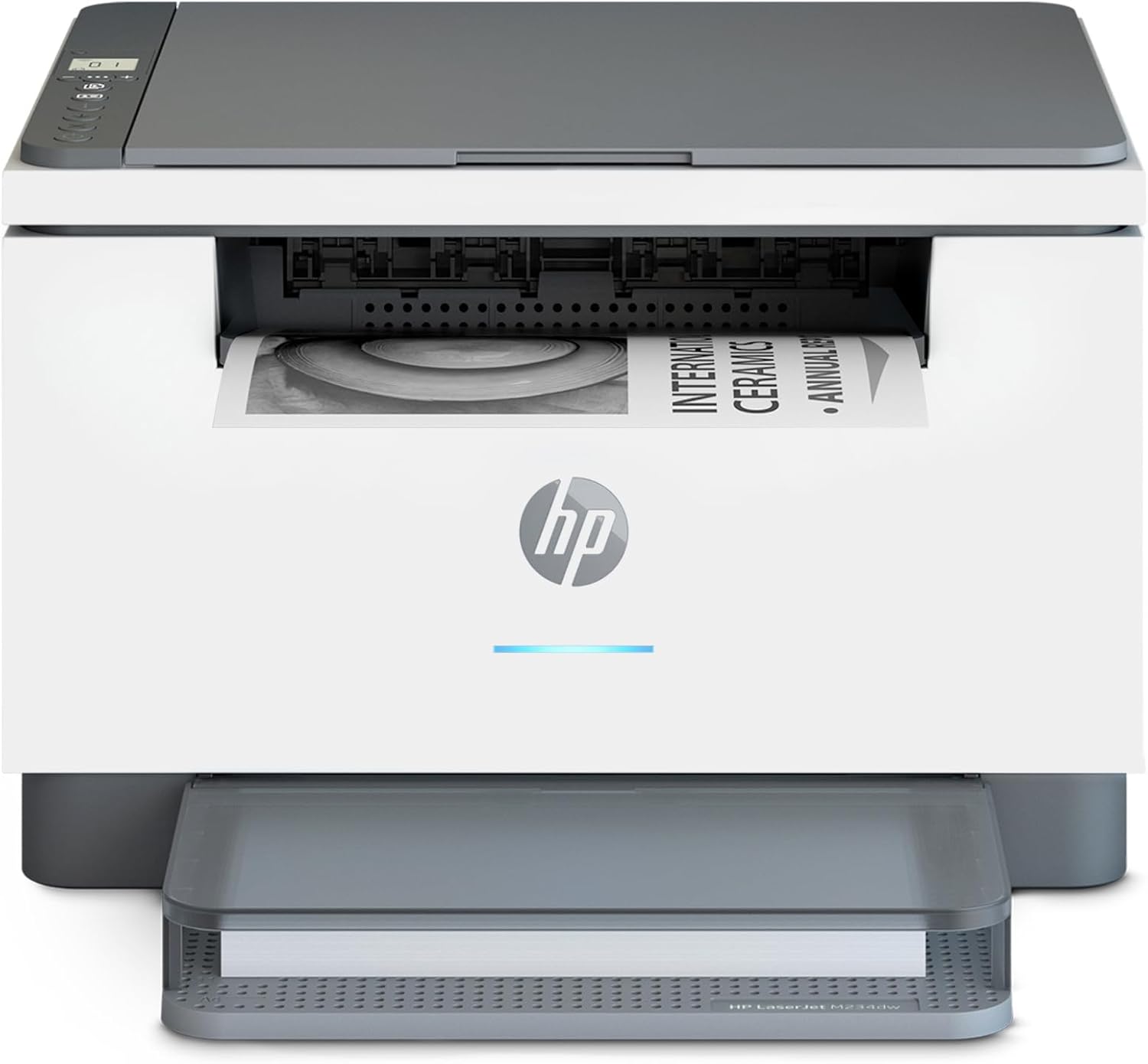
HP Laserjet MFP M234dw Wireless Printer, Print, scan, Copy, Fast speeds, Easy Setup, Mobile Printing, Best-for-Small Teams, Instant Ink Eligible
Want the best price and purchase timing?
Our AI advisor analyzes real-time pricing across all channels to find you the best deal.
AI Verdict
This is a 30 ppm monochrome laser MFP with auto-duplex and a 150-sheet input tray, built for small teams needing fast black and white document processing.
This printer is a strong fit for small teams or home offices that primarily handle black and white documents. Its 30 ppm print speed, auto-duplexing, and scan/copy functions with an ADF directly address the needs for efficient document processing. The 150-sheet input tray supports typical small office volumes.
If you need color printing or higher-resolution photo scanning, look for an inkjet MFP with a higher DPI scanner and color printing capabilities.
Regret Score™
Medium RiskLower is better — measures purchase-regret risk from real buyer complaints, review credibility, and product maturity
Issues discovered after purchase
Critically weak dimension
Amazon rating vs actual quality
Chance this product isn't for you
Pros
- Prints up to 30 black-and-white pages per minute (ppm) single-sided and 19 images per minute (ipm) two-sided, making it fast for its class.
- Features automatic two-sided printing, reducing paper usage for longer documents.
- Includes an auto document feeder for scanning and copying multiple pages efficiently.
- Offers dual-band Wi-Fi with self-reset, Ethernet, and mobile printing support for various devices.
- Text quality is sharp and clear, even for small fonts, which is typical for laser printers.
- Toner cartridge replacement is straightforward, with a single consumable for toner and imaging drum.
Cons
- Prints only in black and white, making it unsuitable for color documents or photos.
- Requires an HP account for setup and restricts the use of non-HP toner cartridges, especially with HP+.
- The 1.27-inch icon LCD display is not a touchscreen, and initial Wi-Fi setup can be challenging via the HP app.
- The scanner's 600x600 dpi optical resolution is adequate for text but not for detailed photo scanning.
- Users report the printer can be noisy during operation.
Dimension Scores
As a printer, comfort and support relate to ease of use; the physical controls are minimal, relying heavily on the HP Smart app for setup and some functions.
The printer has a fixed physical design with no adjustable components, and its 1.27-inch icon LCD offers limited on-device adjustability.
Weighing 16.76 pounds, it feels reasonably sturdy for its class, and users report consistent print quality over time.
The design is functional and compact, measuring approximately 14.49 x 11.76 x 9.52 inches, fitting well into small office spaces without being particularly stylish.
Best For
- Small teams (1-5 people) needing high-speed black and white document printing, scanning, and copying.
- Home offices that frequently print multi-page reports and require automatic duplexing.
- Environments where crisp, professional-quality text documents are the primary output.
Not Recommended For
- Users who require color printing for documents, graphics, or photos.
- Anyone unwilling to use HP's proprietary toner cartridges or create an HP account for setup and ongoing use.
- Users needing high-resolution photo scanning or advanced graphic reproduction.
Watch Out For
- Initial setup can be frustrating; some users reported the HP Smart app had glitches and took over two hours to connect to the network.
- The printer uses 'dynamic security' to restrict non-HP toner cartridges, which can lead to issues if you try to use third-party options.
- The 1.27-inch icon LCD display lacks a touchscreen, making direct printer configuration for Wi-Fi difficult without the HP app.
- While fast, the printer is reported to be 'a little loud' during operation, which might be disruptive in quiet environments.
Full Specifications
| UPC | 194850664212 |
| ASIN | B08SHZQ4VN |
| Brand | HP |
| Color | Gray |
| Duplex | Automatic |
| Wattage | 453 watts |
| Ink Color | Black |
| Model Name | LaserJet Pro M234dw |
| Sheet Size | 4 x 6 to 8.5 x 14 |
| Color Depth | 1 bpp |
| Item Weight | 16.76 pounds |
| Print media | Card stock, Envelopes, Labels, Paper (plain) |
| Manufacturer | HP Printers |
| Model Series | M234dw |
| Scanner Type | Flatbed |
| Series Number | 234 |
| Warranty Type | limited warranty |
| Control Method | Touch |
| Printer Output | Monochrome |
| Controller Type | Android |
| Number of Trays | 1 |
| Processor Count | 1 |
| Special Feature | Auto-Duplex, Network-Ready, Energy Star Certified, Cloud Print Enabled, Works with Alexa |
| Total USB Ports | 1 |
| Printer Ink Type | Toner |
| Item model number | M234dw |
| Power Consumption | 453 Watts |
| Compatible Devices | Laptops, PC |
| Hardware Interface | Ethernet, USB 2.0 |
| Maximum Media Size | 8.5 x 14 inch |
| Product Dimensions | 11.75 x 14.49 x 9.5 inches |
| Dual-sided printing | Yes |
| Included Components | 6GW99F HP LaserJet MFP M234dw Printer; HP Black LaserJet Toner Cartridge (~700 pages); Dust Cover; Reference Guide; Setup Poster; Warranty Guide & Flyer in some countries; Power cord |
| Printing Technology | Laser |
| Total Ethernet Ports | 1 |
| Number of USB 2 Ports | 1 |
| Supported Media Sizes | 4 x 6 inches, 5 x 7 inches |
| Maximum copies per run | 1000 |
| Connectivity Technology | Wi-Fi |
| Memory Storage Capacity | 64 MB |
| Max Input Sheet Capacity | 150 |
| Max Printspeed Monochrome | 30 ppm |
| Max copy resolution color | 600 dpi |
| Additional Printer functions | Copy, Scan |
| Max Copy Speed (Black & White) | 30 ppm |
| Max copy resolution black-white | 600 dpi |
| Maximum Black and White Print Resolution | 600 dpi |
What Buyers Say
Users frequently mention that while the printer delivers on its promise of fast black and white printing and crisp text, the setup process can be a real headache, often requiring persistence with the HP Smart app to get it connected to Wi-Fi. The restriction on non-HP toner cartridges is a recurring point of contention, with some feeling locked into HP's ecosystem. Despite these frustrations, once it's up and running, the auto-duplexing and ADF are consistently praised for boosting productivity.
“Man, this thing prints fast once it's finally connected, but getting it on my Wi-Fi was an absolute nightmare, and I'm stuck buying only HP toner now. Still, the double-sided printing is a lifesaver for my reports.”
Common Praise
- Prints black and white documents quickly, with reported speeds up to 33 ppm for text.
- Produces crisp and clear text, even at small font sizes, which is ideal for professional documents.
- Automatic two-sided printing works efficiently, saving paper and time.
- The auto document feeder (ADF) is a time-saver for scanning and copying multiple pages.
- Toner cartridge replacement is easy due to the single consumable design.
Common Complaints
- Initial Wi-Fi setup can be frustrating and time-consuming, sometimes taking hours due to app glitches.
- The printer enforces the use of HP-branded toner cartridges, blocking third-party alternatives.
- It is a monochrome-only printer, which is a limitation for anyone needing color output.
- The printer can be noisy during operation, which might be distracting in a home office setting.
- The small 1.27-inch icon LCD display and lack of touchscreen make on-device control limited.
Ownership Tips
- The printer requires an HP account to function, which some users find intrusive.
- Even after initial setup, reconnecting to a new Wi-Fi network can be a hassle without a touchscreen.
- The single toner cartridge design simplifies maintenance, but the cost of official HP toner can add up.
- While it scans in color, the quality isn't high enough for detailed photo archiving, best suited for documents.
- The 'dynamic security' feature means firmware updates can potentially disable previously working third-party cartridges.
Frequently Asked Questions
Does this printer print in color?
No, the HP LaserJet MFP M234dw is a monochrome printer, meaning it only prints in black and white. However, its scanner can capture documents in color.
Can I use third-party toner cartridges with this printer?
HP uses 'dynamic security' features that are designed to restrict the use of non-HP toner cartridges, especially if you opt into the HP+ program.
Is the setup process complicated?
While advertised as easy, some users have reported difficulties with the initial Wi-Fi setup via the HP Smart app, taking up to two hours to get connected.
Does it have an automatic document feeder (ADF)?
Yes, it includes an auto document feeder, which is helpful for scanning or copying multiple pages without manually placing each one.
What is the print speed for two-sided documents?
It prints two-sided black-and-white documents at up to 19 images per minute (ipm).
Buying Guide
When you're looking at a laser printer like this, you need to decide if black and white printing is all you'll ever need. Laser printers are champions for speed and crisp text, especially if you print a lot of documents. Also, consider the total cost of ownership, not just the initial price, because toner costs and potential restrictions on third-party supplies can really impact your budget over time.
Print Speed (30 ppm black)
This tells you how many pages per minute the printer can churn out. For a laser printer, 30 ppm is quick, meaning your multi-page reports will be done in a flash, like a fast-food drive-thru for documents.
Auto-Duplex Printing
This feature automatically prints on both sides of the paper. Think of it like having a built-in assistant that flips your pages perfectly every time, saving you paper and making your documents look more professional without extra effort.
Monochrome Output
This means the printer only uses black toner. If you only print text documents, contracts, or forms, this is perfectly fine. But if you ever need to print a colorful chart, a family photo, or anything with color, this printer won't do it, like a black-and-white TV in a color world.
150-sheet Input Tray
This is how many sheets of paper the printer can hold at once. A 150-sheet tray is enough for daily tasks in a small office, so you won't have to constantly refill it, similar to how a larger gas tank means fewer stops at the pump.
Alternatives
If this printer doesn't fit, look for an inkjet all-in-one with color printing and a higher DPI scanner for photo quality, or a laser MFP from another brand if you want more flexibility with toner supplies.
You Might Also Like

LYMAX Computer Monitor Light Bar with Wireless Remote, Motion Sensor, Fit for Flat/Curved Monitor, Adjustable Color Temperature with Auto-Dimming, Eye-Care USB-C Monitor Lamp, No Glare Desk Lamp
$50-$99A 15.7-ounce aluminum monitor light bar with motion sensing, auto-dimming, and stepless 2700K-6500K color temperature adjustment for flat or curved screens.

Computer Monitor Lamp, Screen Monitor Light Bar for Eye Caring, Screen Monitor Light Bar with Backlight for Eye Caring, E-Reading LED Task Lamp with Dimming Adjustment, Perfect for Reading and Study
$0-$49This BLYGACN monitor lamp offers 3 color temperatures (3000K-6500K), dimming, and a 60-minute timer, powered by USB, for monitors 15-24 inches.

Monitor Light Bar with Touch Control, RGB Desk Lamp Full Spectrum Screen Lamp, Glare-Free Low Blue Light Monitor Lamp with Memory Mode, USB Powered for Gaming, Office & Work
$0-$49A USB-powered plastic monitor light bar with touch controls, RGB modes, and glare-free illumination for basic desk setups.

RGB Monitor Light Bar, Eye-Care Dual Light Reading Screen Lamp, 9 Modes Gaming Backlight LED Computer Lamp, 3 Colors Dimmable Frontlight, 15.75'' USB Desk Lights for Home, Office
$0-$49This is a budget-focused 6.4-ounce plastic monitor light bar with dual-mode lighting and 9 RGB backlight modes, designed for users needing basic task and ambient lighting without cluttering their desk