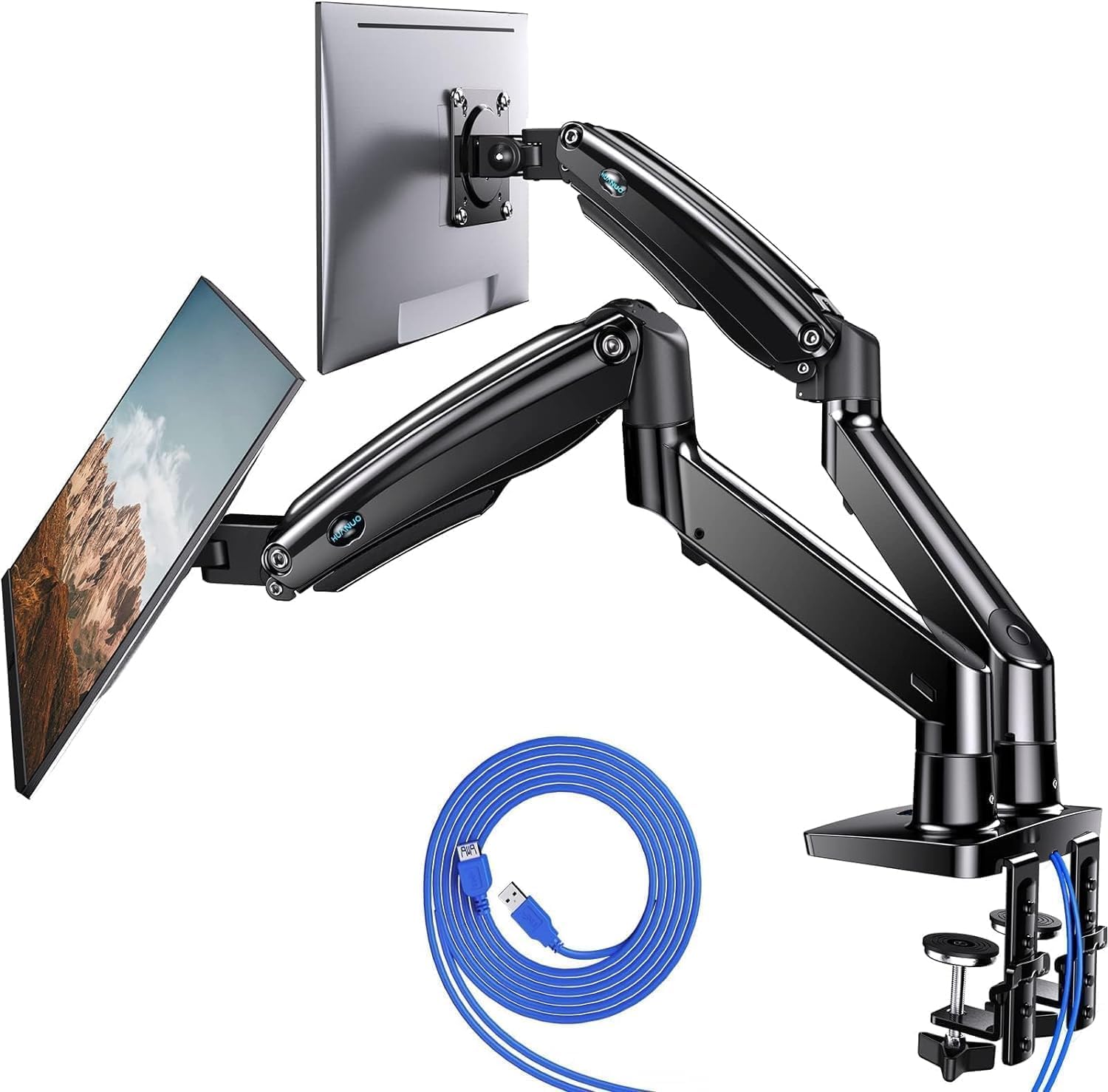
HUANUO NITROGLIDE™ Dual Monitor Stand for 13″–40″, Premium Dual Monitor Mount with USB, Height Adjustable Monitor Stand for 2 Monitors, VESA Mount with Clamp/Grommet Base, Holds 26.4lbs per Arm, HNDS7
Want the best price and purchase timing?
Our AI advisor analyzes real-time pricing across all channels to find you the best deal.
AI Verdict
This dual monitor arm supports two 13″–40″ screens up to 26.4 lbs each, offering extensive adjustability and USB ports for a clutter-free setup.
This monitor stand is a strong fit for users needing to mount two large monitors (up to 40 inches, 26.4 lbs each) with extensive height, tilt, swivel, and rotation adjustments. The built-in USB ports and cable management are practical additions for an organized workspace.
If you need to mount heavier monitors or require even greater arm extension, look for models with higher weight capacities per arm and longer maximum reach specifications.
Regret Score™
Very Low RiskLower is better — measures purchase-regret risk from real buyer complaints, review credibility, and product maturity
Issues discovered after purchase
Critically weak dimension
Amazon rating vs actual quality
Chance this product isn't for you
Pros
- Securely holds two 13″–40″ monitors, each weighing up to 26.4 lbs, with VESA 75x75mm or 100x100mm compatibility.
- Arms extend up to 25.59” for deeper desks and raise monitors up to 21.1″ for ergonomic viewing.
- Full motion adjustments include -90° to +90° swivel, -30° to +85° tilt, and 360° rotation for precise positioning.
- Features two built-in USB ports with a 5.25 ft cable for convenient device charging and data transfer.
- Supports both C-clamp and grommet mounting for desks up to 3.54″ thick, providing installation flexibility.
- Integrated cable management system helps maintain an organized and clutter-free workspace.
Cons
- Some users report the cable management covers are difficult to install and don't hide cables effectively.
- The base, while reinforced, has been described by some as feeling less substantial than the arms, potentially giving a 'tippy vibe' with certain setups.
- Adjusting the tilt mechanism may require specific hex wrenches that are not always included for all adjustment points.
- Maximizing monitor movement with the integrated cable management might require longer display cables than standard.
Dimension Scores
The 21.1″ height adjustment and -30° to +85° tilt range allow for precise ergonomic positioning, reducing neck and back strain.
With 21.1″ height, 25.59” extension, -90°/+90° swivel, -30°/+85° tilt, and 360° rotation, it offers extensive full-motion flexibility for optimal viewing angles.
Constructed with solid aluminum arms and aerospace-grade aluminum alloy, it supports up to 26.4 lbs per arm, with gas springs tested for 20,000 cycles.
The integrated cable management system contributes to a cleaner desk appearance, though some users found the covers difficult to work with.
Best For
- Dual-monitor home office setups needing extensive height and reach adjustments.
- Users with ultrawide monitors (up to 40 inches) requiring stable support and full motion.
- Workspaces where integrated USB charging and organized cable routing are priorities.
Not Recommended For
- Users with extremely thin or fragile desk surfaces without additional reinforcement plates.
- Minimalist setups where any visible cables, even managed ones, are undesirable.
- Those who frequently reconfigure their monitor setup and need extremely quick cable access.
Watch Out For
- The cable management system's screws can be excessively tight, making removal and reinstallation frustratingly difficult.
- Some users found the base to be made of thin steel, contributing to a 'tippy vibe' when compared to other heavy-duty arms, despite the reinforced design.
- The tilt adjustment mechanism might require a specific hex wrench not universally included, forcing users to find their own tool.
- While the cable management system provides a clean look, some users noted it might necessitate longer monitor cables to fully utilize the arm's extension capabilities.
Full Specifications
| ASIN | B07X262MRK |
| Brand | HUANUO |
| Color | Black |
| Brand Name | HUANUO |
| Color Name | Black |
| Item Weight | 18.15 pounds |
| Manufacturer | HUANUO |
| Mounting Type | C Clamp/ Grommet Mounting |
| Movement Type | Articulating, Rotate, Swivel, Tilt |
| Item model number | HNDS7 |
| Compatible Devices | Monitor |
| Maximum Tilt Angle | 30 Degrees |
| Product Dimensions | 17.24 x 6.1 x 11.61 inches |
What Buyers Say
What really stands out is how many users praise its ability to handle large, heavy monitors, even ultrawides, without sagging. The gas springs get a lot of love for smooth adjustments, but the cable management system can be a bit of a headache to get just right. People also appreciate the built-in USB ports, which are a genuinely useful addition for decluttering.
“Dude, this thing actually holds my two huge 34-inch ultrawides without a problem, but getting those cable covers on was a total nightmare. Still, my desk looks so much cleaner now.”
Common Praise
- Arms hold two 35-inch monitors securely without issue.
- Setup is quick, with some users completing installation in under 5 minutes.
- The built-in USB ports are convenient for charging devices and reducing desk clutter.
- Smooth and precise adjustments are possible thanks to NITROGLIDE technology.
- The stand frees up significant desktop space, allowing for better organization.
- Supports a wide range of monitor sizes, from 13 to 40 inches, including ultrawides.
Common Complaints
- Cable management covers can be difficult to screw on and off, with some finding the design flawed.
- The base, despite reinforcements, can feel less sturdy than expected, creating a 'tippy vibe' for some setups.
- Adjusting the tilt tension sometimes requires a specific hex wrench that wasn't included in the package.
- Users might need to purchase longer monitor cables to fully utilize the arm's extension and movement range while using cable management.
Ownership Tips
- After a few weeks, the gas springs maintain tension well, preventing monitor sag even with frequent adjustments.
- The USB ports are consistently used for charging phones and headphones, proving more useful than initially thought.
- The initial struggle with cable management pays off, as the desk remains clutter-free long-term.
- The wide range of motion allows for easy switching between sitting and standing desk positions without re-adjusting monitor height.
- The clamp mount holds firmly without leaving marks on the desk, even after tightening significantly.
Frequently Asked Questions
What size monitors can this stand support?
It supports two monitors ranging from 13 inches to 40 inches in size.
What is the maximum weight capacity per arm?
Each arm can securely hold a monitor weighing up to 26.4 lbs.
Does it come with USB ports?
Yes, it has two built-in USB ports and includes a 5.25 ft USB cable for charging devices.
Can I mount this stand on any desk?
It supports both C-clamp and grommet mounting for desks up to 3.54 inches thick. The grommet hole should be between 0.39″ and 1.97″ in diameter.
Is the stand easy to assemble?
Many users report easy assembly, with some claiming setup in under 5 minutes due to clear instructions and mostly pre-assembled components.
Buying Guide
When you're looking at a dual monitor arm, you're basically buying back desk space and getting rid of neck strain. You need to know your monitor's size and weight, and crucially, its VESA mounting pattern (usually 75x75mm or 100x100mm). Also, check your desk's thickness and if you prefer clamping to the edge or drilling a grommet hole.
Weight Capacity per Arm (26.4 lbs)
Monitor Size Range (13″–40″)
Max Arm Height (21.1″) & Extension (25.59”)
VESA Compatibility (75x75mm or 100x100mm)
Alternatives
If this doesn't fit, search for monitor arms with higher individual arm weight capacities, greater maximum height adjustments, or different mounting options like wall mounts if desk space is extremely limited.
You Might Also Like

LYMAX Computer Monitor Light Bar with Wireless Remote, Motion Sensor, Fit for Flat/Curved Monitor, Adjustable Color Temperature with Auto-Dimming, Eye-Care USB-C Monitor Lamp, No Glare Desk Lamp
$50-$99A 15.7-ounce aluminum monitor light bar with motion sensing, auto-dimming, and stepless 2700K-6500K color temperature adjustment for flat or curved screens.

Computer Monitor Lamp, Screen Monitor Light Bar for Eye Caring, Screen Monitor Light Bar with Backlight for Eye Caring, E-Reading LED Task Lamp with Dimming Adjustment, Perfect for Reading and Study
$0-$49This BLYGACN monitor lamp offers 3 color temperatures (3000K-6500K), dimming, and a 60-minute timer, powered by USB, for monitors 15-24 inches.

Monitor Light Bar with Touch Control, RGB Desk Lamp Full Spectrum Screen Lamp, Glare-Free Low Blue Light Monitor Lamp with Memory Mode, USB Powered for Gaming, Office & Work
$0-$49A USB-powered plastic monitor light bar with touch controls, RGB modes, and glare-free illumination for basic desk setups.

RGB Monitor Light Bar, Eye-Care Dual Light Reading Screen Lamp, 9 Modes Gaming Backlight LED Computer Lamp, 3 Colors Dimmable Frontlight, 15.75'' USB Desk Lights for Home, Office
$0-$49This is a budget-focused 6.4-ounce plastic monitor light bar with dual-mode lighting and 9 RGB backlight modes, designed for users needing basic task and ambient lighting without cluttering their desk