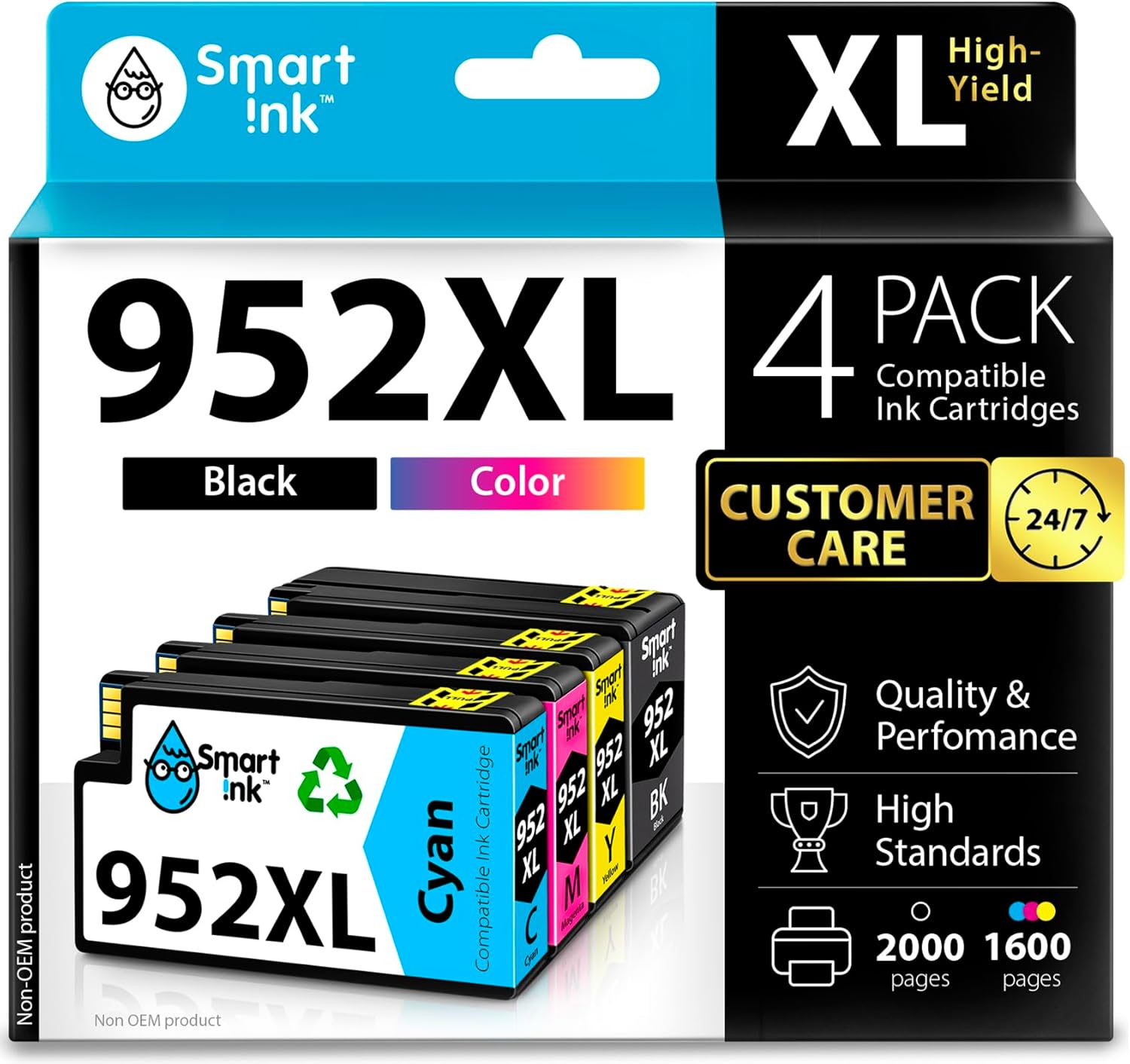
Smart Ink Compatible Ink Cartridges Replacement for HP 952XL 952 XL 4 Combo Pack (Black, Cyan/Magenta/Yellow) to use with HP OfficeJet Pro 8710 7740 8720 8715 8210 8703 OfficeJet 8702 Printers
Want the best price and purchase timing?
Our AI advisor analyzes real-time pricing across all channels to find you the best deal.
AI Verdict
These Smart Ink 952XL cartridges offer high-yield printing for compatible HP OfficeJet Pro series printers, but require disabling printer auto-updates to function.
This 4-pack of high-yield 952XL compatible cartridges is a strong contender for specific HP OfficeJet Pro users looking to reduce ink costs. The 2,000 black and 1,600 color page yields are substantial for frequent printing. However, the strict incompatibility with HP+ 'e-series' printers and the mandatory step of disabling printer auto-updates make it a situational choice.
If you own an HP+ 'e-series' printer or prefer not to disable firmware updates, you'll need to stick with original HP 952XL cartridges.
Regret Score™
High RiskLower is better — measures purchase-regret risk from real buyer complaints, review credibility, and product maturity
Issues discovered after purchase
Critically weak dimension
Amazon rating vs actual quality
Chance this product isn't for you
Pros
- Each black cartridge yields up to 2,000 pages, and each color cartridge yields up to 1,600 pages, offering extended use.
- The package includes one black, one cyan, one magenta, and one yellow cartridge, providing a complete set.
- Smart Ink provides 24/7 customer live support, even on holidays, for assistance.
- Installation is straightforward, with cartridges fitting snugly into compatible printers.
Cons
- The cartridges are not compatible with HP OfficeJet Pro models ending in 'e' that are enrolled in HP+ service.
- Users must disable printer auto-updates to prevent potential interruptions with compatible cartridges.
- Despite claims of the latest chip version, some users report issues with printer recognition or error messages.
- The 11.6-ounce weight for the pack is not a functional drawback, but it's the only physical spec provided.
Dimension Scores
The 24/7 customer live support, even on holidays, provides above-average user support for troubleshooting.
As ink cartridges, there are no adjustable features; functionality is fixed once installed.
The cartridges are equipped with updated smart chips for compatibility, but user experiences with compatible inks can vary.
Ink cartridges are functional items where aesthetics are not a primary concern or selling point.
Best For
- Home offices with compatible HP OfficeJet Pro printers (non-HP+ models) needing high-volume printing.
- Users willing to manage printer settings by disabling auto-updates for cost savings.
- Small businesses with a consistent need for color and black-and-white documents on supported HP models.
Not Recommended For
- Owners of HP OfficeJet Pro 'e-series' printers or those enrolled in HP+ service.
- Users who prefer not to disable printer firmware auto-updates.
- Individuals prioritizing OEM cartridge reliability over cost savings.
Watch Out For
- The cartridges will not work with HP OfficeJet Pro printers that are part of the HP+ 'e-series' program.
- You absolutely need to turn off your printer's auto-update feature, or HP firmware updates can block these compatible cartridges.
- Some users report that even with the latest chips, printers can still display error messages or fail to recognize the cartridges.
- While generally more affordable, print quality or color accuracy might not consistently match OEM cartridges for critical tasks.
Full Specifications
| ASIN | B07G4GVKBF |
| Brand | Smart Ink |
| Color | Black, Cyan, Magenta, Yellow |
| Ink Base | Water |
| Ink Color | Black, Cyan, Magenta, Yellow |
| Model Name | Smart Ink 952 952XL 4 pack |
| Page Yield | 2000 |
| Item Weight | 11.6 ounces |
| Manufacturer | Smart Ink for HP 952 XL 952XL |
| Special Feature | High Yield |
| Item model number | Smart Ink 952 952XL 4 pack |
| Product Dimensions | 5.11 x 5.5 x 1.77 inches |
| Compatibility Options | Compatible |
| Is Discontinued By Manufacturer | No |
What Buyers Say
Many users find these Smart Ink 952XL cartridges to be a cost-effective alternative to OEM ink, often reporting good print quality with sharp text and vibrant colors. The high page yield for both black (2,000 pages) and color (1,600 pages) is a frequently mentioned benefit for those with high printing demands. However, the critical requirement to disable printer auto-updates is a recurring point of concern, as is the strict incompatibility with HP+ 'e-series' printers. Some users, despite the 'latest chip' claims, still encounter printer recognition issues, which can be frustrating.
“Look, if you've got an older HP OfficeJet Pro and you're tired of paying a fortune for ink, these are worth a shot, but seriously, turn off those printer updates first or you'll be pulling your hair out. The colors are actually pretty decent for the price.”
Common Praise
- The black ink cartridge produces sharp, crisp text.
- Color prints are vibrant and true to life.
- The high page yield (2,000 black, 1,600 color) means fewer cartridge changes.
- Installation is quick and straightforward.
- The cost is significantly lower than original HP cartridges.
Common Complaints
- Printers with HP+ service (e-series models) do not recognize these cartridges.
- HP firmware updates can cause the printer to reject the cartridges if auto-updates aren't disabled.
- Some users report error messages or difficulty getting the printer to recognize the cartridges initially.
- Ink levels might not always report accurately on the printer display.
Ownership Tips
- After a few weeks, the print quality for everyday documents holds up well, with no noticeable fading.
- The ink levels reported by the printer can sometimes be inaccurate, so keep an eye on print quality for actual low ink signs.
- Disabling printer updates is a one-time hassle that saves a lot of money in the long run.
- The cartridges don't leak or cause smudges, even after extended periods of non-use.
Frequently Asked Questions
Are these cartridges compatible with my HP OfficeJet Pro 8710?
Yes, these Smart Ink 952XL cartridges are compatible with the HP OfficeJet Pro 8710, along with many other 77xx, 82xx, and 87xx series printers.
Will these work with my HP OfficeJet Pro 8710e printer?
No, these cartridges are not compatible with HP OfficeJet Pro models ending in 'e' that are enrolled in HP+ service, such as the 8710e.
How many pages can I print with these cartridges?
You can print up to 2,000 pages with the black XL cartridge and up to 1,600 pages with each color XL cartridge (cyan, magenta, yellow) at 5% coverage.
Do I need to do anything special before installing these?
Yes, it's recommended to turn off your printer's automatic firmware updates to prevent potential interruptions when using compatible cartridges.
What if I have an issue with the cartridges?
Smart Ink offers 24/7 customer live support, even on holidays, for any manufacturer support you might need.
Buying Guide
When buying compatible ink, you're trading off the guaranteed compatibility and often slightly higher quality of original manufacturer cartridges for significant cost savings. You need to be aware of your specific printer model, especially if it's a newer 'e-series' HP+ model, as these compatible inks won't work. Be prepared to adjust your printer's settings to prevent firmware updates from blocking the cartridges.
High Yield (XL)
This means the cartridges contain more ink than standard versions, allowing you to print more pages (2,000 black, 1,600 color) before needing a replacement. Think of it like getting a bigger gas tank for your car – fewer stops at the pump.
Compatibility with HP OfficeJet Pro series
Ink cartridges are specific to printer models, like a key to a lock. If your printer isn't on the list, these won't fit or function. Crucially, 'e-series' HP+ printers are specifically excluded.
Printer Auto-Updates
HP frequently releases software updates for its printers. These updates can sometimes prevent third-party cartridges from working. Disabling them is like telling your printer not to change its rules, ensuring these cartridges keep working.
Alternatives
If these don't fit your needs, look for compatible cartridges specifically advertised for HP+ 'e-series' printers, or consider refilled/remanufactured cartridges if you're comfortable with that option, or stick to OEM cartridges for guaranteed compatibility.
You Might Also Like

LYMAX Computer Monitor Light Bar with Wireless Remote, Motion Sensor, Fit for Flat/Curved Monitor, Adjustable Color Temperature with Auto-Dimming, Eye-Care USB-C Monitor Lamp, No Glare Desk Lamp
$50-$99A 15.7-ounce aluminum monitor light bar with motion sensing, auto-dimming, and stepless 2700K-6500K color temperature adjustment for flat or curved screens.

Computer Monitor Lamp, Screen Monitor Light Bar for Eye Caring, Screen Monitor Light Bar with Backlight for Eye Caring, E-Reading LED Task Lamp with Dimming Adjustment, Perfect for Reading and Study
$0-$49This BLYGACN monitor lamp offers 3 color temperatures (3000K-6500K), dimming, and a 60-minute timer, powered by USB, for monitors 15-24 inches.

Monitor Light Bar with Touch Control, RGB Desk Lamp Full Spectrum Screen Lamp, Glare-Free Low Blue Light Monitor Lamp with Memory Mode, USB Powered for Gaming, Office & Work
$0-$49A USB-powered plastic monitor light bar with touch controls, RGB modes, and glare-free illumination for basic desk setups.

RGB Monitor Light Bar, Eye-Care Dual Light Reading Screen Lamp, 9 Modes Gaming Backlight LED Computer Lamp, 3 Colors Dimmable Frontlight, 15.75'' USB Desk Lights for Home, Office
$0-$49This is a budget-focused 6.4-ounce plastic monitor light bar with dual-mode lighting and 9 RGB backlight modes, designed for users needing basic task and ambient lighting without cluttering their desk