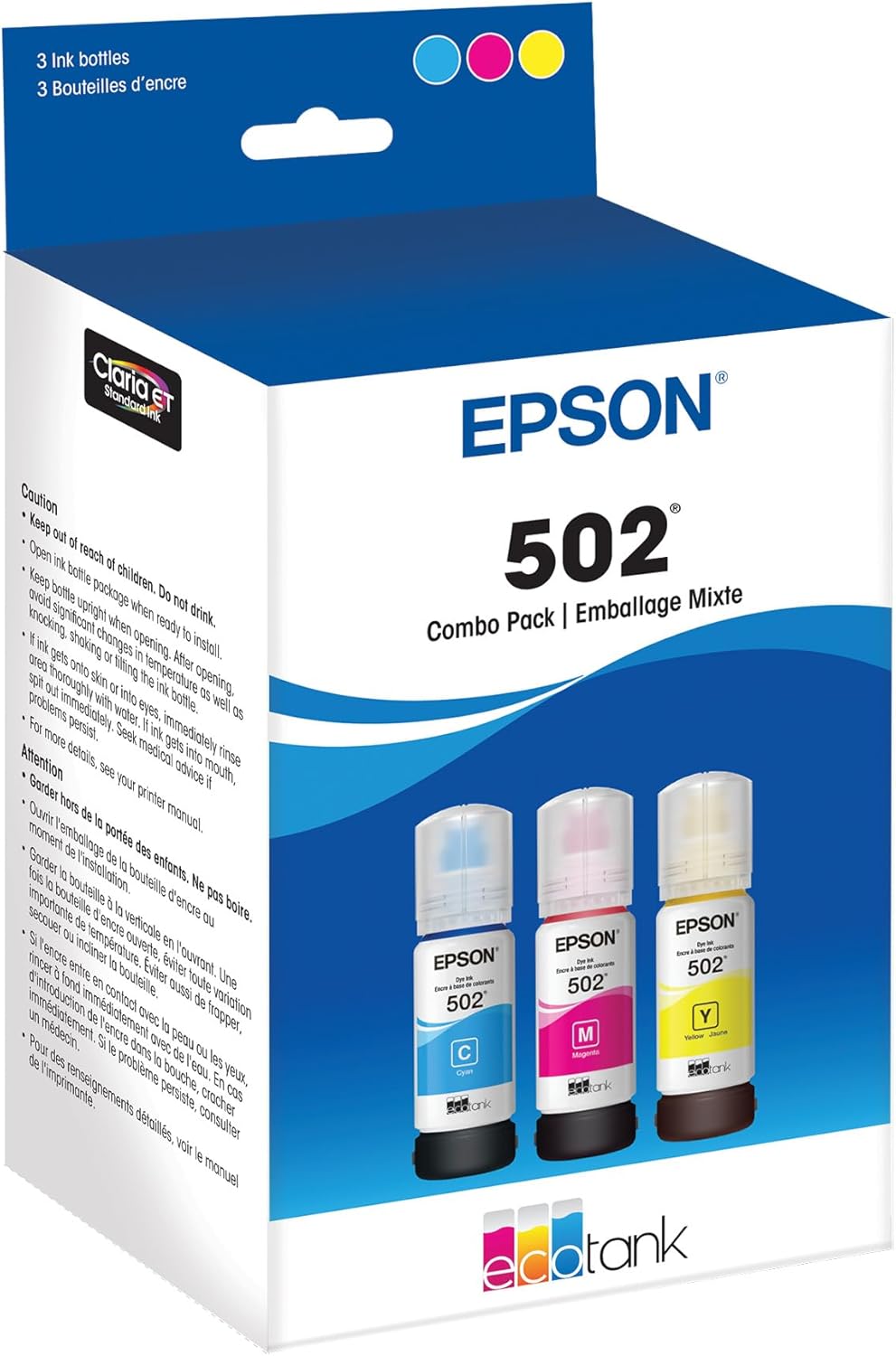
EPSON 502 EcoTank Ink Ultra-high Capacity Bottle Color Combo Pack Works with ET-2850, ET-2980, ET-2988, ET-3850, ET-3930, ET-3950, ET-4850, ET-4950 and other select EcoTank models
Want the best price and purchase timing?
Our AI advisor analyzes real-time pricing across all channels to find you the best deal.
AI Verdict
This is Epson's genuine 502 EcoTank ink, designed for high-volume printing with specific EcoTank printer models, offering a mess-free refill experience.
This ink is a strong fit for EcoTank printer owners who print frequently and value the high yield and low per-page cost. The EcoFit bottles make refilling less messy, and the genuine ink maintains print quality. However, consistent usage is key to avoid printhead issues.
If you print infrequently, consider a laser printer to avoid inkjet clogging issues, or commit to printing a few color pages weekly to keep the printhead clear.
Regret Score™
Medium RiskLower is better — measures purchase-regret risk from real buyer complaints, review credibility, and product maturity
Issues discovered after purchase
Critically weak dimension
Amazon rating vs actual quality
Chance this product isn't for you
Pros
- EcoFit bottles feature a unique keying system for each color, preventing accidental filling of the wrong tank.
- The bottles are ultra high-capacity, allowing for thousands of pages before needing replacement.
- Genuine Epson ink ensures optimal print quality and performance, with prints remaining impervious to moisture, smearing, and fading.
- Users report significant cost savings compared to traditional ink cartridges, with some buying ink only once a year despite frequent printing.
- The ink dries quickly, producing sharp pictures and clean documents.
Cons
- Some users experience faded prints or missing lines, often due to air bubbles in the ink delivery system or clogged nozzles, requiring cleaning cycles.
- Printhead clogging can occur if the printer is not used regularly, even with genuine ink, sometimes requiring manual cleaning or professional servicing.
- The ink bottles may not release ink if not perfectly seated or if the tank is already full, leading to frustration during refilling.
- Repeated power cleaning cycles, necessary to resolve faded prints, consume a lot of ink and fill the maintenance box more quickly.
- Epson strongly recommends using genuine ink, implying that non-genuine alternatives could cause damage not covered by warranty.
Dimension Scores
The EcoFit bottles are uniquely keyed and designed for easy, spill-free filling, preventing accidental color mixing and minimizing mess.
As ink bottles, there are no adjustable features inherent to the product itself.
The bottles feature a spring/valve mechanism that only opens when correctly inserted, preventing leaks and ensuring controlled ink delivery.
The bottles have a functional design, clearly labeled with color and type, but offer no particular aesthetic flair beyond utility.
Best For
- Home offices with high print volumes needing consistent color and text quality.
- Users who prioritize long-term cost savings on ink over initial printer investment.
- Families or small businesses printing frequently, like homeschooling materials or invoices.
- Anyone who wants to avoid the mess and hassle of traditional ink cartridge replacements.
Not Recommended For
- Infrequent printer users, as lack of use can lead to printhead clogging.
- Users who prefer third-party inks for even lower costs, as Epson warns against potential damage and warranty voidance.
- Those needing sublimation ink, as this ink set is not suitable for that purpose.
Watch Out For
- Printers using this ink can develop clogged printheads if left unused for extended periods, even with daily printing, leading to faded or incomplete prints.
- Refilling issues can arise if the EcoFit bottle isn't perfectly aligned or fully seated, or if dried ink residue obstructs the fill port, preventing ink flow.
- Faded prints after refilling are a common frustration, often caused by air bubbles in the ink lines, requiring multiple cleaning cycles that consume significant ink.
- Running power cleaning cycles, while sometimes necessary, uses a lot of ink and can quickly fill the printer's maintenance box, which eventually needs replacement.
- Some users report that even with genuine Epson ink, they have to clean print heads multiple times a week to maintain print quality.
Full Specifications
| ASIN | B074RG6PN1 |
| Brand | Epson |
| Color | Color combo pack |
| Ink Base | Water |
| Ink Color | Cyan, Magenta, Yellow |
| Department | Cartridges and Toners |
| Model Name | T502520-S |
| Page Yield | 6000 |
| Item Weight | 5.4 ounces |
| Manufacturer | Epson Consumables |
| Special Feature | High Yield |
| Item model number | T502520-S |
| Compatible Devices | Printer |
| Product Dimensions | 2.8 x 4.1 x 7.6 inches |
| Compatibility Options | Genuine |
| Is Discontinued By Manufacturer | No |
What Buyers Say
The biggest takeaway from users is how much money they save on ink with these EcoTank bottles compared to traditional cartridges; many report buying ink only once a year, even with heavy use. The EcoFit system gets a lot of praise for making refills surprisingly clean and straightforward, which is a huge relief for anyone who's dealt with messy ink before. However, a recurring pain point is the need for frequent printhead cleaning, especially if the printer sits idle, which can be frustrating and wastes ink. Some users also run into issues with faded prints right after refilling, often due to air in the lines, requiring multiple cleaning cycles.
“Dude, these bottles last FOREVER, I swear I haven't bought ink in like a year and I print everything for my kid's school projects. Just gotta remember to print something every few days or the heads get weird.”
Common Praise
- Ink lasts for an incredibly long time, saving a fortune compared to cartridges.
- EcoFit bottles make refilling easy and mess-free, preventing spills and errors.
- Prints are sharp, documents are clean, and colors are consistent.
- The ink is water and smudge-resistant, maintaining print quality over time.
- The value for the amount of ink received is consistently highlighted.
Common Complaints
- Printheads can clog if the printer isn't used regularly, leading to faded or missing lines.
- Faded prints or banding often appear after refilling due to air in the ink lines, requiring multiple cleaning cycles.
- Power cleaning cycles, while sometimes necessary, consume a lot of ink and fill the maintenance box quickly.
- Some users report difficulty getting the bottles to release ink if not perfectly seated or if the tank is near full.
- The printer can be slow and noisy compared to cartridge-based models, though this is a printer complaint, not ink.
Ownership Tips
- You absolutely have to print something in color at least once a week, even if it's just a test page, to keep the printhead from drying out and clogging.
- If prints look faded after refilling, don't panic; it's probably air. Run a nozzle check and a couple of cleaning cycles, then let it sit for a bit.
- The EcoFit bottles really do prevent spills, but you still need to make sure they're pushed down firmly and straight into the tank to get the ink flowing.
- Keep an eye on your maintenance box level, especially if you're doing a lot of cleaning cycles, because that will eventually need replacing.
- The initial cost savings on ink are real, but the trade-off is needing to be more proactive with printer maintenance than with cartridge printers.
Frequently Asked Questions
Is this ink compatible with my Epson EcoTank printer?
The Epson 502 ink is compatible with a wide range of EcoTank models, including ET-2700, ET-2750, ET-2850, ET-3850, ET-4850, and many others listed in the product specifications.
Why are my prints faded after refilling with this ink?
Faded prints often occur due to air bubbles trapped in the ink delivery tubes after refilling. Running a nozzle check and then one or two head cleaning cycles, or a power cleaning if necessary, usually resolves this.
How long does this ink typically last?
Many users report that the high-capacity bottles last for an incredibly long time, with some stating they only need to purchase ink once a year or even every two to three years, even with frequent printing.
Can I use third-party ink with my EcoTank printer?
Epson strongly recommends using genuine Epson ink to ensure optimal print quality and performance. Using non-genuine ink could cause damage not covered under the printer’s limited warranty.
What should I do if the ink bottle isn't filling the tank?
Ensure the bottle is perfectly aligned and fully seated into the keyed tank port. If the tank is already full or near its limit, the bottle may correctly stop flowing. Check for dried ink residue on the bottle tip or tank port.
How can I prevent printhead clogging?
To prevent clogging, it's crucial to use your EcoTank printer regularly. Printing a few color pages at least once a week helps keep the ink flowing and prevents it from drying in the nozzles.
Buying Guide
When you're looking at ink for an EcoTank printer, you're buying into a system that's designed to save you money in the long run by using large, refillable tanks instead of small cartridges. This means you'll pay more upfront for the printer, but the ink itself is much cheaper per page. The key is understanding that these printers need regular use to prevent the ink from drying out in the printhead, which can cause frustrating print quality issues. So, if you print often, this system is a winner for your wallet.
High Yield
This isn't just marketing speak; it means these bottles contain a lot more ink than traditional cartridges. Think of it like buying a gallon of milk versus a small carton – you get way more for your money, and you don't have to replace it nearly as often, which is a huge convenience and cost saver.
EcoFit Ink Bottles
This is Epson's clever design to make refilling mess-free. Each color bottle has a unique nozzle shape that only fits into its corresponding color tank on the printer. It's like a child-proof cap for your ink, preventing you from accidentally putting the wrong color in the wrong tank and making a huge mess.
Genuine Epson Ink
Using the manufacturer's ink is important because it's formulated specifically for your printer's printhead. This means you'll get the best print quality, accurate colors, and less risk of clogging or damage to your printer, which could void your warranty.
Alternatives
If you print very rarely, consider a monochrome laser printer for documents to avoid ink drying issues, or look for an inkjet printer with a simpler, less maintenance-intensive printhead design if color is essential.
You Might Also Like

LYMAX Computer Monitor Light Bar with Wireless Remote, Motion Sensor, Fit for Flat/Curved Monitor, Adjustable Color Temperature with Auto-Dimming, Eye-Care USB-C Monitor Lamp, No Glare Desk Lamp
$50-$99A 15.7-ounce aluminum monitor light bar with motion sensing, auto-dimming, and stepless 2700K-6500K color temperature adjustment for flat or curved screens.

Computer Monitor Lamp, Screen Monitor Light Bar for Eye Caring, Screen Monitor Light Bar with Backlight for Eye Caring, E-Reading LED Task Lamp with Dimming Adjustment, Perfect for Reading and Study
$0-$49This BLYGACN monitor lamp offers 3 color temperatures (3000K-6500K), dimming, and a 60-minute timer, powered by USB, for monitors 15-24 inches.

Monitor Light Bar with Touch Control, RGB Desk Lamp Full Spectrum Screen Lamp, Glare-Free Low Blue Light Monitor Lamp with Memory Mode, USB Powered for Gaming, Office & Work
$0-$49A USB-powered plastic monitor light bar with touch controls, RGB modes, and glare-free illumination for basic desk setups.

RGB Monitor Light Bar, Eye-Care Dual Light Reading Screen Lamp, 9 Modes Gaming Backlight LED Computer Lamp, 3 Colors Dimmable Frontlight, 15.75'' USB Desk Lights for Home, Office
$0-$49This is a budget-focused 6.4-ounce plastic monitor light bar with dual-mode lighting and 9 RGB backlight modes, designed for users needing basic task and ambient lighting without cluttering their desk